
AloneQuartet
Create split videos easily
Dirancang untuk iPhone, iPad, iPod touch
Gratis · Pembelian dalam aplikasi
- Batasan usia4+
- KategoriMusik
- PengembangNaoto Sasaki
- BahasaInggris+ 7 lainnya
- Ukuran12,1 MB
Tertaut ke halaman resmi App Store
Download.org tidak menyimpan file AloneQuartet apa pun. Tombol ini membuka halaman aplikasi di App Store, tempat Naoto Sasaki menerbitkannya. Halaman terakhir diperiksa pada 14/11/2026.
Tangkapan layar
Tentang
Pengembang belum menyediakan teks ini dalam bahasa Anda.
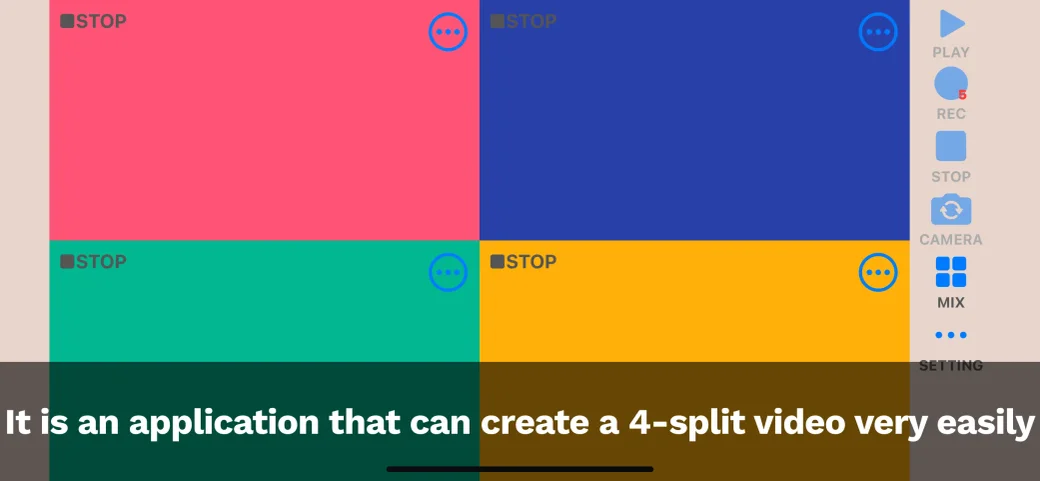
AloneQuartet is an app that makes it super easy to create 4-panel split videos.
◆Features
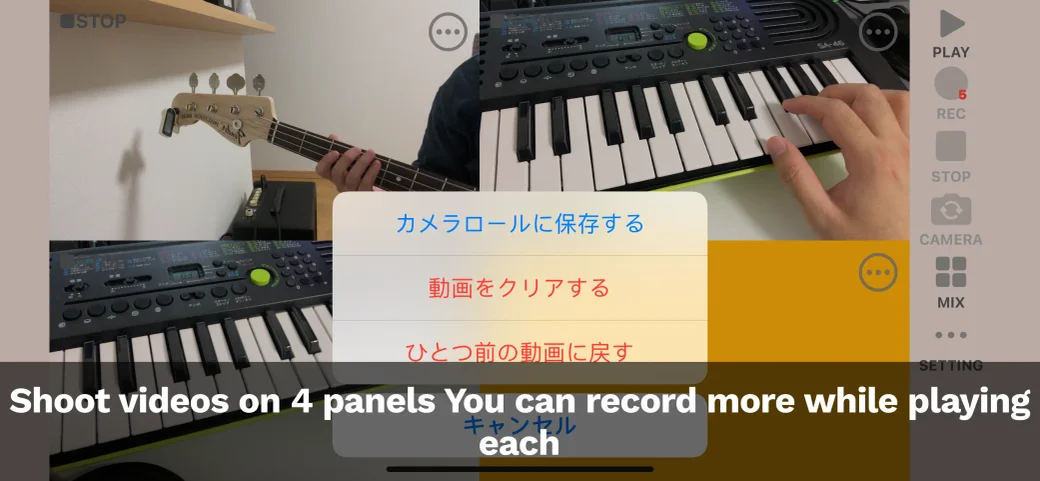
- Record videos in each of the 4 panels using the camera
- Switch between front and rear cameras
- Record new videos while watching previously recorded panels
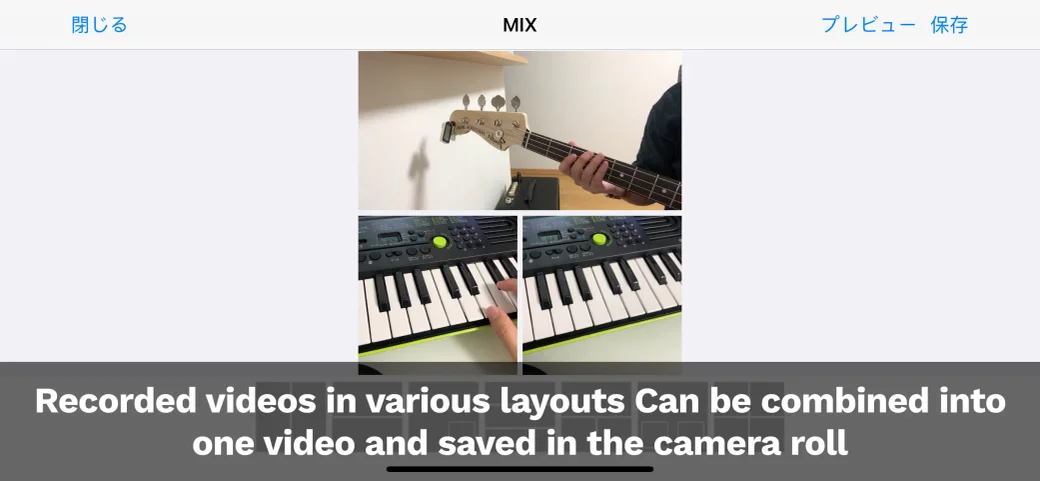
- Save recorded videos to camera roll
- Import videos from camera roll
- No time limit for long recordings
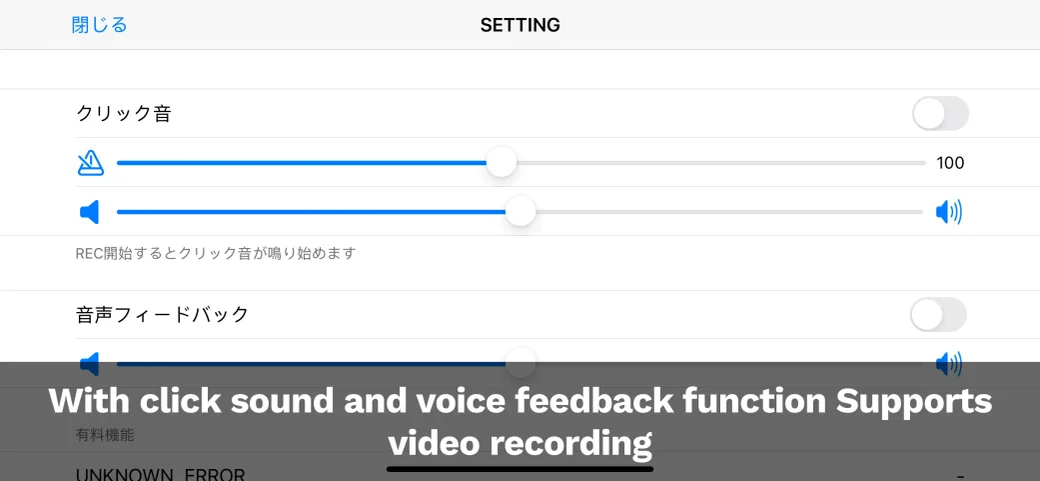
- Real-time microphone feedback during recording
- Bluetooth headphone and speaker support
- AirPlay device compatibility
- Built-in click function (simple metronome)
- iPad large screen support
- Individual volume control for each panel
- Video trim function to set start/end times
◆How to use
◆◆Preview
Tap any of the 4 panels to display camera preview.
◆◆Camera switching
Press CAMERA on the right to switch between front and rear cameras.
◆◆Recording
Press REC on the right while in preview mode to start recording.
◆◆Overlay recording
When you start recording, previously recorded panels will play back while the target panel records.
◆◆Playback
Press PLAY on the right to start playback.
◆◆Stop
Press STOP on the right to stop recording/playback.
◆◆Mix
Press MIX on the right to go to the MIX screen. Select the mix format and press preview or save to mix.
◆◆Volume control
Adjust individual volume for each panel with volume sliders. Create balanced audio during mixing.
◆◆Video trim
Set start/end times for recorded videos. Extract only needed parts for precise editing.
◆◆Data saving
Save data to Photos app. Press the button at the top right of a panel and select save to Photos.
◆◆Data loading
From an empty panel, press the top right button and select load from Photos.
◆◆Metronome function
From SETTINGS, turn on click sound and set volume, tempo, etc. Click sound starts when recording begins.
◆◆Audio feedback function
From SETTINGS, turn on audio feedback and set volume, etc. You can hear input audio through headphones.
◆◆iPad support
Supports iPad sizes with wider, more visible screens. Also supports iPad Pro multiple screens.
◆◆Multi-language support
Supports Japanese, English, Chinese (Simplified/Traditional), Korean, French, and Spanish.
Thank you for reading. We plan to add more convenient features in the future, so please look forward to it.
Yang baru
Versi 1.22 · 13/9/2026
Bug Fixes
• Fixed an issue where recording was unavailable and the app could quit unexpectedly when camera or microphone access was not allowed
• Added a clear message with a shortcut to Settings when access has not been granted
• Improved overall stability
Privasi aplikasi
Yang dinyatakan Naoto Sasaki di App Store tentang cara aplikasi ini menangani data.
-
Data yang digunakan untuk melacak Anda
Dapat digunakan untuk melacak Anda di aplikasi dan situs web milik perusahaan lain.
- Pengenal
-
Data yang tidak ditautkan dengan Anda
Dapat dikumpulkan, tetapi tidak ditautkan dengan identitas Anda.
- Pengenal
Praktik privasi dapat bervariasi, misalnya berdasarkan fitur yang Anda gunakan atau usia Anda.
Informasi
- Penjual
- Naoto Sasaki
- Kategori
- Musik
- Versi
- 1.22
- Diperbarui
- 13/9/2026
- Dirilis
- 25/11/2020
- Ukuran
- 12,1 MB
- Memerlukan
- iOS 15.6 atau yang lebih baru
- Batasan usia
- 4+
- Harga
- Gratis
- Pembelian dalam aplikasi
- Ya
- Bahasa
- Inggris, Prancis, Jerman, Jepang, Korea, Tionghoa Sederhana, Spanyol, Tionghoa Tradisional
- Hak cipta
- © Naoto Sasaki
Mungkin Anda juga suka
-
 Jamgram: Make Songs with VideoMusik
-
 Bandapella: Acapella StudioMusik
-
 Smuzi: AI Music Video MakerMusik
-
 Acapella Editor: Video HarmoniNyanyikan Semua Suara: Duet
-
 Strum Machine - Backing TracksMusik
-
 Loop ON-Looper & Jam RecorderMusik
-
 Acapella from PicPlayPostMusik
-
 Metronaut Sheet MusicMusik
-
 Pro Microphone: Voice RecordMusik
-
 Cubasis LE 3Musik