
AloneQuartet
Create split videos easily
Designed for iPhone, iPad, iPod touch
Free · In-app purchases
- Age rating4+
- CategoryMusic
- DeveloperNaoto Sasaki
- LanguagesEnglish+ 7 more
- Size12.1 MB
Links to the official App Store page
Download.org hosts no file of AloneQuartet. The button opens its official App Store page, published by Naoto Sasaki. Listing last checked on Nov 14, 2026.
Screenshots
About
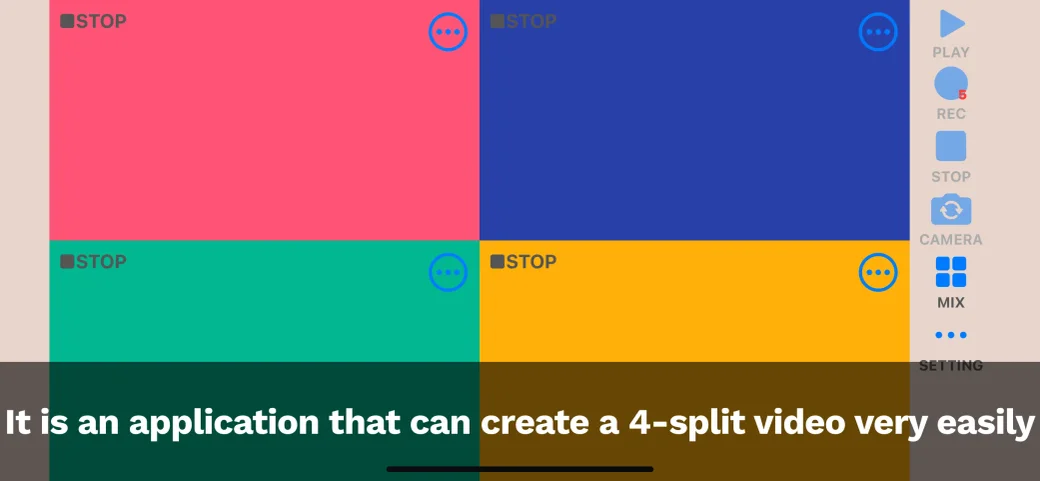
AloneQuartet is an app that makes it super easy to create 4-panel split videos.
◆Features
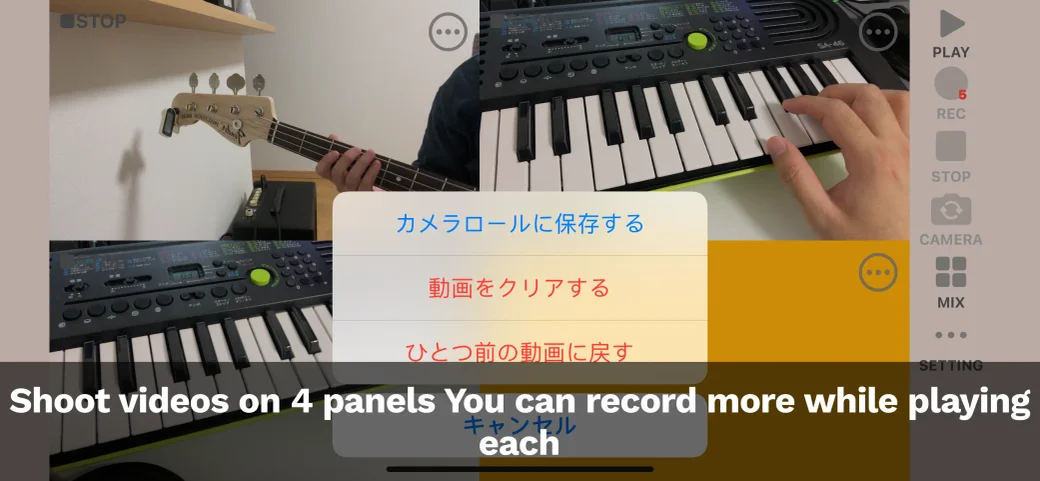
- Record videos in each of the 4 panels using the camera
- Switch between front and rear cameras
- Record new videos while watching previously recorded panels
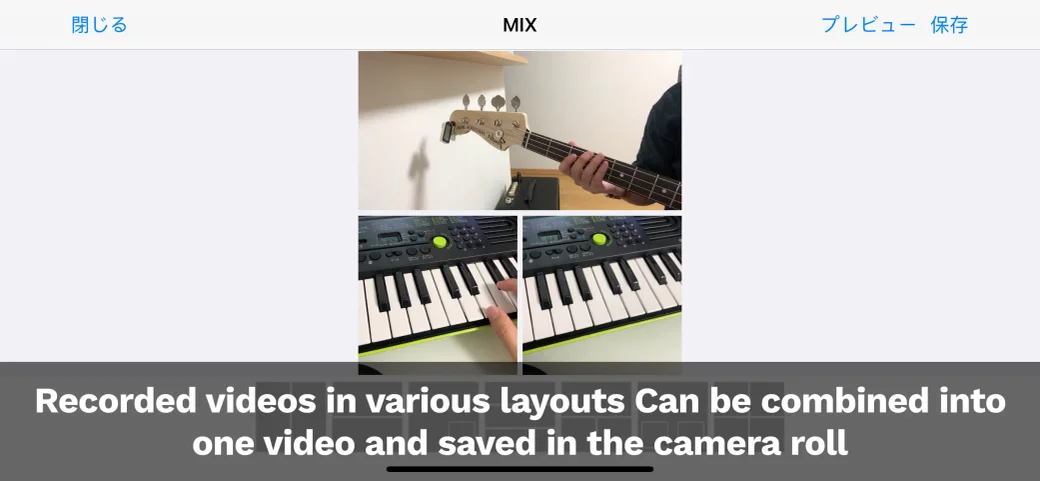
- Save recorded videos to camera roll
- Import videos from camera roll
- No time limit for long recordings
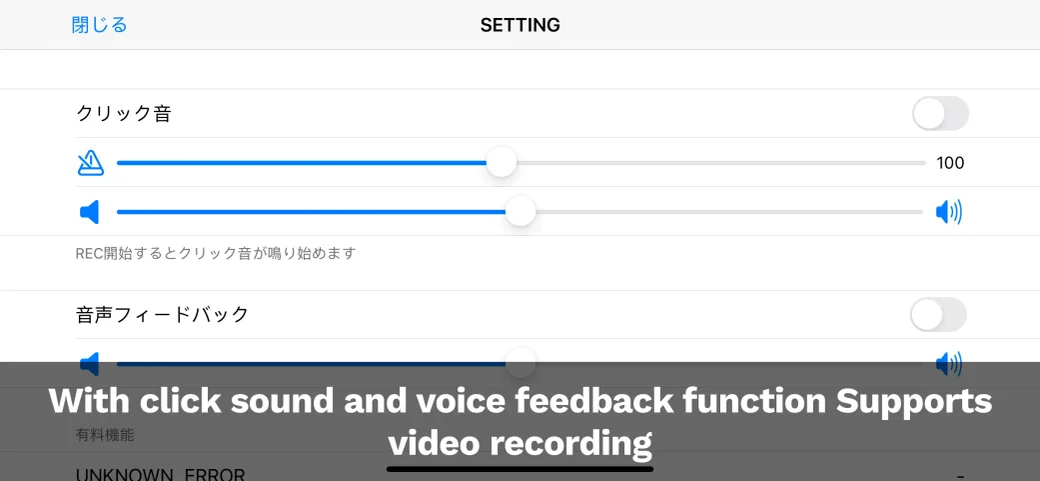
- Real-time microphone feedback during recording
- Bluetooth headphone and speaker support
- AirPlay device compatibility
- Built-in click function (simple metronome)
- iPad large screen support
- Individual volume control for each panel
- Video trim function to set start/end times
◆How to use
◆◆Preview
Tap any of the 4 panels to display camera preview.
◆◆Camera switching
Press CAMERA on the right to switch between front and rear cameras.
◆◆Recording
Press REC on the right while in preview mode to start recording.
◆◆Overlay recording
When you start recording, previously recorded panels will play back while the target panel records.
◆◆Playback
Press PLAY on the right to start playback.
◆◆Stop
Press STOP on the right to stop recording/playback.
◆◆Mix
Press MIX on the right to go to the MIX screen. Select the mix format and press preview or save to mix.
◆◆Volume control
Adjust individual volume for each panel with volume sliders. Create balanced audio during mixing.
◆◆Video trim
Set start/end times for recorded videos. Extract only needed parts for precise editing.
◆◆Data saving
Save data to Photos app. Press the button at the top right of a panel and select save to Photos.
◆◆Data loading
From an empty panel, press the top right button and select load from Photos.
◆◆Metronome function
From SETTINGS, turn on click sound and set volume, tempo, etc. Click sound starts when recording begins.
◆◆Audio feedback function
From SETTINGS, turn on audio feedback and set volume, etc. You can hear input audio through headphones.
◆◆iPad support
Supports iPad sizes with wider, more visible screens. Also supports iPad Pro multiple screens.
◆◆Multi-language support
Supports Japanese, English, Chinese (Simplified/Traditional), Korean, French, and Spanish.
Thank you for reading. We plan to add more convenient features in the future, so please look forward to it.
What’s new
Version 1.22 · Sep 13, 2026
Bug Fixes
• Fixed an issue where recording was unavailable and the app could quit unexpectedly when camera or microphone access was not allowed
• Added a clear message with a shortcut to Settings when access has not been granted
• Improved overall stability
App privacy
What Naoto Sasaki declares on the App Store about how this app handles data.
-
Data used to track you
May be used to track you across apps and websites owned by other companies.
- Identifiers
-
Data not linked to you
May be collected but is not linked to your identity.
- Identifiers
Privacy practices may vary, for example with the features you use or your age.
Information
- Seller
- Naoto Sasaki
- Category
- Music
- Version
- 1.22
- Updated
- Sep 13, 2026
- Released
- Nov 25, 2020
- Size
- 12.1 MB
- Requires
- iOS 15.6 or later
- Age rating
- 4+
- Price
- Free
- In-app purchases
- Yes
- Languages
- English, French, German, Japanese, Korean, Simplified Chinese, Spanish, Traditional Chinese
- Copyright
- © Naoto Sasaki
You might also like
-
 Jamgram: Make Songs with VideoMusic & Video Recording Studio
-
 Bandapella: Acapella StudioRecord music & video in layers
-
 Smuzi: AI Music Video MakerCreate videos with friends
-
 Acapella Editor: Harmony VideoSing Every Part: Choir & Duet
-
 Strum Machine - Backing TracksFor bluegrass, fiddling, etc.
-
 Loop ON-Looper & Jam RecorderMusic station: songs, beatbox
-
 Acapella from PicPlayPostSing & Collab Music Maker
-
 Metronaut Sheet MusicPractice Violin Piano Flute...
-
 Pro Microphone: Voice RecordAcapella and karaoke recording
-
 Cubasis LE 3Mobile Music Creation System