
AloneQuartet
Create split videos easily
Được thiết kế cho iPhone, iPad, iPod touch
Miễn phí · Mua hàng trong ứng dụng
- Độ tuổi4+
- Danh mụcNhạc
- Nhà phát triểnNaoto Sasaki
- Ngôn ngữTiếng Anh+ 7 ngôn ngữ khác
- Kích thước12,1 MB
Liên kết đến trang App Store chính thức
Download.org không lưu trữ tệp nào của AloneQuartet. Nút này mở trang ứng dụng trên App Store, nơi Naoto Sasaki phát hành ứng dụng. Trang được kiểm tra lần cuối: 14/11/2026.
Ảnh chụp màn hình
Giới thiệu
Nhà phát triển chưa cung cấp nội dung này bằng ngôn ngữ của bạn.
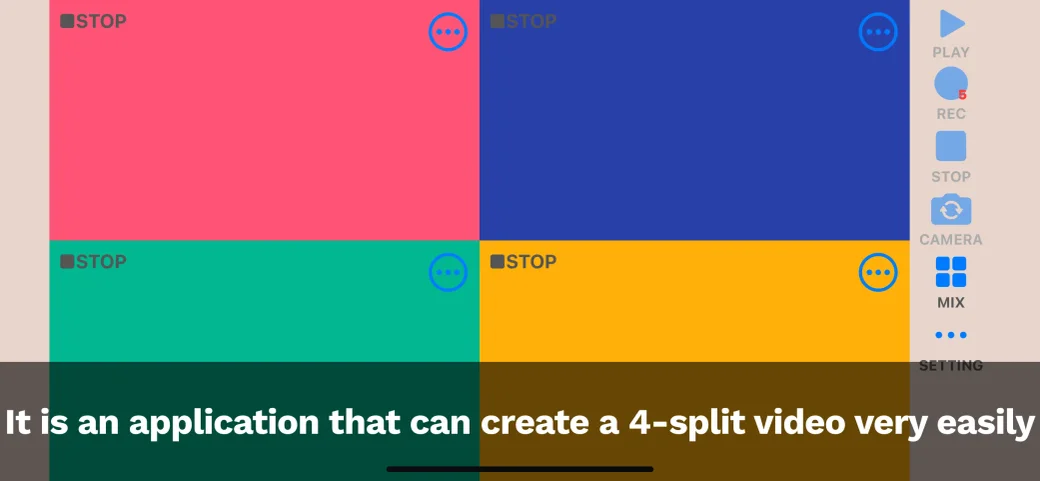
AloneQuartet is an app that makes it super easy to create 4-panel split videos.
◆Features
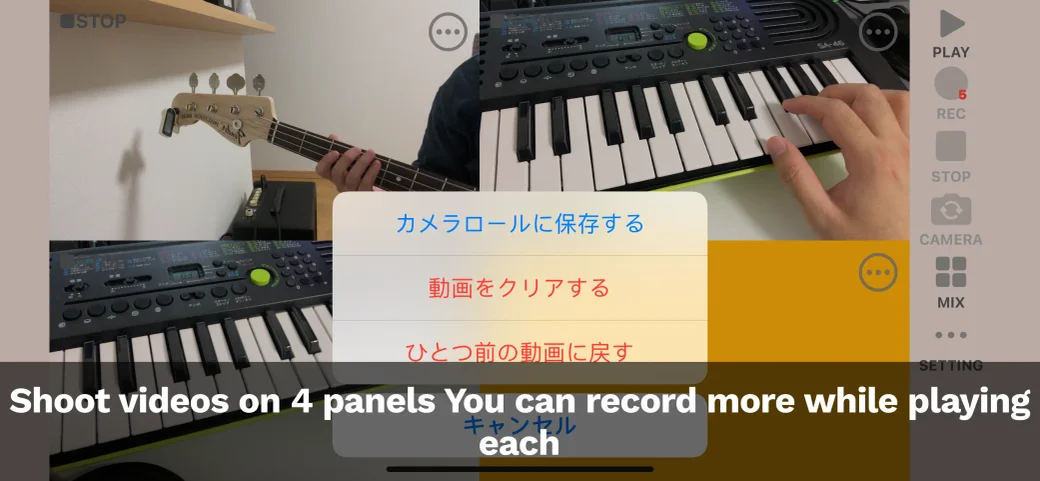
- Record videos in each of the 4 panels using the camera
- Switch between front and rear cameras
- Record new videos while watching previously recorded panels
- Save recorded videos to camera roll
- Import videos from camera roll
- No time limit for long recordings
- Real-time microphone feedback during recording
- Bluetooth headphone and speaker support
- AirPlay device compatibility
- Built-in click function (simple metronome)
- iPad large screen support
- Individual volume control for each panel
- Video trim function to set start/end times
◆How to use
◆◆Preview
Tap any of the 4 panels to display camera preview.
◆◆Camera switching
Press CAMERA on the right to switch between front and rear cameras.
◆◆Recording
Press REC on the right while in preview mode to start recording.
◆◆Overlay recording
When you start recording, previously recorded panels will play back while the target panel records.
◆◆Playback
Press PLAY on the right to start playback.
◆◆Stop
Press STOP on the right to stop recording/playback.
◆◆Mix
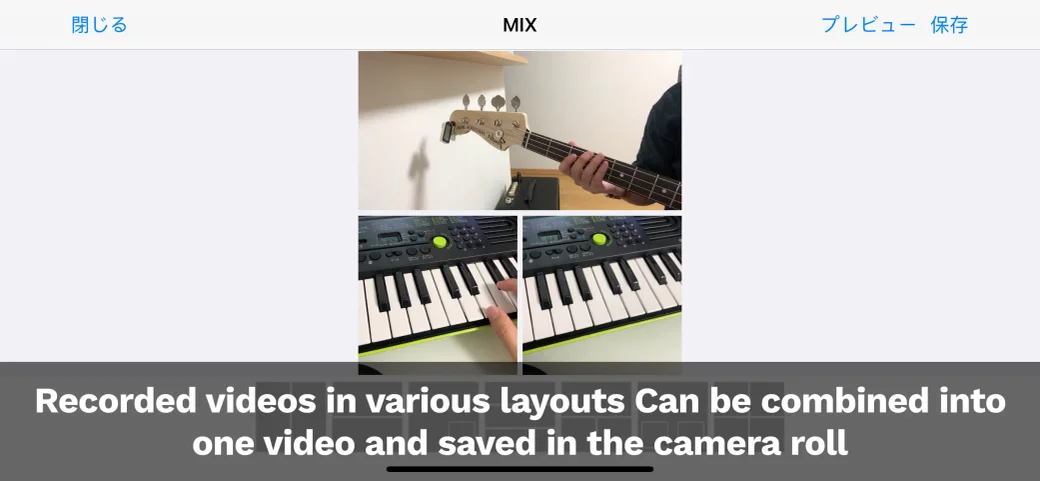
Press MIX on the right to go to the MIX screen. Select the mix format and press preview or save to mix.
◆◆Volume control
Adjust individual volume for each panel with volume sliders. Create balanced audio during mixing.
◆◆Video trim
Set start/end times for recorded videos. Extract only needed parts for precise editing.
◆◆Data saving
Save data to Photos app. Press the button at the top right of a panel and select save to Photos.
◆◆Data loading
From an empty panel, press the top right button and select load from Photos.
◆◆Metronome function
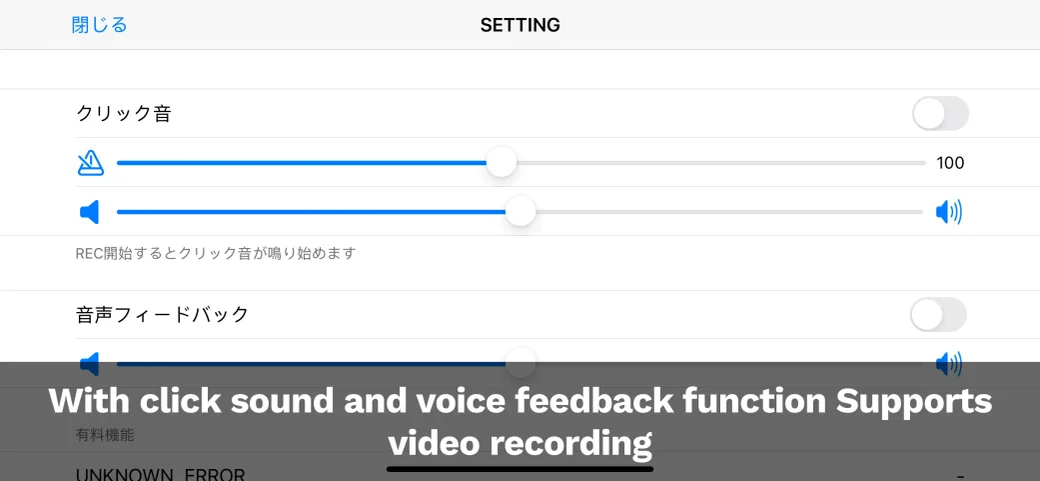
From SETTINGS, turn on click sound and set volume, tempo, etc. Click sound starts when recording begins.
◆◆Audio feedback function
From SETTINGS, turn on audio feedback and set volume, etc. You can hear input audio through headphones.
◆◆iPad support
Supports iPad sizes with wider, more visible screens. Also supports iPad Pro multiple screens.
◆◆Multi-language support
Supports Japanese, English, Chinese (Simplified/Traditional), Korean, French, and Spanish.
Thank you for reading. We plan to add more convenient features in the future, so please look forward to it.
Có gì mới
Phiên bản 1.22 · 13/09/2026
Bug Fixes
• Fixed an issue where recording was unavailable and the app could quit unexpectedly when camera or microphone access was not allowed
• Added a clear message with a shortcut to Settings when access has not been granted
• Improved overall stability
Quyền riêng tư của ứng dụng
Những gì Naoto Sasaki khai báo trên App Store về cách ứng dụng này xử lý dữ liệu.
-
Dữ liệu được sử dụng để theo dõi bạn
Có thể được sử dụng để theo dõi bạn trên các ứng dụng và trang web do công ty khác sở hữu.
- Mã định danh
-
Dữ liệu không liên kết với bạn
Có thể được thu thập nhưng không liên kết với danh tính của bạn.
- Mã định danh
Phương thức đảm bảo quyền riêng tư có thể khác nhau, chẳng hạn như tuỳ theo các tính năng bạn sử dụng hoặc độ tuổi của bạn.
Thông tin
- Người bán
- Naoto Sasaki
- Danh mục
- Nhạc
- Phiên bản
- 1.22
- Cập nhật
- 13/09/2026
- Phát hành
- 25/11/2020
- Kích thước
- 12,1 MB
- Yêu cầu
- iOS 15.6 trở lên
- Độ tuổi
- 4+
- Giá
- Miễn phí
- Mua hàng trong ứng dụng
- Có
- Ngôn ngữ
- Tiếng Anh, Tiếng Pháp, Tiếng Đức, Tiếng Nhật, Tiếng Hàn, Tiếng Trung Giản thể, Tiếng Tây Ban Nha, Tiếng Trung Phồn thể
- Bản quyền
- © Naoto Sasaki
Có thể bạn cũng thích
-
 Jamgram: Make Songs with VideoNhạc
-
 Bandapella: Acapella StudioNhạc
-
 Smuzi: AI Music Video MakerNhạc
-
 Acapella Editor: Video Hòa ÂmHát mọi bè: hợp xướng, song ca
-
 Strum Machine - Backing TracksNhạc
-
 Loop ON-Looper & Jam RecorderNhạc
-
 Acapella from PicPlayPostNhạc
-
 Metronaut Sheet MusicNhạc
-
 Pro Microphone: Voice RecordNhạc
-
 Cubasis LE 3Nhạc