
Batch Videos Edit
Batch Videos Edit Resize Tool
Dirancang untuk iPhone, iPad, iPod touch
Rp 59ribu
- Batasan usia4+
- KategoriFoto & Video
- PengembangHeng Jia Liang
- BahasaInggris
- Ukuran1,8 MB
Tertaut ke halaman resmi App Store
Download.org tidak menyimpan file Batch Videos Edit apa pun. Tombol ini membuka halaman aplikasi di App Store, tempat Heng Jia Liang menerbitkannya. Halaman terakhir diperiksa pada 18/11/2026.
Tangkapan layar

Tentang
Pengembang belum menyediakan teks ini dalam bahasa Anda.
Batch Videos Edit – A powerful tool for iPhone and iPad that lets you resize, crop, change the aspect ratio, or rotate your videos and movies in bulk—quickly and easily.
With Batch Videos Edit, you can save your data plan and bandwidth since all video processing happens directly on your device. Once resized, you can effortlessly upload your videos to your favorite social media platforms like YouTube, Facebook, Tiktok, Instagram and X.
Features:
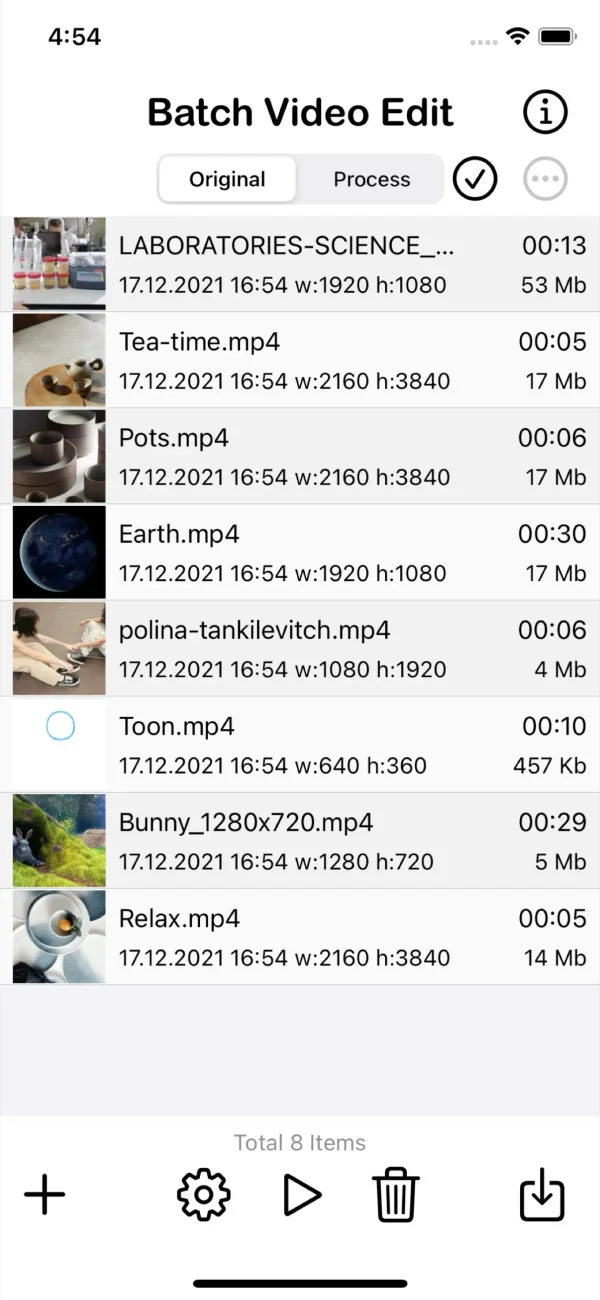
• Load multiple videos/clips from your library.
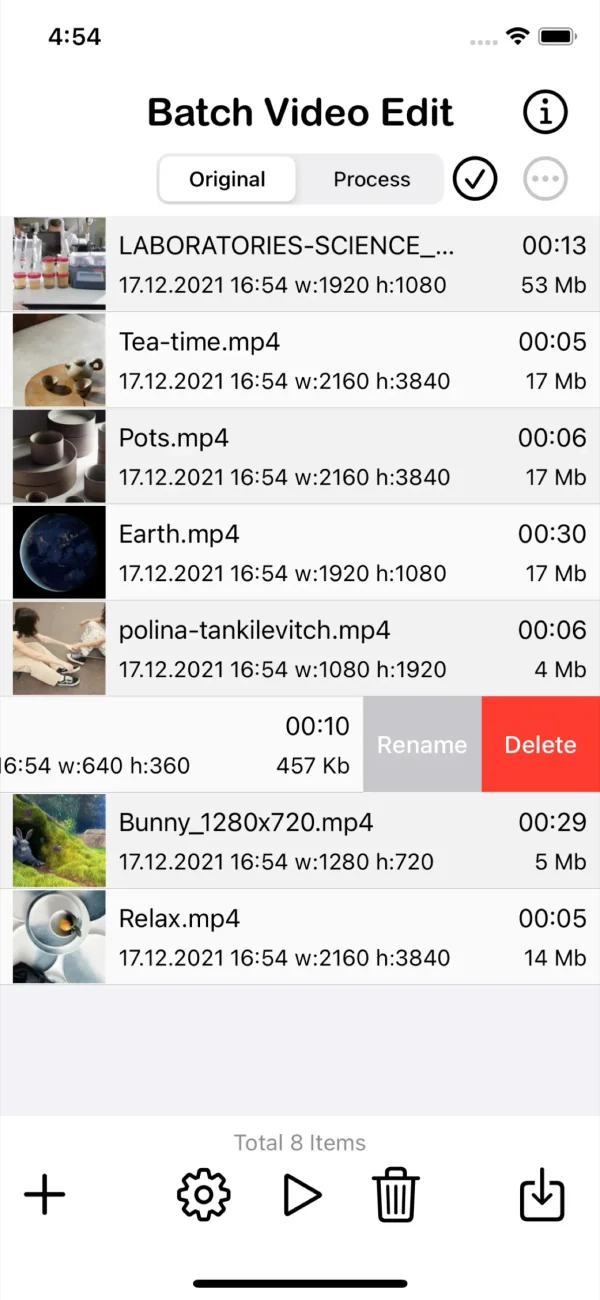
• Rename or delete videos easily.
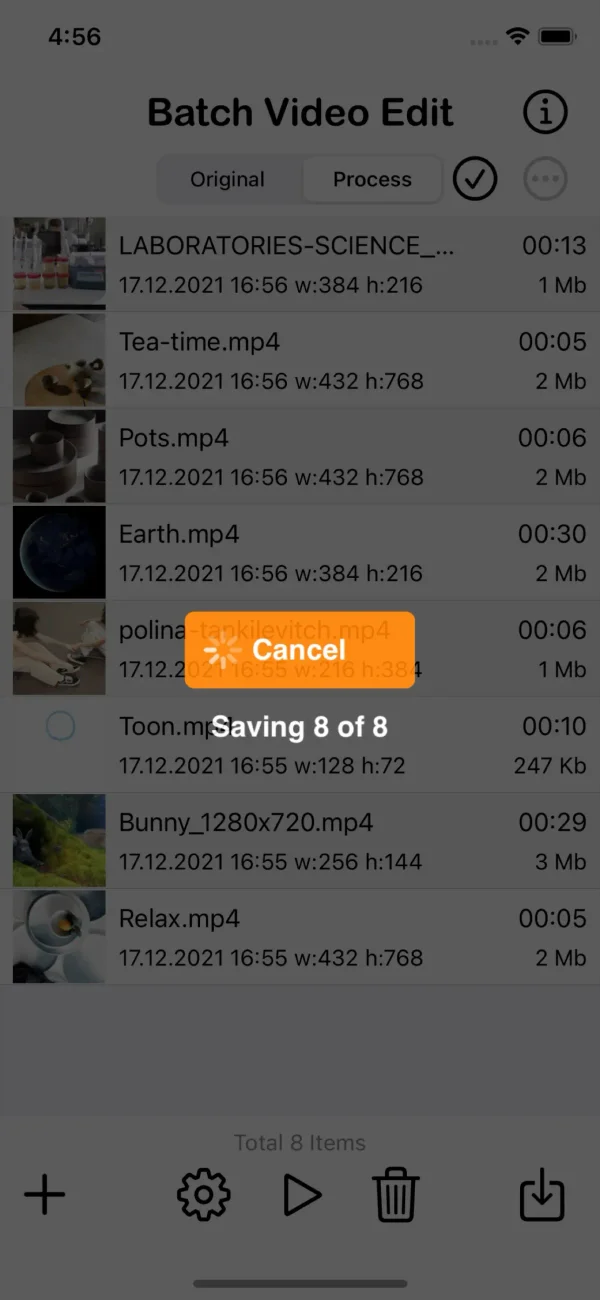
• View detailed video info (name, date, duration, dimensions, and file size).
• Review and remove videos before proceeding.
• Preview each video/clip individually.
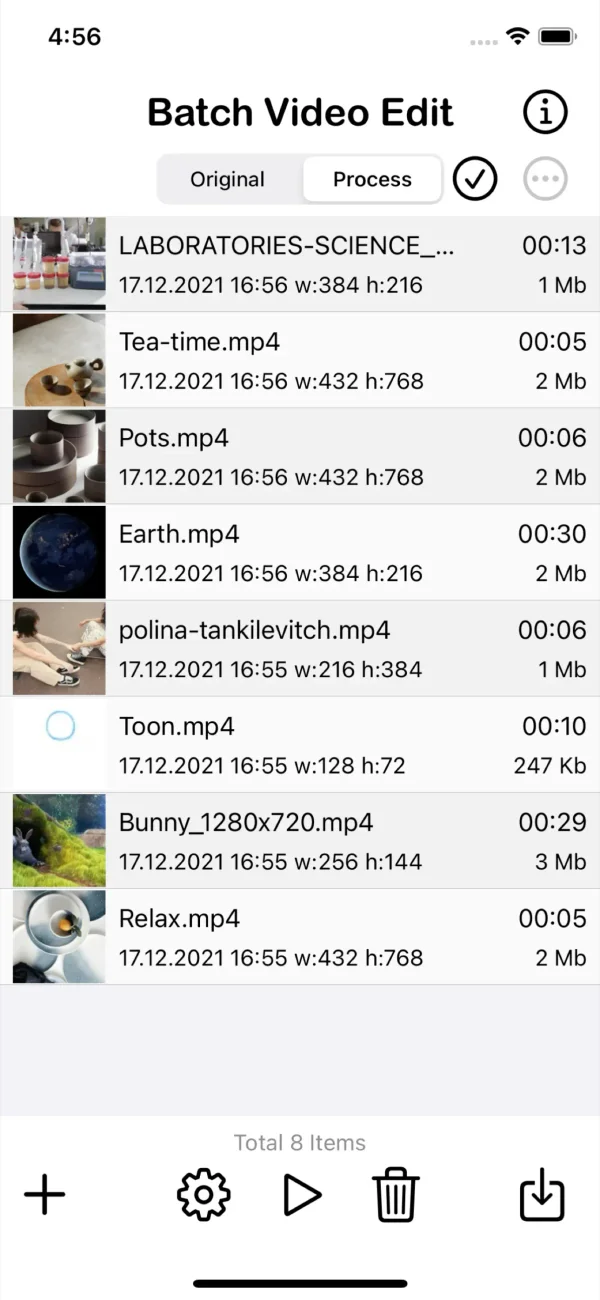
• Organized storage – View original and processed videos in separate folders.
• One-tap cleanup – Clear all videos in a single press.
• Save all processed videos directly to your Camera Roll.
• Works seamlessly on both iPhone and iPad.
• Lightweight, compact app optimized for everyday use.
• Ad-free and built with privacy in mind.
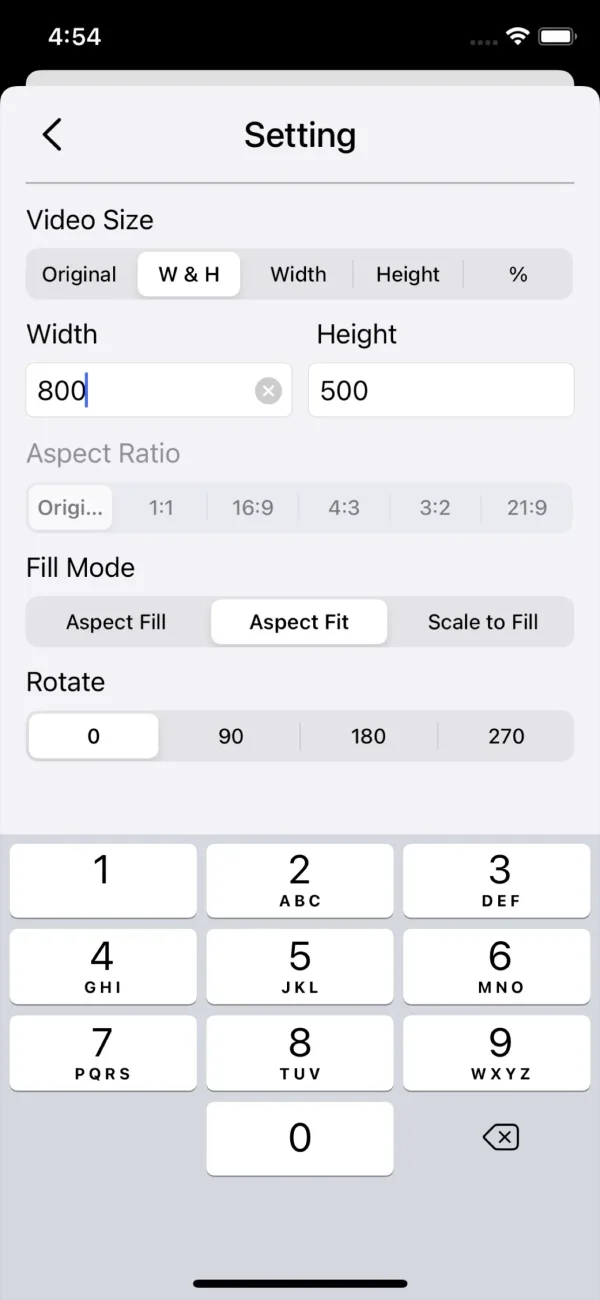
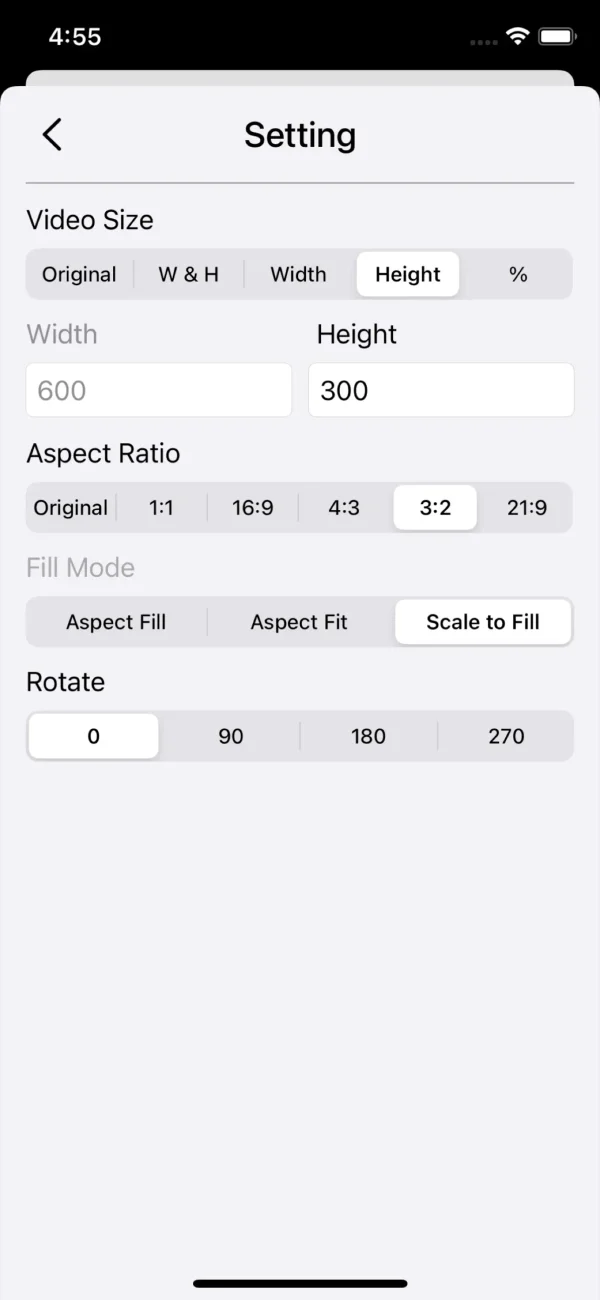
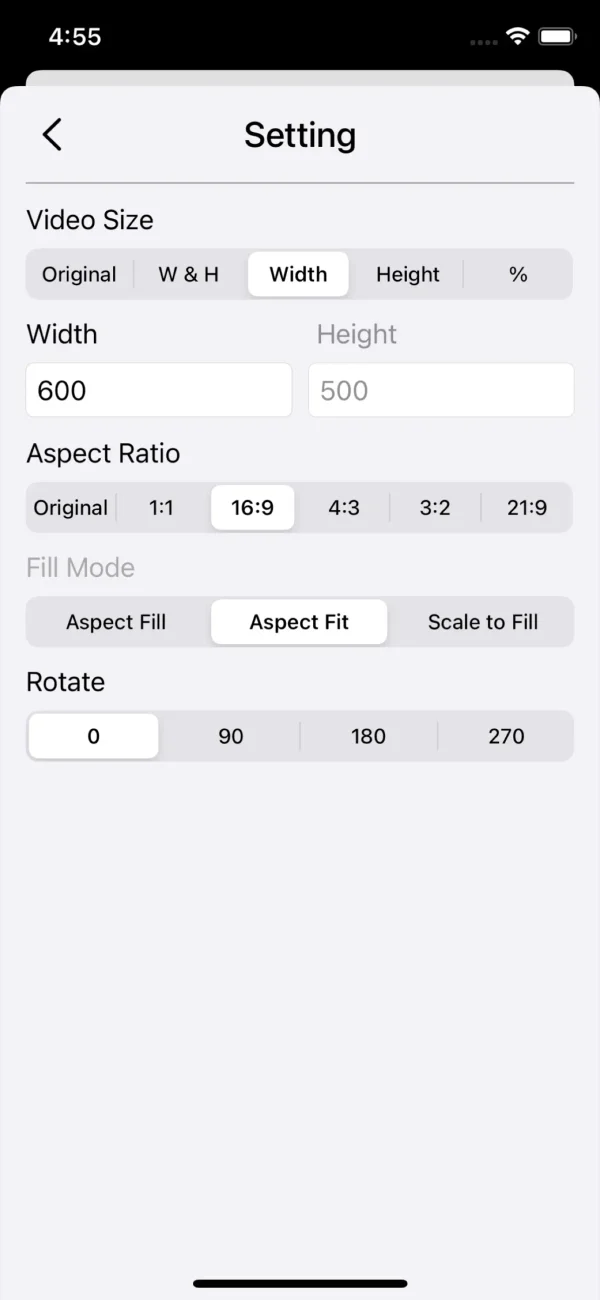
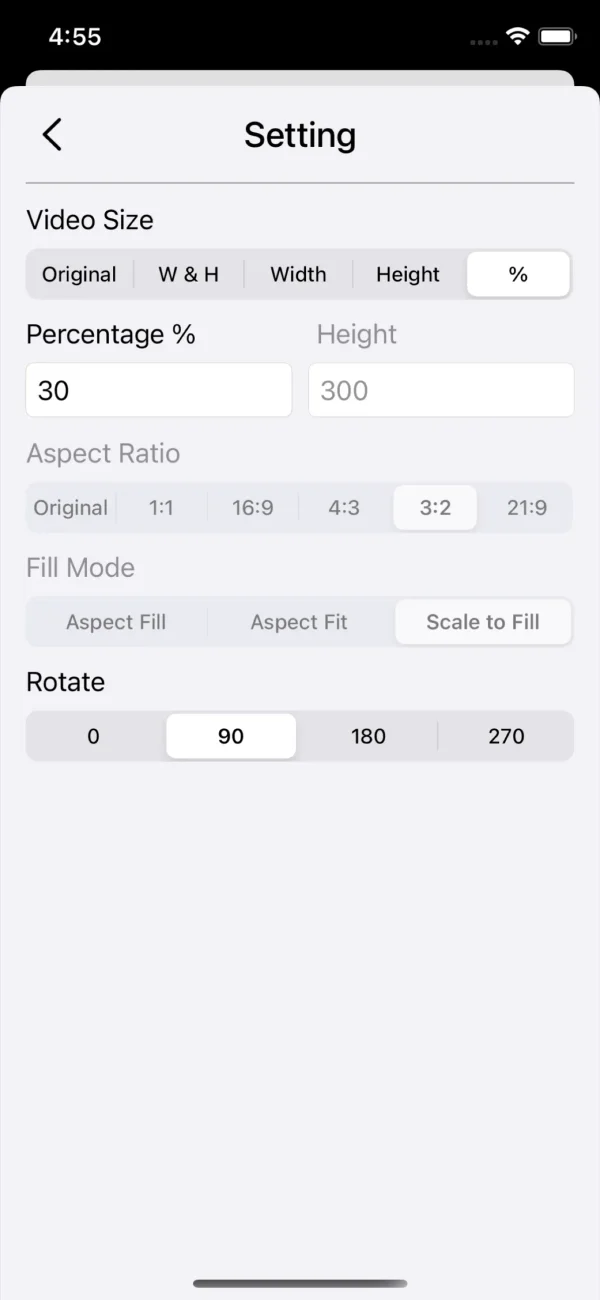
Setting:
- Set Video Size
-- Original, By Width and Height, By Width, by Height and By percentage.
- Set Aspect Ratio
-- Original, 1:1, 16:9, 4:3, 3:2, 21:9
- Set Fill Mode
-- Aspect Fill, Aspect Fit and Scale to fill
- Set Video Rotation
-- 0, 90, 180 and 270 degree.
Quick Guide:
1. Tap the [+] icon and select the videos you want to batch edit.
2. Tap the Settings icon for detailed adjustments.
3. Let's assume we want to resize all videos to 640x320.
4. Tap on W & H (Width and Height).
5. Set the width to 640 and the height to 320.
6. Once finished, tap the Back button.
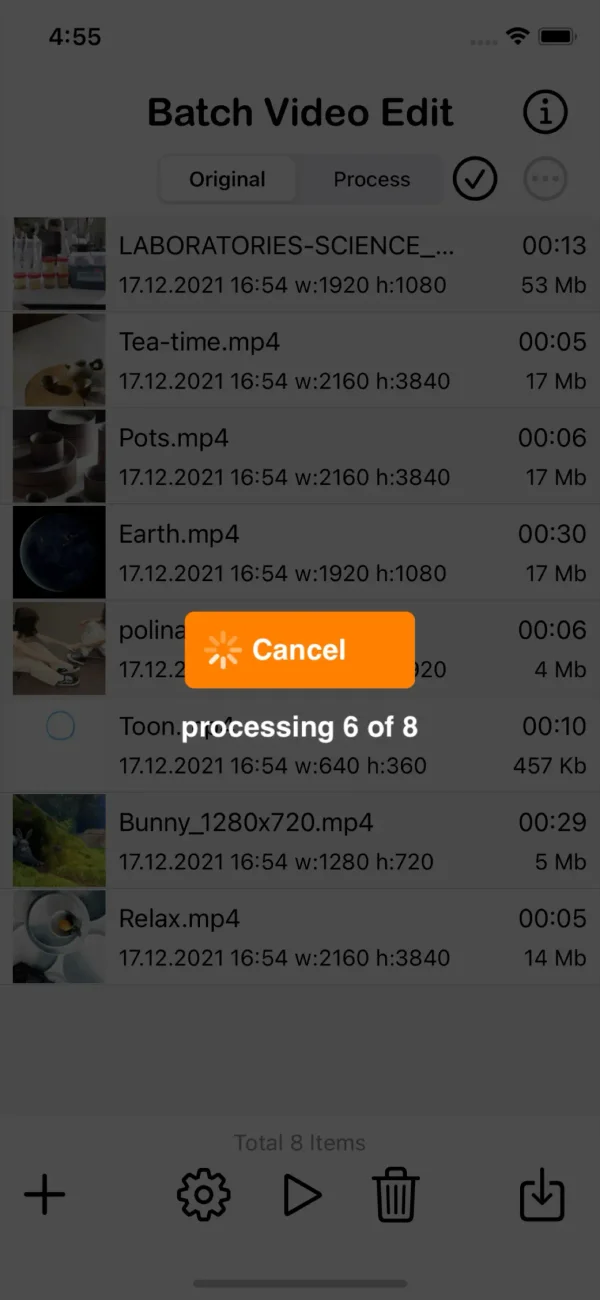
7. Tap the Run icon and wait for the process to complete.
8. Tap the Process tab at the top to check the processed videos.
9. Tap the Save icon to save all processed videos to the Camera Roll.
10. After saving, clear all videos by tapping the Bin icon.
* After picking videos from the gallery, you can reselect any videos you missed by tapping the [+] icon again.
* When selecting videos from the gallery, duplicate videos (videos with the same name) will be skipped.
* Remember to clear all videos before starting a new process.
Batch Videos Edit makes it easy to resize multiple videos at once. It is incredibly fast because your videos are resized directly on your device, without needing to be uploaded or transmitted to any servers. This makes it easier to send and share them with your family and friends.
Thanks for your support and do visit nitrio.com for more apps for your iOS devices.
Yang baru
Versi 1.2 · 5/2/2026
- Updated for the newest devices.
- Minor bugs fixed.
Privasi aplikasi
Yang dinyatakan Heng Jia Liang di App Store tentang cara aplikasi ini menangani data.
-
Data tidak dikumpulkan
Pengembang tidak mengumpulkan data apa pun dari aplikasi ini.
Praktik privasi dapat bervariasi, misalnya berdasarkan fitur yang Anda gunakan atau usia Anda.
Informasi
- Penjual
- Heng Jia Liang
- Kategori
- Foto & Video
- Versi
- 1.2
- Diperbarui
- 5/2/2026
- Dirilis
- 19/12/2021
- Ukuran
- 1,8 MB
- Memerlukan
- iOS 13.0 atau yang lebih baru
- Batasan usia
- 4+
- Harga
- Rp 59ribu
- Bahasa
- Inggris
- Hak cipta
- © Heng Jia Liang
Mungkin Anda juga suka
-
 Croply: Crop VideoFoto & Video
-
 Split Long Video To ShortsFoto & Video
-
 Desqueeze PRO - Batch ResizerFoto & Video
-
 Video Rotate & Flip - HDFoto & Video
-
 Gif Maker, Video to GIFFoto & Video
-
 Video Trimmer: Batch EditorFoto & Video
-
 FaceScreen: Floating CameraFoto & Video
-
 Video Resize & Scale - HDFoto & Video
-
 Metadata Editor TagClearSecure metadata editor
-
 VividuCut - Video EditorFoto & Video