
Video Trimmer: Batch Editor
Merge Clips & Capture Photos
Dirancang untuk iPhone, iPad, iPod touch
Gratis · Pembelian dalam aplikasi
- Batasan usia4+
- KategoriFoto & Video
- PengembangAli Umer
- BahasaInggris
- Ukuran47,6 MB
Tertaut ke halaman resmi App Store
Download.org tidak menyimpan file Video Trimmer: Batch Editor apa pun. Tombol ini membuka halaman aplikasi di App Store, tempat Ali Umer menerbitkannya. Halaman terakhir diperiksa pada 18/11/2026.
Tangkapan layar
Tentang
Pengembang belum menyediakan teks ini dalam bahasa Anda.
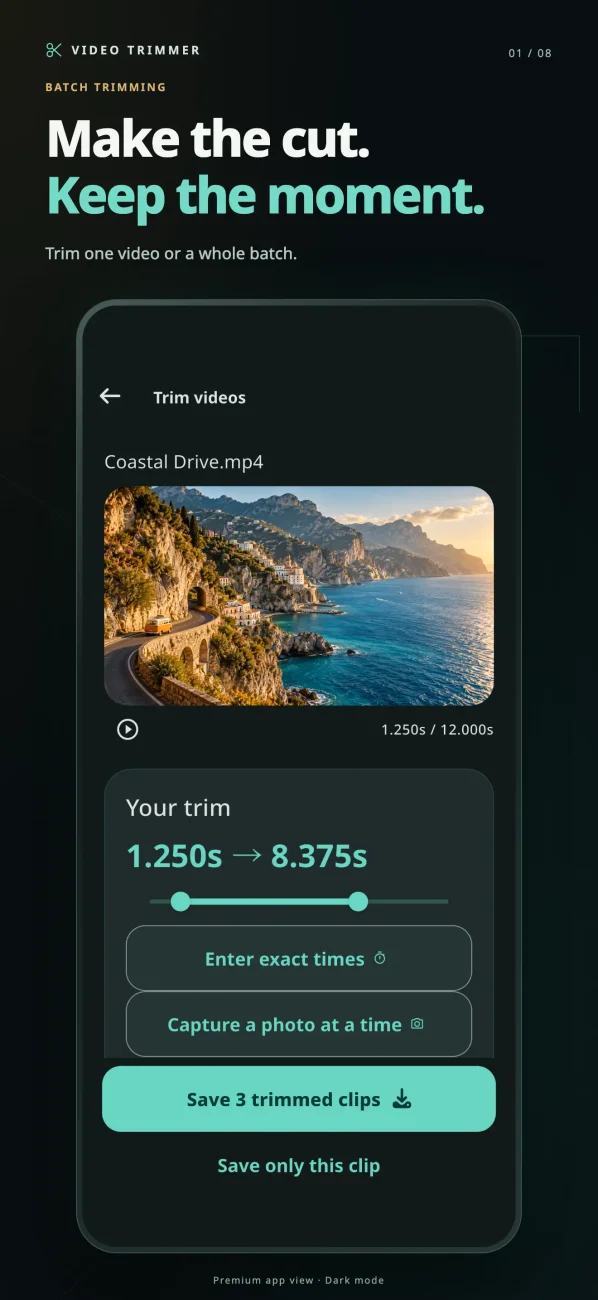
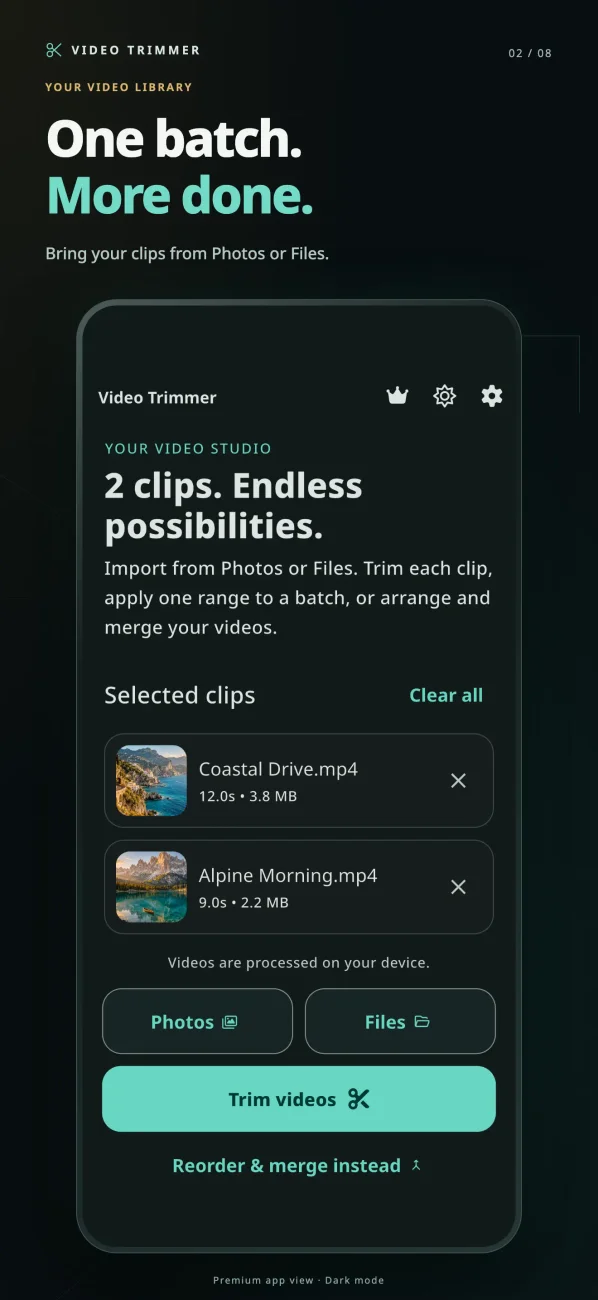
Trim one video or a whole batch, merge clips into one video, and capture photos from your favorite moments. Video Trimmer makes editing straightforward on iPhone and iPad, from import and preview to export and sharing.
TRIM ONE VIDEO OR A BATCH
• Import videos from Photos or Files, including iCloud Drive.
• Choose a different trim for each clip, or apply one range to your batch.
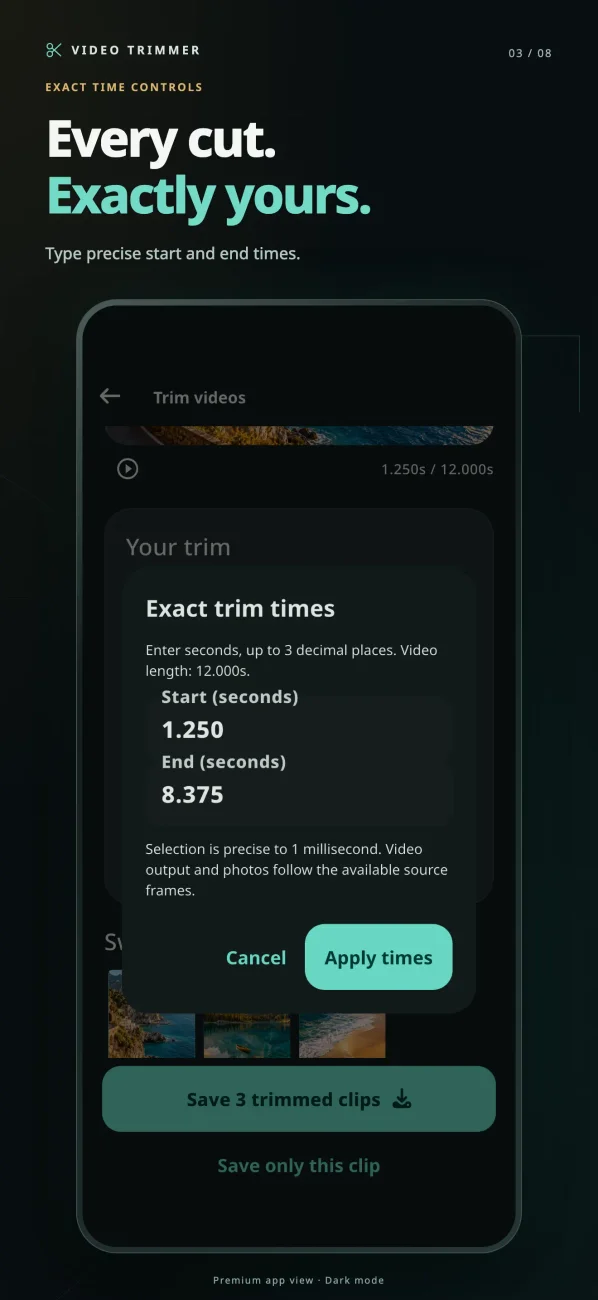
• Enter exact start and end times with millisecond controls.
• Preview your selection before exporting.
• Keep your original videos untouched.
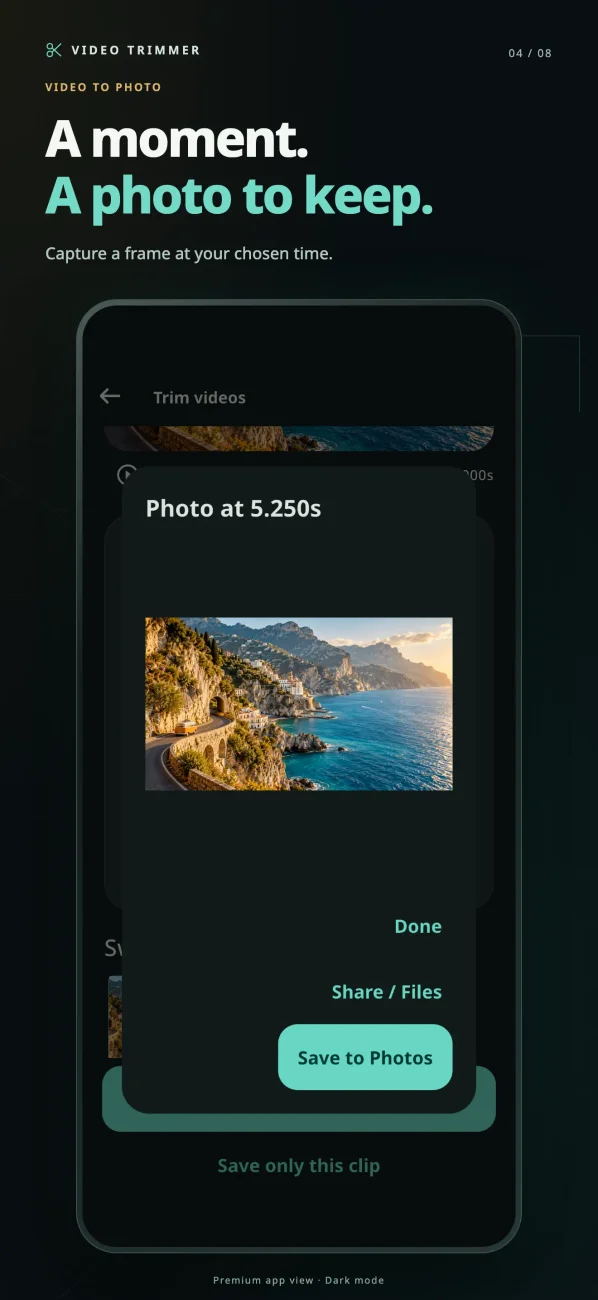
TURN VIDEO MOMENTS INTO PHOTOS
Choose a time in your video, capture a frame, then save the photo to Photos or share it. Ideal for keeping a favorite moment without taking a screenshot of the player.
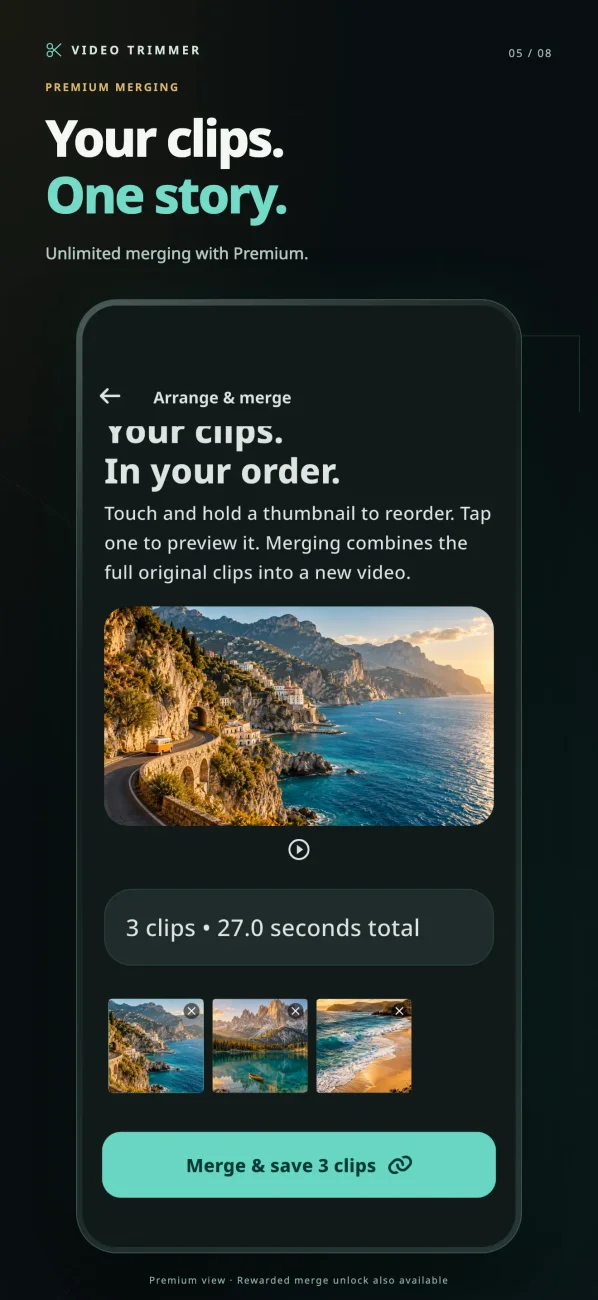
ARRANGE AND MERGE
Reorder your clips and combine them into one video. Premium includes unlimited merging. You can also finish a rewarded video ad to unlock one successful merge during your current app session.
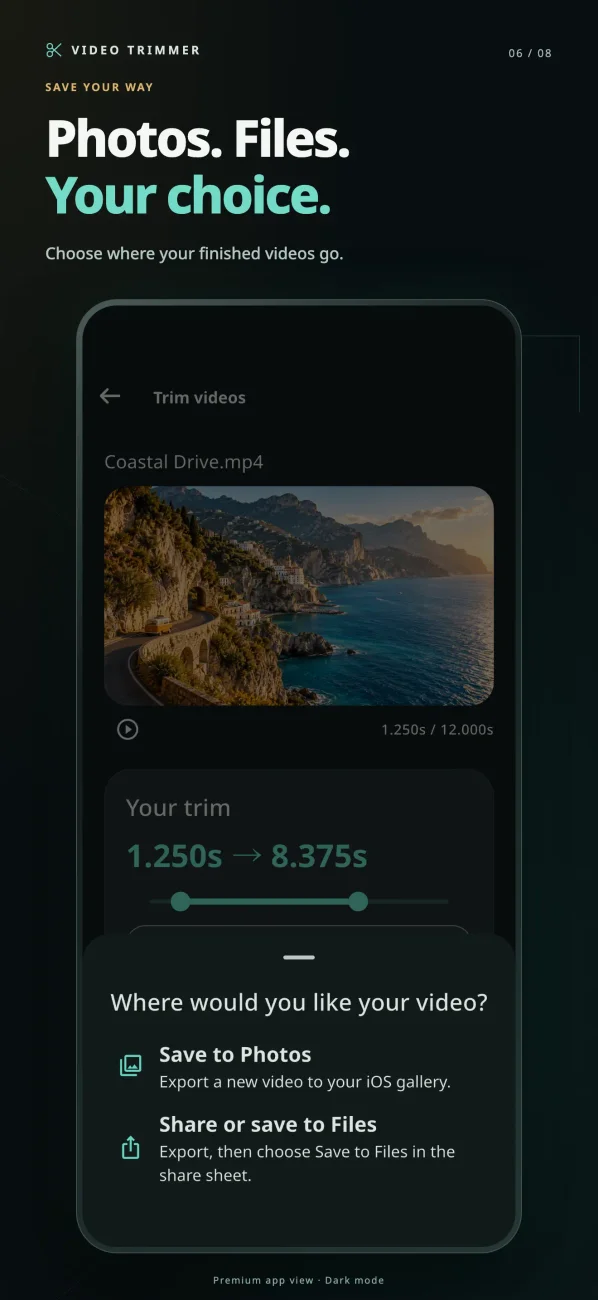
SAVE AND SHARE YOUR WAY
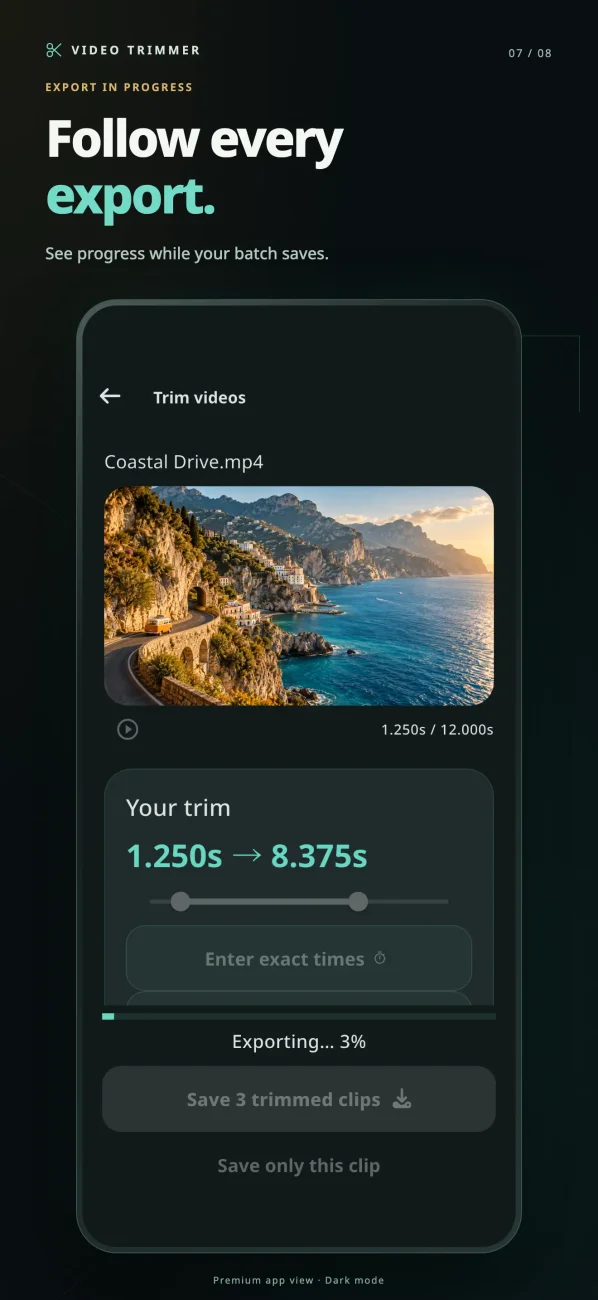
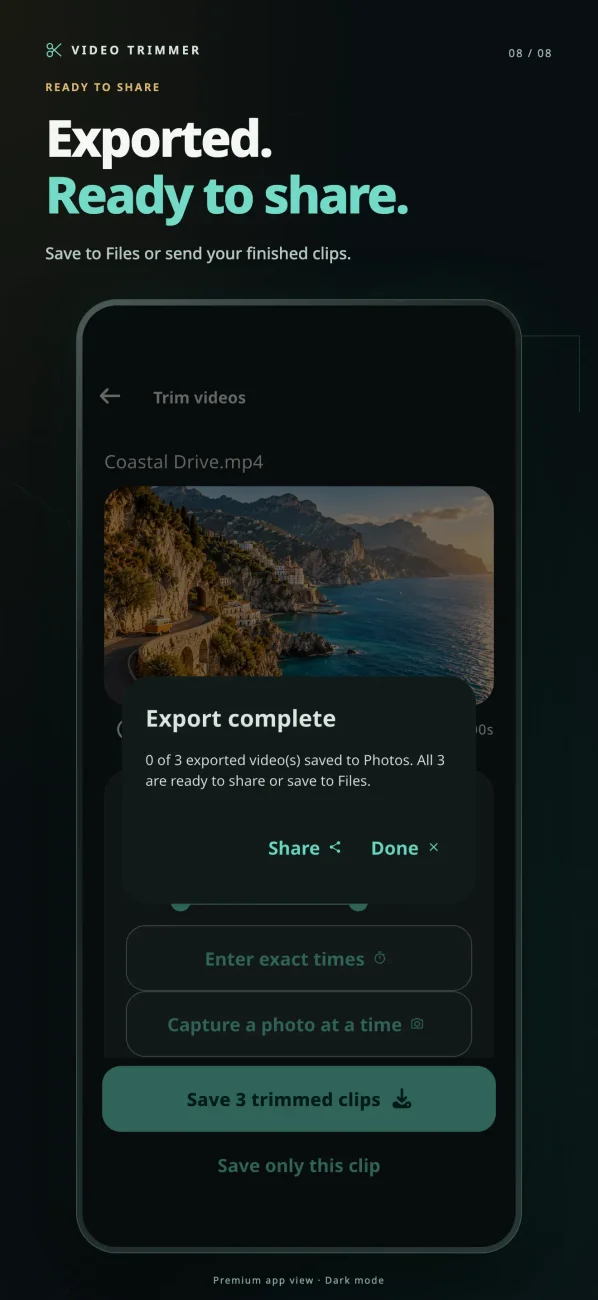
Follow the export progress, save to Photos, or use the share sheet to send your video or save it to Files. Exports have no added watermark.
EDIT ON YOUR DEVICE
Video processing takes place on your device. Enjoy a clear dark or light interface and a guided first edit that shows you the workflow using your own videos.
PREMIUM OPTIONS
Go premium for unlimited merging and an ad-free experience. Subscription and lifetime options are shown in the app where available. Rewarded ads and purchases require an internet connection.
Trim controls accept milliseconds; exported video and captured photos follow the frames available in the source video.
Privacy Policy: https://owlspeak.web.app/privacy
Terms of Use: https://owlspeak.web.app/terms
Yang baru
Versi 3.1 · 17/10/2026
• Pause, resume or cancel trimming and merging.
• Keep completed clips when cancelling a batch.
• Trim more precisely and capture photos from your videos.
• Updated dark theme and a refreshed glass scissors icon.
• Improved onboarding, premium options and ad experience.
• Bug fixes, performance improvements and iOS 27 support.
Privasi aplikasi
Yang dinyatakan Ali Umer di App Store tentang cara aplikasi ini menangani data.
-
Data yang digunakan untuk melacak Anda
Dapat digunakan untuk melacak Anda di aplikasi dan situs web milik perusahaan lain.
- Data lainnya
-
Data yang ditautkan dengan Anda
Dapat dikumpulkan dan ditautkan dengan identitas Anda.
- Data lainnya
Praktik privasi dapat bervariasi, misalnya berdasarkan fitur yang Anda gunakan atau usia Anda.
Informasi
- Penjual
- Ali Umer
- Kategori
- Foto & Video
- Versi
- 3.1
- Diperbarui
- 17/10/2026
- Dirilis
- 4/5/2025
- Ukuran
- 47,6 MB
- Memerlukan
- iOS 15.0 atau yang lebih baru
- Batasan usia
- 4+
- Harga
- Gratis
- Pembelian dalam aplikasi
- Ya
- Bahasa
- Inggris
- Hak cipta
- © 2025 OwlSpeak Inc.
Mungkin Anda juga suka
-
 Potong Video - Trim VideoGabung, Split & Edit Video
-
 Video Editor ViLineFoto & Video
-
 VTrimmer - Trim Video EditorFoto & Video
-
 Video Cutter: Potong VideoPangkas & pisah klip mudah
-
 Video Cutter: Trim and MergeFoto & Video
-
 Video - Crop & Trim EditorFoto & Video
-
 Trim & Cut Videos video editorFoto & Video
-
 Video Joiner & TrimmerFoto & Video
-
 Video Cut - Video EditorFoto & Video
-
 Video Crop - Resize VideoFoto & Video