
- Batasan usia4+
- KategoriProduktivitas
- PengembangBluebeam, Inc.
- BahasaInggris+ 12 lainnya
- Ukuran266,4 MB
Tertaut ke halaman resmi App Store
Download.org tidak menyimpan file Bluebeam apa pun. Tombol ini membuka halaman aplikasi di App Store, tempat Bluebeam, Inc. menerbitkannya. Halaman terakhir diperiksa pada 23/11/2026.
Tangkapan layar

Tentang
Pengembang belum menyediakan teks ini dalam bahasa Anda.
Bluebeam for iOS brings your drawings, tools, and team into the field.
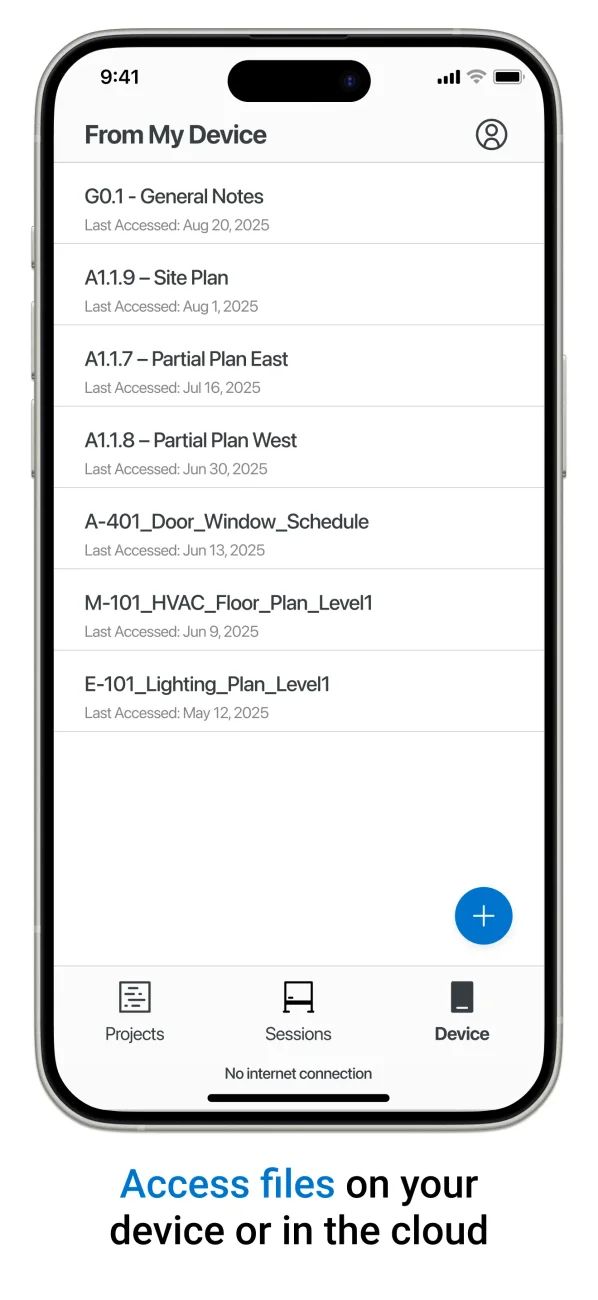
- Open PDFs stored on your device, in Studio Projects, or in Studio Sessions.
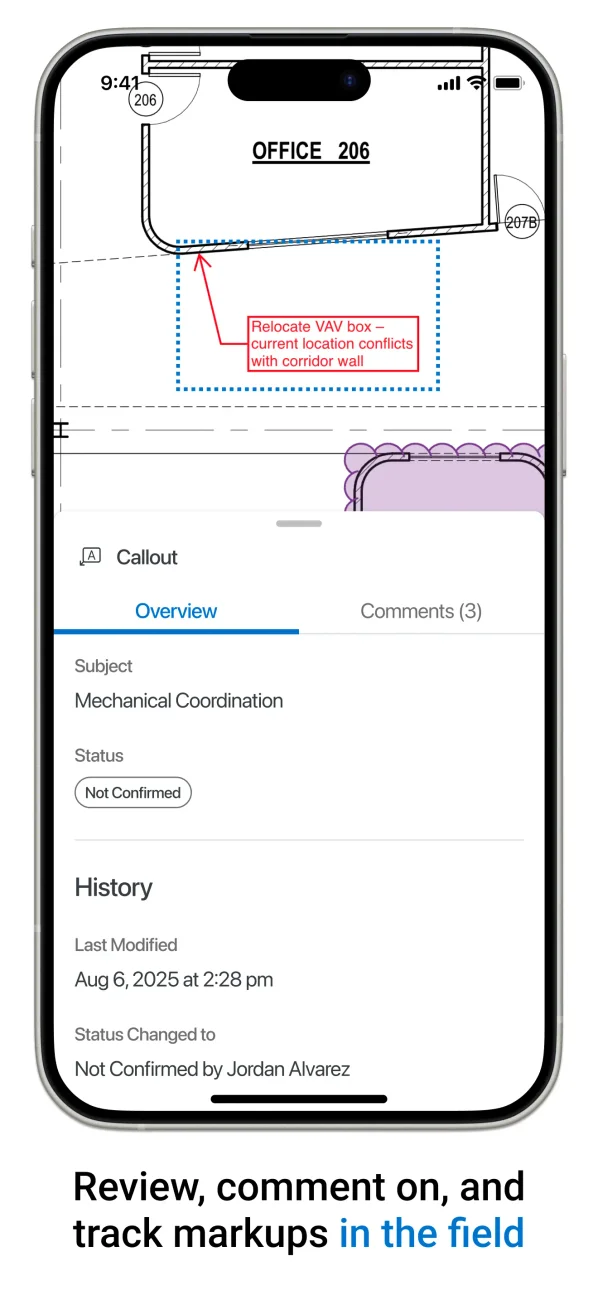
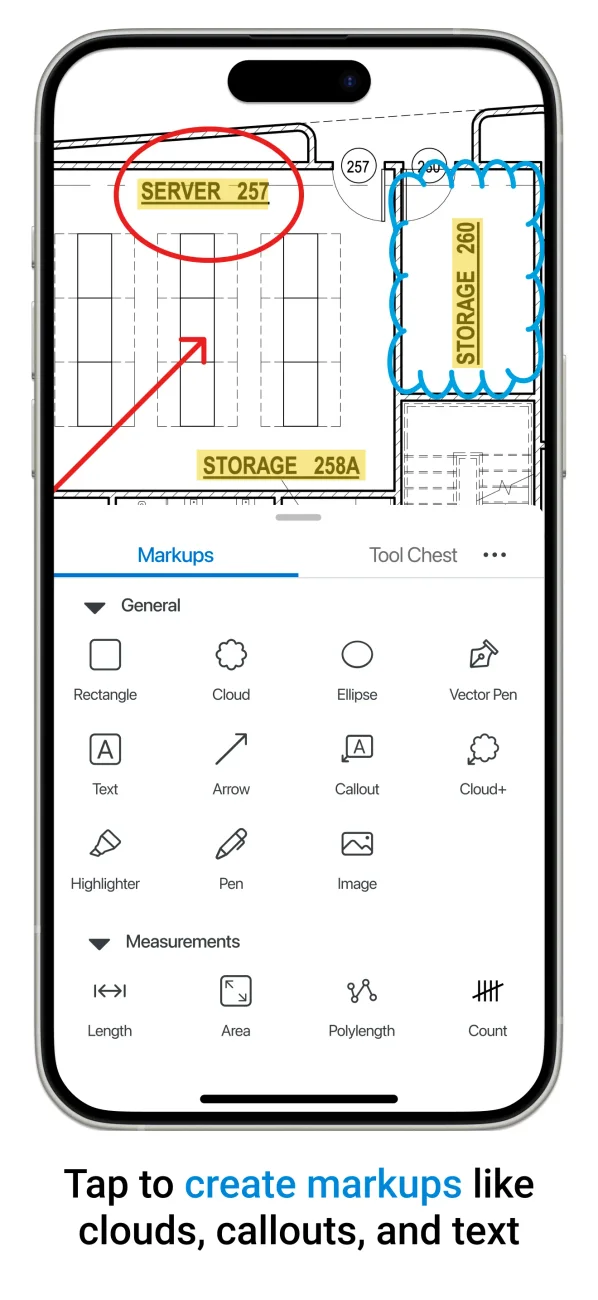
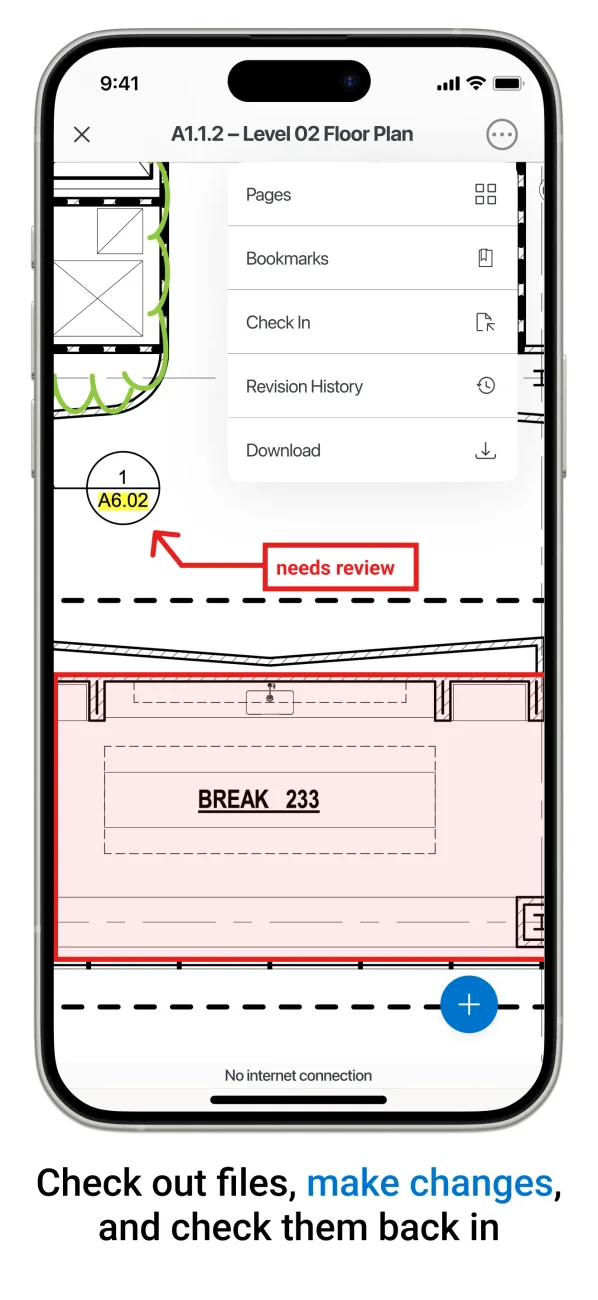
- Create and edit PDF markups to communicate changes with your team.
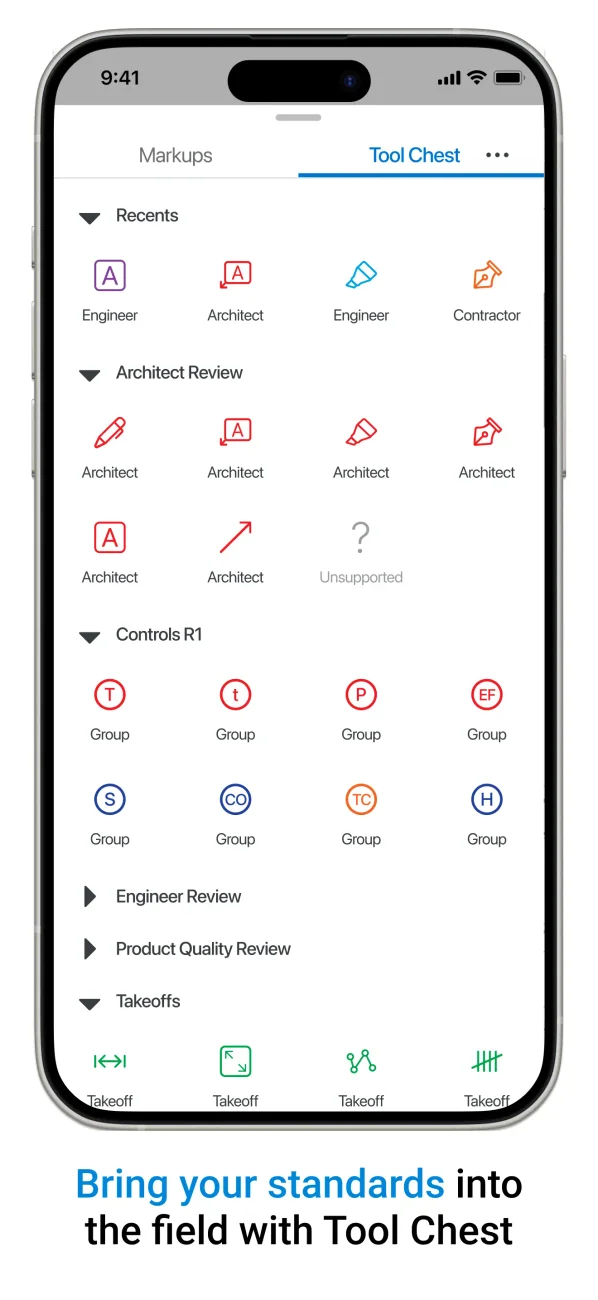
- Bring your team’s custom Revu Tool Sets into the field for consistent markups.
- Measure distances and areas, and count items directly on your drawings.
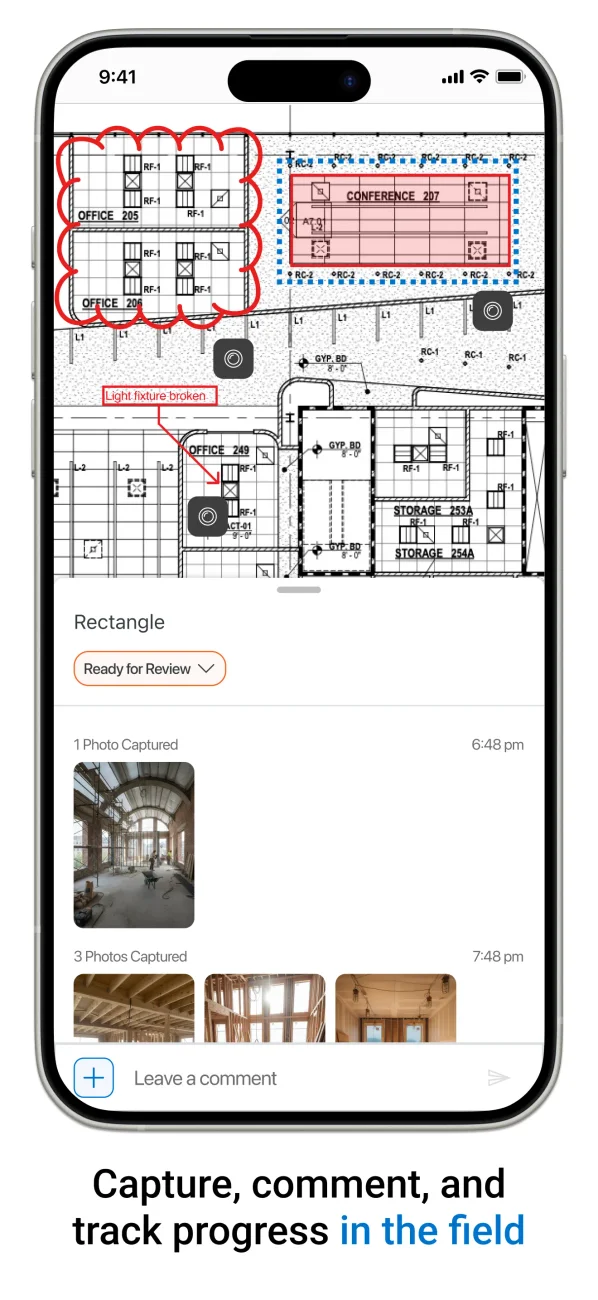
- Attach photos to markups to document field conditions without cluttering your drawings.
- Fill out PDF forms to complete checklists and capture field information.
- Search PDFs and navigate your drawings to find the information you need.
- Collaborate in Studio Sessions and add or remove PDFs from existing Sessions when permitted.
- Access and edit Studio Project files, then share changes with your team.
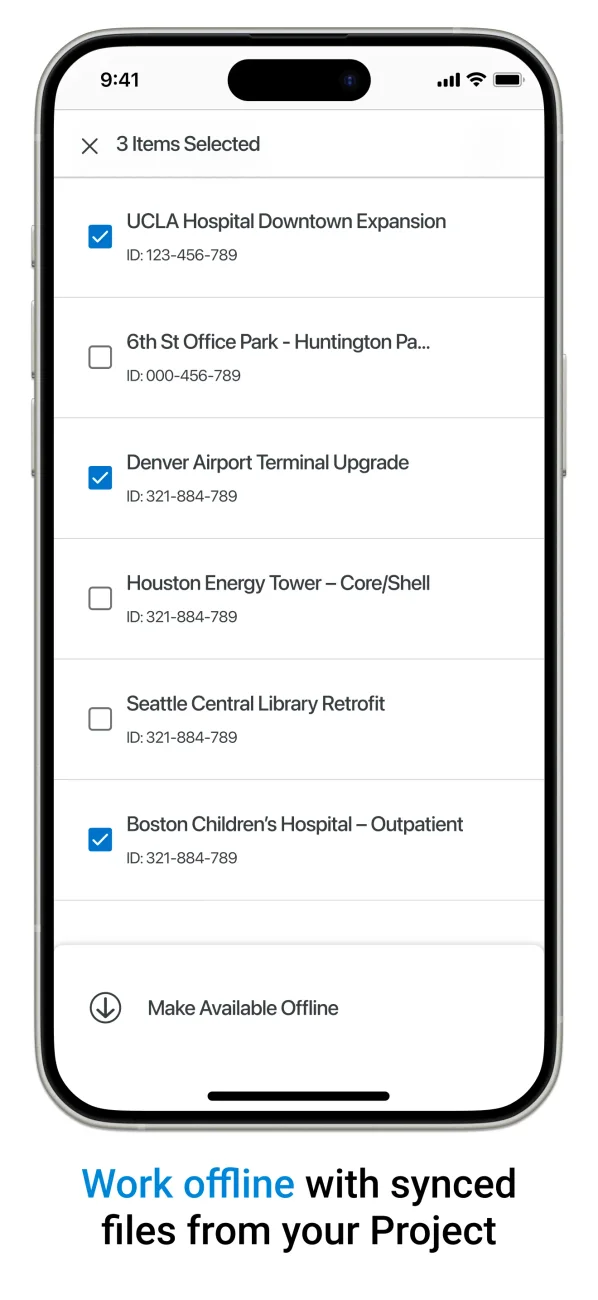
- Work offline with files stored on your device or Project files synced in advance.
Yang baru
Versi 1.33.2 · 22/11/2026
- Expanded Tool Sets: Use more tools from imported Revu BTX files, including markups previously unavailable in the iOS editor. Choose Drawing Mode or Properties Mode.
- Markup Rotation and Easier Editing: Rotate markups and access editing controls from a floating menu that appears above the selected markup.
- Calibrate: Set the page scale by selecting two points and entering the known distance between them.
- Measurement Snapping: Snap measurements to drawing content as you place them for greater precision on a touchscreen.
- Dimension Tool: Place Dimension markups directly on your drawings.
- Offline Document Search: Search text and markup metadata within your open PDF, even when working offline.
- Searchable Page Labels: View existing page labels in the Pages panel and search them to find the right sheet.
- Pinned Bookmarks and Pages: Pin the Bookmarks or Pages panel to keep it open between selections.
- Password-Protected PDFs: Enter a password to open protected files. Existing document permissions continue to apply.
Privasi aplikasi
Yang dinyatakan Bluebeam, Inc. di App Store tentang cara aplikasi ini menangani data.
-
Data yang ditautkan dengan Anda
Dapat dikumpulkan dan ditautkan dengan identitas Anda.
- Info kontak
- Pengenal
- Data penggunaan
-
Data yang tidak ditautkan dengan Anda
Dapat dikumpulkan, tetapi tidak ditautkan dengan identitas Anda.
- Konten pengguna
- Diagnostik
Praktik privasi dapat bervariasi, misalnya berdasarkan fitur yang Anda gunakan atau usia Anda.
Informasi
- Penjual
- Bluebeam, Inc.
- Kategori
- Produktivitas
- Versi
- 1.33.2
- Diperbarui
- 22/11/2026
- Dirilis
- 4/10/2019
- Ukuran
- 266,4 MB
- Memerlukan
- iOS 26.0 atau yang lebih baru
- Batasan usia
- 4+
- Harga
- Gratis
- Bahasa
- Inggris, Dansk (Denmark), Belanda, Suomi (Finlandia), Prancis, Jerman, Italia, Jepang, Korea, Bokmål Norsk, Polski (Polandia), Spanyol + 1 lainnya
- Hak cipta
- © Bluebeam, Inc
Mungkin Anda juga suka
-
 BIM 360Produktivitas
-
 Revizto V5Produktivitas
-
 Box: The power of Content + AIProduktivitas
-
 Drawboard PDF Annotate, MarkupProduktivitas
-
 Revizto SiteProduktivitas
-
 Milwaukee® ONE-KEY™Produktivitas
-
 Microsoft PlannerProduktivitas
-
 Microsoft SharePointProduktivitas
-
 Brady Express LabelsProduktivitas
-
 FCA Freedom WorkerProduktivitas