
- Classificação etária4+
- CategoriaProdutividade
- DesenvolvedorBluebeam, Inc.
- IdiomasInglêse mais 12
- Tamanho266,4 MB
Leva à página oficial na App Store
O Download.org não hospeda nenhum arquivo de Bluebeam. O botão abre a página do app na App Store, onde Bluebeam, Inc. o publica. Página verificada pela última vez em 23/11/2026.
Capturas de tela



Sobre
O desenvolvedor não forneceu este texto no seu idioma.
Bluebeam for iOS brings your drawings, tools, and team into the field.
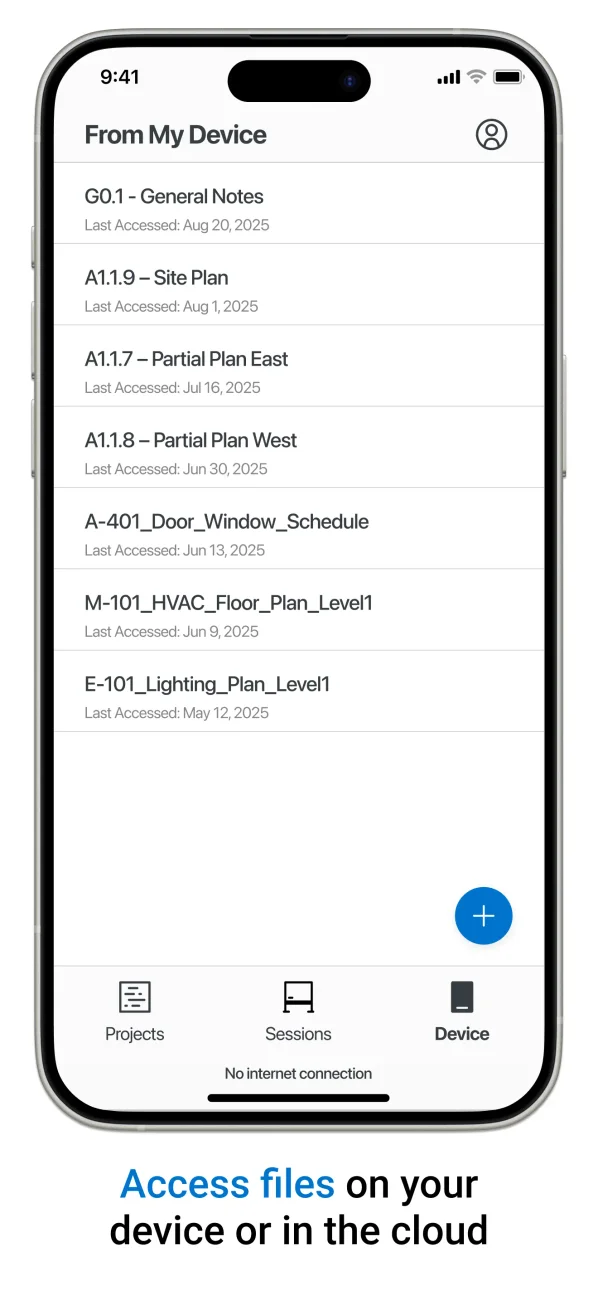
- Open PDFs stored on your device, in Studio Projects, or in Studio Sessions.
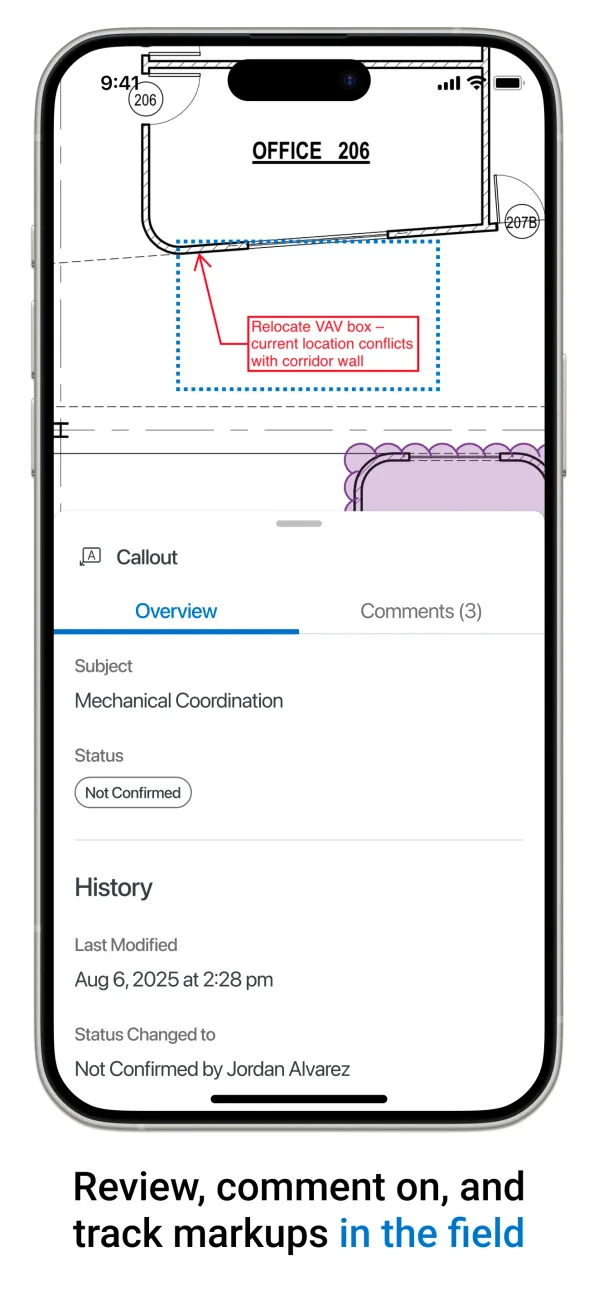
- Create and edit PDF markups to communicate changes with your team.
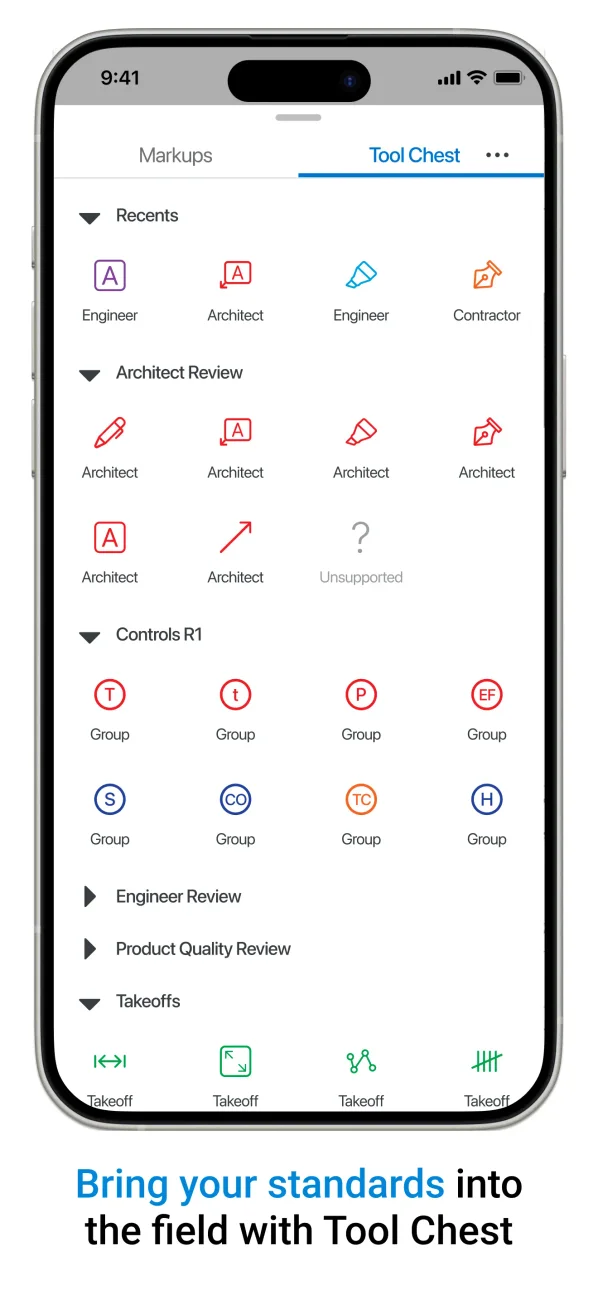
- Bring your team’s custom Revu Tool Sets into the field for consistent markups.
- Measure distances and areas, and count items directly on your drawings.
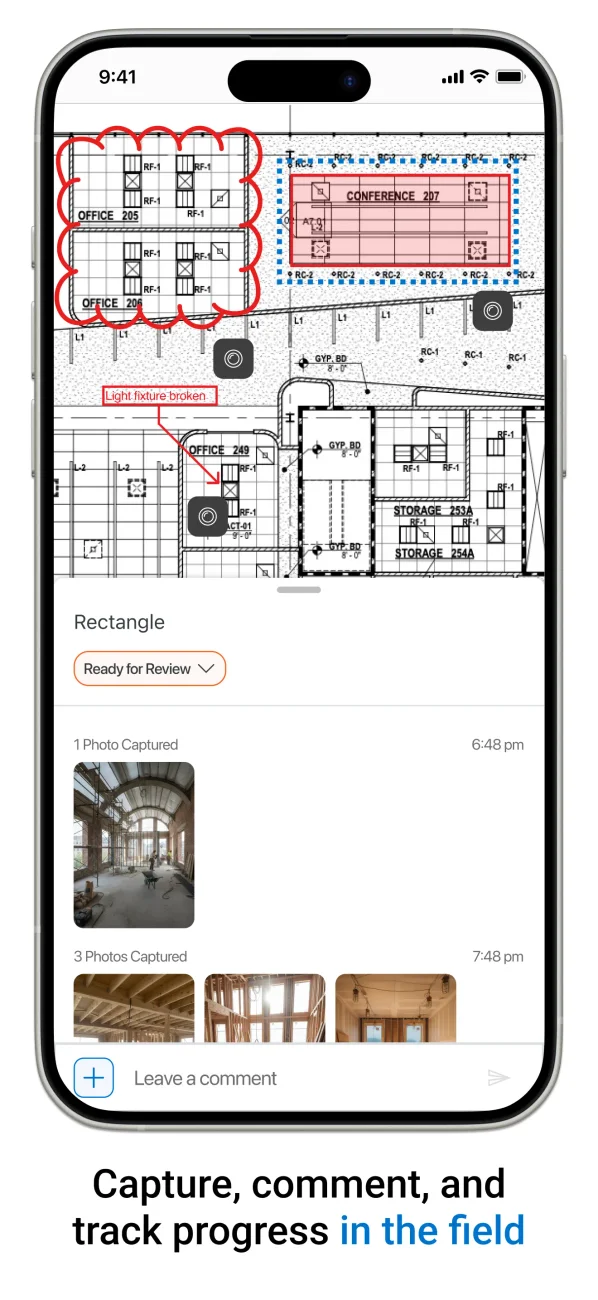
- Attach photos to markups to document field conditions without cluttering your drawings.
- Fill out PDF forms to complete checklists and capture field information.
- Search PDFs and navigate your drawings to find the information you need.
- Collaborate in Studio Sessions and add or remove PDFs from existing Sessions when permitted.
- Access and edit Studio Project files, then share changes with your team.
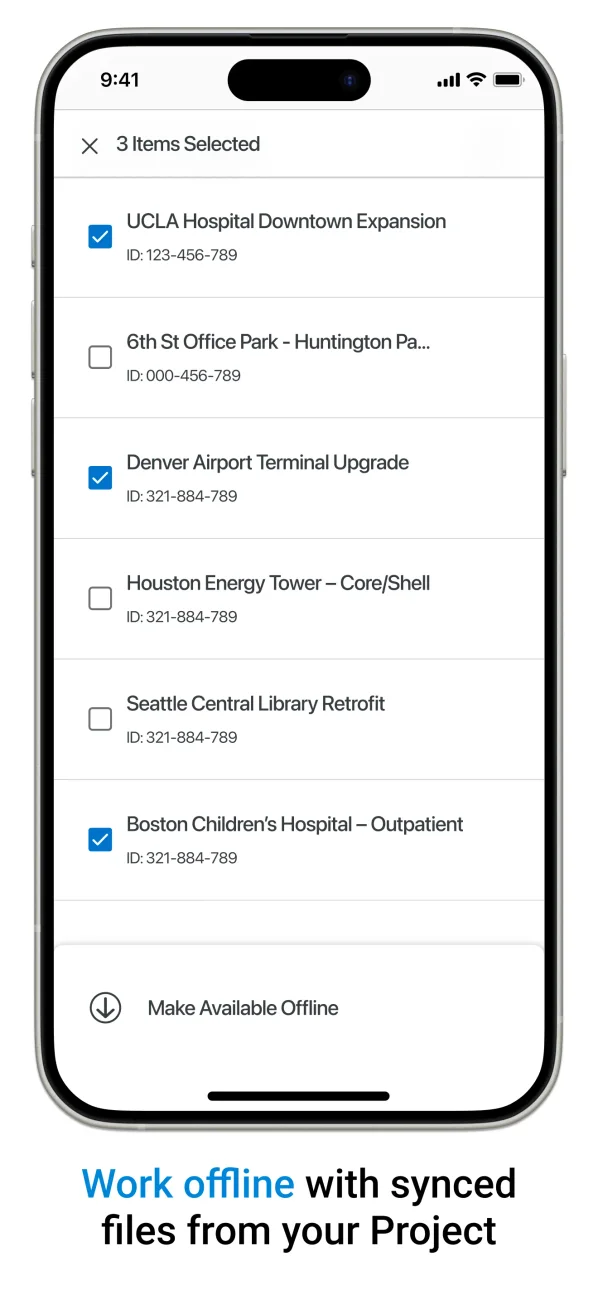
- Work offline with files stored on your device or Project files synced in advance.
Novidades
Versão 1.33.2 · 22/11/2026
- Expanded Tool Sets: Use more tools from imported Revu BTX files, including markups previously unavailable in the iOS editor. Choose Drawing Mode or Properties Mode.
- Markup Rotation and Easier Editing: Rotate markups and access editing controls from a floating menu that appears above the selected markup.
- Calibrate: Set the page scale by selecting two points and entering the known distance between them.
- Measurement Snapping: Snap measurements to drawing content as you place them for greater precision on a touchscreen.
- Dimension Tool: Place Dimension markups directly on your drawings.
- Offline Document Search: Search text and markup metadata within your open PDF, even when working offline.
- Searchable Page Labels: View existing page labels in the Pages panel and search them to find the right sheet.
- Pinned Bookmarks and Pages: Pin the Bookmarks or Pages panel to keep it open between selections.
- Password-Protected PDFs: Enter a password to open protected files. Existing document permissions continue to apply.
Privacidade do app
O que Bluebeam, Inc. declara na App Store sobre como este app lida com os dados.
-
Dados vinculados a você
Podem ser coletados e vinculados à sua identidade.
- Informações de contato
- Identificadores
- Dados de uso
-
Dados não vinculados a você
Podem ser coletados, mas não são vinculados à sua identidade.
- Conteúdo do usuário
- Diagnóstico
As práticas de privacidade podem variar, por exemplo, com base nos recursos que você usa ou na sua idade.
Informações
- Vendedor
- Bluebeam, Inc.
- Categoria
- Produtividade
- Versão
- 1.33.2
- Atualizado
- 22/11/2026
- Lançamento
- 04/10/2019
- Tamanho
- 266,4 MB
- Requer
- iOS 26.0 ou posterior
- Classificação etária
- 4+
- Preço
- Grátis
- Idiomas
- Inglês, Dinamarquês, Holandês, Finlandês, Francês, Alemão, Italiano, Japonês, Coreano, Norueguês (bokmål), Polonês, Espanhol e mais 1
- Copyright
- © Bluebeam, Inc
Você também pode gostar
-
 BIM 360Produtividade
-
 Revizto5Produtividade
-
 Box: The power of Content + AIIntelligent Content Management
-
 Drawboard PDF Annotate, MarkupProdutividade
-
 Revizto SiteProdutividade
-
 Milwaukee® ONE-KEY™Produtividade
-
 Microsoft PlannerProdutividade
-
 Microsoft SharePointProdutividade
-
 Etiquetas Expresso BradyProdutividade
-
 FCA Freedom WorkerProdutividade