
- Batasan usia4+
- KategoriKegunaan
- PengembangMoshiu Tomonata Knox Ii
- BahasaInggris
- Ukuran24,1 MB
Tertaut ke halaman resmi App Store
Download.org tidak menyimpan file Caliperly apa pun. Tombol ini membuka halaman aplikasi di App Store, tempat Moshiu Tomonata Knox Ii menerbitkannya. Halaman terakhir diperiksa pada 18/11/2026.
Tangkapan layar

Tentang
Pengembang belum menyediakan teks ini dalam bahasa Anda.
Caliperly is a unit converter designed with precise movement—every detail serves a purpose.
THE DIFFERENCE
Most converters are calculators with a unit dropdown. Caliperly is a precision instrument. The interface features visual caliper jaws that respond to your touch. Swipe to adjust values and watch the jaws move. It's tactile, intuitive, and unlike anything else on the App Store.
FRACTIONS MODE
Woodworkers, machinists, and makers: this is for you. Toggle between decimal (5.25) and fractional display (5 ¼). Enter measurements the way your tape measure reads them. Supports 1/16" precision. No more mental math.
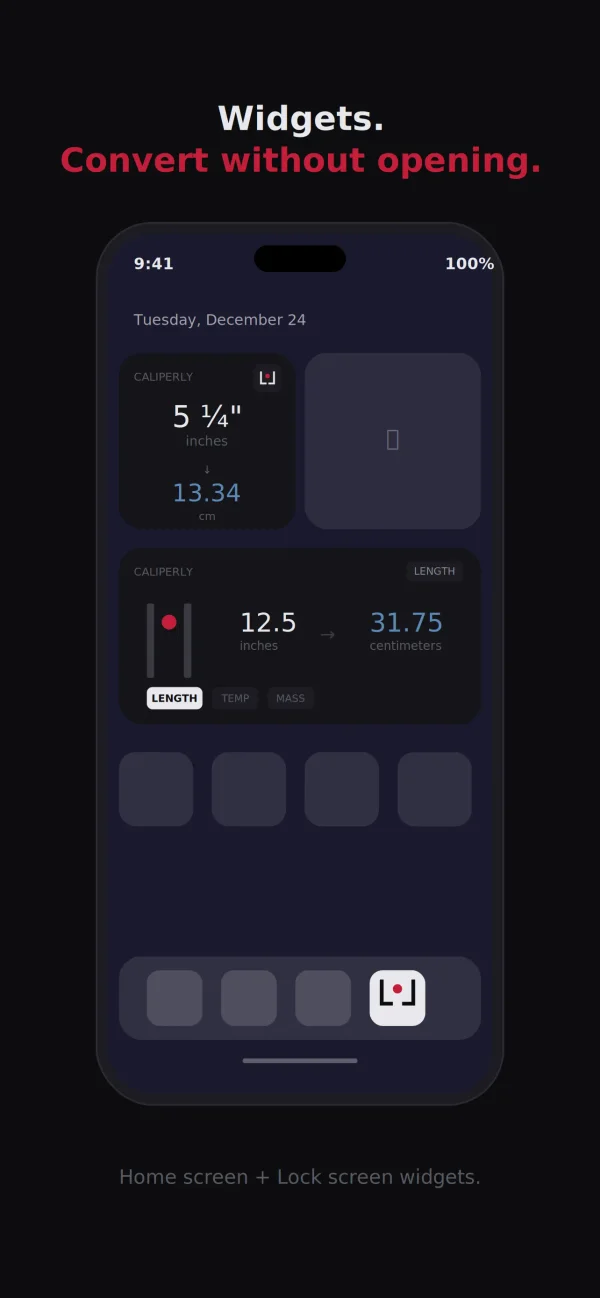
WIDGET-FIRST
Convert without opening the app. Add Caliperly to your home screen or lock screen. Glance at your last conversion or tap to open directly to a specific category. The widget shows the same precision instrument aesthetic as the full app.
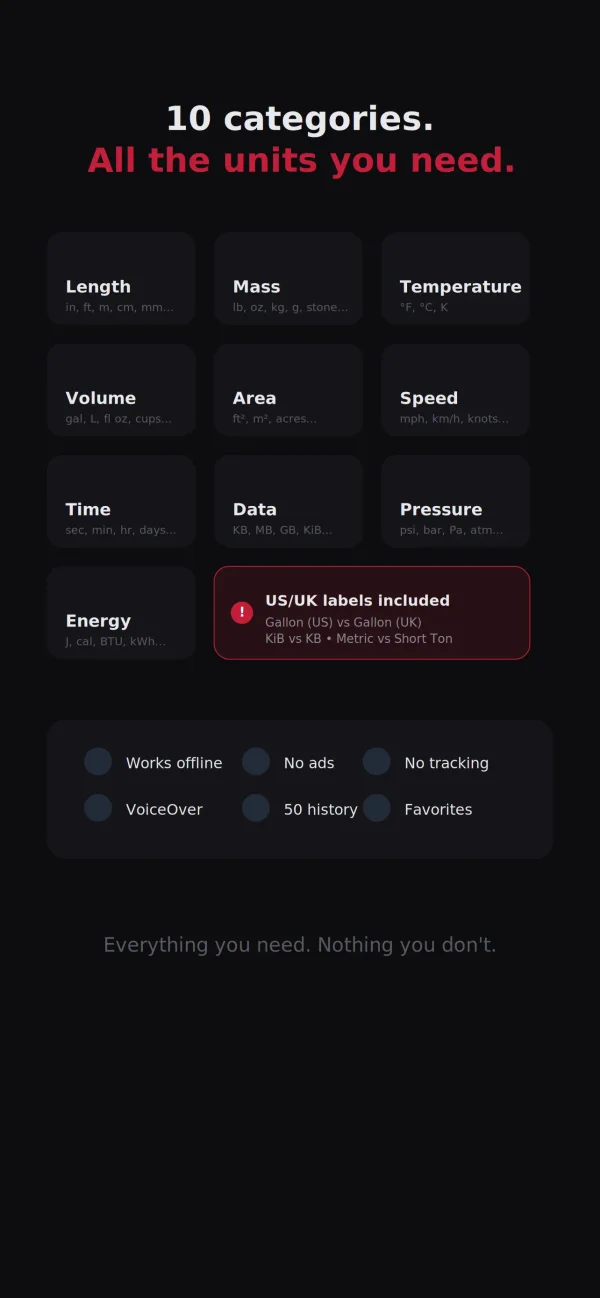
10 CATEGORIES
- Length — inches, feet, meters, centimeters, millimeters, yards, miles, kilometers
- Mass — pounds, ounces, kilograms, grams, stones, tons (US/UK/metric labeled)
- Temperature — Fahrenheit, Celsius, Kelvin
- Volume — gallons (US/UK labeled), liters, fluid ounces, cups, pints, quarts
- Area — square feet, square meters, acres, hectares
- Speed — mph, km/h, knots, m/s
- Time — seconds, minutes, hours, days, weeks
- Data — bytes, KB, MB, GB, TB (binary/decimal toggle)
- Pressure — psi, bar, pascal, atmosphere
- Energy — joules, calories, BTU, kilowatt-hours
DESIGNED WITH INTENT
No ads. No clutter. No generic calculator aesthetic. Caliperly draws inspiration from precision instruments—the kind you'd find in a watchmaker's workshop. Brushed metal textures, jewel-red accents, and typography that feels engraved, not printed.
FEATURES
- Visual caliper jaws that move as you adjust values
- Fractions mode with ⅛ and ¼ keys on the keypad
- Jog dial—swipe horizontally for fine adjustments
- Precision lock—control significant digits
- Favorites—save your most-used conversions
- History—50 recent conversions
- Home screen widgets (small, medium, large)
- Lock screen widgets
- Copy results with one tap
- VoiceOver accessible
- Works offline
PRO (Optional)
Unlock unlimited favorites and five premium instrument themes: Anodized, Graphite, Brushed Steel, Matte Black, and Brass.
—
Caliperly. It's a caliper, not a calculator.
Privasi aplikasi
Yang dinyatakan Moshiu Tomonata Knox Ii di App Store tentang cara aplikasi ini menangani data.
-
Data tidak dikumpulkan
Pengembang tidak mengumpulkan data apa pun dari aplikasi ini.
Praktik privasi dapat bervariasi, misalnya berdasarkan fitur yang Anda gunakan atau usia Anda.
Informasi
- Penjual
- Moshiu Tomonata Knox Ii
- Kategori
- Kegunaan
- Versi
- 1.0
- Diperbarui
- 5/1/2026
- Dirilis
- 5/1/2026
- Ukuran
- 24,1 MB
- Memerlukan
- iOS 15.1 atau yang lebih baru
- Batasan usia
- 4+
- Harga
- Gratis
- Bahasa
- Inggris
- Hak cipta
- © 2025 Solarae Systems
Mungkin Anda juga suka
-
 vert-o: Minimal Unit ConverterKegunaan
-
 Duo Themes: Icons & WidgetsKegunaan
-
 Microtech Data SystemsKegunaan
-
 Screen Color - Kelvin MeterKegunaan
-
 digital-analog clockKegunaan
-
 Super RulerKegunaan
-
 Feet Inch Calculator - TrussKegunaan
-
 KaliperKegunaan
-
 Routine Planner: Habit TrackerKegunaan
-
 Unit Converter: Mila's ToolsKegunaan