
- 対象年齢4+
- カテゴリユーティリティ
- 開発元Moshiu Tomonata Knox Ii
- 言語英語
- サイズ24.1 MB
App Storeの公式ページにリンクしています
Download.orgはCaliperlyのファイルを一切ホストしていません。ボタンを押すと、Moshiu Tomonata Knox Iiが公開しているApp Storeのアプリページが開きます。ページの最終確認:2026/11/18。
スクリーンショット

概要
開発元はこのテキストをお使いの言語で提供していません。
Caliperly is a unit converter designed with precise movement—every detail serves a purpose.
THE DIFFERENCE
Most converters are calculators with a unit dropdown. Caliperly is a precision instrument. The interface features visual caliper jaws that respond to your touch. Swipe to adjust values and watch the jaws move. It's tactile, intuitive, and unlike anything else on the App Store.
FRACTIONS MODE
Woodworkers, machinists, and makers: this is for you. Toggle between decimal (5.25) and fractional display (5 ¼). Enter measurements the way your tape measure reads them. Supports 1/16" precision. No more mental math.
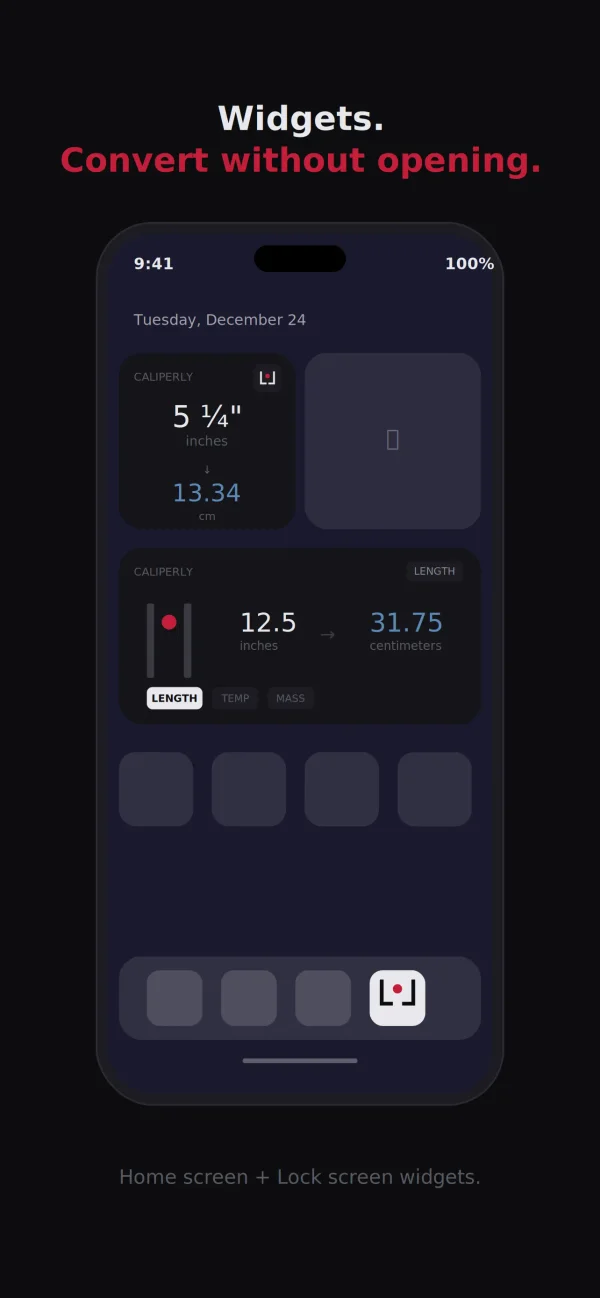
WIDGET-FIRST
Convert without opening the app. Add Caliperly to your home screen or lock screen. Glance at your last conversion or tap to open directly to a specific category. The widget shows the same precision instrument aesthetic as the full app.
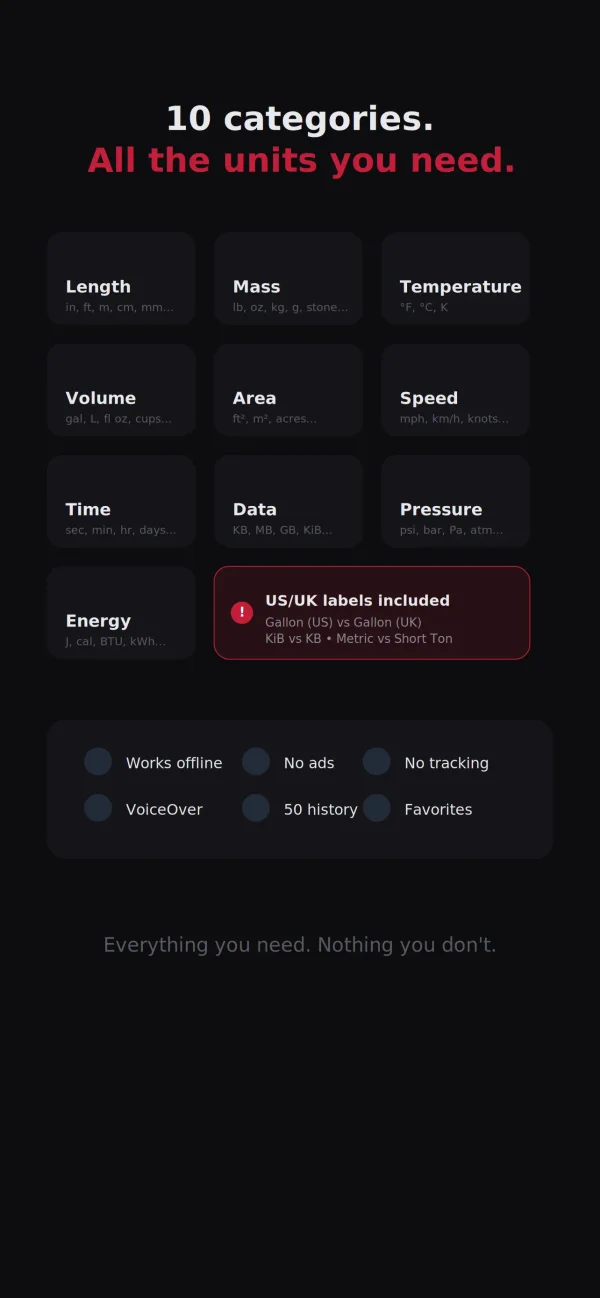
10 CATEGORIES
- Length — inches, feet, meters, centimeters, millimeters, yards, miles, kilometers
- Mass — pounds, ounces, kilograms, grams, stones, tons (US/UK/metric labeled)
- Temperature — Fahrenheit, Celsius, Kelvin
- Volume — gallons (US/UK labeled), liters, fluid ounces, cups, pints, quarts
- Area — square feet, square meters, acres, hectares
- Speed — mph, km/h, knots, m/s
- Time — seconds, minutes, hours, days, weeks
- Data — bytes, KB, MB, GB, TB (binary/decimal toggle)
- Pressure — psi, bar, pascal, atmosphere
- Energy — joules, calories, BTU, kilowatt-hours
DESIGNED WITH INTENT
No ads. No clutter. No generic calculator aesthetic. Caliperly draws inspiration from precision instruments—the kind you'd find in a watchmaker's workshop. Brushed metal textures, jewel-red accents, and typography that feels engraved, not printed.
FEATURES
- Visual caliper jaws that move as you adjust values
- Fractions mode with ⅛ and ¼ keys on the keypad
- Jog dial—swipe horizontally for fine adjustments
- Precision lock—control significant digits
- Favorites—save your most-used conversions
- History—50 recent conversions
- Home screen widgets (small, medium, large)
- Lock screen widgets
- Copy results with one tap
- VoiceOver accessible
- Works offline
PRO (Optional)
Unlock unlimited favorites and five premium instrument themes: Anodized, Graphite, Brushed Steel, Matte Black, and Brass.
—
Caliperly. It's a caliper, not a calculator.
アプリのプライバシー
このアプリのデータの取り扱いについて、Moshiu Tomonata Knox IiがApp Storeで申告している内容です。
-
データの収集なし
開発元はこのアプリからデータを収集しません。
プライバシーの取り扱いは、ご利用の機能やお客様の年齢などに応じて異なる場合があります。
情報
- 販売元
- Moshiu Tomonata Knox Ii
- カテゴリ
- ユーティリティ
- バージョン
- 1.0
- 更新日
- 2026/1/5
- リリース
- 2026/1/5
- サイズ
- 24.1 MB
- 必要条件
- iOS 15.1以降
- 対象年齢
- 4+
- 価格
- 無料
- 言語
- 英語
- 著作権
- © 2025 Solarae Systems
こちらもおすすめ
-
 vert-o: Minimal Unit Converterユーティリティ
-
 Duo Themes: Icons & Widgetsユーティリティ
-
 Microtech Data Systemsユーティリティ
-
 Screen Color - Kelvin Meterユーティリティ
-
 digital-analog clockユーティリティ
-
 Super Rulerユーティリティ
-
 Feet Inch Calculator - Trussユーティリティ
-
 Kaliperユーティリティ
-
 Routine Planner: Habit Trackerユーティリティ
-
 単位変換アプリ:Mila's Tools変換計算機プラス