
- Age rating4+
- CategoryUtilities
- DeveloperMoshiu Tomonata Knox Ii
- LanguagesEnglish
- Size24.1 MB
Links to the official App Store page
Download.org hosts no file of Caliperly. The button opens its official App Store page, published by Moshiu Tomonata Knox Ii. Listing last checked on Nov 18, 2026.
Screenshots

About
Caliperly is a unit converter designed with precise movement—every detail serves a purpose.
THE DIFFERENCE
Most converters are calculators with a unit dropdown. Caliperly is a precision instrument. The interface features visual caliper jaws that respond to your touch. Swipe to adjust values and watch the jaws move. It's tactile, intuitive, and unlike anything else on the App Store.
FRACTIONS MODE
Woodworkers, machinists, and makers: this is for you. Toggle between decimal (5.25) and fractional display (5 ¼). Enter measurements the way your tape measure reads them. Supports 1/16" precision. No more mental math.
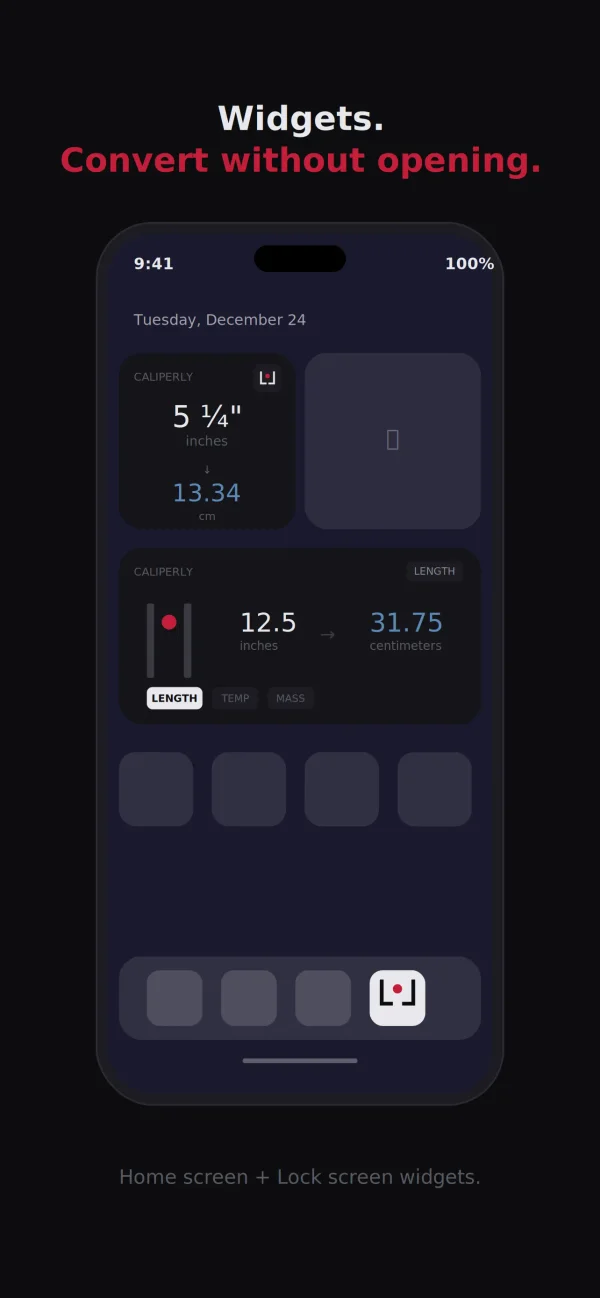
WIDGET-FIRST
Convert without opening the app. Add Caliperly to your home screen or lock screen. Glance at your last conversion or tap to open directly to a specific category. The widget shows the same precision instrument aesthetic as the full app.
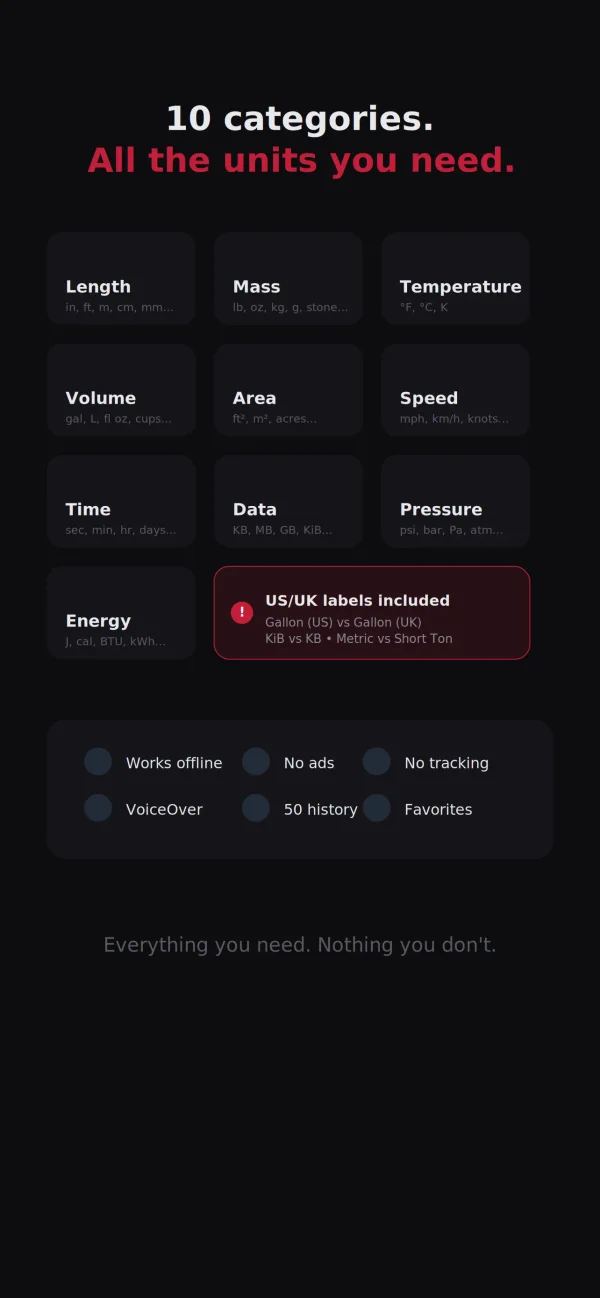
10 CATEGORIES
- Length — inches, feet, meters, centimeters, millimeters, yards, miles, kilometers
- Mass — pounds, ounces, kilograms, grams, stones, tons (US/UK/metric labeled)
- Temperature — Fahrenheit, Celsius, Kelvin
- Volume — gallons (US/UK labeled), liters, fluid ounces, cups, pints, quarts
- Area — square feet, square meters, acres, hectares
- Speed — mph, km/h, knots, m/s
- Time — seconds, minutes, hours, days, weeks
- Data — bytes, KB, MB, GB, TB (binary/decimal toggle)
- Pressure — psi, bar, pascal, atmosphere
- Energy — joules, calories, BTU, kilowatt-hours
DESIGNED WITH INTENT
No ads. No clutter. No generic calculator aesthetic. Caliperly draws inspiration from precision instruments—the kind you'd find in a watchmaker's workshop. Brushed metal textures, jewel-red accents, and typography that feels engraved, not printed.
FEATURES
- Visual caliper jaws that move as you adjust values
- Fractions mode with ⅛ and ¼ keys on the keypad
- Jog dial—swipe horizontally for fine adjustments
- Precision lock—control significant digits
- Favorites—save your most-used conversions
- History—50 recent conversions
- Home screen widgets (small, medium, large)
- Lock screen widgets
- Copy results with one tap
- VoiceOver accessible
- Works offline
PRO (Optional)
Unlock unlimited favorites and five premium instrument themes: Anodized, Graphite, Brushed Steel, Matte Black, and Brass.
—
Caliperly. It's a caliper, not a calculator.
App privacy
What Moshiu Tomonata Knox Ii declares on the App Store about how this app handles data.
-
Data not collected
The developer does not collect any data from this app.
Privacy practices may vary, for example with the features you use or your age.
Information
- Seller
- Moshiu Tomonata Knox Ii
- Category
- Utilities
- Version
- 1.0
- Updated
- Jan 5, 2026
- Released
- Jan 5, 2026
- Size
- 24.1 MB
- Requires
- iOS 15.1 or later
- Age rating
- 4+
- Price
- Free
- Languages
- English
- Copyright
- © 2025 Solarae Systems
You might also like
-
 vert-o: Minimal Unit ConverterFast, Simple, Real-time
-
 Duo Themes: Icons & Widgets4K Wallpapers Foldable Screen
-
 Microtech Data SystemsUtilities
-
 Screen Color - Kelvin MeterReal-time Color Temp Meter
-
 digital-analog clockUtilities
-
 Super RulerSuper Smart Ruler
-
 Feet Inch Calculator - TrussAll Imperial Math & Fractions
-
 KaliperKey Gauge Utility
-
 Routine Planner: Habit TrackerDaily Journal, Streaks, Goals
-
 Unit Converter: Mila's ToolsConversion Calculator PLUS