
- Classification d’âge4+
- CatégorieUtilitaires
- DéveloppeurMoshiu Tomonata Knox Ii
- LanguesAnglais
- Taille24,1 Mo
Renvoie vers la page App Store officielle
Download.org n’héberge aucun fichier de Caliperly. Le bouton ouvre la page de l’application sur App Store, où Moshiu Tomonata Knox Ii la publie. Fiche vérifiée pour la dernière fois le 18/11/2026.
Captures d’écran

À propos
Le développeur n’a pas fourni ce texte dans votre langue.
Caliperly is a unit converter designed with precise movement—every detail serves a purpose.
THE DIFFERENCE
Most converters are calculators with a unit dropdown. Caliperly is a precision instrument. The interface features visual caliper jaws that respond to your touch. Swipe to adjust values and watch the jaws move. It's tactile, intuitive, and unlike anything else on the App Store.
FRACTIONS MODE
Woodworkers, machinists, and makers: this is for you. Toggle between decimal (5.25) and fractional display (5 ¼). Enter measurements the way your tape measure reads them. Supports 1/16" precision. No more mental math.
WIDGET-FIRST
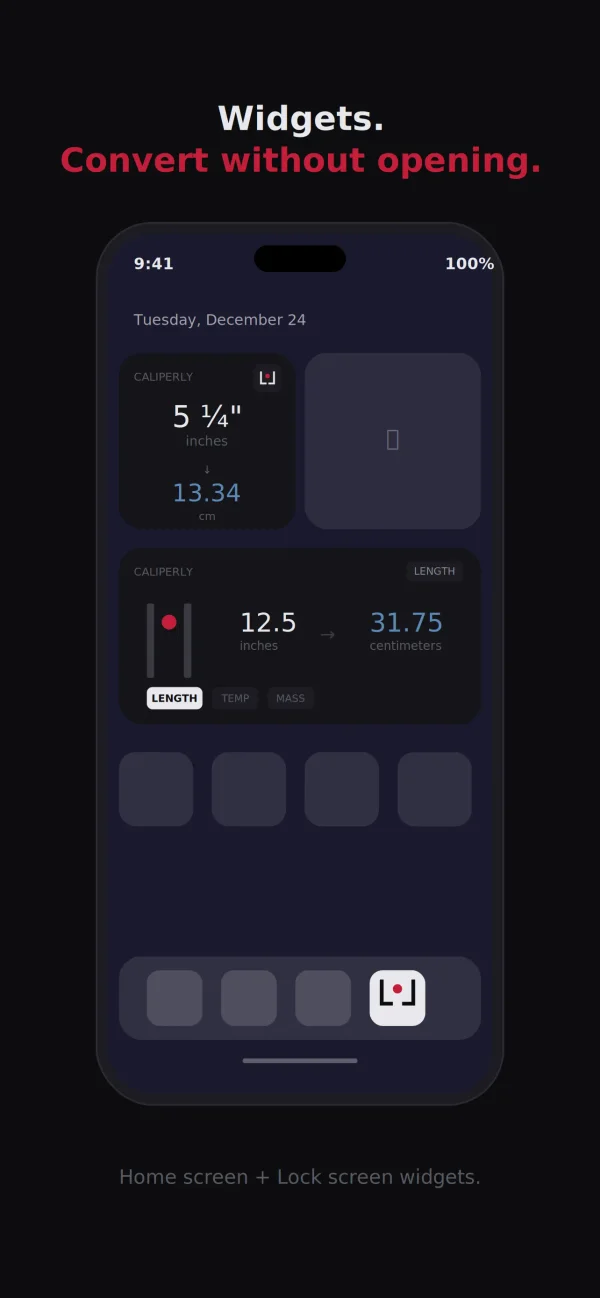
Convert without opening the app. Add Caliperly to your home screen or lock screen. Glance at your last conversion or tap to open directly to a specific category. The widget shows the same precision instrument aesthetic as the full app.
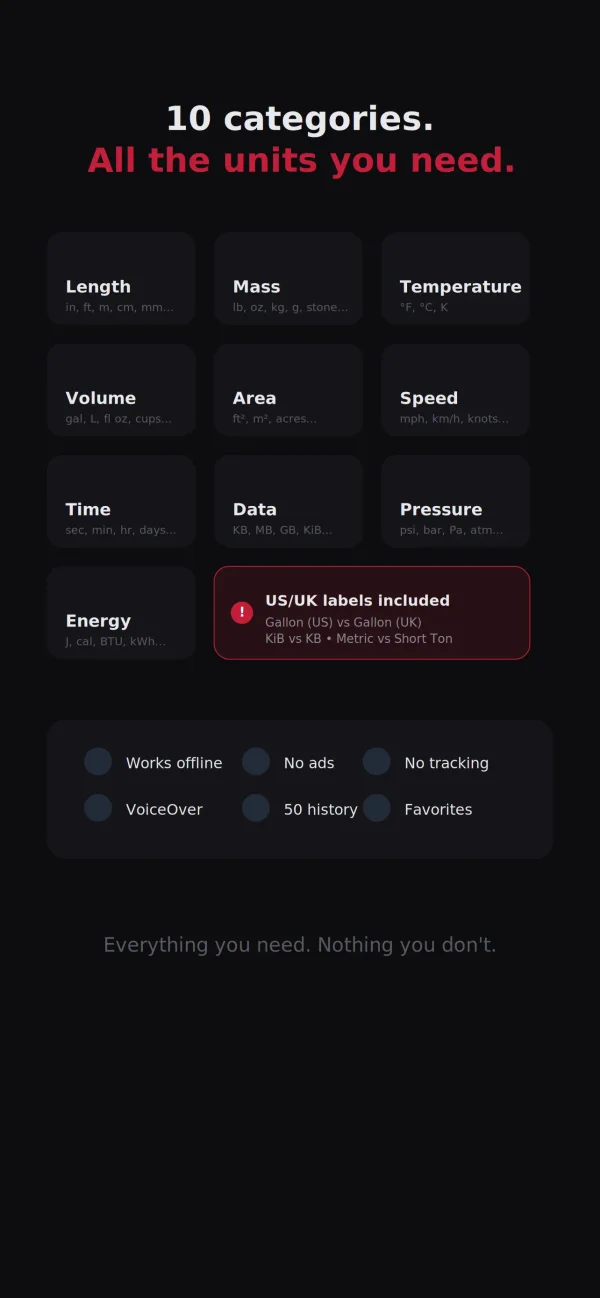
10 CATEGORIES
- Length — inches, feet, meters, centimeters, millimeters, yards, miles, kilometers
- Mass — pounds, ounces, kilograms, grams, stones, tons (US/UK/metric labeled)
- Temperature — Fahrenheit, Celsius, Kelvin
- Volume — gallons (US/UK labeled), liters, fluid ounces, cups, pints, quarts
- Area — square feet, square meters, acres, hectares
- Speed — mph, km/h, knots, m/s
- Time — seconds, minutes, hours, days, weeks
- Data — bytes, KB, MB, GB, TB (binary/decimal toggle)
- Pressure — psi, bar, pascal, atmosphere
- Energy — joules, calories, BTU, kilowatt-hours
DESIGNED WITH INTENT
No ads. No clutter. No generic calculator aesthetic. Caliperly draws inspiration from precision instruments—the kind you'd find in a watchmaker's workshop. Brushed metal textures, jewel-red accents, and typography that feels engraved, not printed.
FEATURES
- Visual caliper jaws that move as you adjust values
- Fractions mode with ⅛ and ¼ keys on the keypad
- Jog dial—swipe horizontally for fine adjustments
- Precision lock—control significant digits
- Favorites—save your most-used conversions
- History—50 recent conversions
- Home screen widgets (small, medium, large)
- Lock screen widgets
- Copy results with one tap
- VoiceOver accessible
- Works offline
PRO (Optional)
Unlock unlimited favorites and five premium instrument themes: Anodized, Graphite, Brushed Steel, Matte Black, and Brass.
—
Caliperly. It's a caliper, not a calculator.
Confidentialité de l’application
Ce que Moshiu Tomonata Knox Ii déclare sur l’App Store au sujet du traitement des données par cette application.
-
Données non collectées
Le développeur ne collecte aucune donnée à partir de cette application.
Les pratiques en matière de confidentialité peuvent varier, notamment en fonction des fonctionnalités que vous utilisez ou de votre âge.
Informations
- Vendeur
- Moshiu Tomonata Knox Ii
- Catégorie
- Utilitaires
- Version
- 1.0
- Mis à jour
- 05/01/2026
- Publié
- 05/01/2026
- Taille
- 24,1 Mo
- Nécessite
- iOS 15.1 ou version ultérieure
- Classification d’âge
- 4+
- Prix
- Gratuit
- Langues
- Anglais
- Copyright
- © 2025 Solarae Systems
Vous aimerez peut-être aussi
-
 vert-o: Minimal Unit ConverterUtilitaires
-
 Duo Themes: Icons & WidgetsUtilitaires
-
 Microtech Data SystemsUtilitaires
-
 Screen Color - Kelvin MeterUtilitaires
-
 digital-analog clockUtilitaires
-
 Super RulerUtilitaires
-
 Feet Inch Calculator - TrussUtilitaires
-
 KaliperUtilitaires
-
 Habit Tracker: Suivi habitudesFocus des objectifs et rappels
-
 Convertisseur : Mila's ToolsCalculatrice de conversion+