
- Batasan usia4+
- KategoriKegunaan
- PengembangRoderick Africa
- BahasaInggris
- Ukuran767,0 KB
CareDial mungkin sedang tidak tersedia di App Store
Halaman di toko tidak dapat dijangkau saat terakhir kami periksa. Tautan tetap mengarah ke halaman resmi App Store.
Tangkapan layar

Tentang
Pengembang belum menyediakan teks ini dalam bahasa Anda.
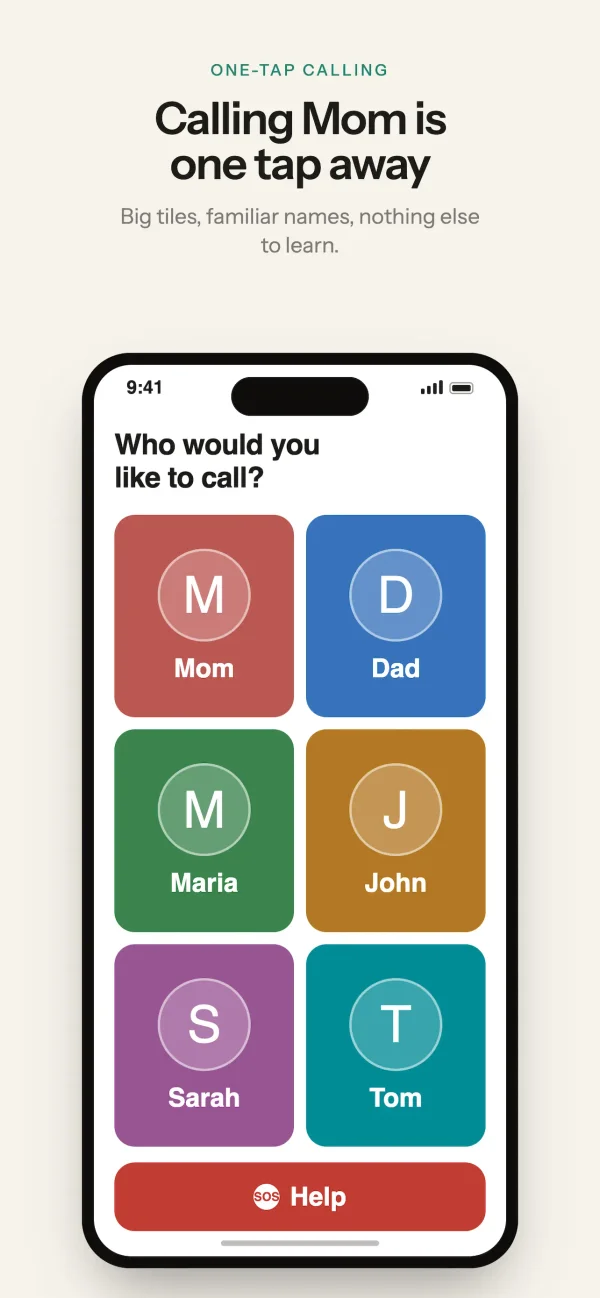
CareDial gives an aging parent or grandparent the simplest possible phone experience: big photo tiles, one tap to call. No menus, no passwords, nothing to get lost in. You set it up and manage it from your own iPhone.
FOR THE FAMILY MEMBER'S PHONE
• Up to 6 large contact tiles with photos and colors
• One tap calls the person. That's it
• Optional red Help button that calls a contact you choose
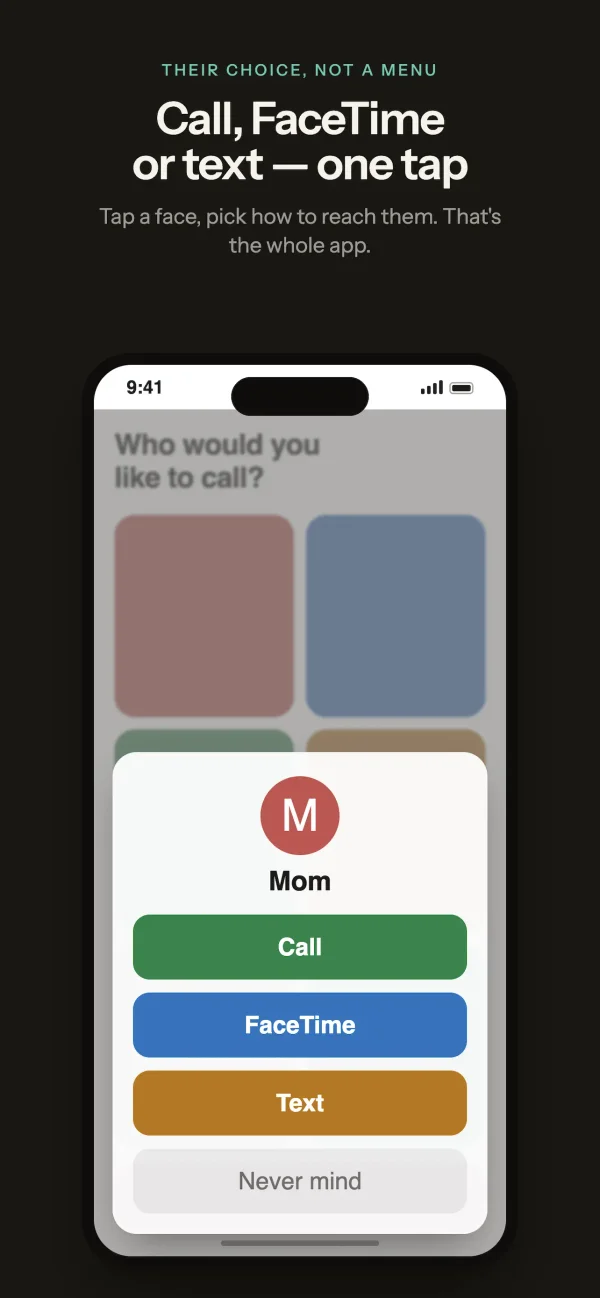
• Optional FaceTime and text choices on each tile (off unless you turn them on)
• Nothing to configure, delete, or break. The phone simply shows the people who matter
FOR YOUR PHONE (THE CAREGIVER)
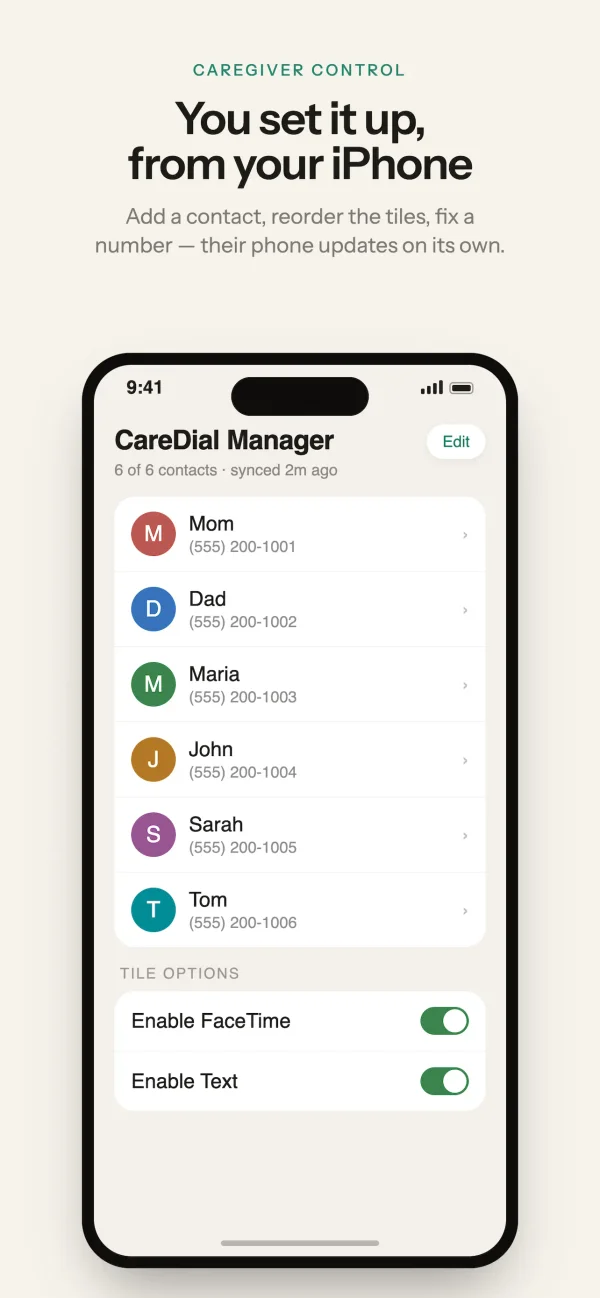
• Add, edit, and reorder their contacts from anywhere
• Changes appear on their phone automatically
• Turn FaceTime and texting on or off for them
• Set up the Help button and decide whether it calls immediately or asks first
• Pair once with a 6-digit code. No accounts to create, no passwords to remember
WHAT YOU NEED
CareDial connects two iPhones: yours and your family member's.
• Two iPhones, each signed in to its own Apple Account. Two phones sharing one Apple Account can't connect — separate accounts are what keep each family's contacts private
• iOS 17.6 or later on both phones
• iCloud Drive turned on for both (Settings > your name > iCloud)
• An internet connection during setup
HOW SETUP WORKS
1. Install CareDial on both phones
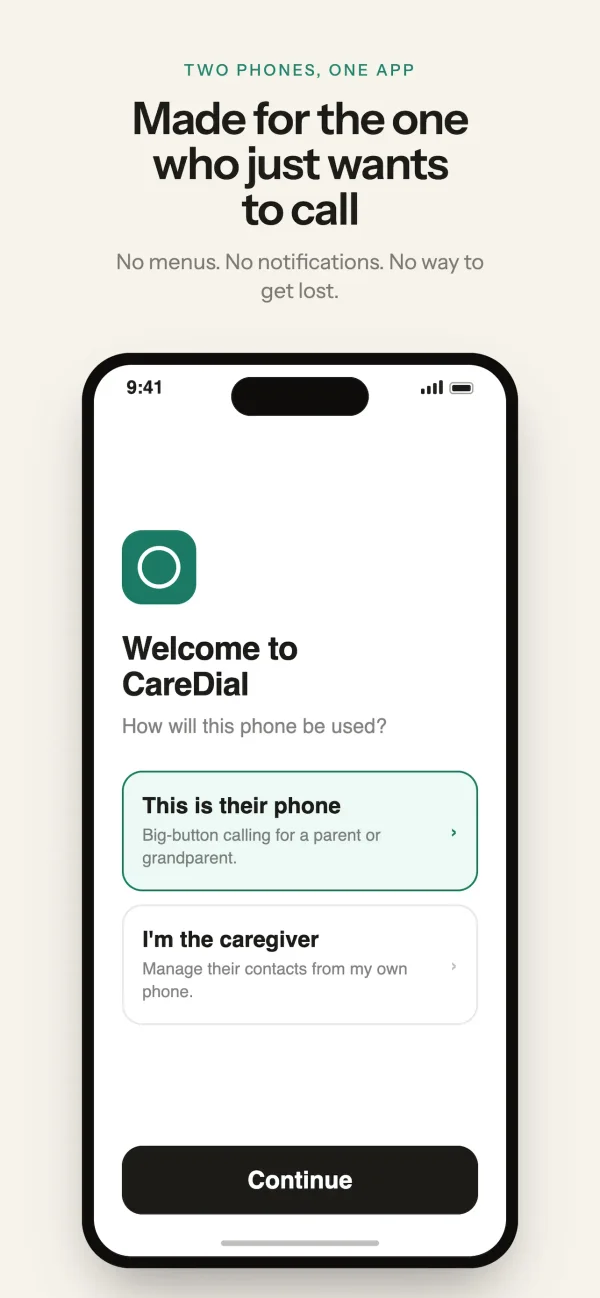
2. On your phone, choose "I'm the caregiver." You'll get a 6-digit code
3. On your family member's phone, choose "This is a family member's phone" and enter the code
4. Add their contacts from your phone. They appear on theirs automatically
Setup takes about five minutes. After that, you manage everything from your own phone.
CareDial is free.
PRIVACY
Contacts are stored in your own iCloud account and shared only with the phone you pair. CareDial has no servers and no sign-ups, and it collects nothing.
Yang baru
Versi 1.4 · 30/7/2026
CareDial has a new look.
• Contact tiles are bigger and easier to tell apart.
• Tapping a contact now shows large Call, FaceTime and Text buttons
instead of a small menu.
• The manager screen shows when your changes last synced, so you can
tell they reached the other phone.
• When setting up a phone you now choose how it will be used and then
confirm, so a stray tap can't set the wrong one.
Your contacts, tile colors and Help button carry over. There's nothing
to set up again.
Privasi aplikasi
Yang dinyatakan Roderick Africa di App Store tentang cara aplikasi ini menangani data.
-
Data tidak dikumpulkan
Pengembang tidak mengumpulkan data apa pun dari aplikasi ini.
Praktik privasi dapat bervariasi, misalnya berdasarkan fitur yang Anda gunakan atau usia Anda.
Informasi
- Penjual
- Roderick Africa
- Kategori
- Kegunaan
- Versi
- 1.4
- Diperbarui
- 30/7/2026
- Dirilis
- 28/6/2026
- Ukuran
- 767,0 KB
- Memerlukan
- iOS 17.6 atau yang lebih baru
- Batasan usia
- 4+
- Bahasa
- Inggris
- Hak cipta
- © 2026 Roderick Africa
Mungkin Anda juga suka
-
 EasyRing - Big Button PhoneKegunaan
-
 PhotoCaller: Call by PhotoKegunaan
-
 Lansia: Tombol BesarPonsel mudah untuk lansia
-
 Renovio - Renovation CalcKegunaan
-
 HD Wallpapers 4K BackgroundsKegunaan
-
 West Coast Self-StorageKegunaan
-
 SC Memories ImporterKegunaan
-
 Ooma SetupKegunaan
-
 Connect VPN Now - Safe & FastKegunaan
-
 Super Ear - Voice AmplifierKegunaan