
- Age rating4+
- CategoryUtilities
- DeveloperRoderick Africa
- LanguagesEnglish
- Size767.0 KB
Links to the official App Store page
Download.org hosts no file of CareDial. The button opens its official App Store page, published by Roderick Africa. Listing last checked on Nov 21, 2026.
Screenshots

About
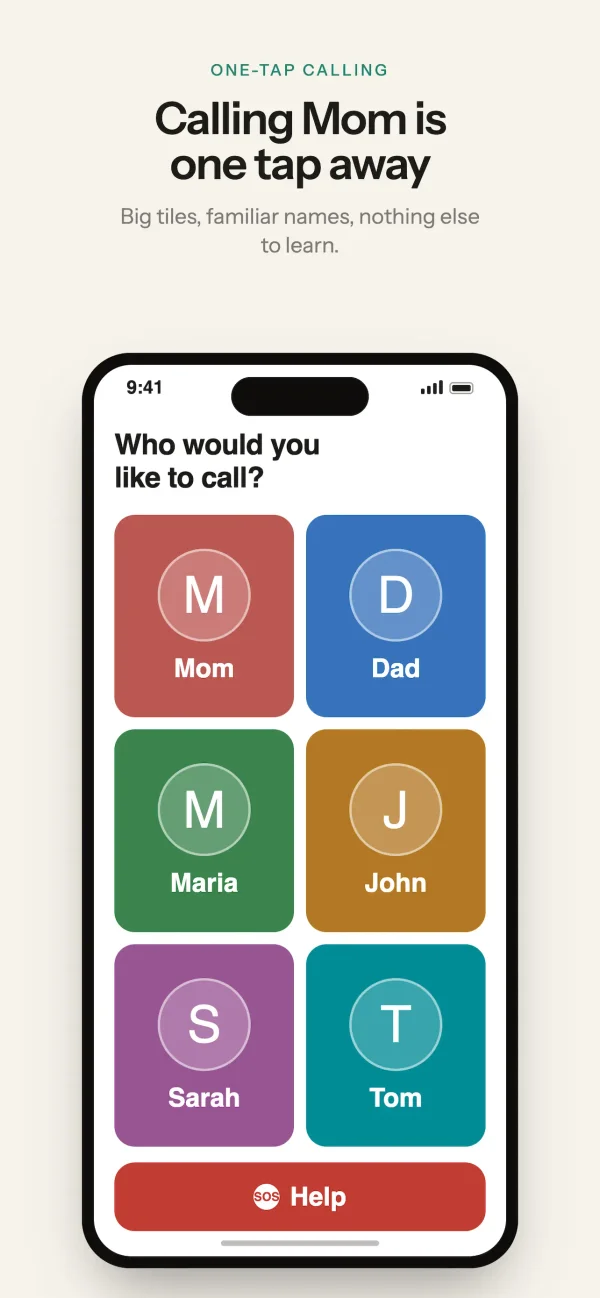
CareDial gives an aging parent or grandparent the simplest possible phone experience: big photo tiles, one tap to call. No menus, no passwords, nothing to get lost in. You set it up and manage it from your own iPhone.
FOR THE FAMILY MEMBER'S PHONE
• Up to 6 large contact tiles with photos and colors
• One tap calls the person. That's it
• Optional red Help button that calls a contact you choose
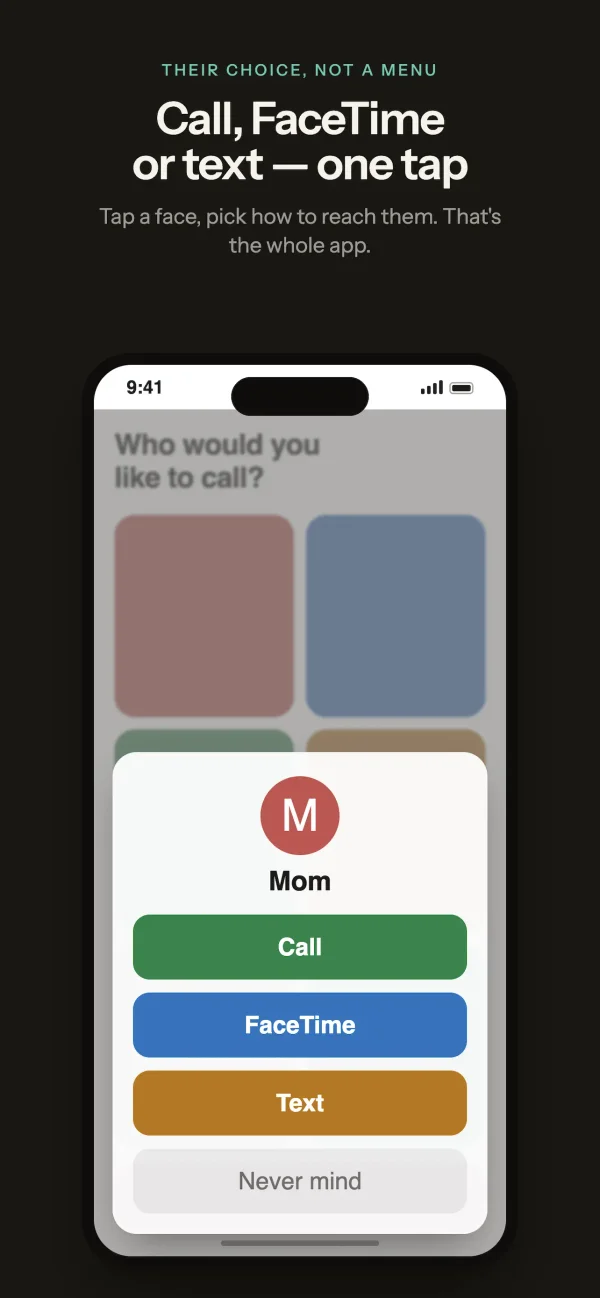
• Optional FaceTime and text choices on each tile (off unless you turn them on)
• Nothing to configure, delete, or break. The phone simply shows the people who matter
FOR YOUR PHONE (THE CAREGIVER)
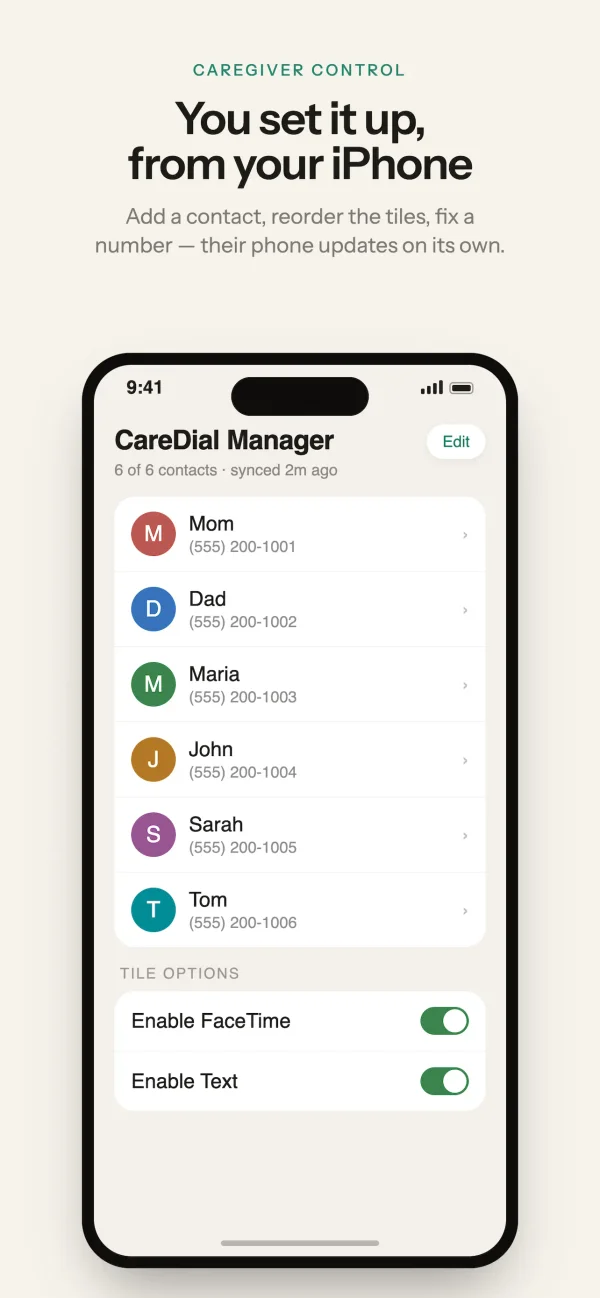
• Add, edit, and reorder their contacts from anywhere
• Changes appear on their phone automatically
• Turn FaceTime and texting on or off for them
• Set up the Help button and decide whether it calls immediately or asks first
• Pair once with a 6-digit code. No accounts to create, no passwords to remember
WHAT YOU NEED
CareDial connects two iPhones: yours and your family member's.
• Two iPhones, each signed in to its own Apple Account. Two phones sharing one Apple Account can't connect — separate accounts are what keep each family's contacts private
• iOS 17.6 or later on both phones
• iCloud Drive turned on for both (Settings > your name > iCloud)
• An internet connection during setup
HOW SETUP WORKS
1. Install CareDial on both phones
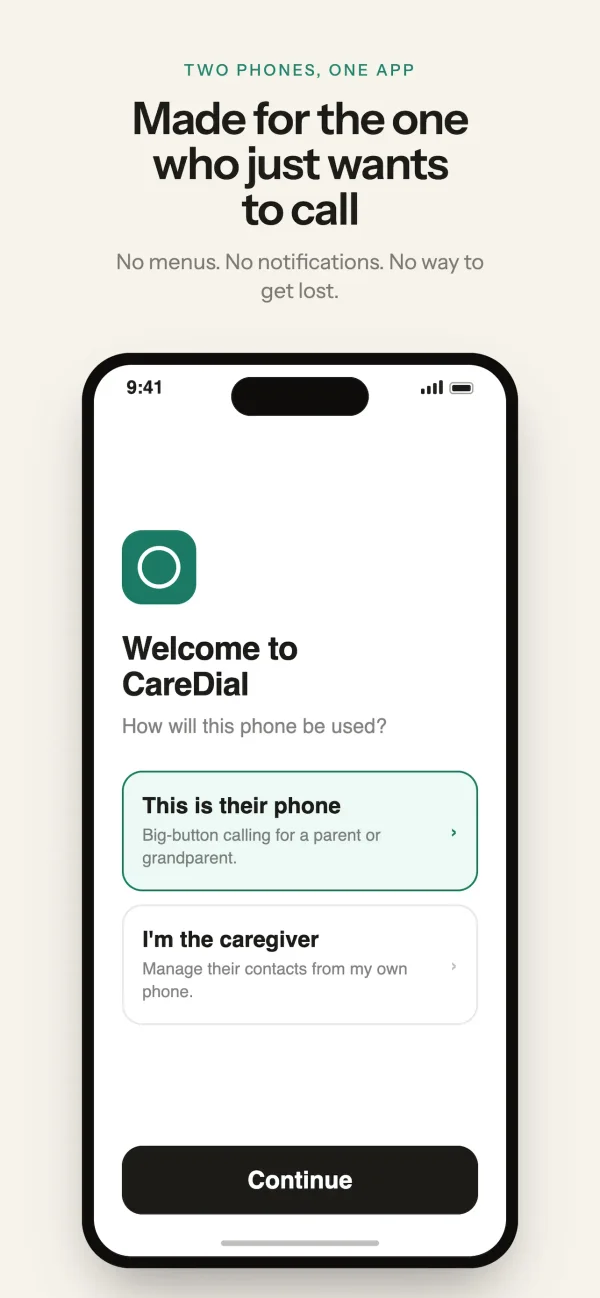
2. On your phone, choose "I'm the caregiver." You'll get a 6-digit code
3. On your family member's phone, choose "This is a family member's phone" and enter the code
4. Add their contacts from your phone. They appear on theirs automatically
Setup takes about five minutes. After that, you manage everything from your own phone.
CareDial is free.
PRIVACY
Contacts are stored in your own iCloud account and shared only with the phone you pair. CareDial has no servers and no sign-ups, and it collects nothing.
What’s new
Version 1.4 · Jul 30, 2026
CareDial has a new look.
• Contact tiles are bigger and easier to tell apart.
• Tapping a contact now shows large Call, FaceTime and Text buttons
instead of a small menu.
• The manager screen shows when your changes last synced, so you can
tell they reached the other phone.
• When setting up a phone you now choose how it will be used and then
confirm, so a stray tap can't set the wrong one.
Your contacts, tile colors and Help button carry over. There's nothing
to set up again.
App privacy
What Roderick Africa declares on the App Store about how this app handles data.
-
Data not collected
The developer does not collect any data from this app.
Privacy practices may vary, for example with the features you use or your age.
Information
- Seller
- Roderick Africa
- Category
- Utilities
- Version
- 1.4
- Updated
- Jul 30, 2026
- Released
- Jun 28, 2026
- Size
- 767.0 KB
- Requires
- iOS 17.6 or later
- Age rating
- 4+
- Price
- Free
- Languages
- English
- Copyright
- © 2026 Roderick Africa
You might also like
-
 EasyRing - Big Button PhoneSenior Launcher, Photo Dialer
-
 PhotoCaller: Call by PhotoTap a photo to call instantly
-
 Senior Launcher: Big ButtonsEasy Phone for Seniors
-
 Renovio - Renovation CalcCalculate materials in seconds
-
 HD Wallpapers 4K BackgroundsUtilities
-
 West Coast Self-StorageManage your self storage
-
 SC Memories ImporterOne-Tap all memories are saved
-
 Ooma SetupActivate and Reconfigure Telo
-
 Connect VPN Now - Safe & FastQuick Access on Public WiFi
-
 Super Ear - Voice AmplifierVolume Booster - Hearing aid