
- Độ tuổi4+
- Danh mụcTiện Ích
- Nhà phát triểnRoderick Africa
- Ngôn ngữTiếng Anh
- Kích thước767,0 KB
CareDial hiện có thể không có trên App Store
Ở lần kiểm tra gần nhất, chúng tôi không truy cập được trang trên cửa hàng. Liên kết vẫn dẫn đến trang App Store chính thức.
Ảnh chụp màn hình

Giới thiệu
Nhà phát triển chưa cung cấp nội dung này bằng ngôn ngữ của bạn.
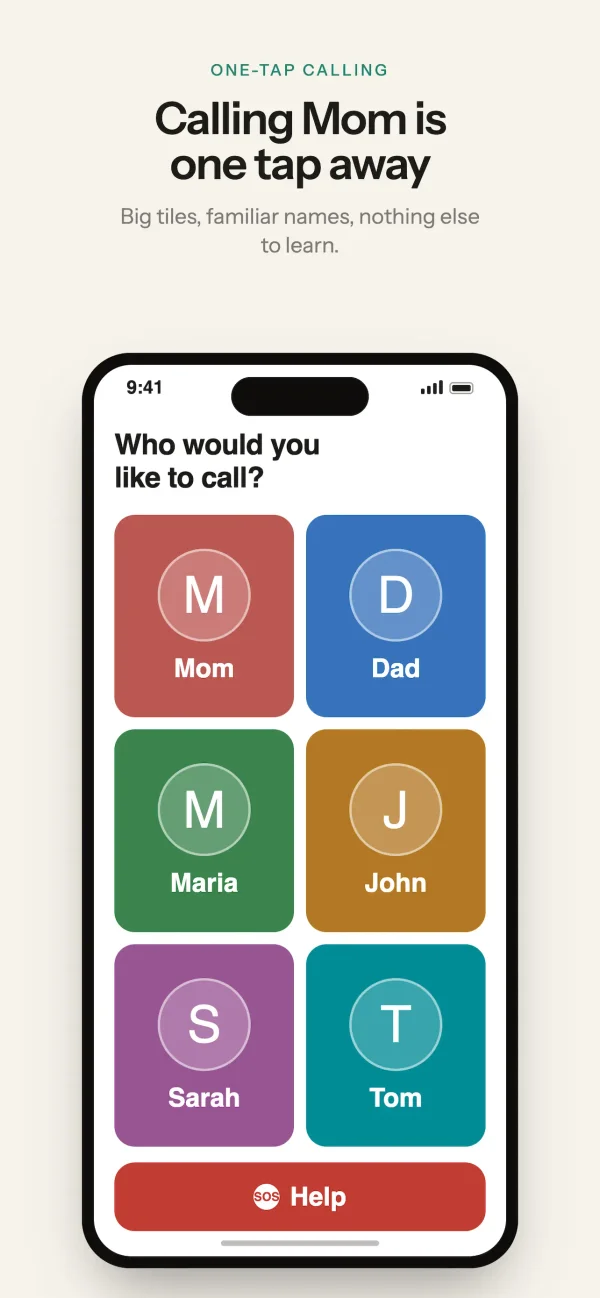
CareDial gives an aging parent or grandparent the simplest possible phone experience: big photo tiles, one tap to call. No menus, no passwords, nothing to get lost in. You set it up and manage it from your own iPhone.
FOR THE FAMILY MEMBER'S PHONE
• Up to 6 large contact tiles with photos and colors
• One tap calls the person. That's it
• Optional red Help button that calls a contact you choose
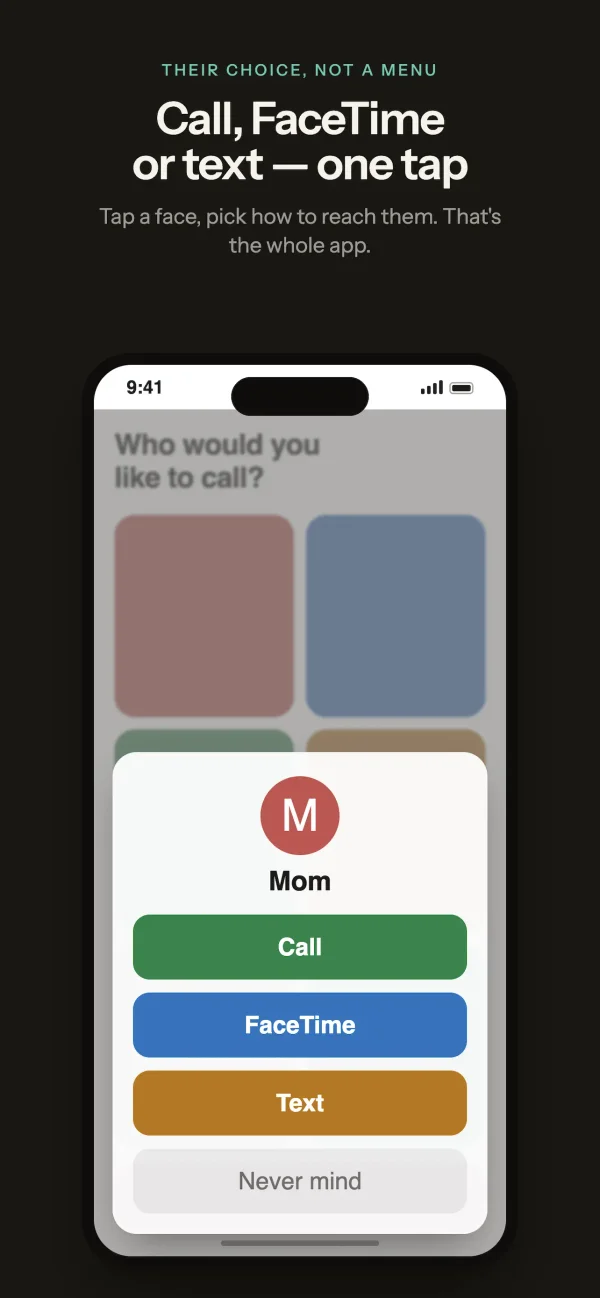
• Optional FaceTime and text choices on each tile (off unless you turn them on)
• Nothing to configure, delete, or break. The phone simply shows the people who matter
FOR YOUR PHONE (THE CAREGIVER)
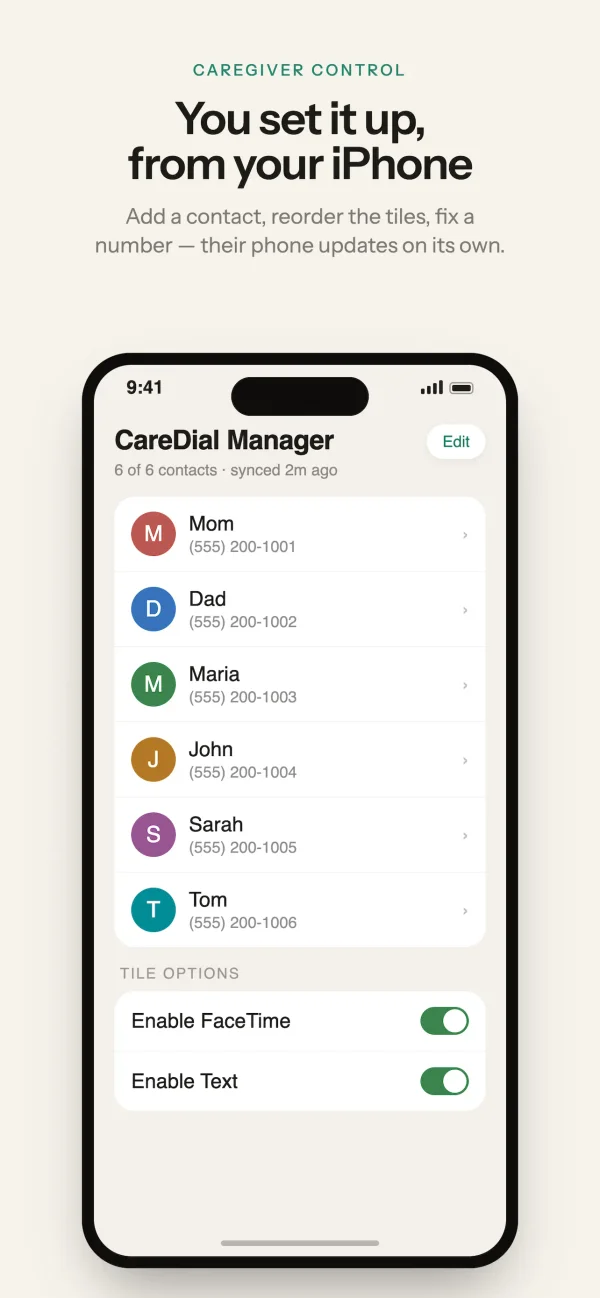
• Add, edit, and reorder their contacts from anywhere
• Changes appear on their phone automatically
• Turn FaceTime and texting on or off for them
• Set up the Help button and decide whether it calls immediately or asks first
• Pair once with a 6-digit code. No accounts to create, no passwords to remember
WHAT YOU NEED
CareDial connects two iPhones: yours and your family member's.
• Two iPhones, each signed in to its own Apple Account. Two phones sharing one Apple Account can't connect — separate accounts are what keep each family's contacts private
• iOS 17.6 or later on both phones
• iCloud Drive turned on for both (Settings > your name > iCloud)
• An internet connection during setup
HOW SETUP WORKS
1. Install CareDial on both phones
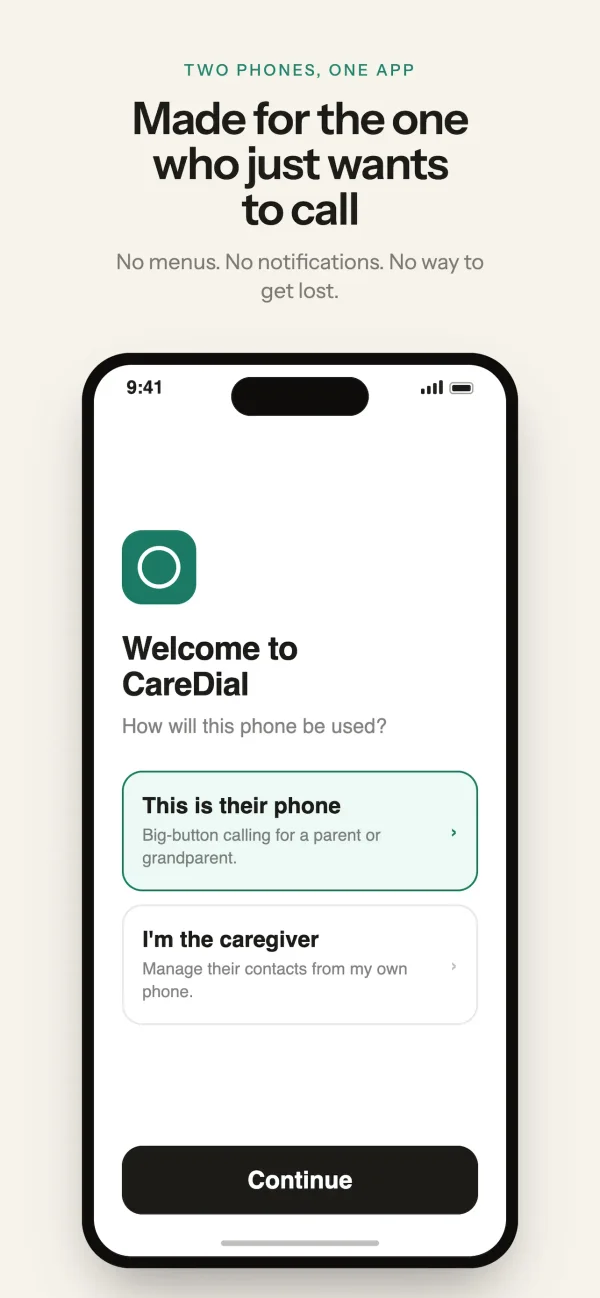
2. On your phone, choose "I'm the caregiver." You'll get a 6-digit code
3. On your family member's phone, choose "This is a family member's phone" and enter the code
4. Add their contacts from your phone. They appear on theirs automatically
Setup takes about five minutes. After that, you manage everything from your own phone.
CareDial is free.
PRIVACY
Contacts are stored in your own iCloud account and shared only with the phone you pair. CareDial has no servers and no sign-ups, and it collects nothing.
Có gì mới
Phiên bản 1.4 · 30/07/2026
CareDial has a new look.
• Contact tiles are bigger and easier to tell apart.
• Tapping a contact now shows large Call, FaceTime and Text buttons
instead of a small menu.
• The manager screen shows when your changes last synced, so you can
tell they reached the other phone.
• When setting up a phone you now choose how it will be used and then
confirm, so a stray tap can't set the wrong one.
Your contacts, tile colors and Help button carry over. There's nothing
to set up again.
Quyền riêng tư của ứng dụng
Những gì Roderick Africa khai báo trên App Store về cách ứng dụng này xử lý dữ liệu.
-
Dữ liệu không được thu thập
Nhà phát triển không thu thập bất kỳ dữ liệu nào từ ứng dụng này.
Phương thức đảm bảo quyền riêng tư có thể khác nhau, chẳng hạn như tuỳ theo các tính năng bạn sử dụng hoặc độ tuổi của bạn.
Thông tin
- Người bán
- Roderick Africa
- Danh mục
- Tiện Ích
- Phiên bản
- 1.4
- Cập nhật
- 30/07/2026
- Phát hành
- 28/06/2026
- Kích thước
- 767,0 KB
- Yêu cầu
- iOS 17.6 trở lên
- Độ tuổi
- 4+
- Ngôn ngữ
- Tiếng Anh
- Bản quyền
- © 2026 Roderick Africa
Có thể bạn cũng thích
-
 EasyRing - Nút to cho ông bàGọi nhanh cho người cao tuổi
-
 PhotoCaller: Call by PhotoTiện Ích
-
 Người cao tuổi: Nút lớnĐiện thoại dễ dùng cho NCT
-
 Renovio - Renovation CalcTiện Ích
-
 HD Wallpapers 4K BackgroundsTiện Ích
-
 West Coast Self-StorageTiện Ích
-
 SC Memories ImporterTiện Ích
-
 Ooma SetupTiện Ích
-
 Connect VPN Now - Safe & FastTiện Ích
-
 Super Ear - Voice AmplifierTiện Ích