
- 対象年齢4+
- カテゴリユーティリティ
- 開発元Roderick Africa
- 言語英語
- サイズ767.0 KB
CareDialは現在App Storeで入手できない可能性があります
前回の確認時、ストアのページにアクセスできませんでした。リンク先は引き続きApp Storeの公式ページです。
スクリーンショット

概要
開発元はこのテキストをお使いの言語で提供していません。
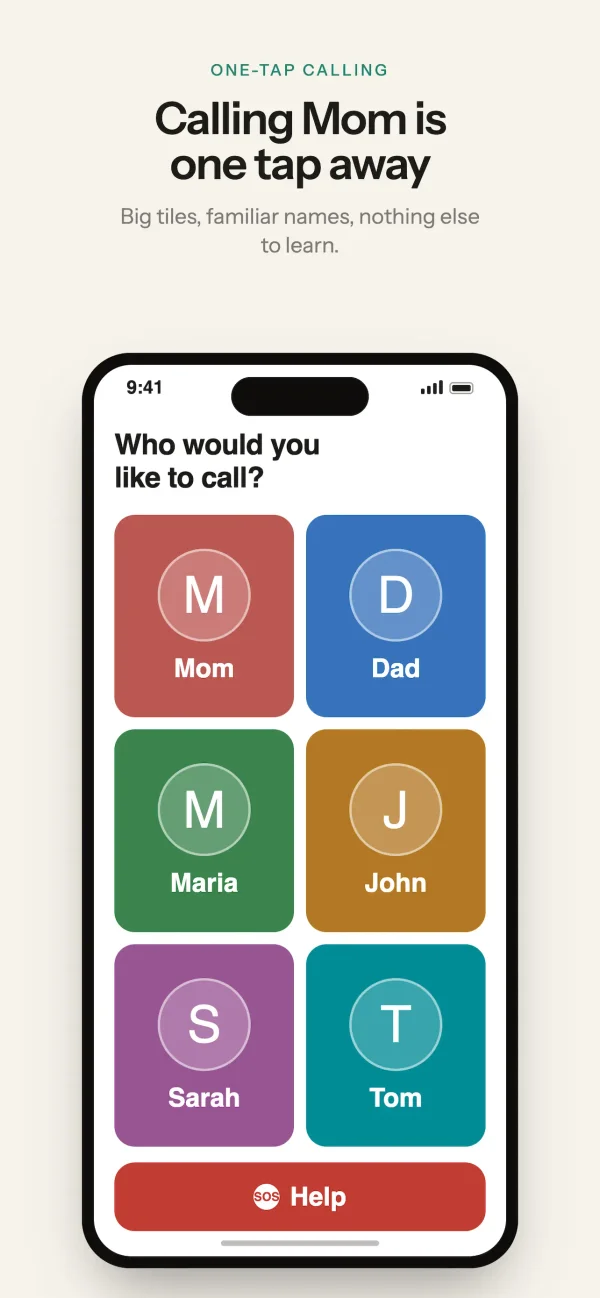
CareDial gives an aging parent or grandparent the simplest possible phone experience: big photo tiles, one tap to call. No menus, no passwords, nothing to get lost in. You set it up and manage it from your own iPhone.
FOR THE FAMILY MEMBER'S PHONE
• Up to 6 large contact tiles with photos and colors
• One tap calls the person. That's it
• Optional red Help button that calls a contact you choose
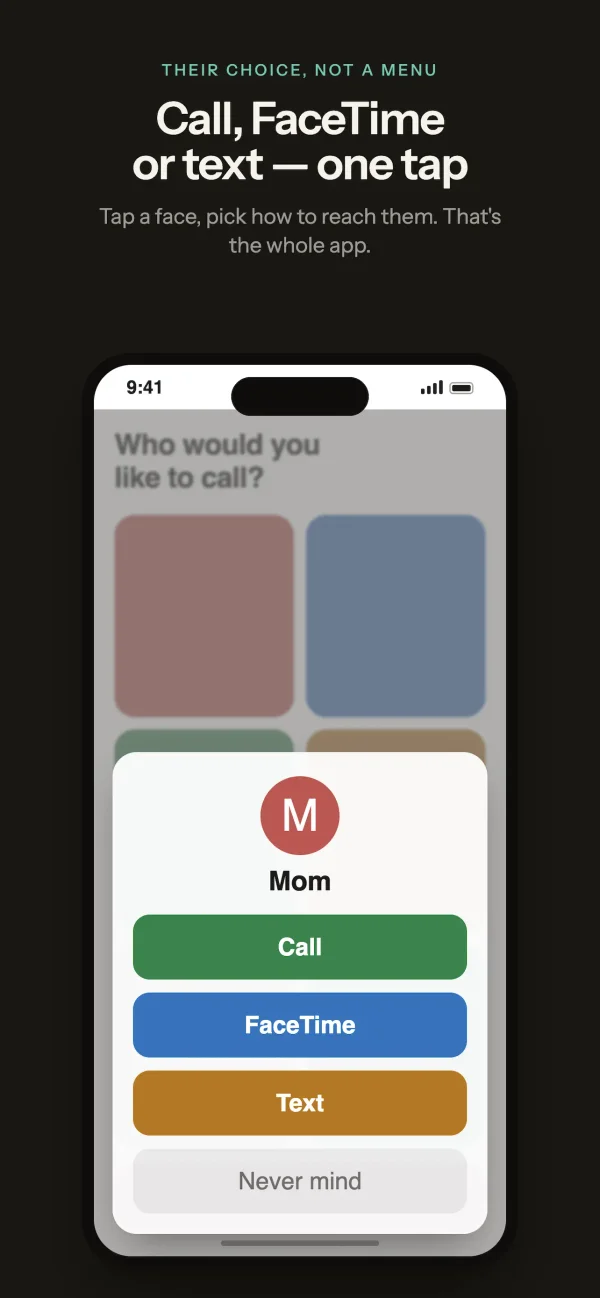
• Optional FaceTime and text choices on each tile (off unless you turn them on)
• Nothing to configure, delete, or break. The phone simply shows the people who matter
FOR YOUR PHONE (THE CAREGIVER)
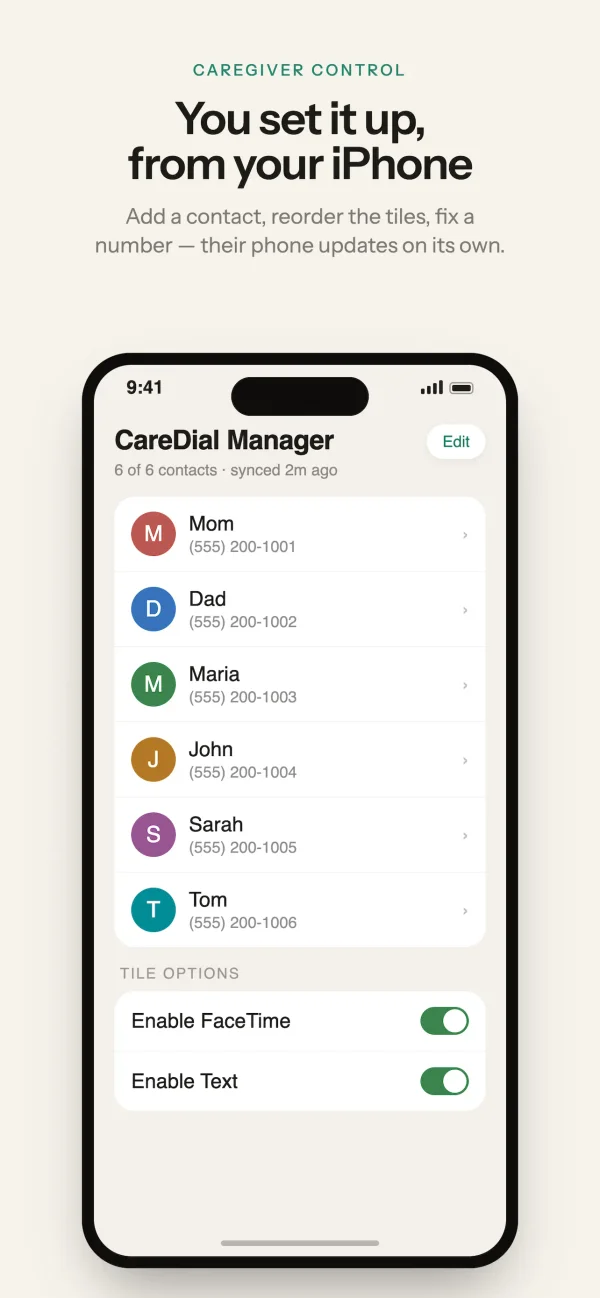
• Add, edit, and reorder their contacts from anywhere
• Changes appear on their phone automatically
• Turn FaceTime and texting on or off for them
• Set up the Help button and decide whether it calls immediately or asks first
• Pair once with a 6-digit code. No accounts to create, no passwords to remember
WHAT YOU NEED
CareDial connects two iPhones: yours and your family member's.
• Two iPhones, each signed in to its own Apple Account. Two phones sharing one Apple Account can't connect — separate accounts are what keep each family's contacts private
• iOS 17.6 or later on both phones
• iCloud Drive turned on for both (Settings > your name > iCloud)
• An internet connection during setup
HOW SETUP WORKS
1. Install CareDial on both phones
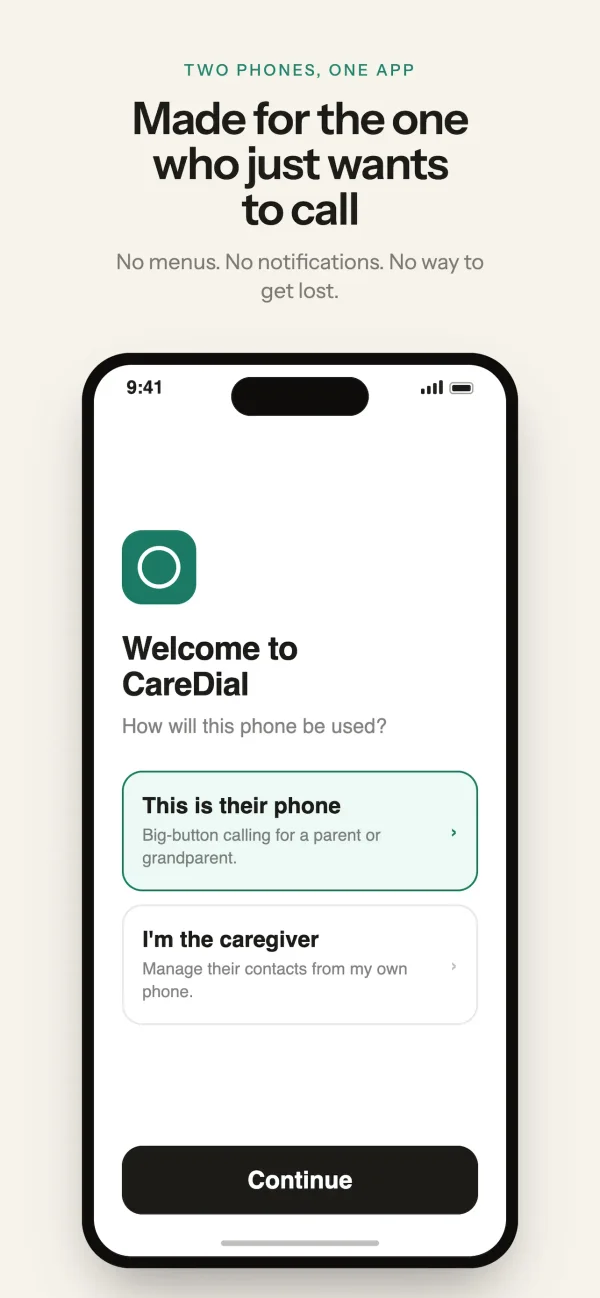
2. On your phone, choose "I'm the caregiver." You'll get a 6-digit code
3. On your family member's phone, choose "This is a family member's phone" and enter the code
4. Add their contacts from your phone. They appear on theirs automatically
Setup takes about five minutes. After that, you manage everything from your own phone.
CareDial is free.
PRIVACY
Contacts are stored in your own iCloud account and shared only with the phone you pair. CareDial has no servers and no sign-ups, and it collects nothing.
新機能
バージョン 1.4 · 2026/7/30
CareDial has a new look.
• Contact tiles are bigger and easier to tell apart.
• Tapping a contact now shows large Call, FaceTime and Text buttons
instead of a small menu.
• The manager screen shows when your changes last synced, so you can
tell they reached the other phone.
• When setting up a phone you now choose how it will be used and then
confirm, so a stray tap can't set the wrong one.
Your contacts, tile colors and Help button carry over. There's nothing
to set up again.
アプリのプライバシー
このアプリのデータの取り扱いについて、Roderick AfricaがApp Storeで申告している内容です。
-
データの収集なし
開発元はこのアプリからデータを収集しません。
プライバシーの取り扱いは、ご利用の機能やお客様の年齢などに応じて異なる場合があります。
情報
- 販売元
- Roderick Africa
- カテゴリ
- ユーティリティ
- バージョン
- 1.4
- 更新日
- 2026/7/30
- リリース
- 2026/6/28
- サイズ
- 767.0 KB
- 必要条件
- iOS 17.6以降
- 対象年齢
- 4+
- 言語
- 英語
- 著作権
- © 2026 Roderick Africa
こちらもおすすめ
-
 EasyRing - 大きいボタンの電話シニア向けかんたん電話・SOS
-
 PhotoCaller: Call by Photoユーティリティ
-
 シニアランチャー:大きなボタン高齢者向けのかんたん電話
-
 Renovio - Renovation Calcユーティリティ
-
 HD Wallpapers 4K Backgroundsユーティリティ
-
 West Coast Self-Storageユーティリティ
-
 SC Memories Importerユーティリティ
-
 Ooma Setupユーティリティ
-
 Connect VPN Now - Safe & Fastユーティリティ
-
 Super Ear:聴覚強化・集音器・マイク補聴器・会話の音声増幅と録音