DWF View
DWF, DWFx, DXF and signatures
Dirancang untuk iPhone, iPad, Mac
Gratis · Pembelian dalam aplikasi
- Batasan usia4+
- KategoriProduktivitas
- PengembangFilipe Goncalves
- BahasaInggris+ 13 lainnya
- Ukuran12,4 MB
Tertaut ke halaman resmi App Store
Download.org tidak menyimpan file DWF View apa pun. Tombol ini membuka halaman aplikasi di App Store, tempat Filipe Goncalves menerbitkannya. Halaman terakhir diperiksa pada 24/11/2026.
Tangkapan layar

Tentang
Pengembang belum menyediakan teks ini dalam bahasa Anda.
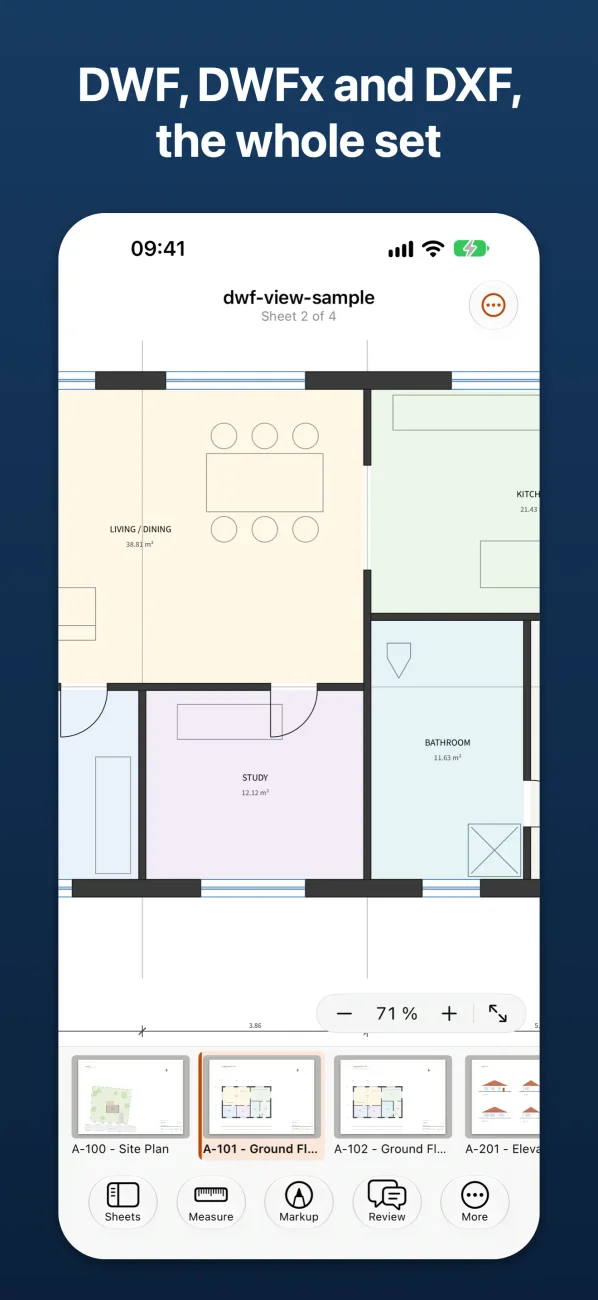
DWF View opens the drawings architects, engineers and contractors exchange as DWF, DWFx and DXF files - on Mac, iPad and iPhone, with no AutoCAD, no Design Review and no account.
A DWF carries a whole set, sheet by sheet, exactly as it was plotted. DWF View keeps it that way: every sheet in a browser with thumbnails, faithful line weights, hatches, text and images, and the paper size and scale the drawing was issued at. Scanned pages inside a set open too.
FREE
- Open DWF, DWFx and DXF drawings, including multi-sheet sets
- Sheet browser with thumbnails
- Zoom, pan and rotate by gesture, trackpad or mouse
- Open straight from Files, Finder, Mail or any app that shares a document
- Check the digital signature of signed drawings (DWFx, .asics, .asice)
DWF VIEW PRO - ONE PURCHASE, EVERY DEVICE
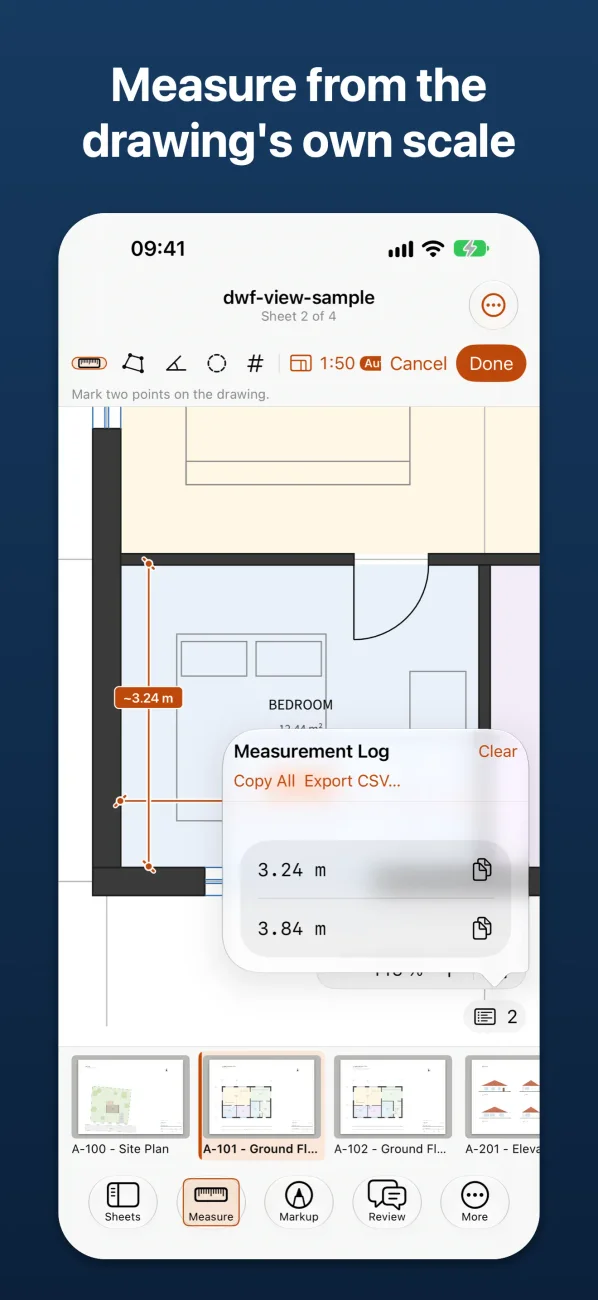
- Measure distances, areas, angles, radii and counts, with snapping, in metric or imperial units
- Scale read from the title block (1:100, 1/4" = 1'-0"), or calibrated against a known dimension
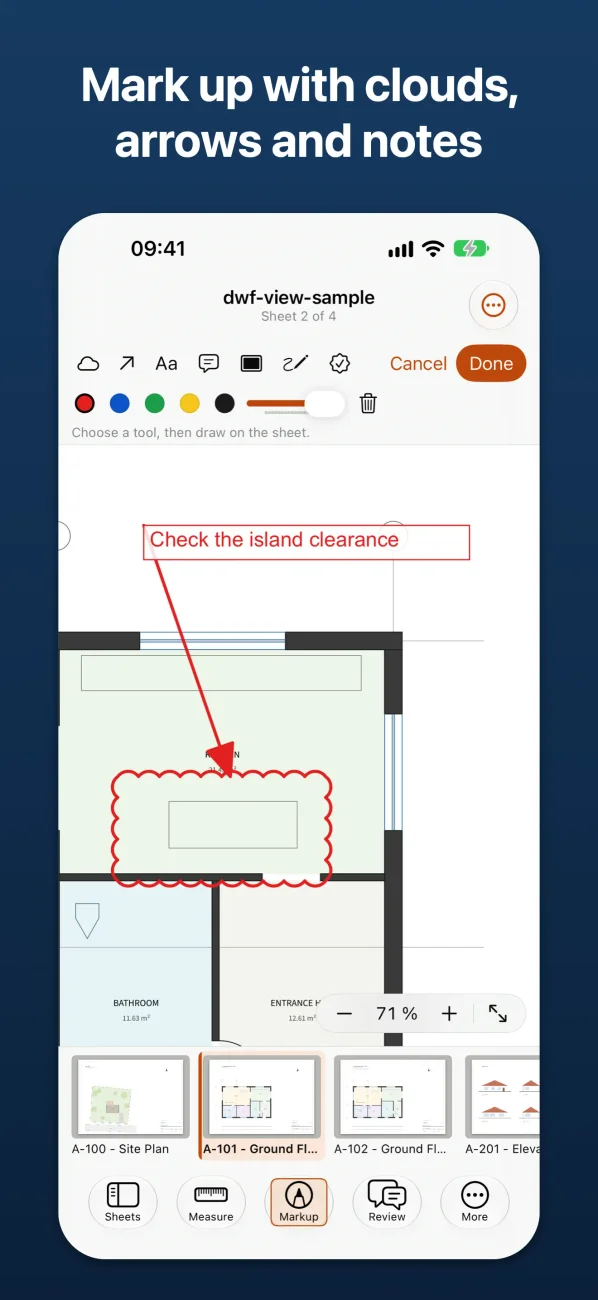
- Mark up drawings: revision clouds, arrows, callouts, notes, highlights, freehand and review stamps
- Comments placed on the sheet, with photos and voice notes, exported as a spreadsheet
- Review report in PDF
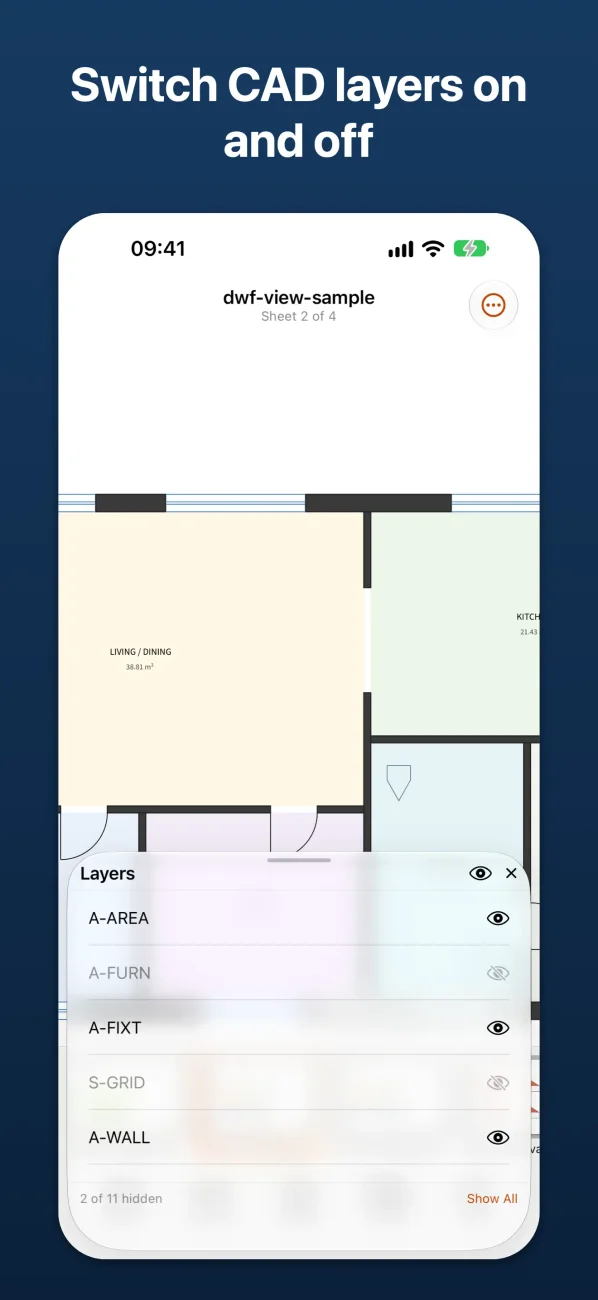
- Turn CAD layers on and off, and read the data behind each object
- Compare two revisions and see what was added and removed
- Search the text of every sheet
- Several drawings open at once, in tabs
- Rename and remove sheets, combine drawings, save as DWF or DWFx
- Export and print: PDF at the drawing's real paper size, PDF/A for submissions, PNG, SVG and DXF
Try every Pro feature free for 14 days. The trial is taken once, never renews and never charges; when it ends, opening and viewing drawings stays free. Pro is a single purchase with no subscription, shared by your Mac, iPad and iPhone through your Apple Account.
PRIVATE BY DESIGN
Drawings are converted and displayed on your device. Nothing is uploaded, and the app collects no data.
In English, Portuguese, Spanish, French, German, Italian, Polish, Turkish, Japanese, Korean and Chinese (Simplified and Traditional).
The translations of DWF View into other languages were prepared with the help of AI and have not been reviewed by translators. If you spot a mistake, please tell us at hello@byn.pt.
DWF View is an independent app, not affiliated with or endorsed by Autodesk, Inc. AutoCAD, Revit and Design Review are trademarks of Autodesk, Inc.
Yang baru
Versi 2.1 · 23/11/2026
- Rectangle and circle markups, with a choice of line weight
- Perimeter in area measurements
- Move and edit markups, with Undo and Redo
- Markups in blue by default
- Share the drawing's original file
- Keyboard shortcuts for the measure and markup tools
- Phrases for Siri and the Shortcuts app
- A single Settings window
- New start screen, with your recent drawings
- iPhone: two-row bottom bar with the most used commands
- New languages: Hebrew and Arabic, with a right-to-left interface
- Clearer error and warning messages, also in Dark Mode
Privasi aplikasi
Yang dinyatakan Filipe Goncalves di App Store tentang cara aplikasi ini menangani data.
-
Data tidak dikumpulkan
Pengembang tidak mengumpulkan data apa pun dari aplikasi ini.
Praktik privasi dapat bervariasi, misalnya berdasarkan fitur yang Anda gunakan atau usia Anda.
Informasi
- Penjual
- Filipe Goncalves
- Kategori
- Produktivitas
- Versi
- 2.1
- Diperbarui
- 23/11/2026
- Dirilis
- 29/7/2026
- Ukuran
- 12,4 MB
- Memerlukan
- iOS 17.0 atau yang lebih baru
- Batasan usia
- 4+
- Harga
- Gratis
- Pembelian dalam aplikasi
- Ya
- Bahasa
- Inggris, Arab, Prancis, Jerman, Ibrani, Italia, Jepang, Korea, Polski (Polandia), Portugis, Tionghoa Sederhana, Spanyol + 2 lainnya
- Hak cipta
- © 2026 Filipe Gonçalves
Mungkin Anda juga suka
-
 SnapDWG: DWG Viewer & PDFProduktivitas
-
 DWG View - CAD Viewer & EditorProduktivitas
-
 CAD FastView: DWG ViewerProduktivitas
-
 ZWCAD Mobile - Mobile CADProduktivitas
-
 BIM 360Produktivitas
-
 DWG FastView-penampil CADKompatibel dengan AutoCAD
-
 CAD Reader-View & Measure DWGProduktivitas
-
 AutoCADProduktivitas
-
 BluebeamProduktivitas
-
 DrawPlan: Pembuat Denah 3D AIDenah 2D & 3D sesuai skala