DWF View
DWF, DWFx, DXF and signatures
Designed for iPhone, iPad, Mac
Free · In-app purchases
- Age rating4+
- CategoryProductivity
- DeveloperFilipe Goncalves
- LanguagesEnglish+ 11 more
- Size11.8 MB
Links to the official App Store page
Download.org hosts no file of DWF View. The button opens its official App Store page, published by Filipe Goncalves. Listing last checked on Nov 23, 2026.
Screenshots


About
DWF View opens the drawings architects, engineers and contractors exchange as DWF, DWFx and DXF files - on Mac, iPad and iPhone, with no AutoCAD, no Design Review and no account.
A DWF carries a whole set, sheet by sheet, exactly as it was plotted. DWF View keeps it that way: every sheet in a browser with thumbnails, faithful line weights, hatches, text and images, and the paper size and scale the drawing was issued at. Scanned pages inside a set open too.
FREE
- Open DWF, DWFx and DXF drawings, including multi-sheet sets
- Sheet browser with thumbnails
- Zoom, pan and rotate by gesture, trackpad or mouse
- Open straight from Files, Finder, Mail or any app that shares a document
- Check the digital signature of signed drawings (DWFx, .asics, .asice)
DWF VIEW PRO - ONE PURCHASE, EVERY DEVICE
- Measure distances, areas, angles, radii and counts, with snapping, in metric or imperial units
- Scale read from the title block (1:100, 1/4" = 1'-0"), or calibrated against a known dimension
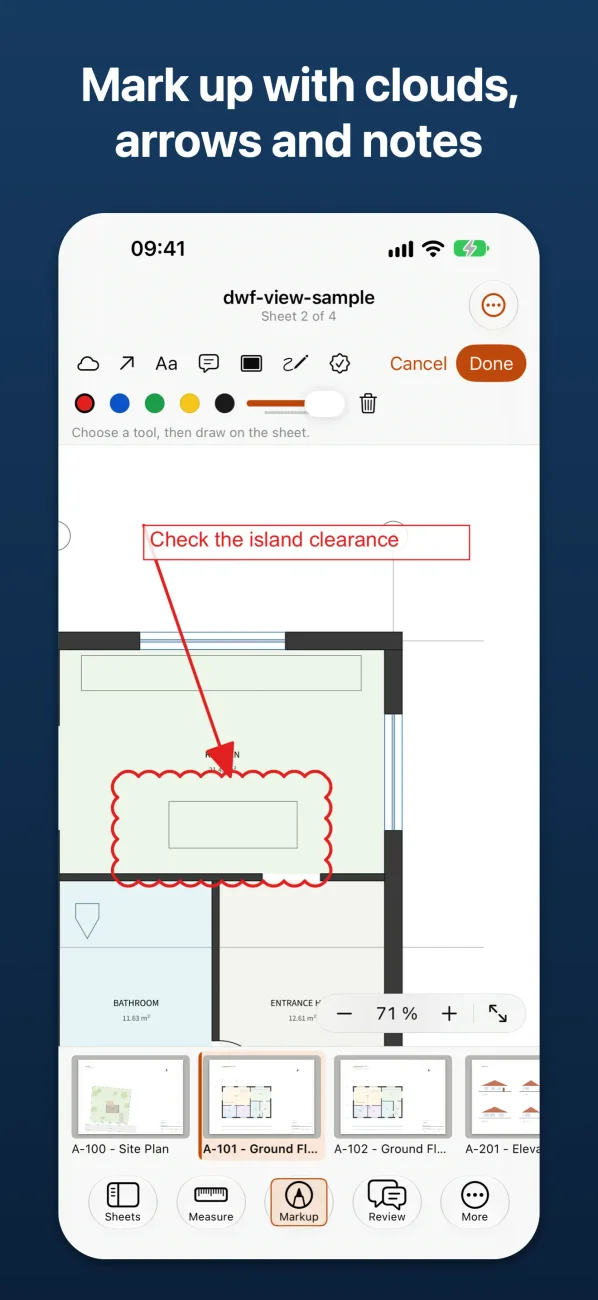
- Mark up drawings: revision clouds, arrows, callouts, notes, highlights, freehand and review stamps
- Comments placed on the sheet, with photos and voice notes, exported as a spreadsheet
- Review report in PDF
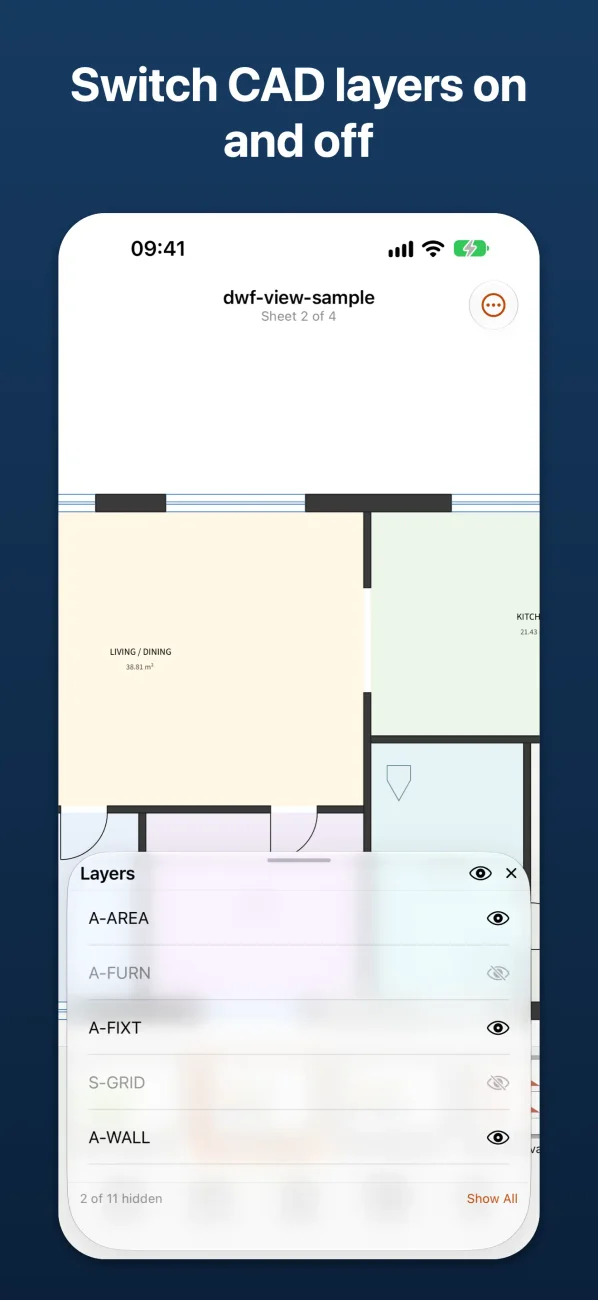
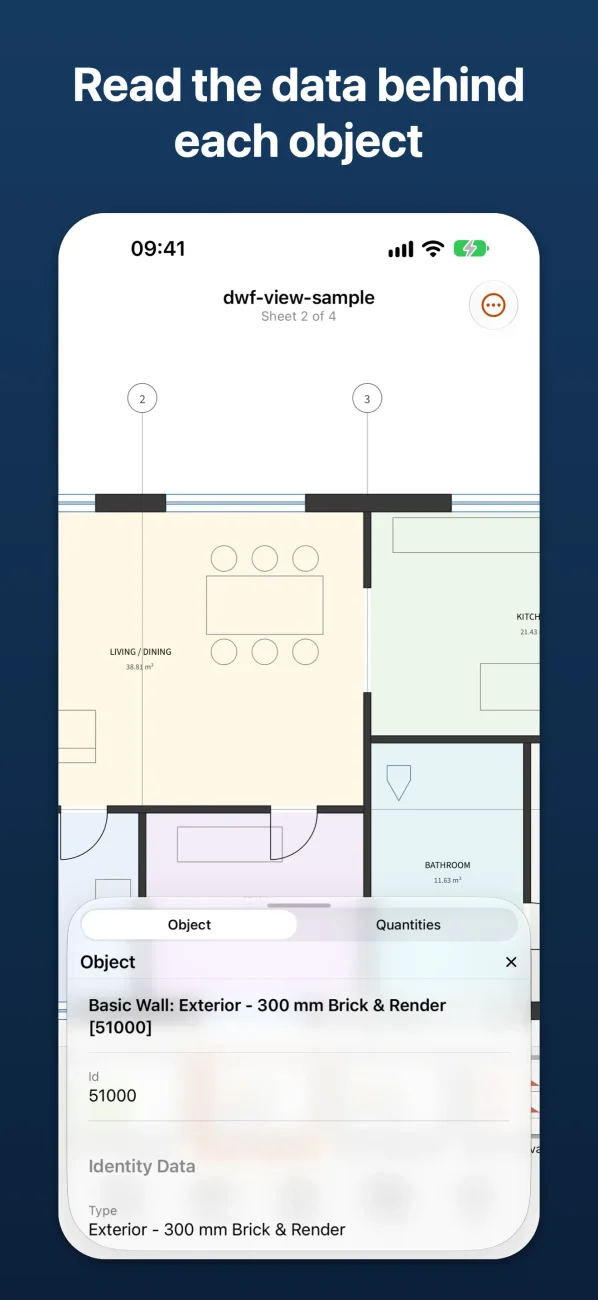
- Turn CAD layers on and off, and read the data behind each object
- Compare two revisions and see what was added and removed
- Search the text of every sheet
- Several drawings open at once, in tabs
- Rename and remove sheets, combine drawings, save as DWF or DWFx
- Export and print: PDF at the drawing's real paper size, PDF/A for submissions, PNG, SVG and DXF
Try every Pro feature free for 14 days. The trial is taken once, never renews and never charges; when it ends, opening and viewing drawings stays free. Pro is a single purchase with no subscription, shared by your Mac, iPad and iPhone through your Apple Account.
PRIVATE BY DESIGN
Drawings are converted and displayed on your device. Nothing is uploaded, and the app collects no data.
In English, Portuguese, Spanish, French, German, Italian, Polish, Turkish, Japanese, Korean and Chinese (Simplified and Traditional).
The translations of DWF View into other languages were prepared with the help of AI. If you spot a mistake, please tell us at hello@byn.pt.
DWF View is an independent app, not affiliated with or endorsed by Autodesk, Inc. AutoCAD, Revit and Design Review are trademarks of Autodesk, Inc.
What’s new
Version 2.0 · Nov 20, 2026
- New look: orange icon and accent, and a new window on Mac, iPad and iPhone
- Every command in the menus, arranged in groups: File, Navigate, View, Measure, Markup, Review, Analyse and Share
- Measurements readable at any zoom; a distance's dimension line can be moved off the measured line
- iPhone: sheet thumbnails in a strip at the bottom
- Rotate the drawing left and right
- Our own reading and writing of DWF and DWFx packages
- New languages: Polish, Turkish and Chinese (Simplified and Traditional)
Also in this version:
- Review report in PDF: summary, stamps, comments, photos and voice notes in one document
- Add photos and voice notes to comments
- Keep notes next to the drawing, in a folder that Mac, iPad and iPhone share through iCloud Drive
- Review stamps (Approved, Rejected, Seen, With reservations) and transparency for markups
- Show Design Review markups, in DWFx and classic DWF
- iPad: compare revisions from different files
- Print to scale across several sheets (tiling)
- Quantities from object properties, with CSV export; measurements also in CSV
- iPad: search the text of every drawing in a folder
- Shortcuts: convert to PDF, combine drawings, extract sheets and search
- Previews and thumbnails of drawings in the Files app; full screen on iPhone Duo
- More robust with damaged files, and classic DWF files open from folders with accented names
App privacy
What Filipe Goncalves declares on the App Store about how this app handles data.
-
Data not collected
The developer does not collect any data from this app.
Privacy practices may vary, for example with the features you use or your age.
Information
- Seller
- Filipe Goncalves
- Category
- Productivity
- Version
- 2.0
- Updated
- Nov 20, 2026
- Released
- Jul 29, 2026
- Size
- 11.8 MB
- Requires
- iOS 17.0 or later
- Age rating
- 4+
- Price
- Free
- In-app purchases
- Yes
- Languages
- English, French, German, Italian, Japanese, Korean, Polish, Portuguese, Simplified Chinese, Spanish, Traditional Chinese, Turkish
- Copyright
- © 2026 Filipe Gonçalves
You might also like
-
 SnapDWG: DWG Viewer & PDFDwg, CAD Reader & Converter
-
 DWG View - CAD Viewer & EditorDWG, DXF, DWF, DGN- View, Edit
-
 CAD FastView: DWG ViewerDWG,DXF,DWT Viewer -CAD viewer
-
 ZWCAD Mobile - Mobile CADDWG viewer and editor
-
 BIM 360Productivity
-
 DWG FastView-CAD Viewer&Editor* Support 2D/3D CAD formats
-
 CAD Reader-View & Measure DWGDWG & PDF viewer
-
 AutoCADDWG Viewer & Editor
-
 BluebeamField app for PDF workflows
-
 DrawPlan: 3D Floor Plan & AI2D & 3D floor plans to scale