
DWF View
DWF, DWFx, DXF and signatures
Được thiết kế cho iPhone, iPad, Mac
Miễn phí · Mua hàng trong ứng dụng
- Độ tuổi4+
- Danh mụcHiệu Suất
- Nhà phát triểnFilipe Goncalves
- Ngôn ngữTiếng Anh+ 13 ngôn ngữ khác
- Kích thước12,4 MB
Liên kết đến trang App Store chính thức
Download.org không lưu trữ tệp nào của DWF View. Nút này mở trang ứng dụng trên App Store, nơi Filipe Goncalves phát hành ứng dụng. Trang được kiểm tra lần cuối: 24/11/2026.
Ảnh chụp màn hình

Giới thiệu
Nhà phát triển chưa cung cấp nội dung này bằng ngôn ngữ của bạn.
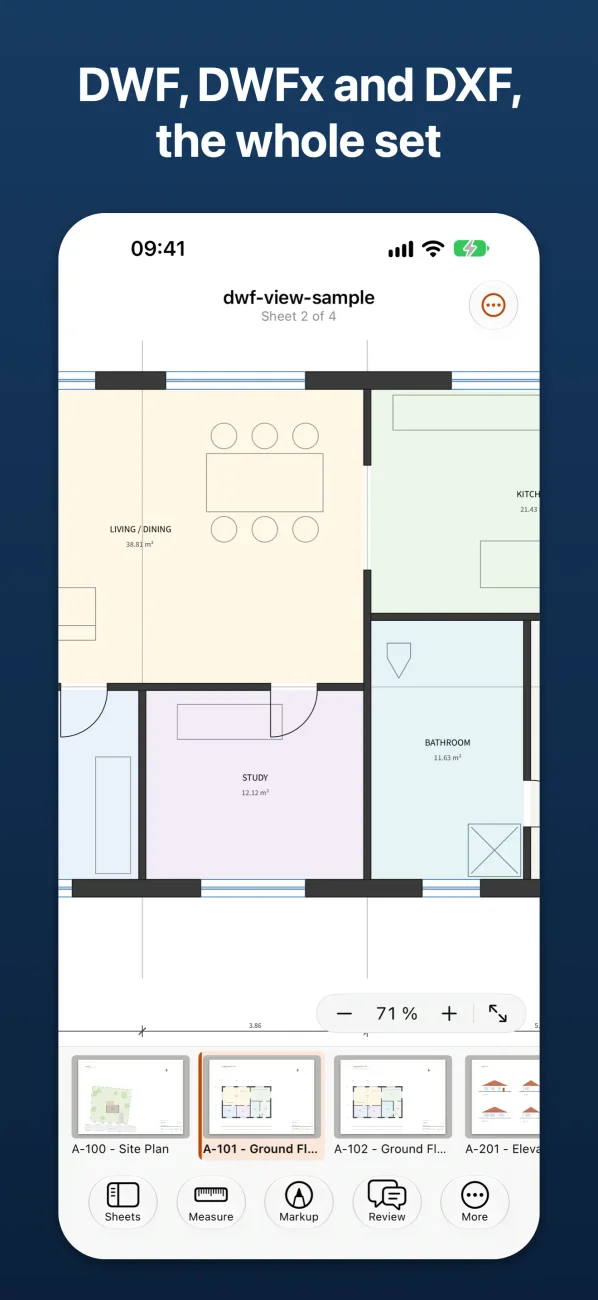
DWF View opens the drawings architects, engineers and contractors exchange as DWF, DWFx and DXF files - on Mac, iPad and iPhone, with no AutoCAD, no Design Review and no account.
A DWF carries a whole set, sheet by sheet, exactly as it was plotted. DWF View keeps it that way: every sheet in a browser with thumbnails, faithful line weights, hatches, text and images, and the paper size and scale the drawing was issued at. Scanned pages inside a set open too.
FREE
- Open DWF, DWFx and DXF drawings, including multi-sheet sets
- Sheet browser with thumbnails
- Zoom, pan and rotate by gesture, trackpad or mouse
- Open straight from Files, Finder, Mail or any app that shares a document
- Check the digital signature of signed drawings (DWFx, .asics, .asice)
DWF VIEW PRO - ONE PURCHASE, EVERY DEVICE
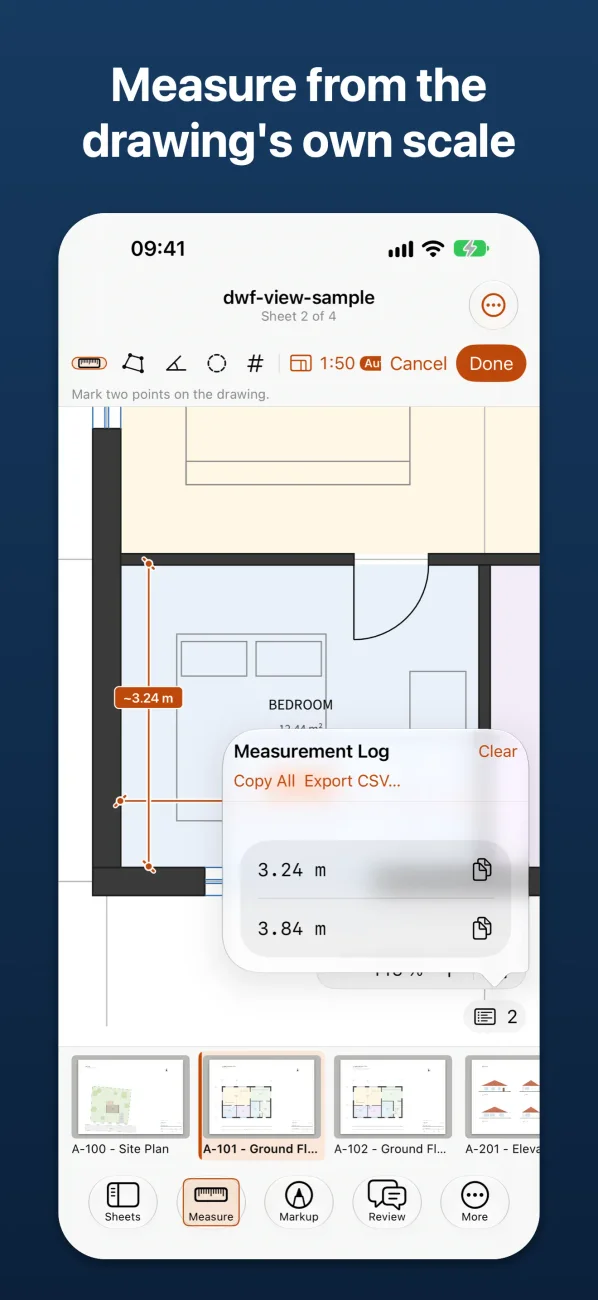
- Measure distances, areas, angles, radii and counts, with snapping, in metric or imperial units
- Scale read from the title block (1:100, 1/4" = 1'-0"), or calibrated against a known dimension
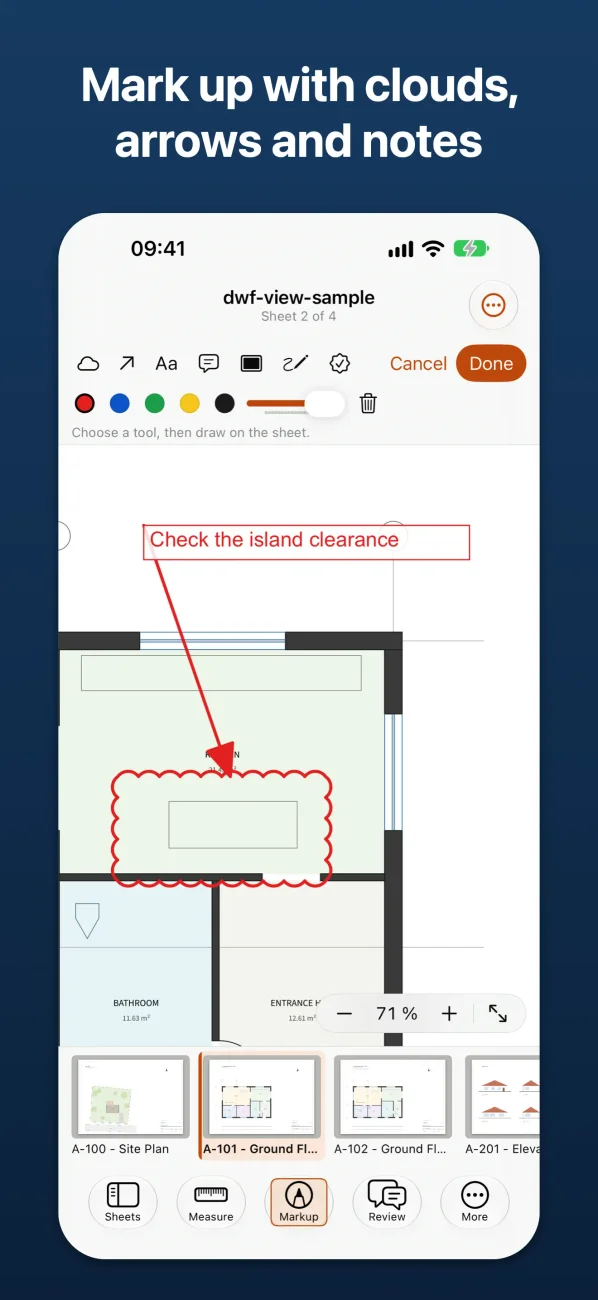
- Mark up drawings: revision clouds, arrows, callouts, notes, highlights, freehand and review stamps
- Comments placed on the sheet, with photos and voice notes, exported as a spreadsheet
- Review report in PDF
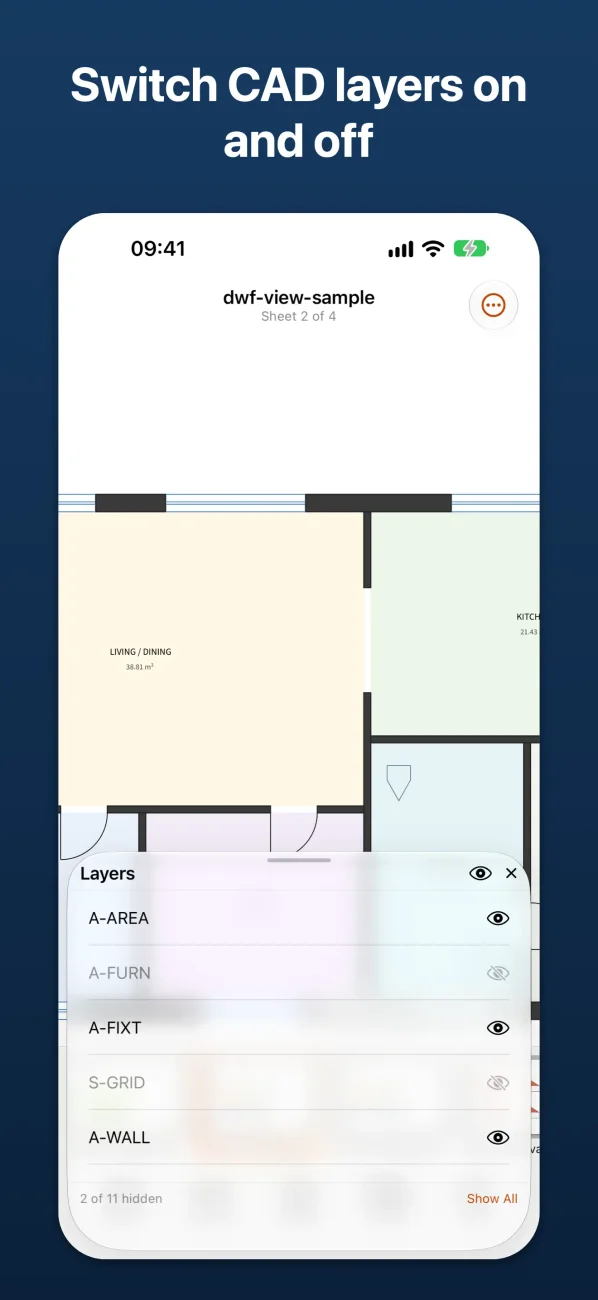
- Turn CAD layers on and off, and read the data behind each object
- Compare two revisions and see what was added and removed
- Search the text of every sheet
- Several drawings open at once, in tabs
- Rename and remove sheets, combine drawings, save as DWF or DWFx
- Export and print: PDF at the drawing's real paper size, PDF/A for submissions, PNG, SVG and DXF
Try every Pro feature free for 14 days. The trial is taken once, never renews and never charges; when it ends, opening and viewing drawings stays free. Pro is a single purchase with no subscription, shared by your Mac, iPad and iPhone through your Apple Account.
PRIVATE BY DESIGN
Drawings are converted and displayed on your device. Nothing is uploaded, and the app collects no data.
In English, Portuguese, Spanish, French, German, Italian, Polish, Turkish, Japanese, Korean and Chinese (Simplified and Traditional).
The translations of DWF View into other languages were prepared with the help of AI and have not been reviewed by translators. If you spot a mistake, please tell us at hello@byn.pt.
DWF View is an independent app, not affiliated with or endorsed by Autodesk, Inc. AutoCAD, Revit and Design Review are trademarks of Autodesk, Inc.
Có gì mới
Phiên bản 2.1 · 23/11/2026
- Rectangle and circle markups, with a choice of line weight
- Perimeter in area measurements
- Move and edit markups, with Undo and Redo
- Markups in blue by default
- Share the drawing's original file
- Keyboard shortcuts for the measure and markup tools
- Phrases for Siri and the Shortcuts app
- A single Settings window
- New start screen, with your recent drawings
- iPhone: two-row bottom bar with the most used commands
- New languages: Hebrew and Arabic, with a right-to-left interface
- Clearer error and warning messages, also in Dark Mode
Quyền riêng tư của ứng dụng
Những gì Filipe Goncalves khai báo trên App Store về cách ứng dụng này xử lý dữ liệu.
-
Dữ liệu không được thu thập
Nhà phát triển không thu thập bất kỳ dữ liệu nào từ ứng dụng này.
Phương thức đảm bảo quyền riêng tư có thể khác nhau, chẳng hạn như tuỳ theo các tính năng bạn sử dụng hoặc độ tuổi của bạn.
Thông tin
- Người bán
- Filipe Goncalves
- Danh mục
- Hiệu Suất
- Phiên bản
- 2.1
- Cập nhật
- 23/11/2026
- Phát hành
- 29/07/2026
- Kích thước
- 12,4 MB
- Yêu cầu
- iOS 17.0 trở lên
- Độ tuổi
- 4+
- Giá
- Miễn phí
- Mua hàng trong ứng dụng
- Có
- Ngôn ngữ
- Tiếng Anh, Tiếng Ả Rập, Tiếng Pháp, Tiếng Đức, Tiếng Do Thái, Tiếng Ý, Tiếng Nhật, Tiếng Hàn, Tiếng Ba Lan, Tiếng Bồ Đào Nha, Tiếng Trung Giản thể, Tiếng Tây Ban Nha + 2 ngôn ngữ khác
- Bản quyền
- © 2026 Filipe Gonçalves
Có thể bạn cũng thích
-
 SnapDWG: Xem DWG & PDFDXF, Đọc và Chuyển đổi CAD
-
 DWG View - CAD Viewer & EditorHiệu Suất
-
 CAD FastView: DWG ViewerHiệu Suất
-
 ZWCAD Mobile - Mobile CADHiệu Suất
-
 BIM 360Hiệu Suất
-
 DWG FastView-CAD Viewer&Editor* Support 2D/3D CAD formats
-
 CAD Reader-View & Measure DWGHiệu Suất
-
 AutoCADHiệu Suất
-
 BluebeamHiệu Suất
-
 DrawPlan: Vẽ nhà 3D bằng AIBản vẽ 2D & 3D đúng tỷ lệ