
- Batasan usia4+
- KategoriAlat Pengembang
- PengembangTing-Chun Matthew Man
- BahasaInggris
- Ukuran3,2 MB
Tertaut ke halaman resmi App Store
Download.org tidak menyimpan file hot.keys apa pun. Tombol ini membuka halaman aplikasi di App Store, tempat Ting-Chun Matthew Man menerbitkannya. Halaman terakhir diperiksa pada 15/11/2026.
Tangkapan layar
Tentang
Pengembang belum menyediakan teks ini dalam bahasa Anda.
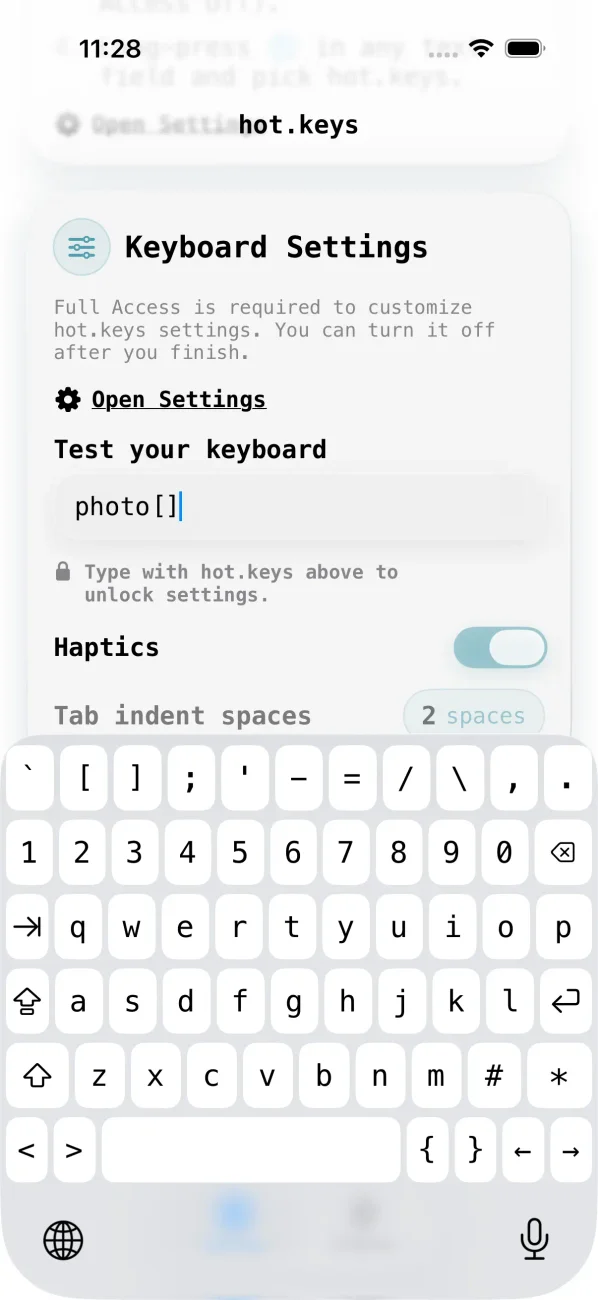
hot.keys brings a desktop-style keyboard to iPhone and iPad for code, Markdown, JSON, XML, and structured prompts. Keep numbers and common symbols visible while you type.
KEYS WITHIN REACH
• Always-visible numbers and quick access to brackets, braces, angle brackets, and other common symbols.
• Larger letter keys in iPhone portrait mode.
• Optional Left, Right, and Full Width positioning on wide layouts, with tap controls to switch sides or expand.
• Left and right arrows for moving the cursor.
• Tab inserts spaces, with a configurable indent size.
• Hold Delete to keep deleting.
• Tap Shift for a capital, hold Shift while typing, or slide from Shift to a letter.
• A dedicated Caps Lock key and optional keypress haptics.
TRY THE KEYBOARD
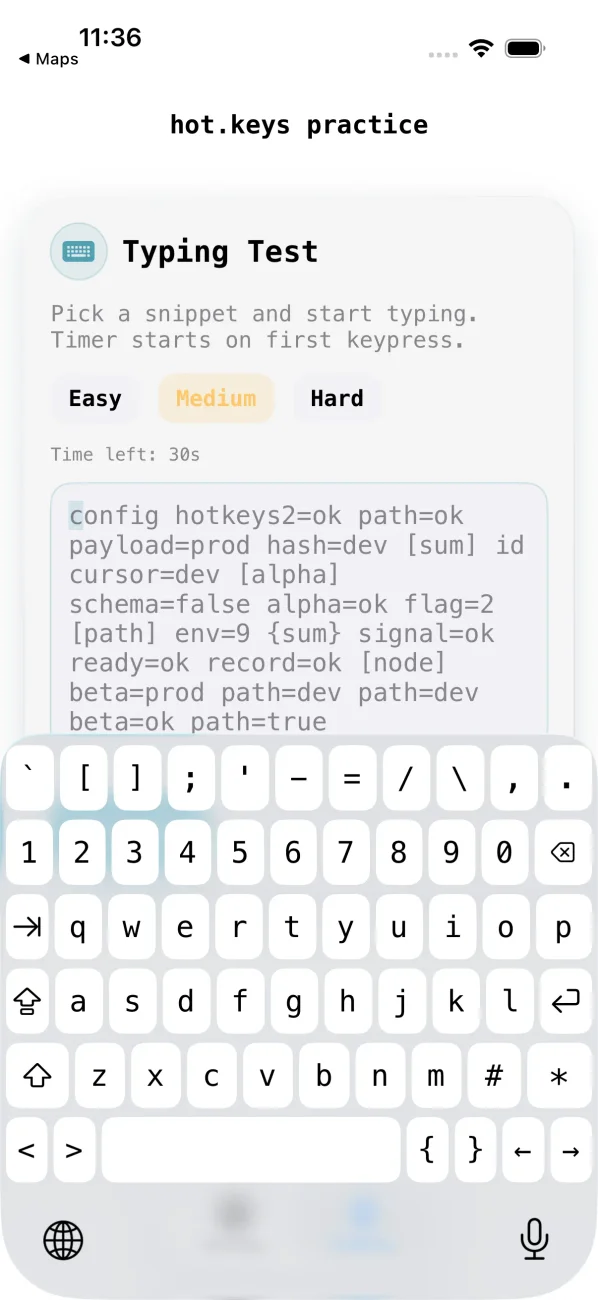
Practice with 30-second typing drills in Easy, Medium, and Hard modes. See your words per minute, characters per minute, accuracy, and errors, then try again.
OFFLINE AND PRIVATE
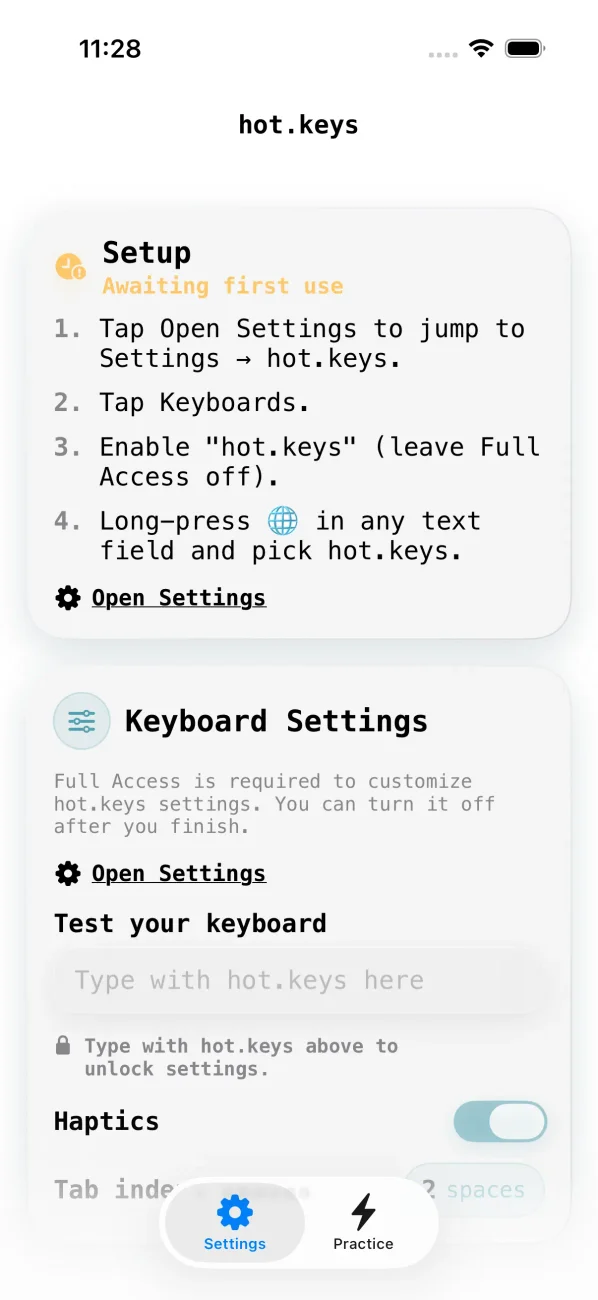
No account is needed. hot.keys does not collect or transmit what you type. Core typing works without Full Access. Full Access is required to save and synchronize keyboard settings, including your preferred keyboard position. Without Full Access, position changes apply to the current keyboard instance.
GET STARTED
Add hot.keys in Settings > General > Keyboard > Keyboards > Add New Keyboard. Then use the globe key in a text field to switch to hot.keys.
Yang baru
Versi 0.1.6 · 21/10/2026
Choose where your keyboard sits on wider screens.
• Tap the keyboard-position icon to choose Left, Right, or Full Width.
• Switch sides or expand the keyboard with a tap.
• Available on wide iPad layouts, the open iPhone Duo display, and supported iPhone landscape layouts.
• Enable Full Access to remember your preferred position. Narrow layouts automatically use full width.
Privasi aplikasi
Yang dinyatakan Ting-Chun Matthew Man di App Store tentang cara aplikasi ini menangani data.
-
Data tidak dikumpulkan
Pengembang tidak mengumpulkan data apa pun dari aplikasi ini.
Praktik privasi dapat bervariasi, misalnya berdasarkan fitur yang Anda gunakan atau usia Anda.
Informasi
- Penjual
- Ting-Chun Matthew Man
- Kategori
- Alat Pengembang
- Versi
- 0.1.6
- Diperbarui
- 21/10/2026
- Dirilis
- 5/12/2025
- Ukuran
- 3,2 MB
- Memerlukan
- iOS 16.0 atau yang lebih baru
- Batasan usia
- 4+
- Harga
- Gratis
- Bahasa
- Inggris
- Hak cipta
- © 2025 Matt Man
Mungkin Anda juga suka
-
 Coupon DistributorAlat Pengembang
-
 Flutter Vignettes PlaygroundAlat Pengembang
-
 RepomanceAlat Pengembang
-
 JSON Formatter Simple ParsingAlat Pengembang
-
 BLE Customizable ControllerAlat Pengembang
-
 Labide - Remote Dev StudioAlat Pengembang
-
 Curly: JSON Viewer & FormatterAlat Pengembang
-
 Happier - Remote Claude, CodexAlat Pengembang
-
 Buffer Editor - Code EditorAlat Pengembang
-
 Moshi: herdr/tmux on SSH/MOSHAlat Pengembang