
- 対象年齢4+
- カテゴリ開発ツール
- 開発元Ting-Chun Matthew Man
- 言語英語
- サイズ3.2 MB
App Storeの公式ページにリンクしています
Download.orgはhot.keysのファイルを一切ホストしていません。ボタンを押すと、Ting-Chun Matthew Manが公開しているApp Storeのアプリページが開きます。ページの最終確認:2026/11/15。
スクリーンショット
概要
開発元はこのテキストをお使いの言語で提供していません。
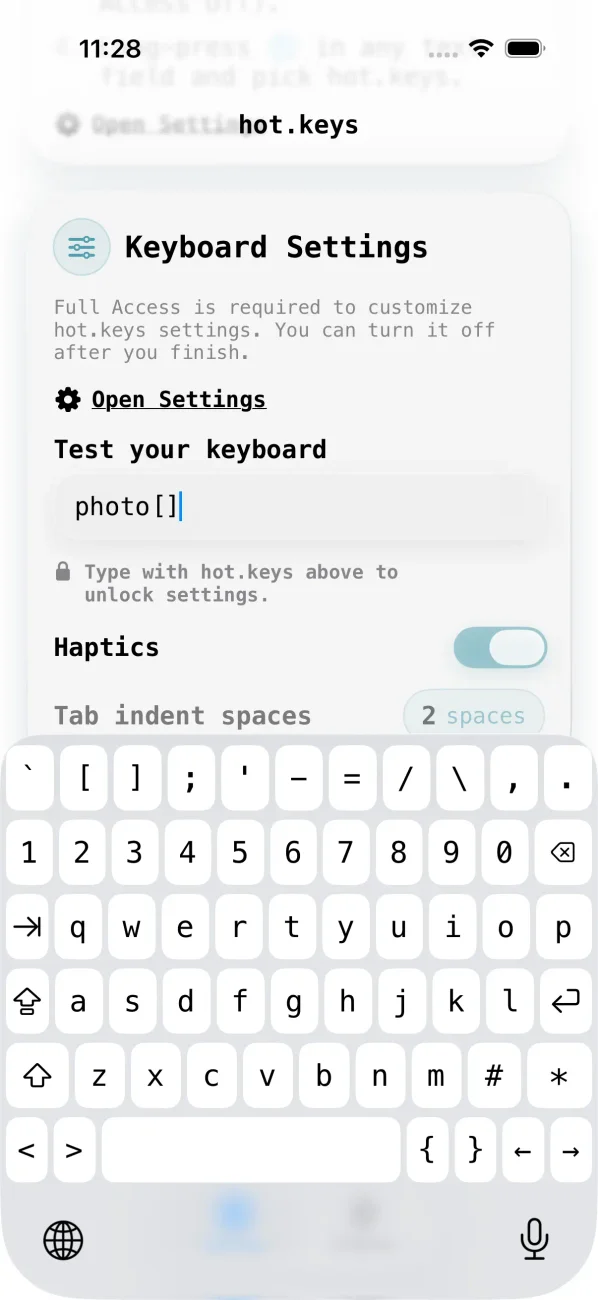
hot.keys brings a desktop-style keyboard to iPhone and iPad for code, Markdown, JSON, XML, and structured prompts. Keep numbers and common symbols visible while you type.
KEYS WITHIN REACH
• Always-visible numbers and quick access to brackets, braces, angle brackets, and other common symbols.
• Larger letter keys in iPhone portrait mode.
• Optional Left, Right, and Full Width positioning on wide layouts, with tap controls to switch sides or expand.
• Left and right arrows for moving the cursor.
• Tab inserts spaces, with a configurable indent size.
• Hold Delete to keep deleting.
• Tap Shift for a capital, hold Shift while typing, or slide from Shift to a letter.
• A dedicated Caps Lock key and optional keypress haptics.
TRY THE KEYBOARD
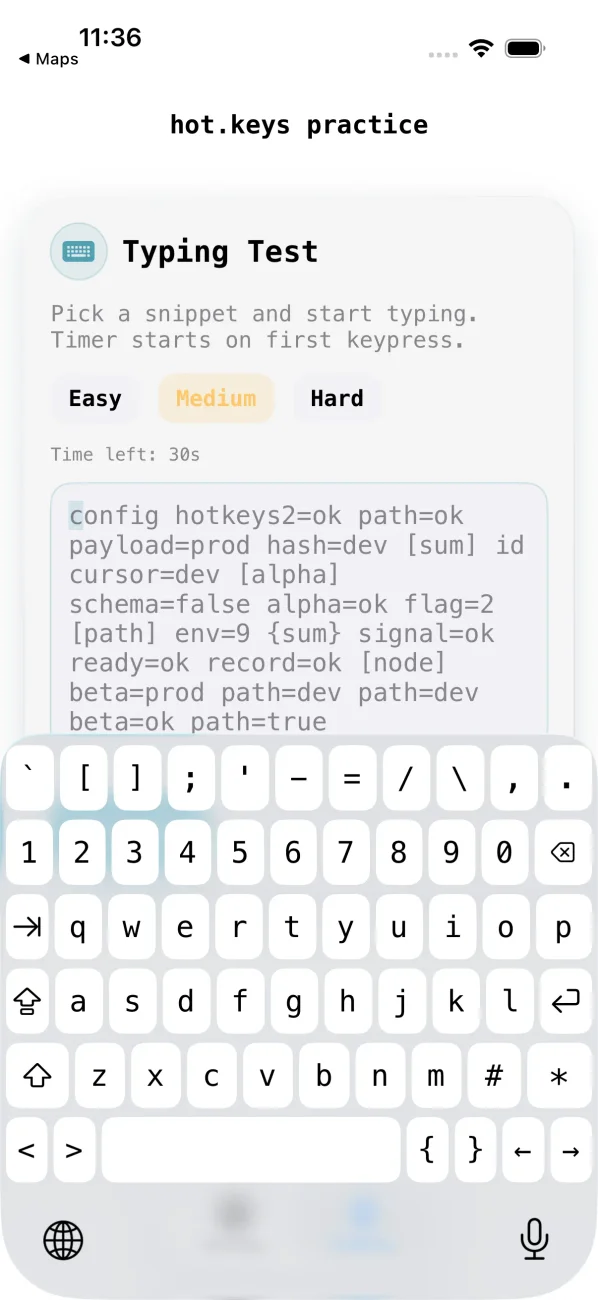
Practice with 30-second typing drills in Easy, Medium, and Hard modes. See your words per minute, characters per minute, accuracy, and errors, then try again.
OFFLINE AND PRIVATE
No account is needed. hot.keys does not collect or transmit what you type. Core typing works without Full Access. Full Access is required to save and synchronize keyboard settings, including your preferred keyboard position. Without Full Access, position changes apply to the current keyboard instance.
GET STARTED
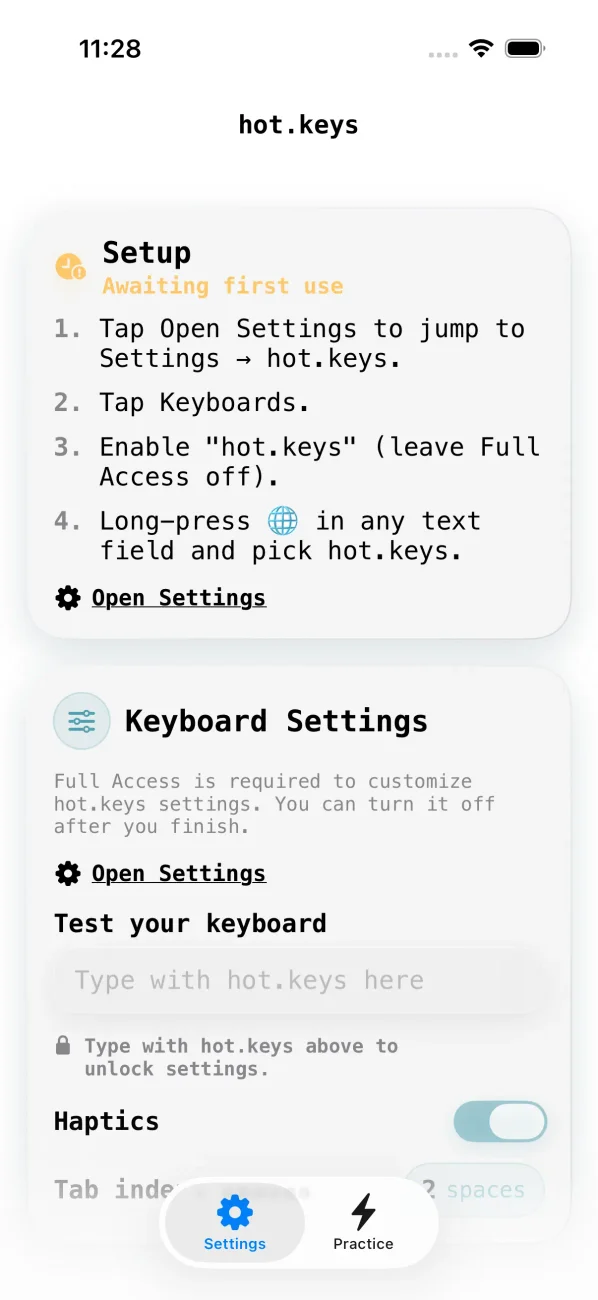
Add hot.keys in Settings > General > Keyboard > Keyboards > Add New Keyboard. Then use the globe key in a text field to switch to hot.keys.
新機能
バージョン 0.1.6 · 2026/10/21
Choose where your keyboard sits on wider screens.
• Tap the keyboard-position icon to choose Left, Right, or Full Width.
• Switch sides or expand the keyboard with a tap.
• Available on wide iPad layouts, the open iPhone Duo display, and supported iPhone landscape layouts.
• Enable Full Access to remember your preferred position. Narrow layouts automatically use full width.
アプリのプライバシー
このアプリのデータの取り扱いについて、Ting-Chun Matthew ManがApp Storeで申告している内容です。
-
データの収集なし
開発元はこのアプリからデータを収集しません。
プライバシーの取り扱いは、ご利用の機能やお客様の年齢などに応じて異なる場合があります。
情報
- 販売元
- Ting-Chun Matthew Man
- カテゴリ
- 開発ツール
- バージョン
- 0.1.6
- 更新日
- 2026/10/21
- リリース
- 2025/12/5
- サイズ
- 3.2 MB
- 必要条件
- iOS 16.0以降
- 対象年齢
- 4+
- 価格
- 無料
- 言語
- 英語
- 著作権
- © 2025 Matt Man
こちらもおすすめ
-
 クーポン配布者アプリプロモコードマネージャー
-
 Flutter Vignettes Playground開発ツール
-
 Repomance開発ツール
-
 JSON Formatter Simple Parsing開発ツール
-
 BLE Customizable Controller開発ツール
-
 Labide - Remote Dev Studio開発ツール
-
 Curly: JSON Viewer & Formatter開発ツール
-
 Happier - Claude/Codex リモート操作OpenCode, Cursor, Grok もスマホで
-
 Buffer Editor - Code Editor開発ツール
-
 Moshi: SSH・MOSH で herdr・tmuxCodex CLI 対応エージェント端末