Huecast
RAL Color Match, Convert & 3D
Dirancang untuk iPhone, iPad
Gratis · Pembelian dalam aplikasi
- Batasan usia4+
- KategoriGrafik & Desain
- PengembangEymen Varilci
- BahasaInggris+ 2 lainnya
- Ukuran44,3 MB
Tertaut ke halaman resmi App Store
Download.org tidak menyimpan file Huecast apa pun. Tombol ini membuka halaman aplikasi di App Store, tempat Eymen Varilci menerbitkannya. Halaman terakhir diperiksa pada 25/11/2026.
Tangkapan layar


Tentang
Pengembang belum menyediakan teks ini dalam bahasa Anda.
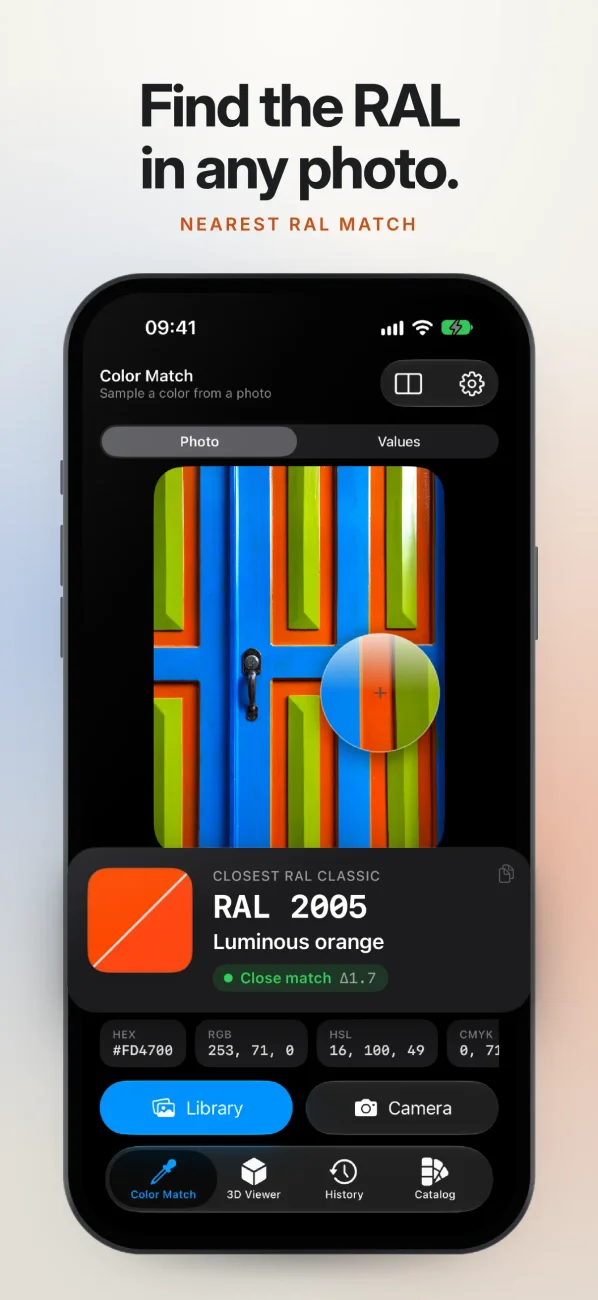
FIND THE RAL IN ANY PHOTO
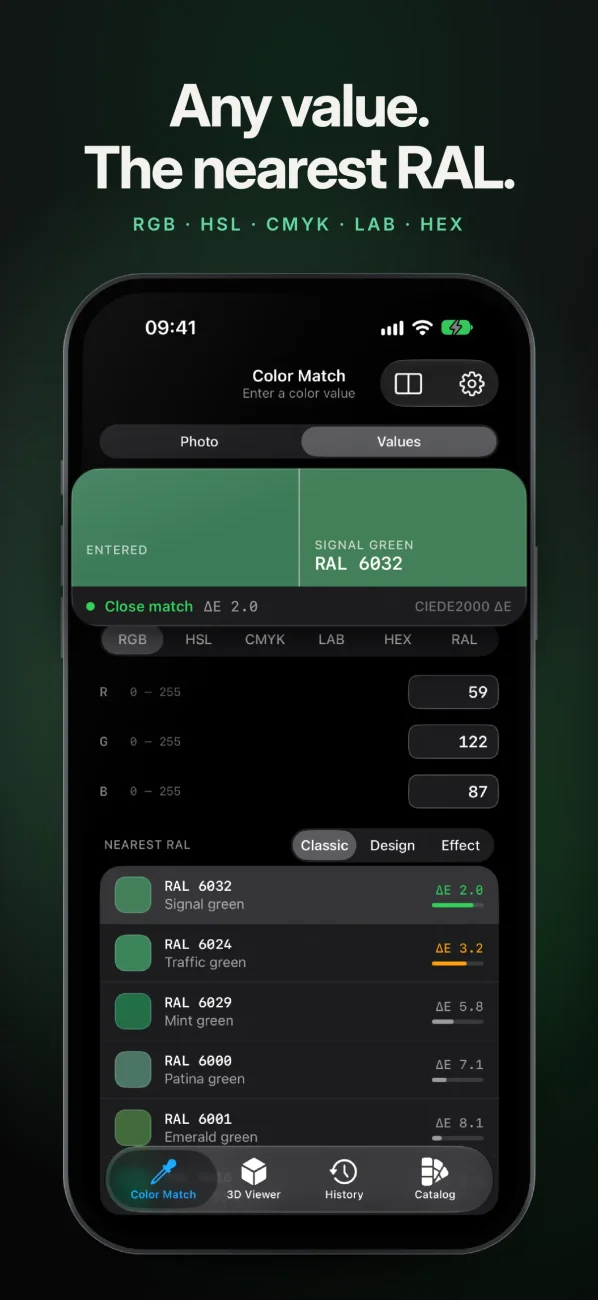
Pick a photo or take one, then drag across it: Huecast reads the color under your finger and shows the closest RAL shade with its ΔE, HEX, RGB, HSL and CMYK.
CONVERT BETWEEN COLOR FORMATS
Enter an RGB, HSL, CMYK, LAB or HEX value, or a RAL code, and instantly get the closest matching colors from the RAL catalogs, ranked by ΔE — no more guessing or manual lookup tables.
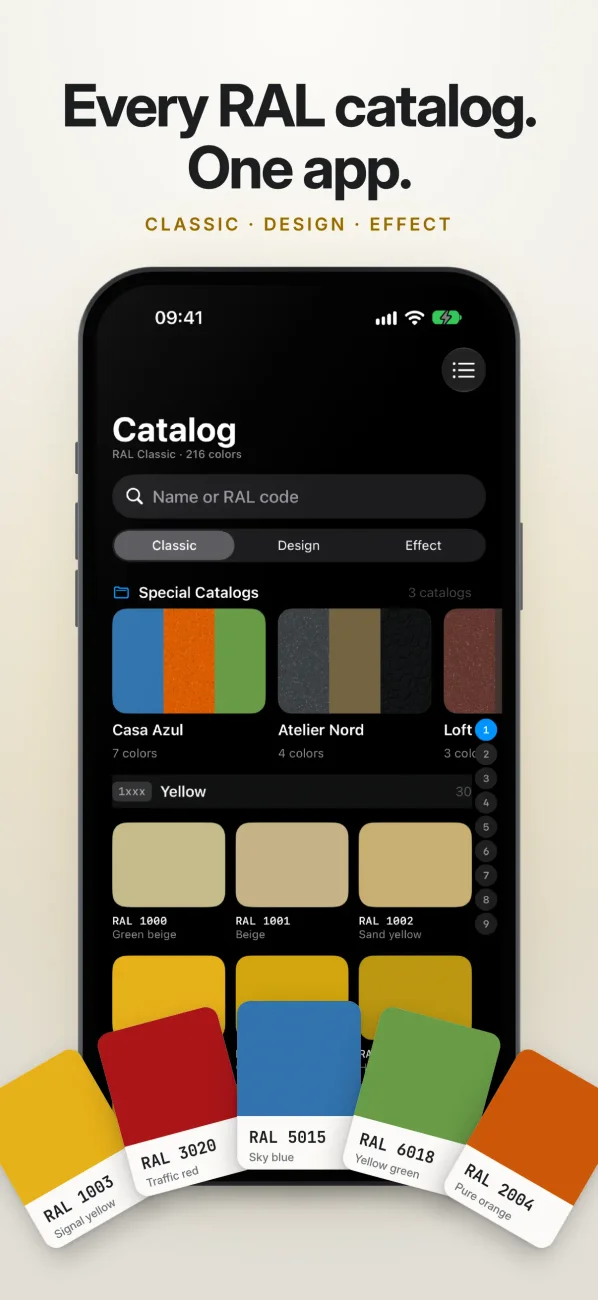
FULL COLOR CATALOGS
Browse and search all of RAL Classic, plus RAL DESIGN plus and RAL EFFECT with Huecast Pro. Save your own selections as special catalogs.
MADE FOR iPAD
On iPad, every screen gets its own layout with a sidebar, a menu bar with keyboard shortcuts, trackpad and mouse support, Apple Pencil hover and drag and drop. Split View and Stage Manager are supported.
Yang baru
Versi 1.3.0 · 23/11/2026
Huecast, now made for iPad.
Every screen has a layout of its own on iPad: the sidebar on the left, your work in the middle, the details beside it.
• Color Match: your photo or values with the nearest RAL in a panel beside them, upright or on its side.
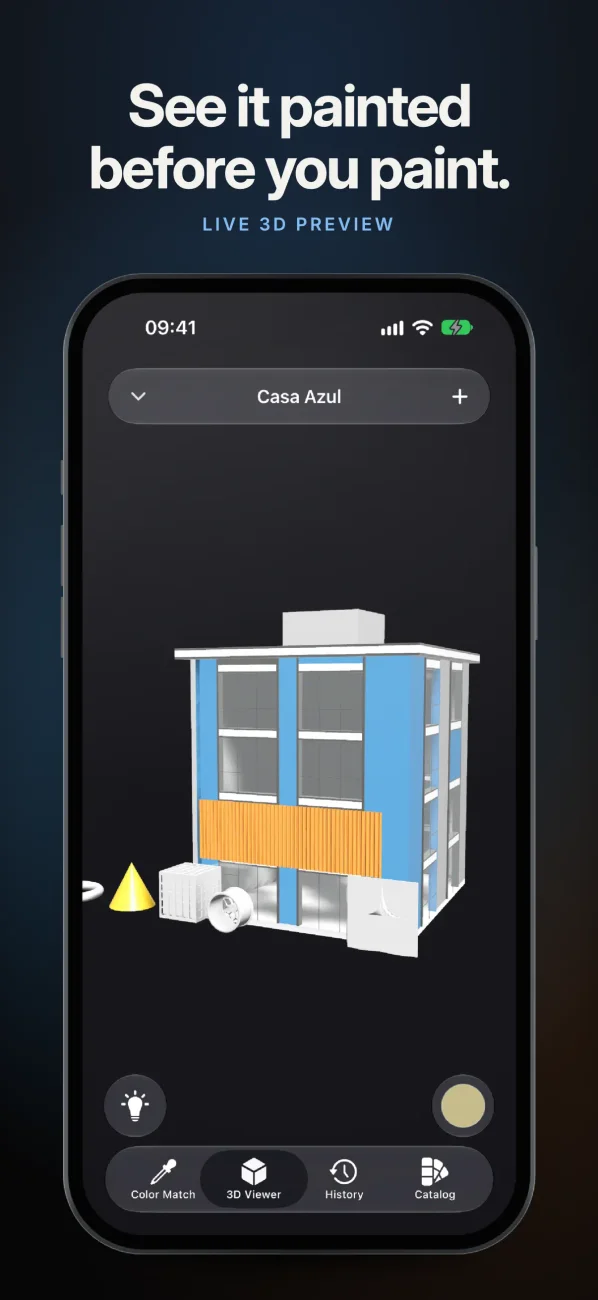
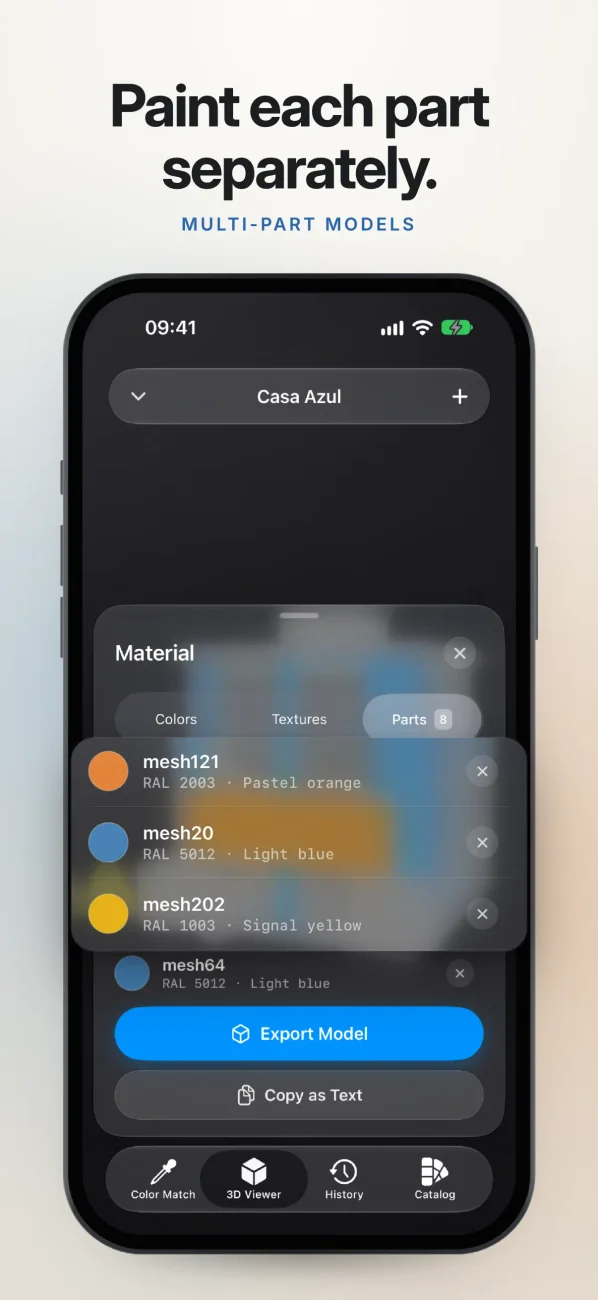
• 3D Viewer: the model fills the screen, with materials and lighting in a panel next to it. Upright, the model sits on top and the panel below.
• Catalog: the swatch grid with the selected color's card beside it.
• History: your models as a gallery, with the details alongside.
• Settings: a place of its own in the sidebar.
• Menu bar and keyboard shortcuts: ⌘1–⌘5 to switch screens, ⌘O to import a model, ⌘F to find a color, ⇧⌘C to copy the HEX, ⌘Z to undo painting, and more.
• Trackpad and mouse: scroll to orbit the model, pinch or use the scroll wheel to zoom, hover over a part to see its name, and right-click matches and swatches for quick actions.
• Apple Pencil: hover over a photo to preview the color under the tip.
• Drag and drop: drop a USDZ from Files into the 3D Viewer or a photo into Color Match, and drag RAL swatches into other apps.
• Split View and Stage Manager: in a narrow window, Huecast switches to its iPhone layout.
Already a Huecast Pro subscriber on iPhone? It works on iPad with the same Apple ID — tap Restore Purchases if you need to.
Also in this update:
• The camera now opens full screen.
• Pasting text such as "RAL 6032 Signal green #3B7A57" into Color Match now picks up the HEX value.
• Fixed: if importing a model with the same name as one in your library failed, the original could be removed. It now stays exactly as it was.
Privasi aplikasi
Yang dinyatakan Eymen Varilci di App Store tentang cara aplikasi ini menangani data.
-
Data yang ditautkan dengan Anda
Dapat dikumpulkan dan ditautkan dengan identitas Anda.
- Pengenal
-
Data yang tidak ditautkan dengan Anda
Dapat dikumpulkan, tetapi tidak ditautkan dengan identitas Anda.
- Data penggunaan
- Diagnostik
Praktik privasi dapat bervariasi, misalnya berdasarkan fitur yang Anda gunakan atau usia Anda.
Informasi
- Penjual
- Eymen Varilci
- Kategori
- Grafik & Desain
- Versi
- 1.3.0
- Diperbarui
- 23/11/2026
- Dirilis
- 18/8/2026
- Ukuran
- 44,3 MB
- Memerlukan
- iOS 26.0 atau yang lebih baru
- Batasan usia
- 4+
- Harga
- Gratis
- Pembelian dalam aplikasi
- Ya
- Bahasa
- Inggris, Jerman, Turki
- Hak cipta
- © Eymen Varilci
Mungkin Anda juga suka
-
 Colour DetectiveGrafik & Desain
-
 Color Picker: Camera ScannerGrafik & Desain
-
 ColorsScanGrafik & Desain
-
 Palette UpGrafik & Desain
-
 TattooLab: AI Tattoo MakerGrafik & Desain
-
 AI Garden Design - LandscapingGrafik & Desain
-
 Bead StudioGrafik & Desain
-
 Ink AI: Desain & Coba TatoPembuat Tattoo AI & Inspirasi
-
 AI Interior & Home DesignGrafik & Desain