- 対象年齢4+
- カテゴリグラフィック/デザイン
- 開発元Eymen Varilci
- 言語英語ほか2言語
- サイズ44.3 MB
App Storeの公式ページにリンクしています
Download.orgはHuecastのファイルを一切ホストしていません。ボタンを押すと、Eymen Varilciが公開しているApp Storeのアプリページが開きます。ページの最終確認:2026/11/25。
スクリーンショット


概要
開発元はこのテキストをお使いの言語で提供していません。
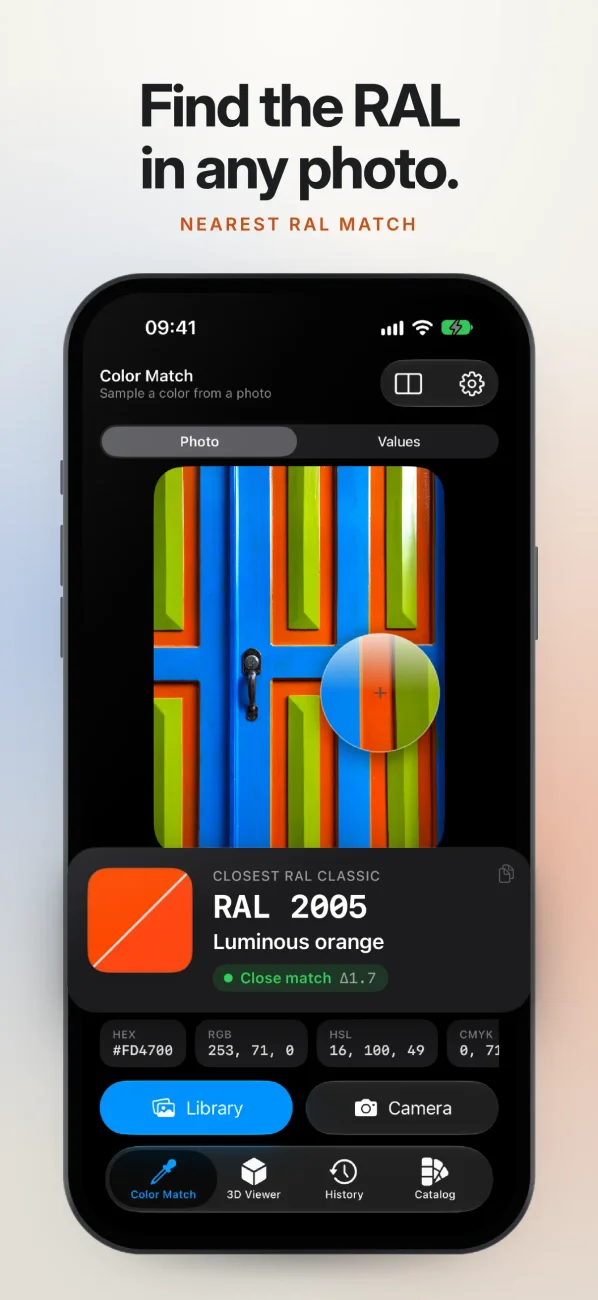
FIND THE RAL IN ANY PHOTO
Pick a photo or take one, then drag across it: Huecast reads the color under your finger and shows the closest RAL shade with its ΔE, HEX, RGB, HSL and CMYK.
CONVERT BETWEEN COLOR FORMATS
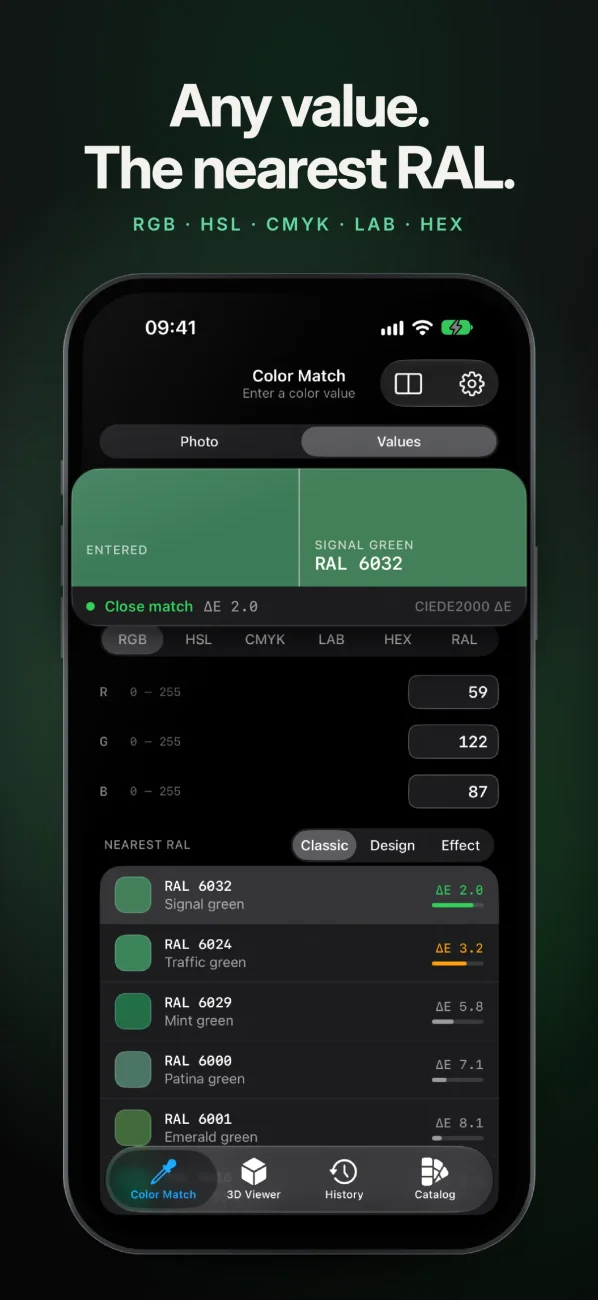
Enter an RGB, HSL, CMYK, LAB or HEX value, or a RAL code, and instantly get the closest matching colors from the RAL catalogs, ranked by ΔE — no more guessing or manual lookup tables.
FULL COLOR CATALOGS
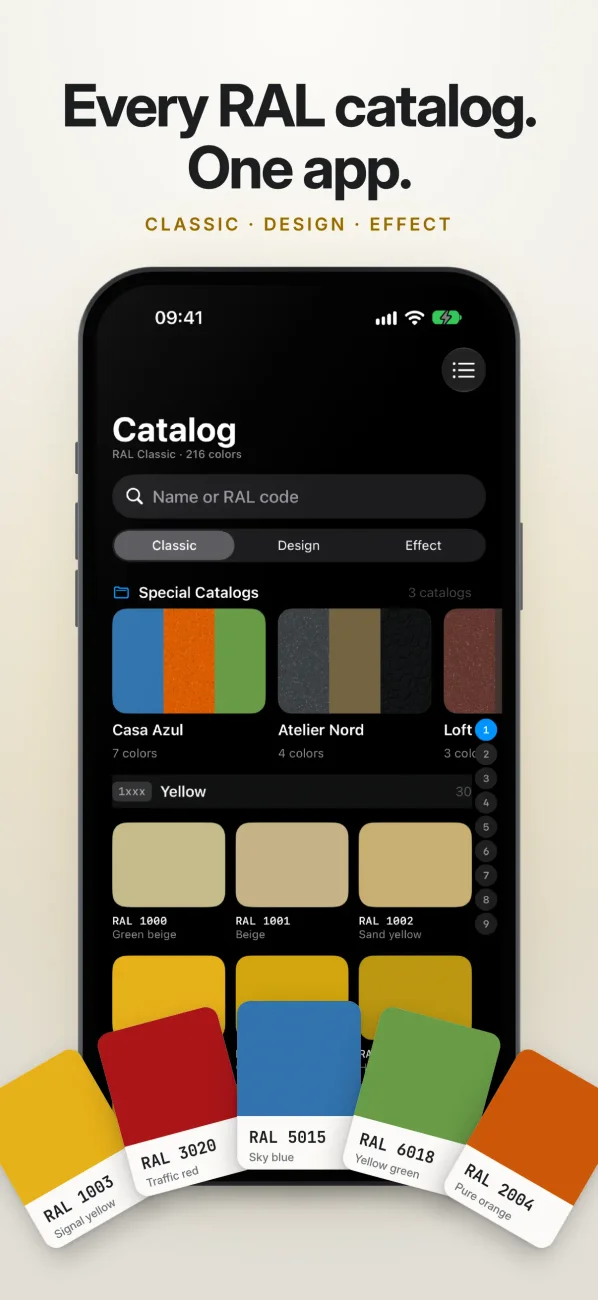
Browse and search all of RAL Classic, plus RAL DESIGN plus and RAL EFFECT with Huecast Pro. Save your own selections as special catalogs.
MADE FOR iPAD
On iPad, every screen gets its own layout with a sidebar, a menu bar with keyboard shortcuts, trackpad and mouse support, Apple Pencil hover and drag and drop. Split View and Stage Manager are supported.
新機能
バージョン 1.3.0 · 2026/11/23
Huecast, now made for iPad.
Every screen has a layout of its own on iPad: the sidebar on the left, your work in the middle, the details beside it.
• Color Match: your photo or values with the nearest RAL in a panel beside them, upright or on its side.
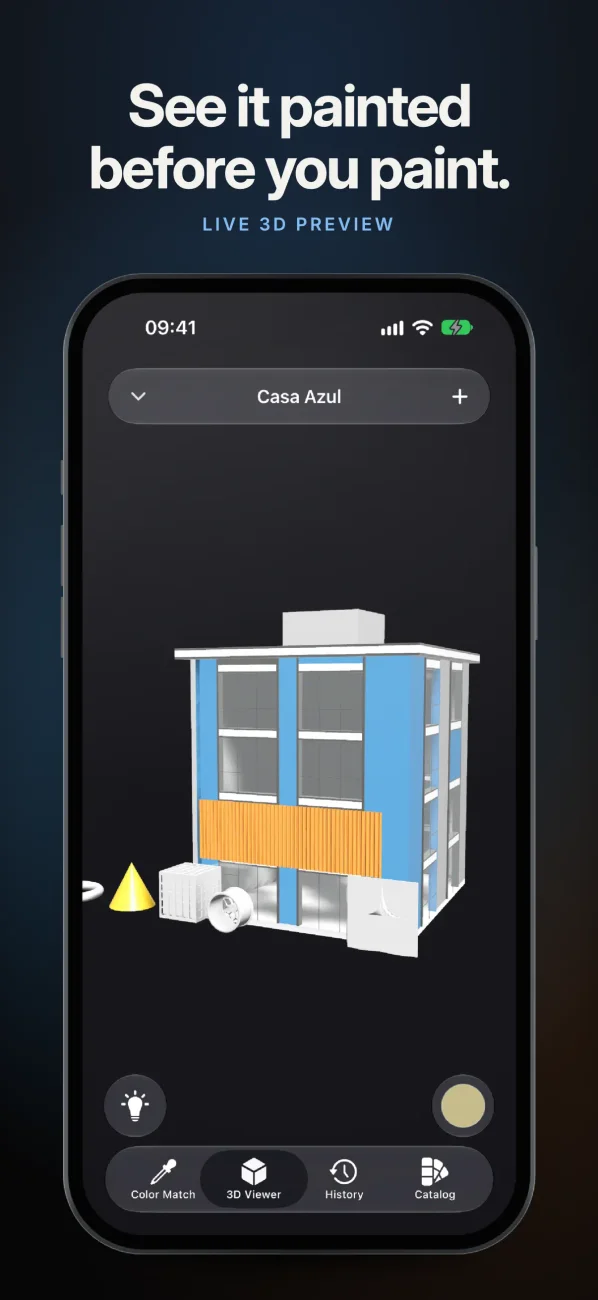
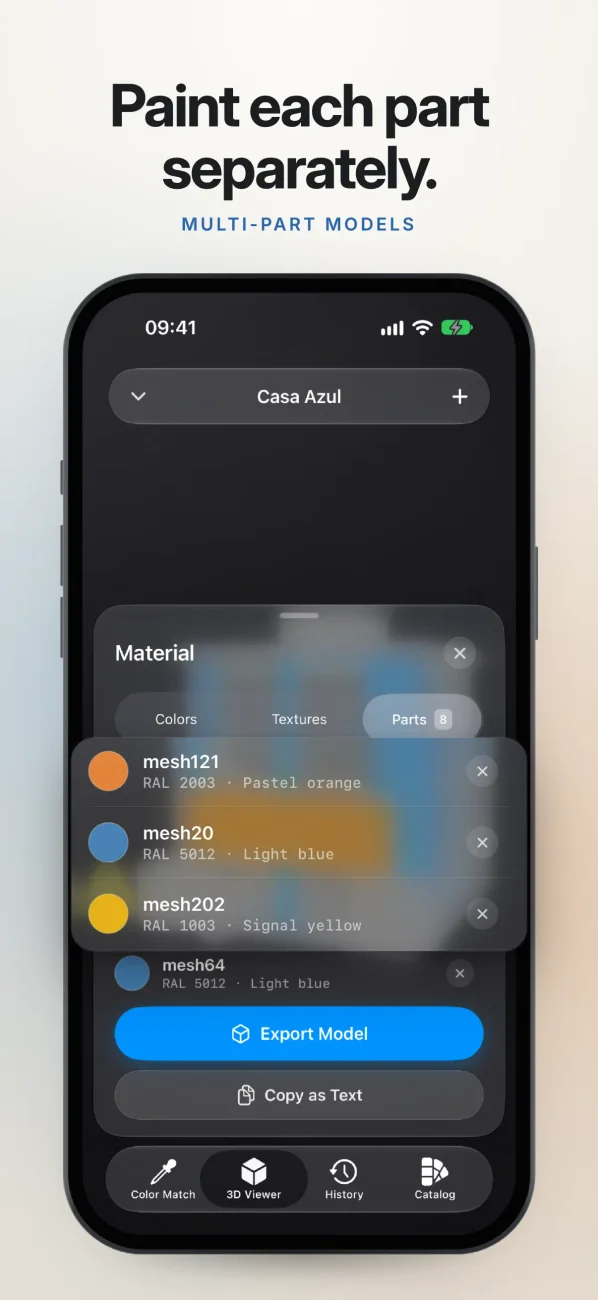
• 3D Viewer: the model fills the screen, with materials and lighting in a panel next to it. Upright, the model sits on top and the panel below.
• Catalog: the swatch grid with the selected color's card beside it.
• History: your models as a gallery, with the details alongside.
• Settings: a place of its own in the sidebar.
• Menu bar and keyboard shortcuts: ⌘1–⌘5 to switch screens, ⌘O to import a model, ⌘F to find a color, ⇧⌘C to copy the HEX, ⌘Z to undo painting, and more.
• Trackpad and mouse: scroll to orbit the model, pinch or use the scroll wheel to zoom, hover over a part to see its name, and right-click matches and swatches for quick actions.
• Apple Pencil: hover over a photo to preview the color under the tip.
• Drag and drop: drop a USDZ from Files into the 3D Viewer or a photo into Color Match, and drag RAL swatches into other apps.
• Split View and Stage Manager: in a narrow window, Huecast switches to its iPhone layout.
Already a Huecast Pro subscriber on iPhone? It works on iPad with the same Apple ID — tap Restore Purchases if you need to.
Also in this update:
• The camera now opens full screen.
• Pasting text such as "RAL 6032 Signal green #3B7A57" into Color Match now picks up the HEX value.
• Fixed: if importing a model with the same name as one in your library failed, the original could be removed. It now stays exactly as it was.
アプリのプライバシー
このアプリのデータの取り扱いについて、Eymen VarilciがApp Storeで申告している内容です。
-
ユーザーに関連付けられたデータ
収集され、ユーザーの識別情報に関連付けられる場合があります。
- ID
-
ユーザーに関連付けられないデータ
収集される場合がありますが、ユーザーの識別情報には関連付けられません。
- 使用状況データ
- 診断
プライバシーの取り扱いは、ご利用の機能やお客様の年齢などに応じて異なる場合があります。
情報
- 販売元
- Eymen Varilci
- カテゴリ
- グラフィック/デザイン
- バージョン
- 1.3.0
- 更新日
- 2026/11/23
- リリース
- 2026/8/18
- サイズ
- 44.3 MB
- 必要条件
- iOS 26.0以降
- 対象年齢
- 4+
- 価格
- 無料
- アプリ内課金
- あり
- 言語
- 英語, ドイツ語, トルコ語
- 著作権
- © Eymen Varilci