Huecast
RAL Color Match, Convert & 3D
Được thiết kế cho iPhone, iPad
Miễn phí · Mua hàng trong ứng dụng
- Độ tuổi4+
- Danh mụcĐồ Họa & Thiết Kế
- Nhà phát triểnEymen Varilci
- Ngôn ngữTiếng Anh+ 2 ngôn ngữ khác
- Kích thước44,3 MB
Liên kết đến trang App Store chính thức
Download.org không lưu trữ tệp nào của Huecast. Nút này mở trang ứng dụng trên App Store, nơi Eymen Varilci phát hành ứng dụng. Trang được kiểm tra lần cuối: 25/11/2026.
Ảnh chụp màn hình


Giới thiệu
Nhà phát triển chưa cung cấp nội dung này bằng ngôn ngữ của bạn.
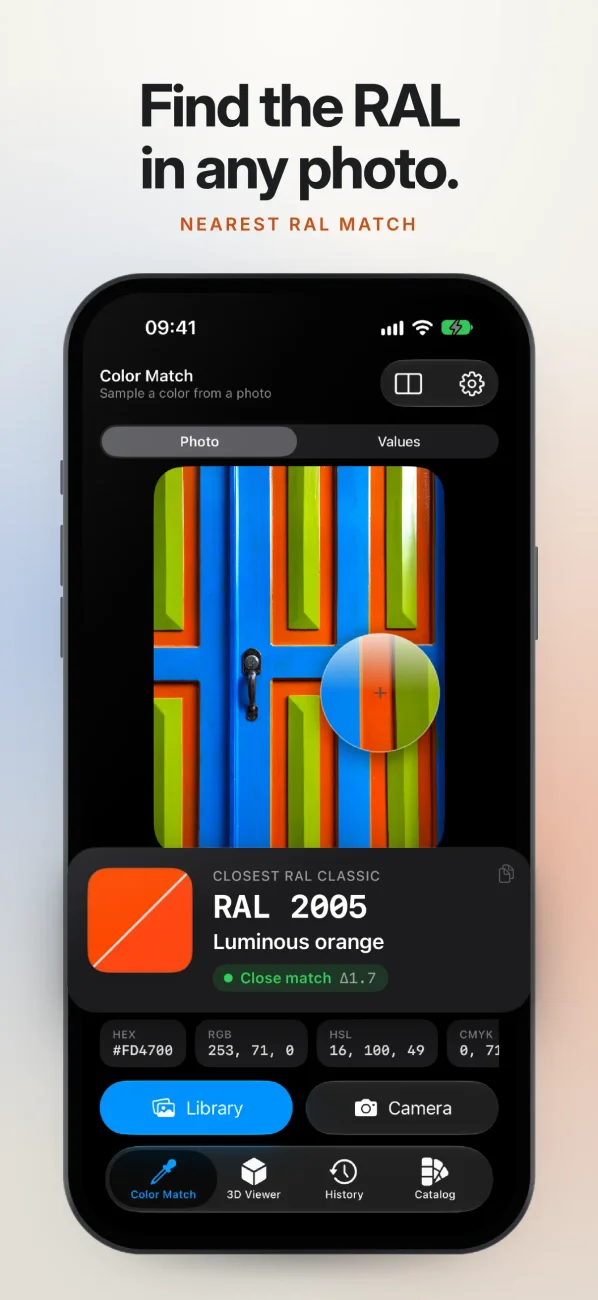
FIND THE RAL IN ANY PHOTO
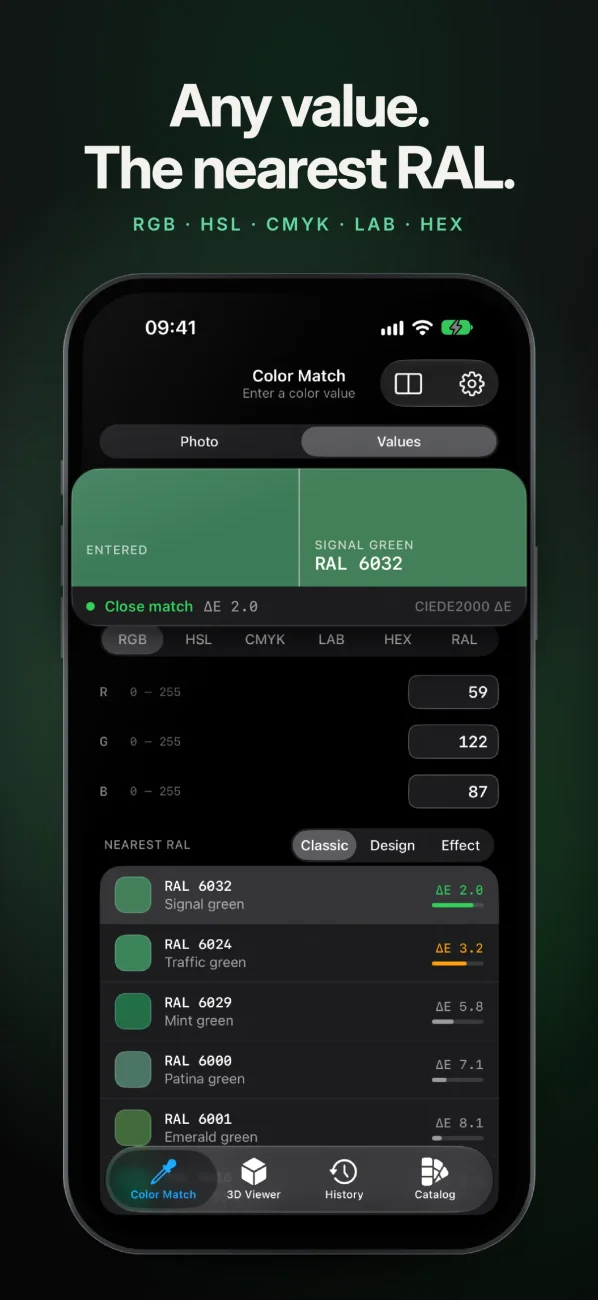
Pick a photo or take one, then drag across it: Huecast reads the color under your finger and shows the closest RAL shade with its ΔE, HEX, RGB, HSL and CMYK.
CONVERT BETWEEN COLOR FORMATS
Enter an RGB, HSL, CMYK, LAB or HEX value, or a RAL code, and instantly get the closest matching colors from the RAL catalogs, ranked by ΔE — no more guessing or manual lookup tables.
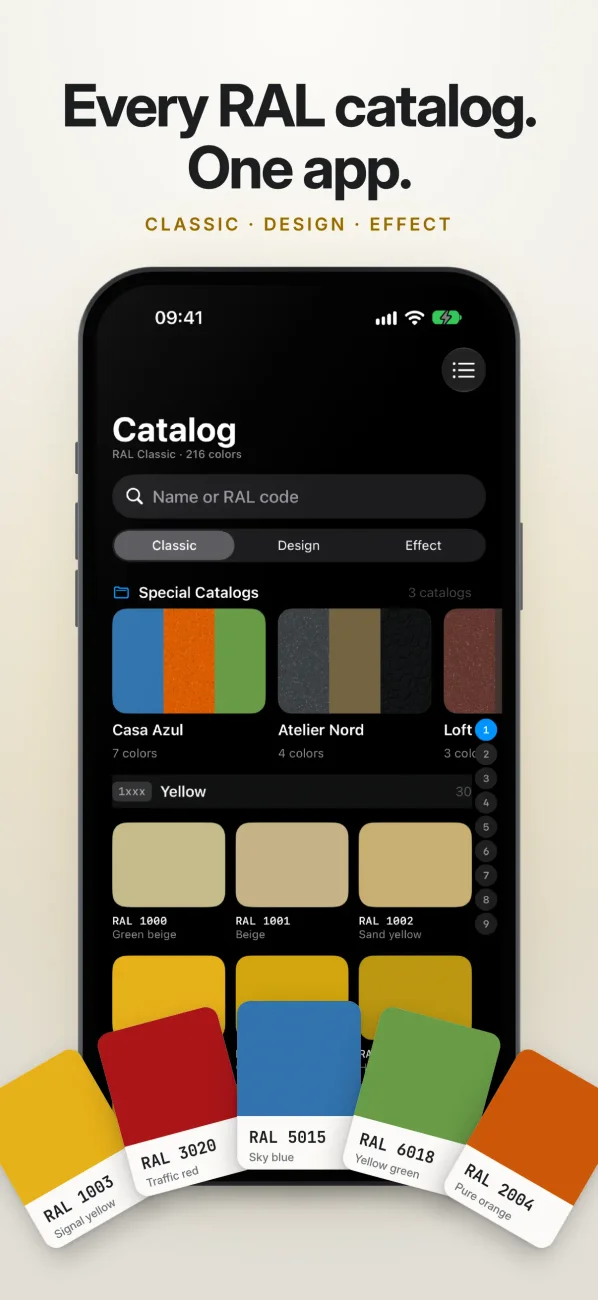
FULL COLOR CATALOGS
Browse and search all of RAL Classic, plus RAL DESIGN plus and RAL EFFECT with Huecast Pro. Save your own selections as special catalogs.
MADE FOR iPAD
On iPad, every screen gets its own layout with a sidebar, a menu bar with keyboard shortcuts, trackpad and mouse support, Apple Pencil hover and drag and drop. Split View and Stage Manager are supported.
Có gì mới
Phiên bản 1.3.0 · 23/11/2026
Huecast, now made for iPad.
Every screen has a layout of its own on iPad: the sidebar on the left, your work in the middle, the details beside it.
• Color Match: your photo or values with the nearest RAL in a panel beside them, upright or on its side.
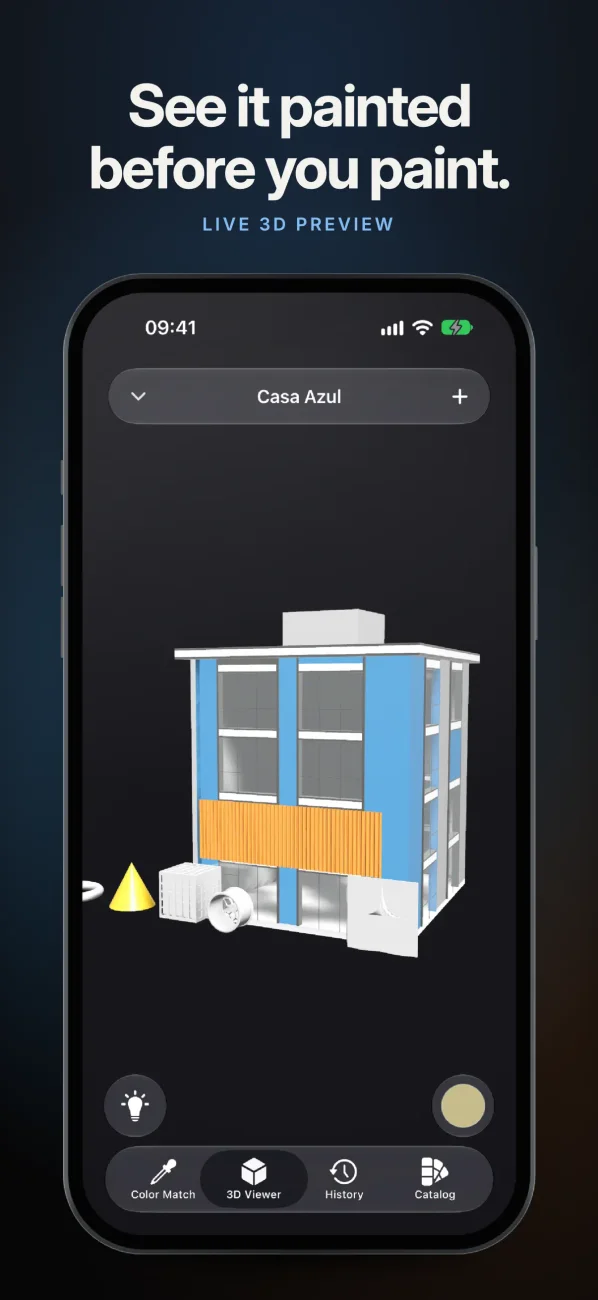
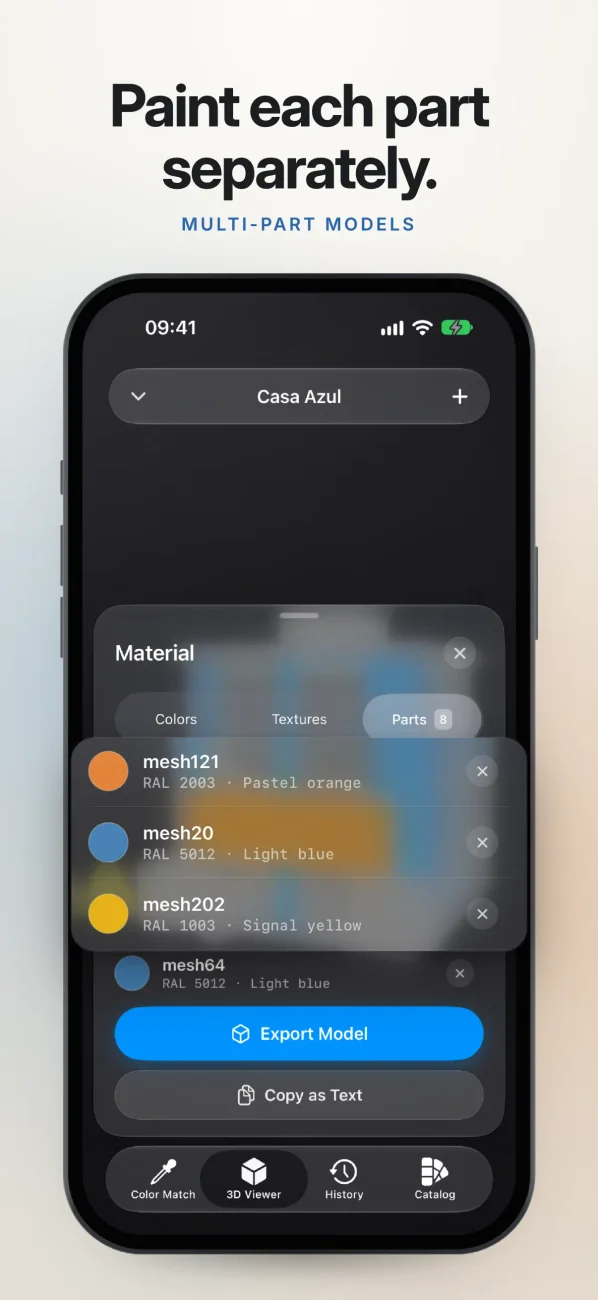
• 3D Viewer: the model fills the screen, with materials and lighting in a panel next to it. Upright, the model sits on top and the panel below.
• Catalog: the swatch grid with the selected color's card beside it.
• History: your models as a gallery, with the details alongside.
• Settings: a place of its own in the sidebar.
• Menu bar and keyboard shortcuts: ⌘1–⌘5 to switch screens, ⌘O to import a model, ⌘F to find a color, ⇧⌘C to copy the HEX, ⌘Z to undo painting, and more.
• Trackpad and mouse: scroll to orbit the model, pinch or use the scroll wheel to zoom, hover over a part to see its name, and right-click matches and swatches for quick actions.
• Apple Pencil: hover over a photo to preview the color under the tip.
• Drag and drop: drop a USDZ from Files into the 3D Viewer or a photo into Color Match, and drag RAL swatches into other apps.
• Split View and Stage Manager: in a narrow window, Huecast switches to its iPhone layout.
Already a Huecast Pro subscriber on iPhone? It works on iPad with the same Apple ID — tap Restore Purchases if you need to.
Also in this update:
• The camera now opens full screen.
• Pasting text such as "RAL 6032 Signal green #3B7A57" into Color Match now picks up the HEX value.
• Fixed: if importing a model with the same name as one in your library failed, the original could be removed. It now stays exactly as it was.
Quyền riêng tư của ứng dụng
Những gì Eymen Varilci khai báo trên App Store về cách ứng dụng này xử lý dữ liệu.
-
Dữ liệu liên kết với bạn
Có thể được thu thập và liên kết với danh tính của bạn.
- Mã định danh
-
Dữ liệu không liên kết với bạn
Có thể được thu thập nhưng không liên kết với danh tính của bạn.
- Dữ liệu sử dụng
- Chẩn đoán
Phương thức đảm bảo quyền riêng tư có thể khác nhau, chẳng hạn như tuỳ theo các tính năng bạn sử dụng hoặc độ tuổi của bạn.
Thông tin
- Người bán
- Eymen Varilci
- Danh mục
- Đồ Họa & Thiết Kế
- Phiên bản
- 1.3.0
- Cập nhật
- 23/11/2026
- Phát hành
- 18/08/2026
- Kích thước
- 44,3 MB
- Yêu cầu
- iOS 26.0 trở lên
- Độ tuổi
- 4+
- Giá
- Miễn phí
- Mua hàng trong ứng dụng
- Có
- Ngôn ngữ
- Tiếng Anh, Tiếng Đức, Tiếng Thổ Nhĩ Kỳ
- Bản quyền
- © Eymen Varilci
Có thể bạn cũng thích
-
 Colour DetectiveĐồ Họa & Thiết Kế
-
 Color Picker: Camera ScannerĐồ Họa & Thiết Kế
-
 ColorsScanĐồ Họa & Thiết Kế
-
 Palette UpĐồ Họa & Thiết Kế
-
 TattooLab: AI Tattoo MakerĐồ Họa & Thiết Kế
-
 AI Garden Design - LandscapingĐồ Họa & Thiết Kế
-
 Bead StudioẢnh thành mẫu hạt nhựa
-
 Ink AI: Thiết kế, thử hình xămAI tạo mẫu xăm & ý tưởng
-
 AI Interior & Home DesignĐồ Họa & Thiết Kế