- Batasan usia4+
- KategoriKegunaan
- PengembangSAFE TREES, s.r.o.
- BahasaInggris+ 3 lainnya
- Ukuran9,1 MB
Tertaut ke halaman resmi App Store
Download.org tidak menyimpan file IArek Commander apa pun. Tombol ini membuka halaman aplikasi di App Store, tempat SAFE TREES, s.r.o. menerbitkannya. Halaman terakhir diperiksa pada 23/11/2026.
Tangkapan layar
Tentang
Pengembang belum menyediakan teks ini dalam bahasa Anda.
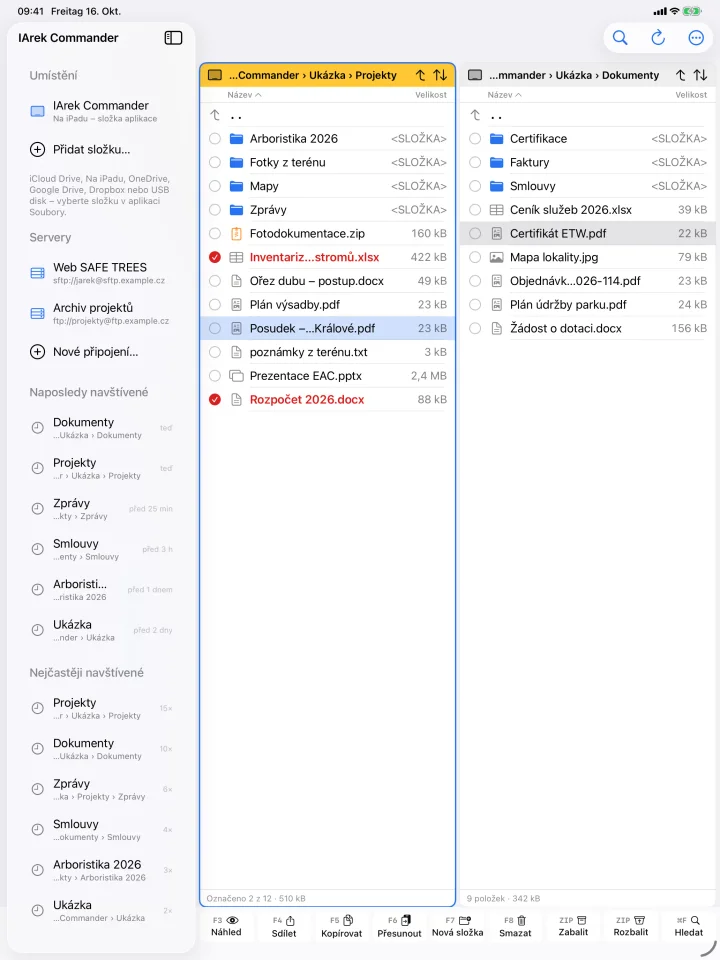
IArek Commander is a classic dual-pane file manager for iPad. With a keyboard it works just like the popular commanders from Windows – and it is just as easy to use by touch.
• Two panes side by side; on narrow screens switch between Left and Right
• Copy, move, rename, delete and create folders with F5–F8 (or ⌘3–⌘8)
• Folders from the Files app: iCloud Drive, On My iPad, OneDrive, Google Drive, Dropbox and USB drives
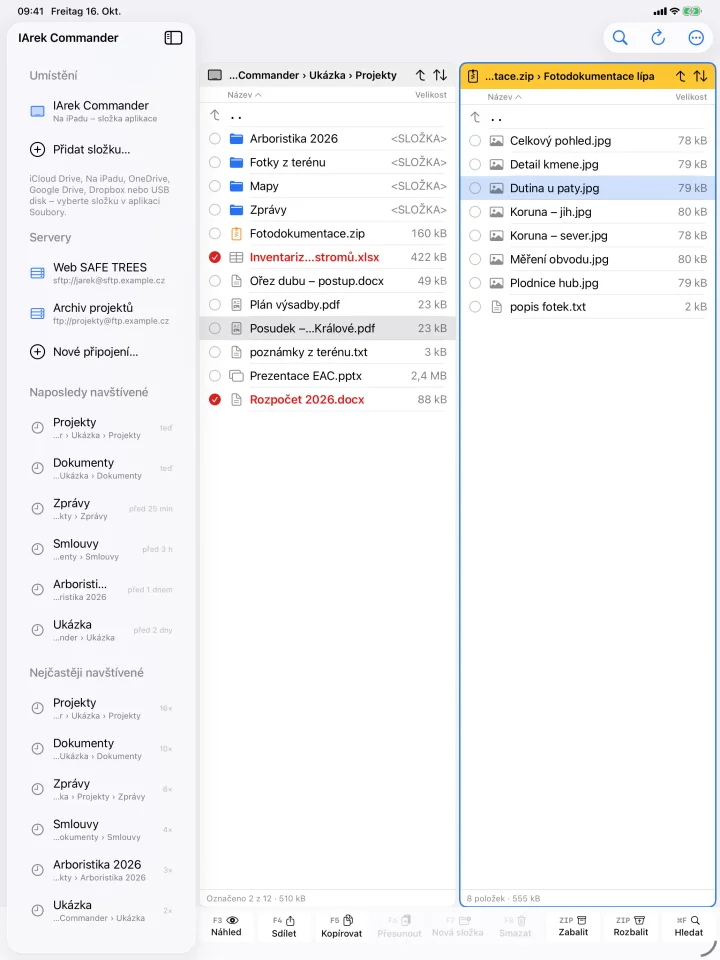
• Open ZIP archives as folders, extract them to the other pane or zip selected files
• Connect to FTP and SFTP servers, passwords stored securely in the Keychain
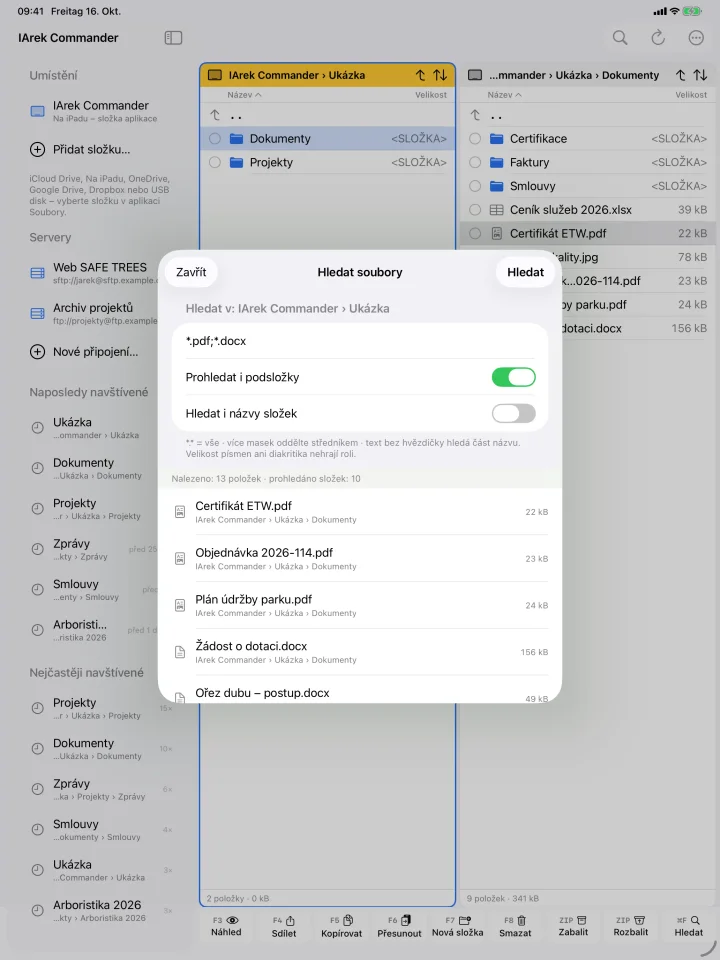
• Find files by mask (*.pdf;*.docx) across the whole folder tree
• Quick Look preview and sharing
• Recent and most visited folders in the sidebar
• Czech, English, German and Spanish
One purchase covers both iPad and Mac.
Yang baru
Versi 1.3 · 21/11/2026
• Connect to SMB shared folders (Windows, NAS): “Connect SMB…” in the sidebar – enter smb://server/share, the Files app connects the server and then you choose the shared folder. It stays under Locations and you work with it like with any other folder.
• Long copy, move, delete, compress and extract operations can keep running with the “In Background” button while you work with the panels. Progress and Cancel are in the top bar.
• New “Extract Here” when you touch and hold a file – extracts an archive into the folder it is in, not into the other panel.
• New “New Folder…” when you touch and hold.
Privasi aplikasi
Yang dinyatakan SAFE TREES, s.r.o. di App Store tentang cara aplikasi ini menangani data.
-
Data tidak dikumpulkan
Pengembang tidak mengumpulkan data apa pun dari aplikasi ini.
Praktik privasi dapat bervariasi, misalnya berdasarkan fitur yang Anda gunakan atau usia Anda.
Informasi
- Penjual
- SAFE TREES, s.r.o.
- Kategori
- Kegunaan
- Versi
- 1.3
- Diperbarui
- 21/11/2026
- Dirilis
- 23/10/2026
- Ukuran
- 9,1 MB
- Memerlukan
- iOS 17.0 atau yang lebih baru
- Batasan usia
- 4+
- Harga
- Gratis
- Bahasa
- Inggris, Cheska (Republik Cheska), Jerman, Spanyol
- Hak cipta
- © 2026 SAFE TREES, s.r.o.
Mungkin Anda juga suka
-
 DrawAlive: Animate DrawingsKegunaan
-
 Unfold – Archive ExtractorKegunaan
-
 ComicPDFReaderKegunaan
-
 Filio - File ManagerKegunaan
-
 Twin CommanderKegunaan
-
 Unpack - Ekstrak ArsipEkstrak ZIP, RAR, 7Z & lainnya
-
 sHomeCentralKegunaan
-
 PSKReporter Client: FT8 MapKegunaan
-
 FT Ham – FT8/FT4 transceiverKegunaan
-
 UnFox: Ekstrak File ZIP & RARPembuka Arsip & Ekstraktor 7Z