- Độ tuổi4+
- Danh mụcTiện Ích
- Nhà phát triểnSAFE TREES, s.r.o.
- Ngôn ngữTiếng Anh+ 3 ngôn ngữ khác
- Kích thước9,1 MB
Liên kết đến trang App Store chính thức
Download.org không lưu trữ tệp nào của IArek Commander. Nút này mở trang ứng dụng trên App Store, nơi SAFE TREES, s.r.o. phát hành ứng dụng. Trang được kiểm tra lần cuối: 23/11/2026.
Ảnh chụp màn hình
Giới thiệu
Nhà phát triển chưa cung cấp nội dung này bằng ngôn ngữ của bạn.
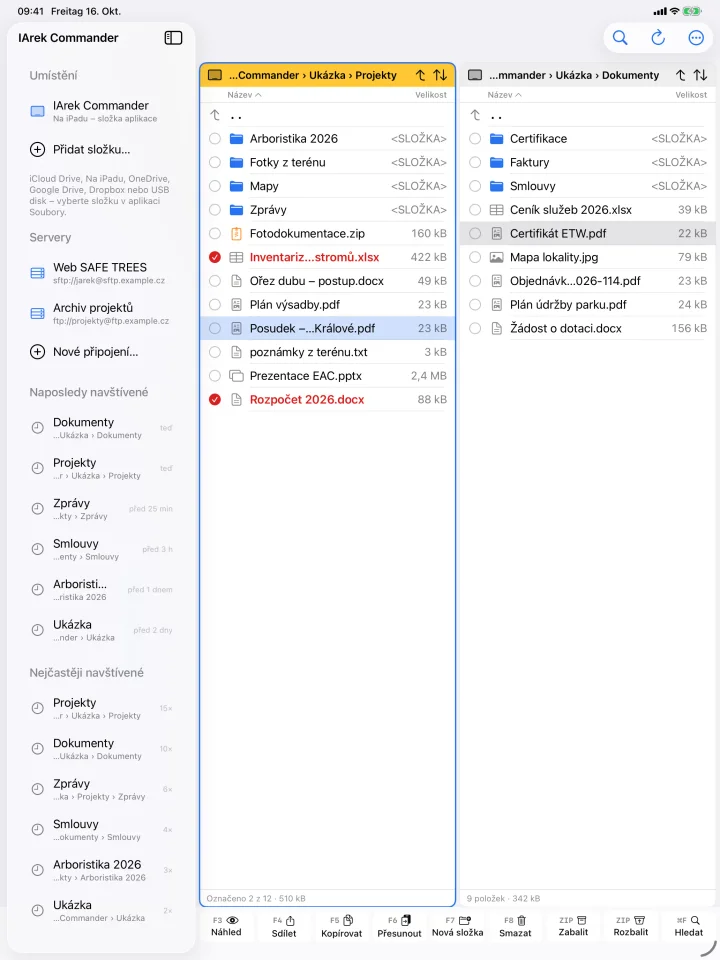
IArek Commander is a classic dual-pane file manager for iPad. With a keyboard it works just like the popular commanders from Windows – and it is just as easy to use by touch.
• Two panes side by side; on narrow screens switch between Left and Right
• Copy, move, rename, delete and create folders with F5–F8 (or ⌘3–⌘8)
• Folders from the Files app: iCloud Drive, On My iPad, OneDrive, Google Drive, Dropbox and USB drives
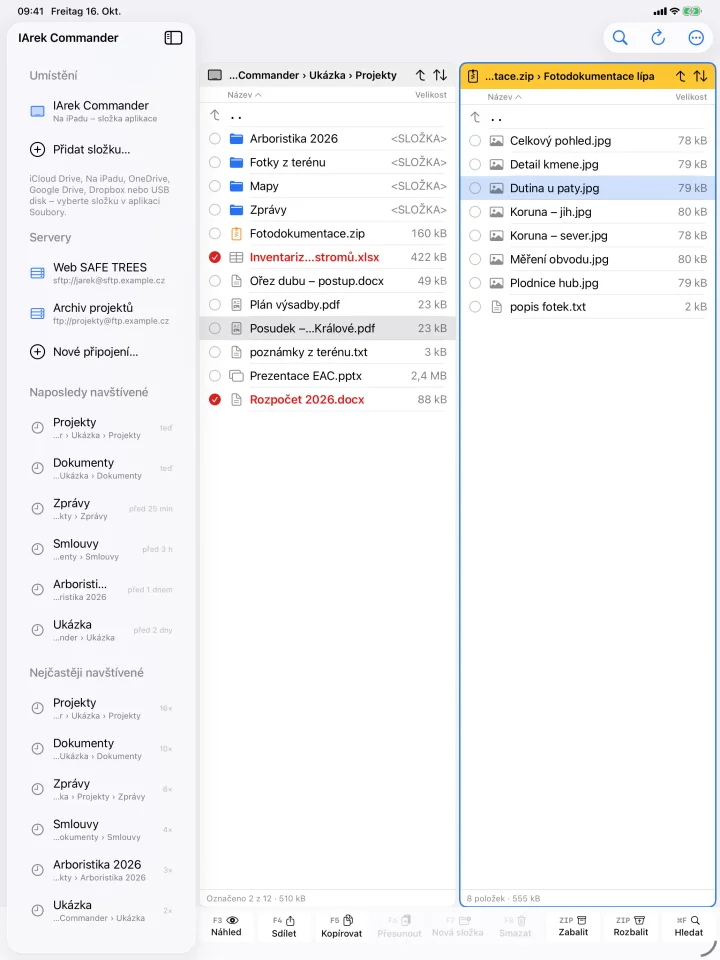
• Open ZIP archives as folders, extract them to the other pane or zip selected files
• Connect to FTP and SFTP servers, passwords stored securely in the Keychain
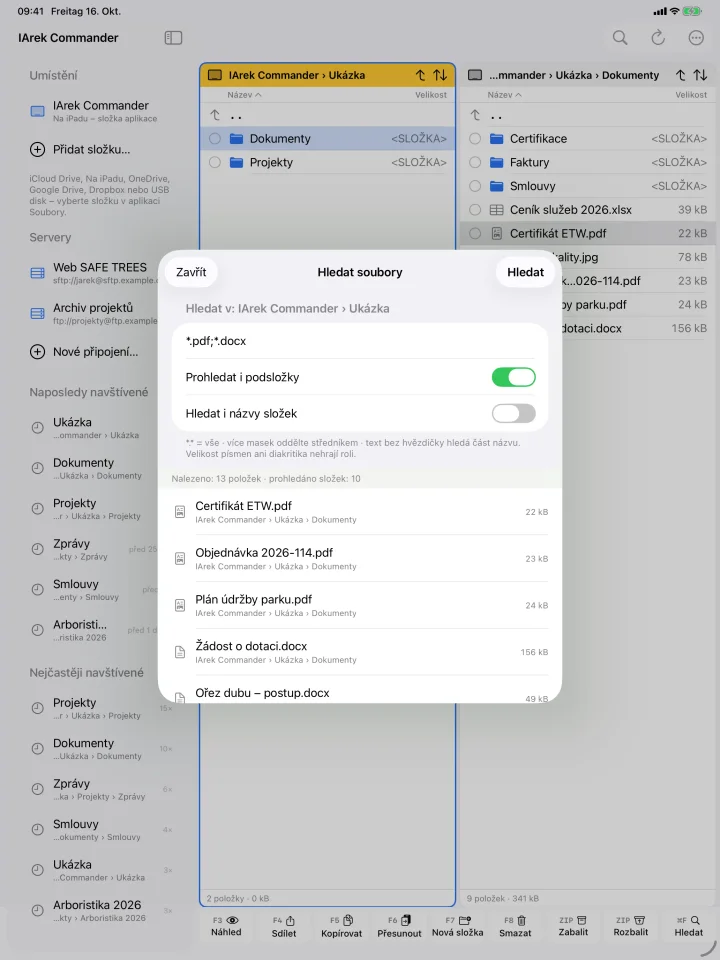
• Find files by mask (*.pdf;*.docx) across the whole folder tree
• Quick Look preview and sharing
• Recent and most visited folders in the sidebar
• Czech, English, German and Spanish
One purchase covers both iPad and Mac.
Có gì mới
Phiên bản 1.3 · 21/11/2026
• Connect to SMB shared folders (Windows, NAS): “Connect SMB…” in the sidebar – enter smb://server/share, the Files app connects the server and then you choose the shared folder. It stays under Locations and you work with it like with any other folder.
• Long copy, move, delete, compress and extract operations can keep running with the “In Background” button while you work with the panels. Progress and Cancel are in the top bar.
• New “Extract Here” when you touch and hold a file – extracts an archive into the folder it is in, not into the other panel.
• New “New Folder…” when you touch and hold.
Quyền riêng tư của ứng dụng
Những gì SAFE TREES, s.r.o. khai báo trên App Store về cách ứng dụng này xử lý dữ liệu.
-
Dữ liệu không được thu thập
Nhà phát triển không thu thập bất kỳ dữ liệu nào từ ứng dụng này.
Phương thức đảm bảo quyền riêng tư có thể khác nhau, chẳng hạn như tuỳ theo các tính năng bạn sử dụng hoặc độ tuổi của bạn.
Thông tin
- Người bán
- SAFE TREES, s.r.o.
- Danh mục
- Tiện Ích
- Phiên bản
- 1.3
- Cập nhật
- 21/11/2026
- Phát hành
- 23/10/2026
- Kích thước
- 9,1 MB
- Yêu cầu
- iOS 17.0 trở lên
- Độ tuổi
- 4+
- Giá
- Miễn phí
- Ngôn ngữ
- Tiếng Anh, Tiếng Séc, Tiếng Đức, Tiếng Tây Ban Nha
- Bản quyền
- © 2026 SAFE TREES, s.r.o.
Có thể bạn cũng thích
-
 DrawAlive: Animate DrawingsTiện Ích
-
 Unfold – Archive ExtractorTiện Ích
-
 ComicPDFReaderTiện Ích
-
 Filio - File ManagerTiện Ích
-
 Twin CommanderTiện Ích
-
 Unpack - Giải nén tập tinGiải nén ZIP, RAR, 7Z
-
 sHomeCentralTiện Ích
-
 PSKReporter Client: FT8 MapTiện Ích
-
 FT Ham – FT8/FT4 transceiverTiện Ích
-
 UnFox: Giải nén file ZIP, RARTrình mở tệp nén 7Z và TAR