- Yaş sınırı4+
- KategoriYardımcılar
- GeliştiriciSAFE TREES, s.r.o.
- Dillerİngilizce+ 3 dil daha
- Boyut9,1 MB
Resmi App Store sayfasına bağlanır
Download.org, IArek Commander için hiçbir dosya barındırmaz. Düğme, uygulamanın App Store üzerindeki sayfasını açar; uygulamayı orada SAFE TREES, s.r.o. yayınlar. Sayfanın son kontrolü: 23.11.2026.
Ekran görüntüleri
Hakkında
Geliştirici bu metni dilinizde sunmamış.
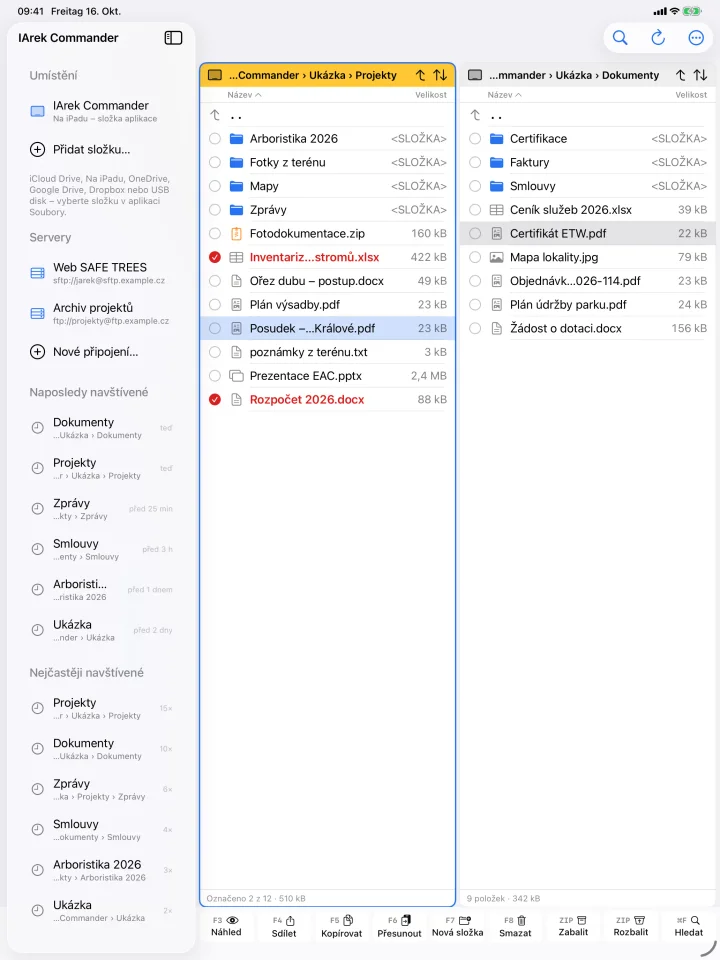
IArek Commander is a classic dual-pane file manager for iPad. With a keyboard it works just like the popular commanders from Windows – and it is just as easy to use by touch.
• Two panes side by side; on narrow screens switch between Left and Right
• Copy, move, rename, delete and create folders with F5–F8 (or ⌘3–⌘8)
• Folders from the Files app: iCloud Drive, On My iPad, OneDrive, Google Drive, Dropbox and USB drives
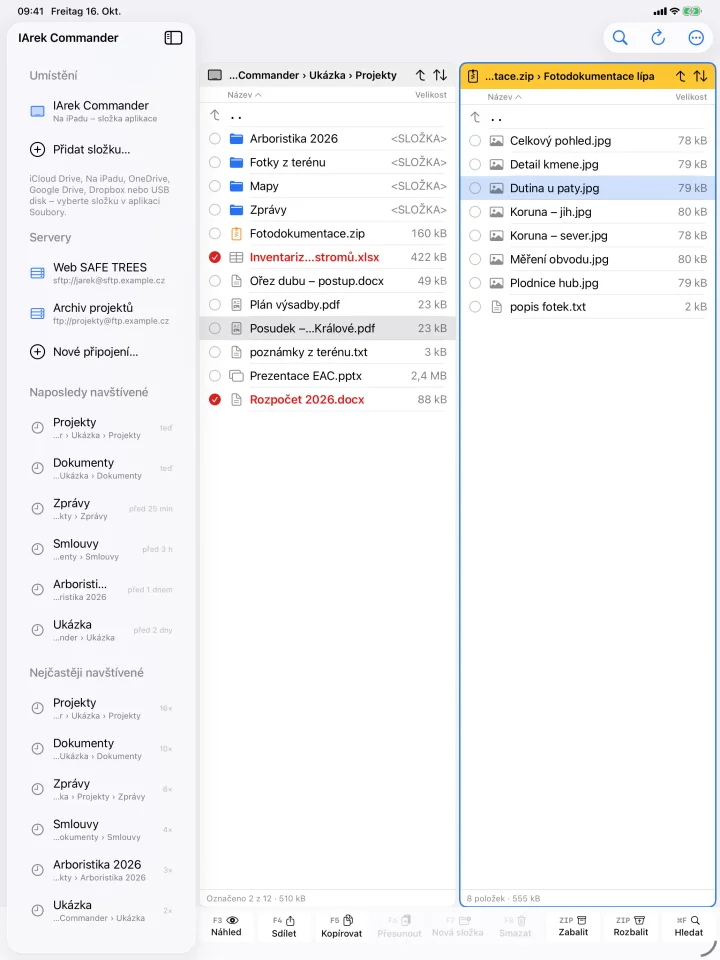
• Open ZIP archives as folders, extract them to the other pane or zip selected files
• Connect to FTP and SFTP servers, passwords stored securely in the Keychain
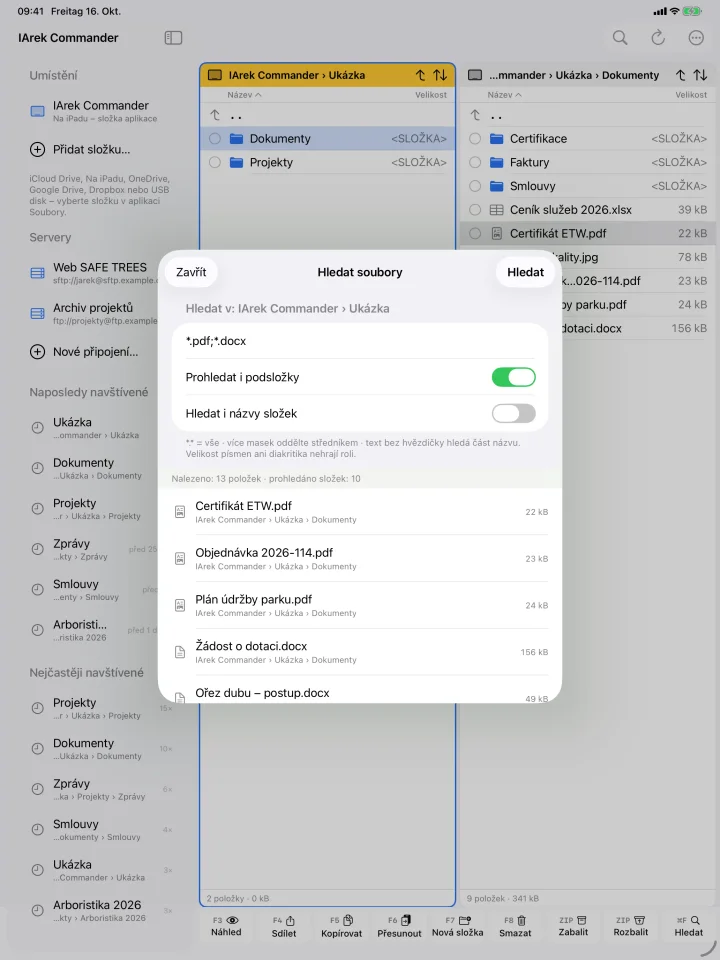
• Find files by mask (*.pdf;*.docx) across the whole folder tree
• Quick Look preview and sharing
• Recent and most visited folders in the sidebar
• Czech, English, German and Spanish
One purchase covers both iPad and Mac.
Yenilikler
Sürüm 1.3 · 21.11.2026
• Connect to SMB shared folders (Windows, NAS): “Connect SMB…” in the sidebar – enter smb://server/share, the Files app connects the server and then you choose the shared folder. It stays under Locations and you work with it like with any other folder.
• Long copy, move, delete, compress and extract operations can keep running with the “In Background” button while you work with the panels. Progress and Cancel are in the top bar.
• New “Extract Here” when you touch and hold a file – extracts an archive into the folder it is in, not into the other panel.
• New “New Folder…” when you touch and hold.
Uygulama gizliliği
Bu uygulamanın verileri nasıl işlediği hakkında SAFE TREES, s.r.o. tarafından App Store üzerinde yapılan beyan.
-
Veri toplanmıyor
Geliştirici bu uygulamadan hiçbir veri toplamıyor.
Gizlilik uygulamaları, örneğin kullandığınız özelliklere veya yaşınıza göre değişiklik gösterebilir.
Bilgiler
- Satıcı
- SAFE TREES, s.r.o.
- Kategori
- Yardımcılar
- Sürüm
- 1.3
- Güncellendi
- 21.11.2026
- Yayın tarihi
- 23.10.2026
- Boyut
- 9,1 MB
- Gereksinim
- iOS 17.0 veya sonrası
- Yaş sınırı
- 4+
- Fiyat
- Ücretsiz
- Diller
- İngilizce, Çekçe, Almanca, İspanyolca
- Telif hakkı
- © 2026 SAFE TREES, s.r.o.
Bunları da beğenebilirsiniz
-
 DrawAlive: Animate DrawingsYardımcılar
-
 Unfold – Archive ExtractorYardımcılar
-
 ComicPDFReaderYardımcılar
-
 Filio - File ManagerYardımcılar
-
 Twin CommanderYardımcılar
-
 Unpack - Arşiv AçıcıZIP, RAR, 7Z ve dahasını açın
-
 sHomeCentralYardımcılar
-
 PSKReporter Client: FT8 MapYardımcılar
-
 FT Ham – FT8/FT4 transceiverYardımcılar
-
 UnFox: ZIP ve RAR Dosyası AçmaDosya Açıcı ve Çıkarıcı, 7Z