
Image Convertr
Covert any image format
Dirancang untuk iPhone, iPad
Gratis · Pembelian dalam aplikasi
- Batasan usia4+
- KategoriFoto & Video
- PengembangGeekme
- BahasaInggris+ 30 lainnya
- Ukuran3,8 MB
Tertaut ke halaman resmi App Store
Download.org tidak menyimpan file Image Convertr apa pun. Tombol ini membuka halaman aplikasi di App Store, tempat Geekme menerbitkannya. Halaman terakhir diperiksa pada 18/11/2026.
Tangkapan layar
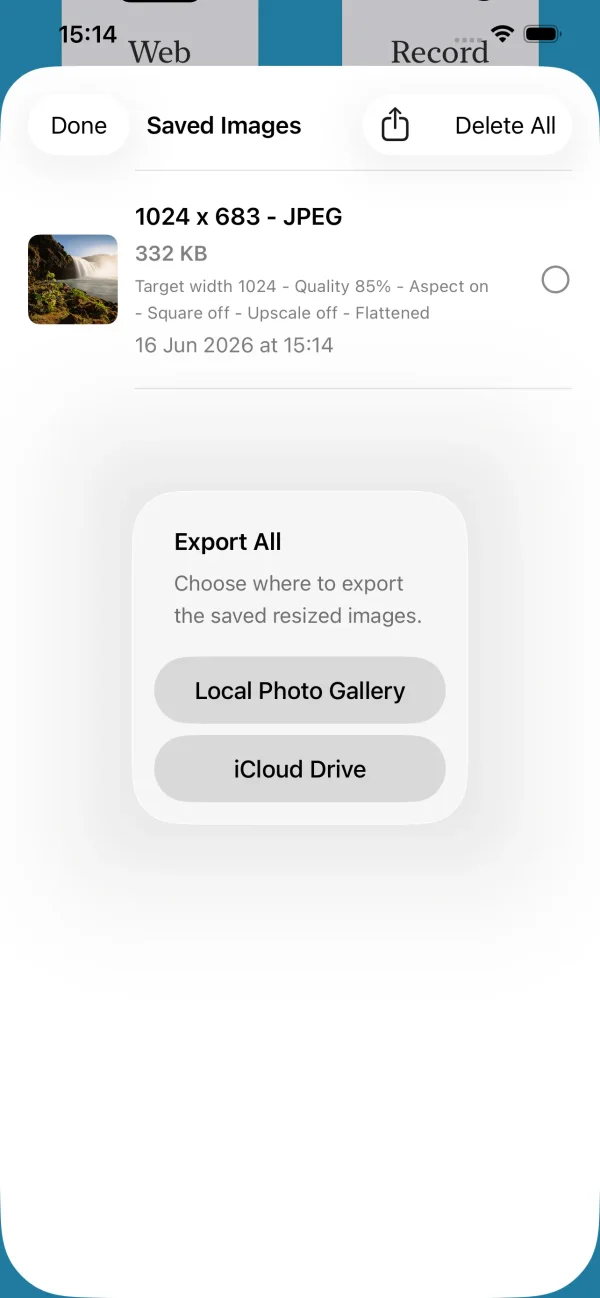
Tentang
Pengembang belum menyediakan teks ini dalam bahasa Anda.
Change the format of your images.
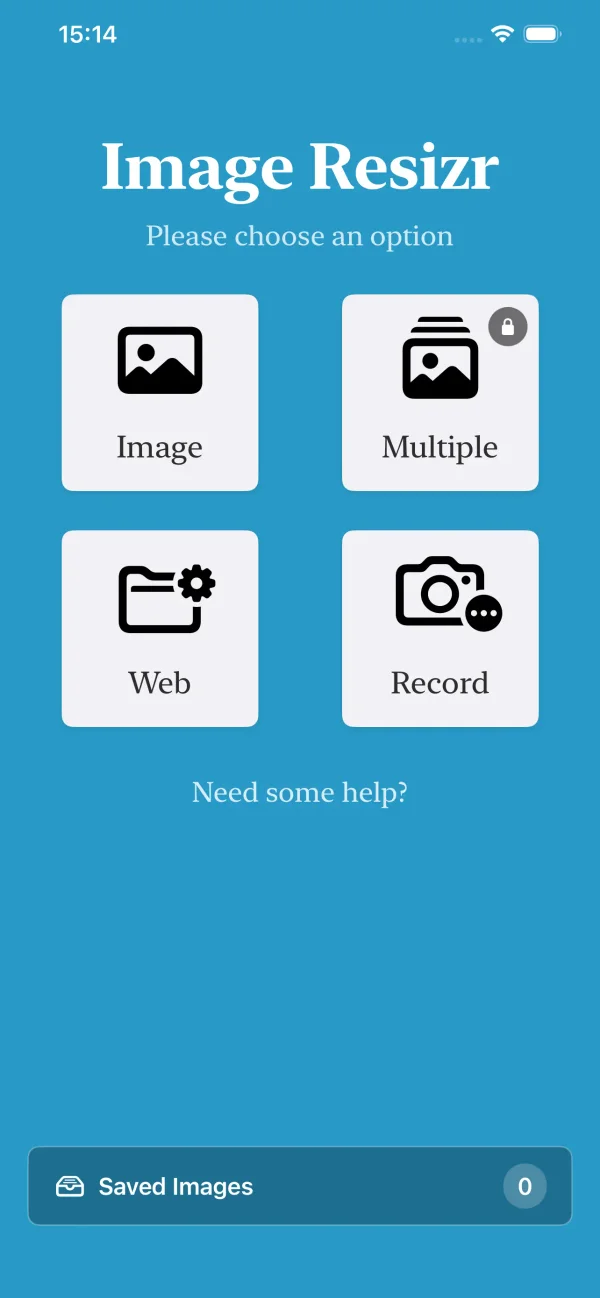
Our "Convertr" offers you many useful functions to convert the format of any image.
:: All common image formats can be used.
No matter if you want to convert a JPEG, PNG, GIF or TIFF. Just choose an image or make a new one and adjust the format of the image with quick and simple steps.
:: Several images
You are able to adjust as many images as you want at the same time. This feature is available over an In-App Purchase.
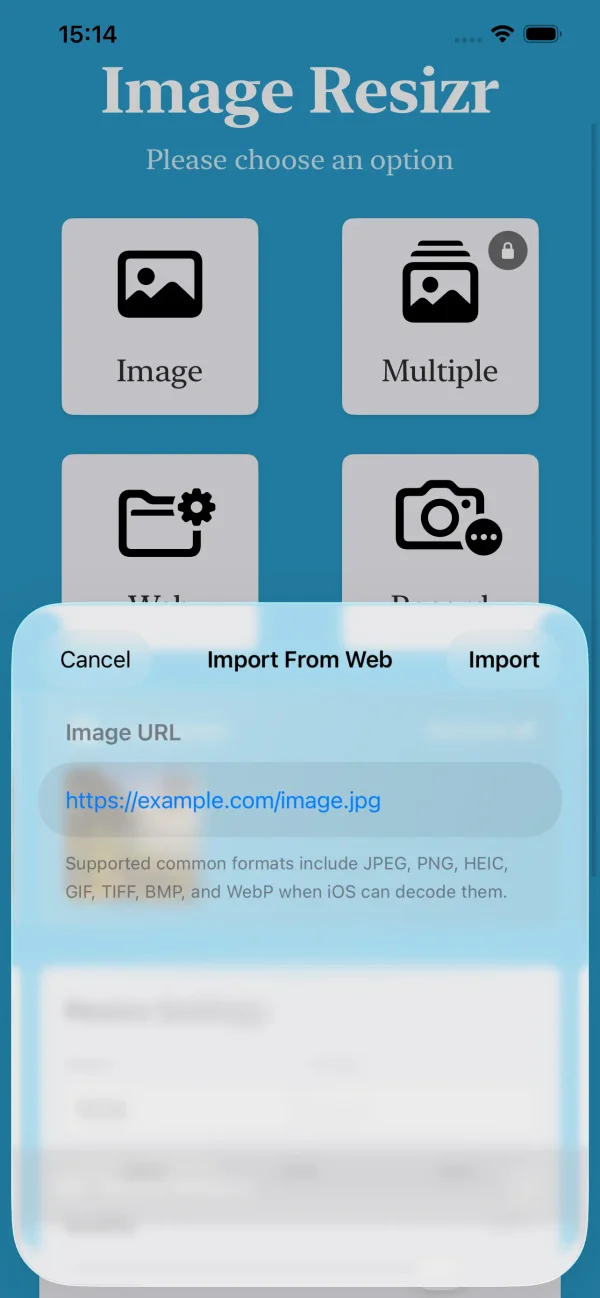
:: Web
Download an image from the internet directly in the app and adjust it.
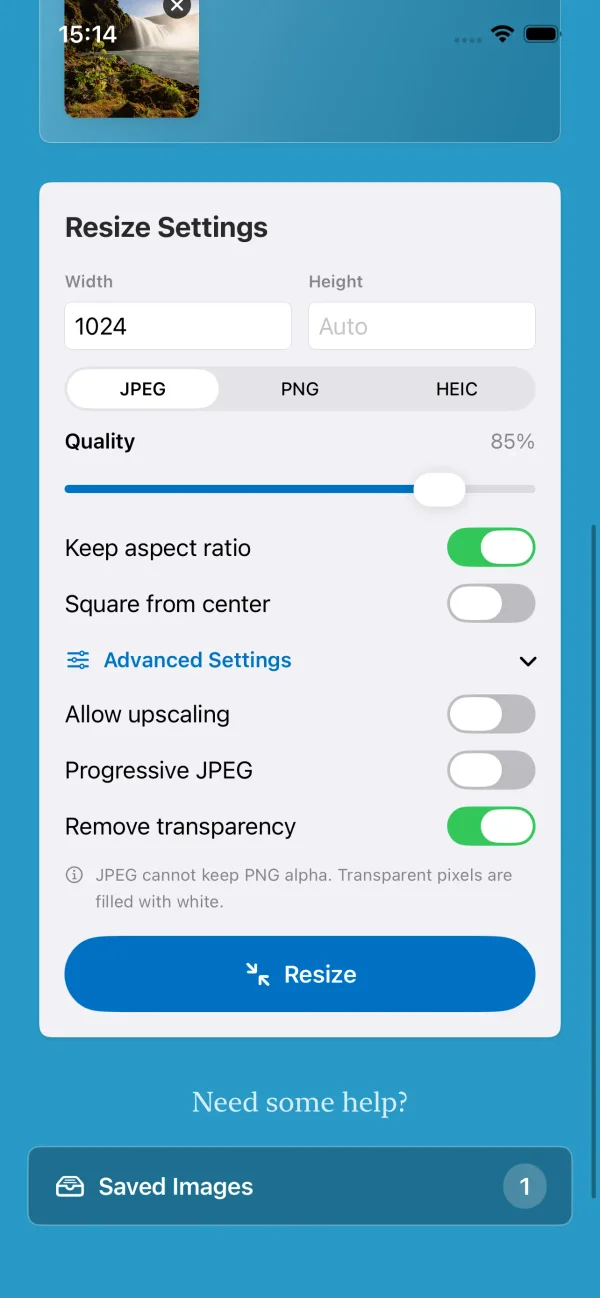
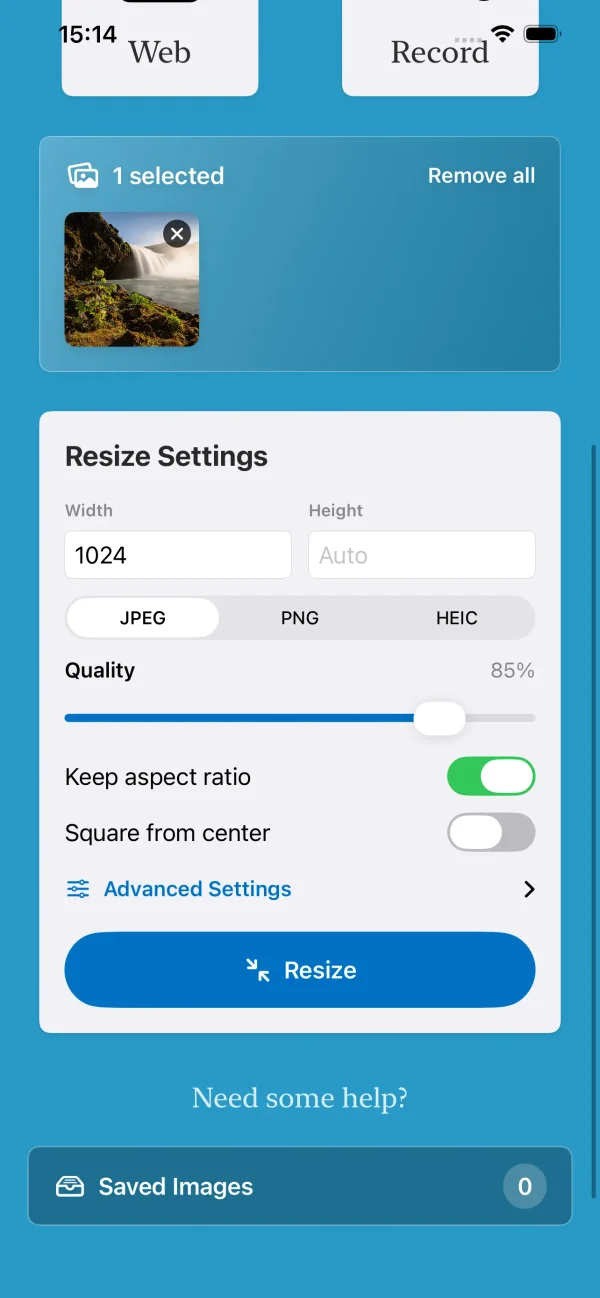
:: Options
Determine the quality of the adjusted images and the image format.
:: Overview
All your adjusted images are being saved in the app. You get a great overview of every image and can continue to use those.
:: In a photo album
You can copy your converted images in your photo album with just one click.
:: E-Mail
Send your adjusted images via e-mail.
:: Offline
The format conversion are made offline. Even if you don't have an internet connection, you are able to use the app entirely.
Yang baru
Versi 5.0 · 11/11/2026
5.0
- A redesigned editor with Dimensions, Longest Edge and Percentage resizing.
- Live original/result previews, center cropping and JPEG, PNG or HEIC output.
- Target file sizes and reusable presets.
- Resize Overview shows previews, dimensions, file sizes and export options after each batch.
- Import from Photos, Files, the camera, the web, paste or drag and drop.
- Pro batch conversion for up to 200 images, with progress, cancellation and retry.
- Settings with instant language switching, Help and purchase restoration.
- Improved memory handling for large batches and an adaptive layout for larger screens.
Privasi aplikasi
Yang dinyatakan Geekme di App Store tentang cara aplikasi ini menangani data.
-
Data tidak dikumpulkan
Pengembang tidak mengumpulkan data apa pun dari aplikasi ini.
Praktik privasi dapat bervariasi, misalnya berdasarkan fitur yang Anda gunakan atau usia Anda.
Informasi
- Penjual
- Geekme GmbH
- Kategori
- Foto & Video
- Versi
- 5.0
- Diperbarui
- 11/11/2026
- Dirilis
- 10/4/2014
- Ukuran
- 3,8 MB
- Memerlukan
- iOS 17.0 atau yang lebih baru
- Batasan usia
- 4+
- Harga
- Gratis
- Pembelian dalam aplikasi
- Ya
- Bahasa
- Inggris, Arab, Bengali, Cheska (Republik Cheska), Dansk (Denmark), Belanda, Suomi (Finlandia), Prancis, Jerman, Yunani, Ibrani, Hindi + 19 lainnya
- Hak cipta
- © Geekme
Mungkin Anda juga suka
-
 WebP to PNG & JPEG ConverterFoto & Video
-
 Konverter JPEG & Editor FotoKompres, ukuran, hapus latar
-
 Image Converter & HEIC to JPGFoto & Video
-
 Image Converter: Photo EditorFoto & Video
-
 The Image Converter JPG JPEGFoto & Video
-
 AI Photo Text Editor- PixazoFoto & Video
-
 Folios by TzYiFoto & Video
-
 Photo Color ChangerFoto & Video
-
 PixConvert-KunFoto & Video
-
 Sealer: Watermark FotoAdd Logo & Text · Stamp Maker