
Image Convertr
Covert any image format
Projetado para iPhone, iPad
Grátis · Compras no app
- Classificação etária4+
- CategoriaFoto e vídeo
- DesenvolvedorGeekme
- IdiomasInglêse mais 30
- Tamanho3,8 MB
Leva à página oficial na App Store
O Download.org não hospeda nenhum arquivo de Image Convertr. O botão abre a página do app na App Store, onde Geekme o publica. Página verificada pela última vez em 18/11/2026.
Capturas de tela
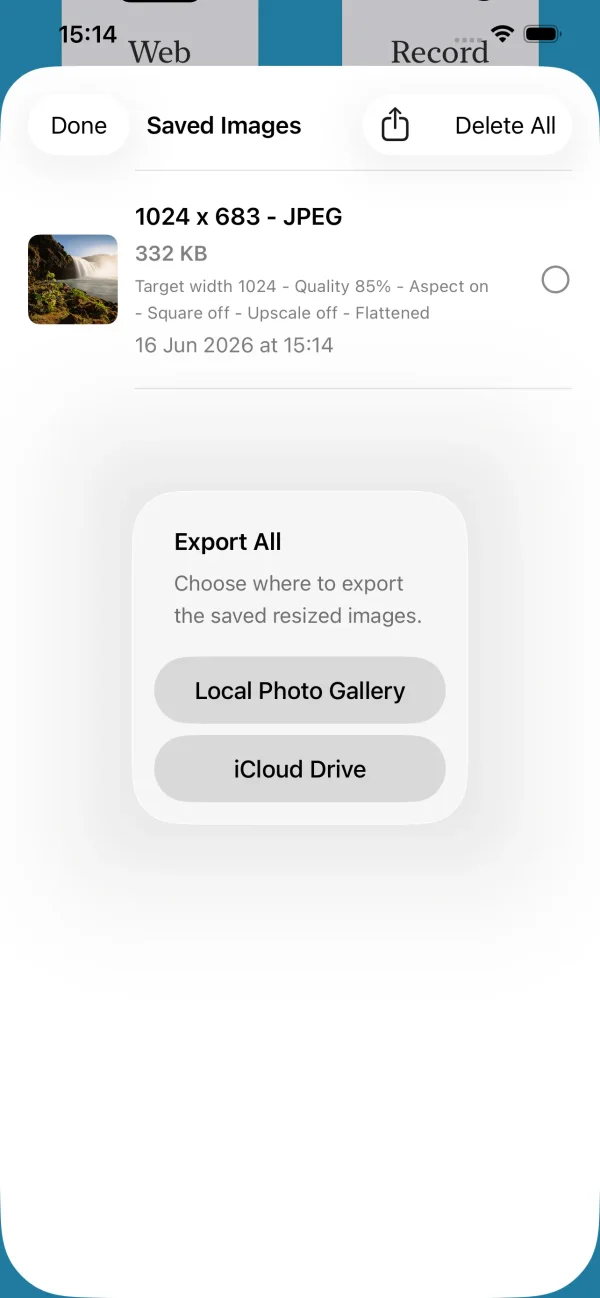
Sobre
O desenvolvedor não forneceu este texto no seu idioma.
Change the format of your images.
Our "Convertr" offers you many useful functions to convert the format of any image.
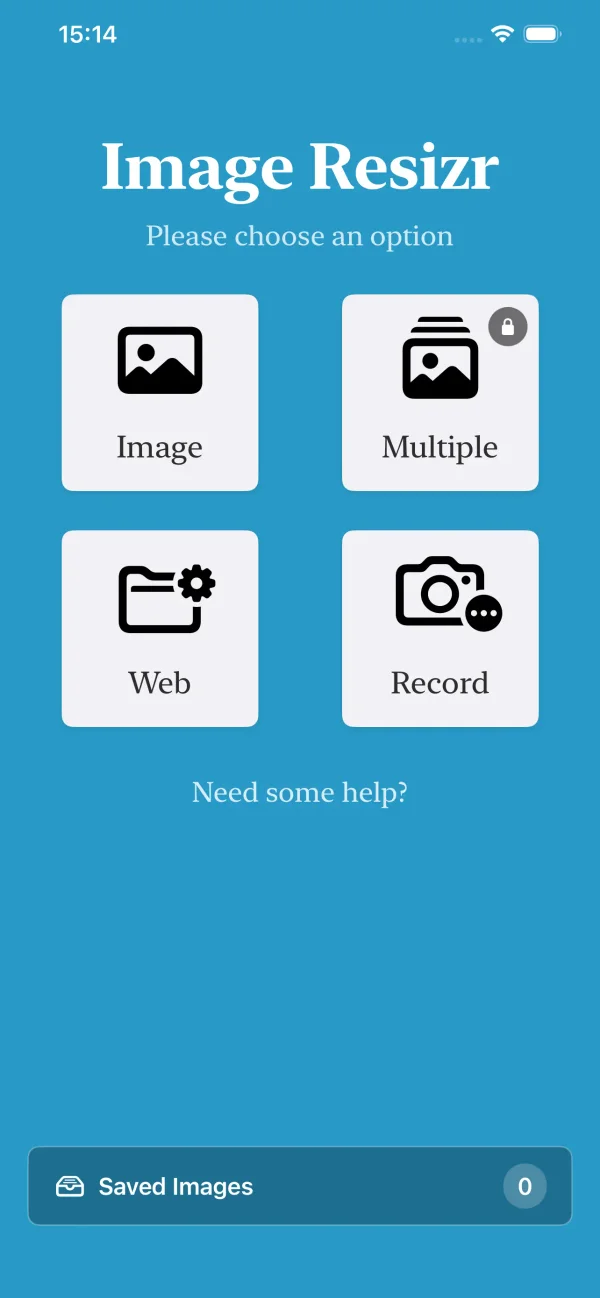
:: All common image formats can be used.
No matter if you want to convert a JPEG, PNG, GIF or TIFF. Just choose an image or make a new one and adjust the format of the image with quick and simple steps.
:: Several images
You are able to adjust as many images as you want at the same time. This feature is available over an In-App Purchase.
:: Web
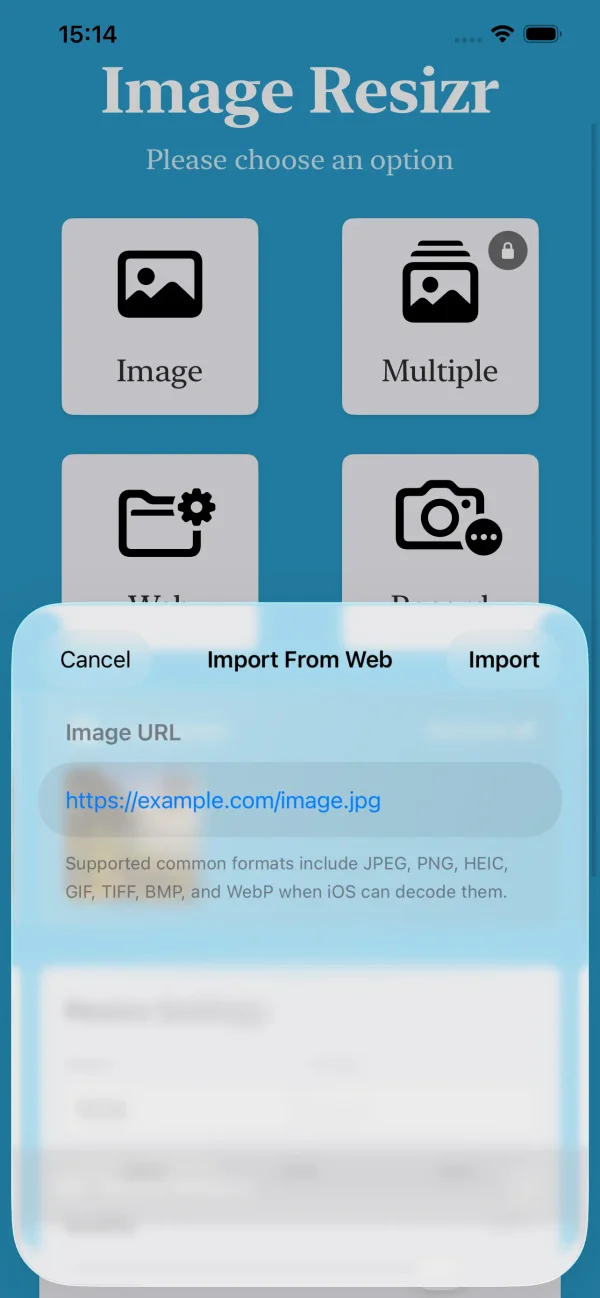
Download an image from the internet directly in the app and adjust it.
:: Options
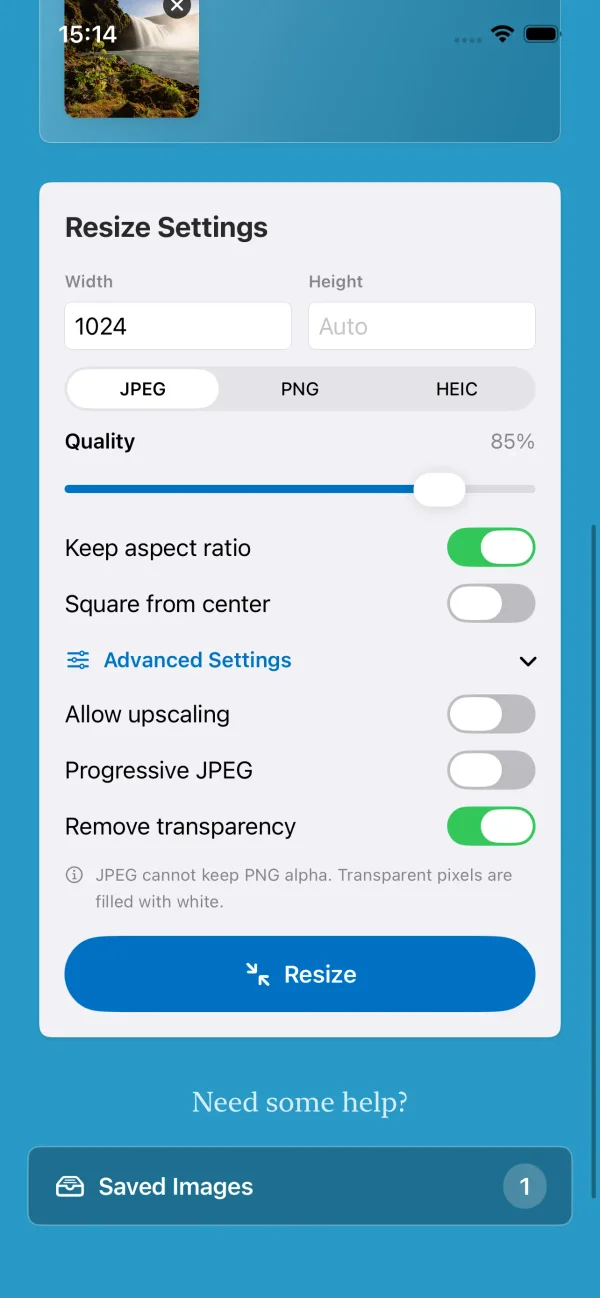
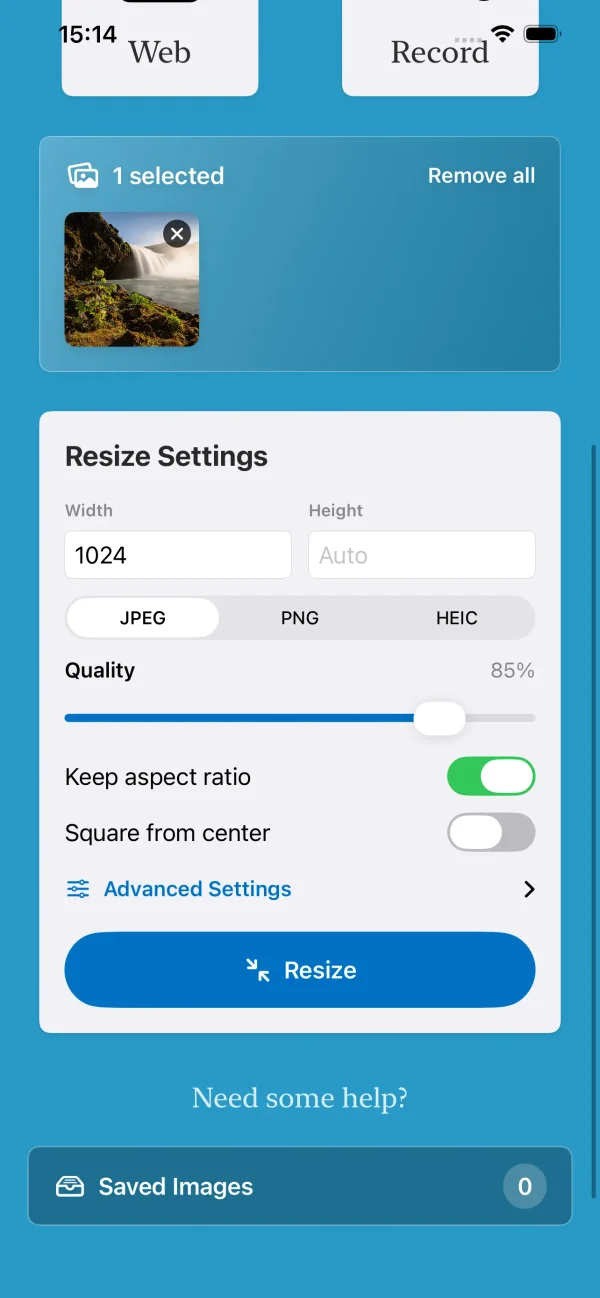
Determine the quality of the adjusted images and the image format.
:: Overview
All your adjusted images are being saved in the app. You get a great overview of every image and can continue to use those.
:: In a photo album
You can copy your converted images in your photo album with just one click.
:: E-Mail
Send your adjusted images via e-mail.
:: Offline
The format conversion are made offline. Even if you don't have an internet connection, you are able to use the app entirely.
Novidades
Versão 5.0 · 11/11/2026
5.0
- A redesigned editor with Dimensions, Longest Edge and Percentage resizing.
- Live original/result previews, center cropping and JPEG, PNG or HEIC output.
- Target file sizes and reusable presets.
- Resize Overview shows previews, dimensions, file sizes and export options after each batch.
- Import from Photos, Files, the camera, the web, paste or drag and drop.
- Pro batch conversion for up to 200 images, with progress, cancellation and retry.
- Settings with instant language switching, Help and purchase restoration.
- Improved memory handling for large batches and an adaptive layout for larger screens.
Privacidade do app
O que Geekme declara na App Store sobre como este app lida com os dados.
-
Dados não coletados
O desenvolvedor não coleta nenhum dado deste app.
As práticas de privacidade podem variar, por exemplo, com base nos recursos que você usa ou na sua idade.
Informações
- Vendedor
- Geekme GmbH
- Categoria
- Foto e vídeo
- Versão
- 5.0
- Atualizado
- 11/11/2026
- Lançamento
- 10/04/2014
- Tamanho
- 3,8 MB
- Requer
- iOS 17.0 ou posterior
- Classificação etária
- 4+
- Preço
- Grátis
- Compras no app
- Sim
- Idiomas
- Inglês, Árabe, Bengali, Checo, Dinamarquês, Holandês, Finlandês, Francês, Alemão, Grego, Hebraico, Hindi e mais 19
- Copyright
- © Geekme
Você também pode gostar
-
 WebP to PNG & JPEG ConverterFoto e vídeo
-
 Conversor JPEG e editor fotoComprimir, tamanho e fundo
-
 JPG To PDF ConverterPicture to PDF & Photo
-
 Image Converter: Photo EditorFoto e vídeo
-
 The Image Converter JPG JPEGFoto e vídeo
-
 AI Photo Text Editor- PixazoFoto e vídeo
-
 Folios by TzYiFoto e vídeo
-
 Photo Color ChangerFoto e vídeo
-
 PixConvert-KunFoto e vídeo
-
 Sealer: Marca d'ÁguaTexto em foto · Adiciona logo