Map Coordinate
Smart tool for you
Dirancang untuk iPhone, iPad
Gratis · Pembelian dalam aplikasi
- Batasan usia12+
- KategoriKegunaan
- PengembangXuan Luong Do
- BahasaInggris
- Ukuran43,6 MB
Tertaut ke halaman resmi App Store
Download.org tidak menyimpan file Map Coordinate apa pun. Tombol ini membuka halaman aplikasi di App Store, tempat Xuan Luong Do menerbitkannya. Halaman terakhir diperiksa pada 17/11/2026.
Tangkapan layar
Tentang
Pengembang belum menyediakan teks ini dalam bahasa Anda.
NOTE:
* Application won't save or send any user information to any where.
* Quick feature: Touch on map to find coordinate & direction
* Location address name in application is provided by Google Service, it's just relatively. But GPS latitude-longitude is detected by your device and it is exactly.
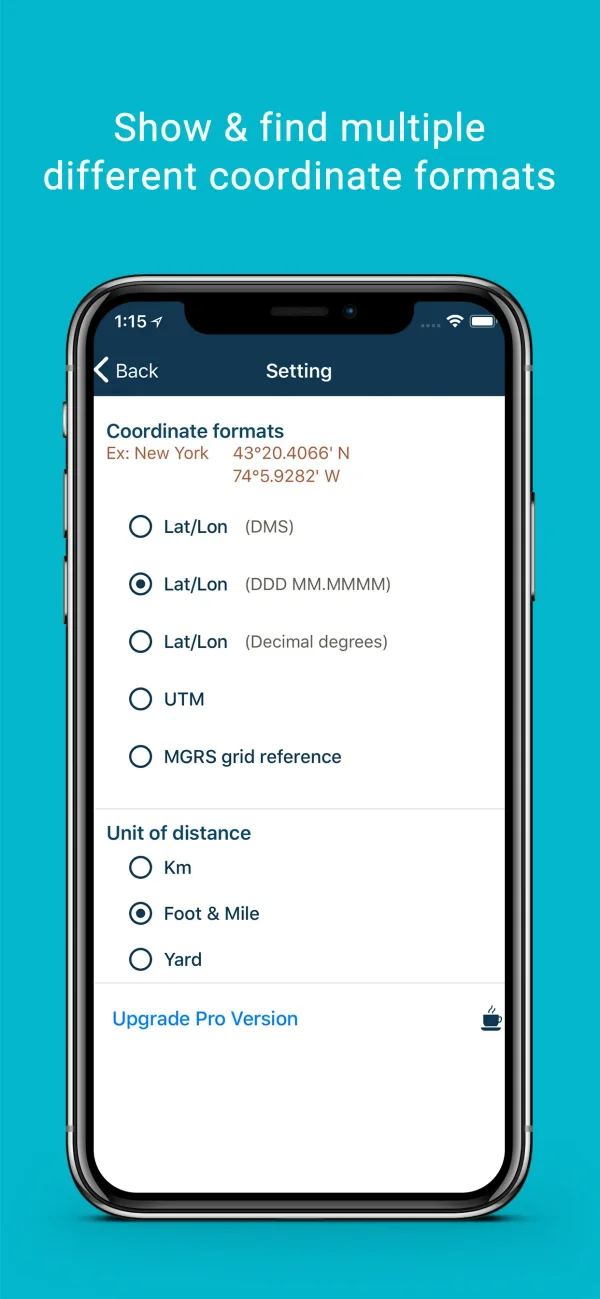
Support finding and showing position via 5 types:
1. Decimal degrees (DD)
2. Degrees°minute’ seconds" (DMS)
3. Degrees° minute.decimal’ (DM)
4. The Universal Transverse Mercator (UTM)
5. The Military Grid Reference System (MGRS)
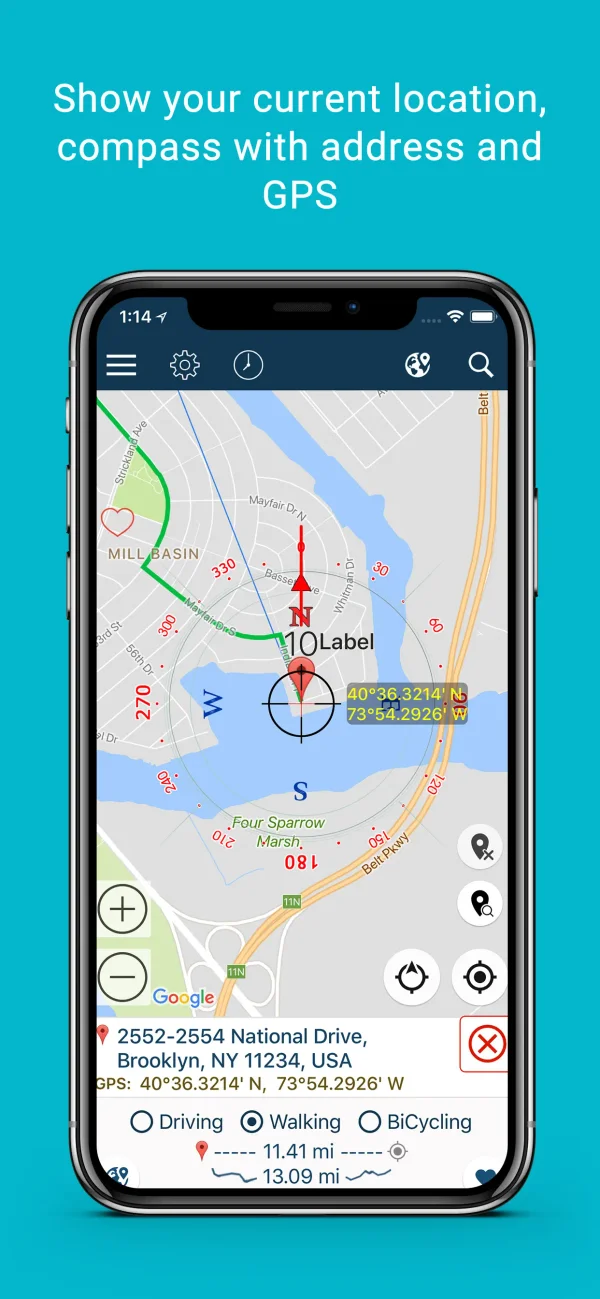
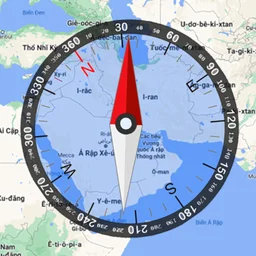
Map Coordinate is application compass and google map work together, is a navigational instrument that shows directions in a frame of reference that is stationary relative to the surface of the Earth. And will help you retrieve the coordinates and/or address of a specific location on the map. The frame of reference defines the four cardinal directions (or points) – north, south, east, and west. Intermediate directions are also defined.
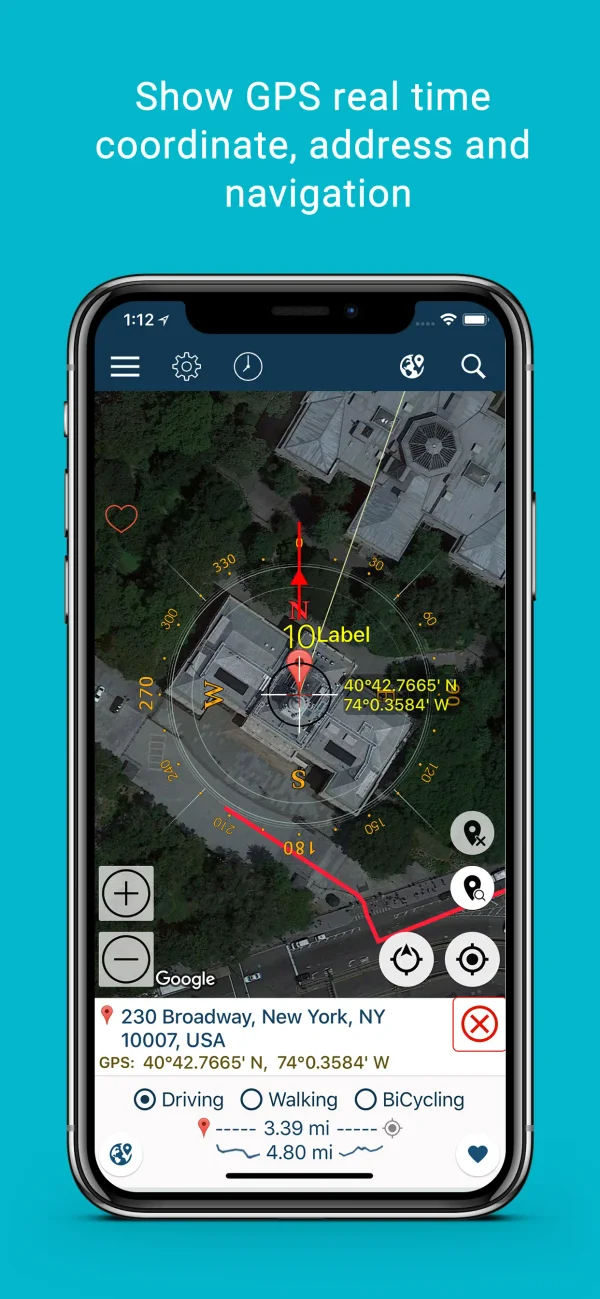
+ You can quick get direction by tap on screen via 3 types: Driving, Walking & BiCycling
+ You can use it in operations at sea, in the forest, desert, direction of flight of the aircraft ...
+ You can quick to search address or find out exactly location by enter Coordinates or enter Latitude & longitude.
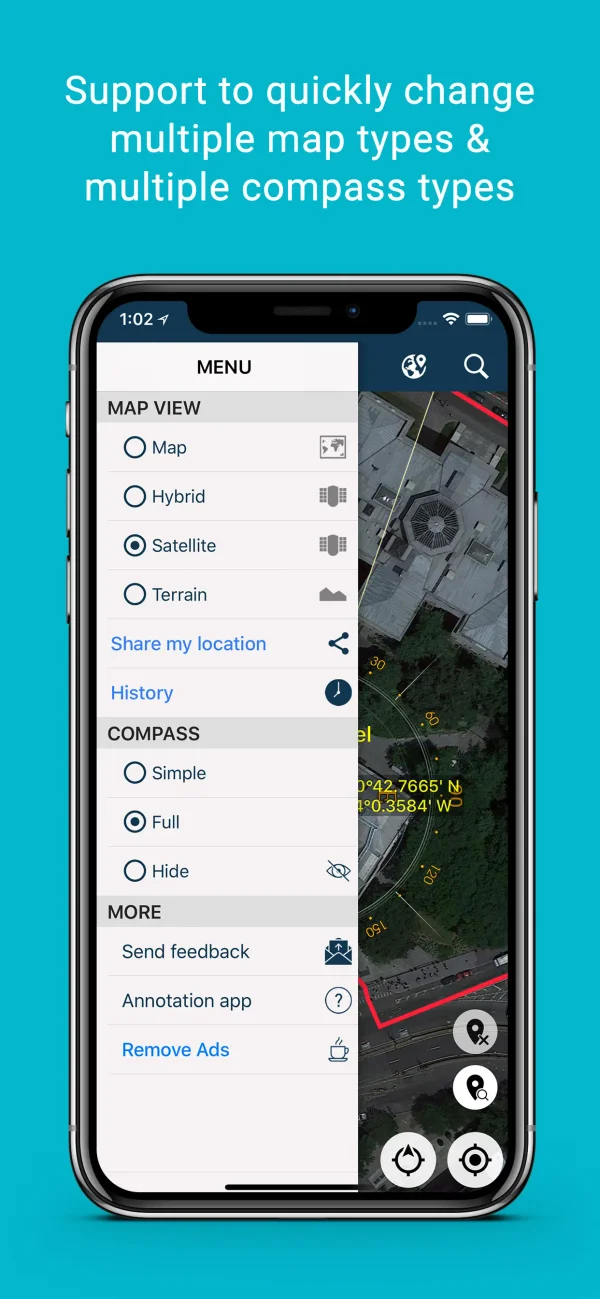
+ You can quick to switch 4 types of maps:
- normal
- satellite
- terrain
- hybrid
"Map Coordinate" can use GPS to find your location and address you standing. You can connect directly via Google Map by push on button "direction" on the bottom left screen when you activate this feature.
FEATURES
- A tool to find the directions when you fear to lost your directions via direction Google Map
- Support Zoom out by push on Marker or
- Show your position on Google Map background with latitude - longitude
- Shows degrees in “side window”
- Display latitude, longitude and altitude
- GPS Location update
- Select the best network connection automatically (Wifi, 3G, GPS)
- True north/Magnetic north
- 2 compass design/styles and 3 themes to select
- Quick Calibration
- Customizable coordinate format, sensor rate, text size, text color, unit
- Menu shortcut button on main screen
- Keep screen awake
- Rotating bezel
- Support Map Coordinates
- Find easiest and fastest route for your destination.
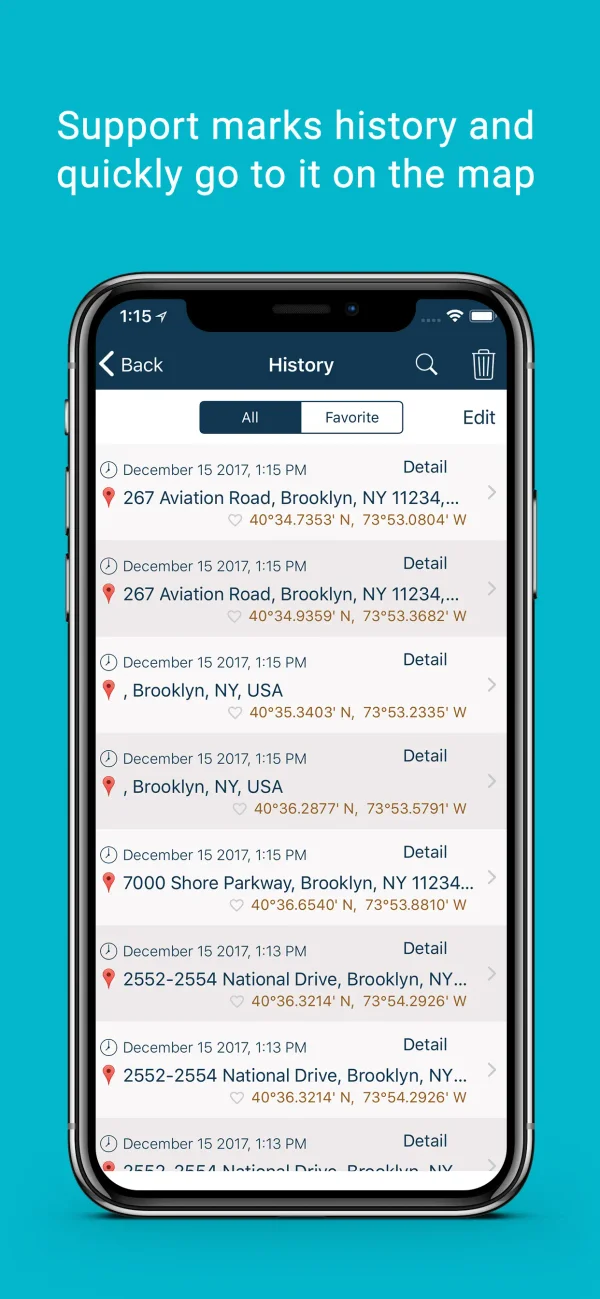
- Easily track all the locations you have visited.
- Find Address of any area in map by search option or touch on map.
- Easily delete your complete location history just by one click.
- Best GPS Route Finder app for your mobile.
- GPS Route Finder is completely.
- The application use some icons and design from website:
# icons8.com
# freepik.com
# clipartbro.com
# Pixeden.com
- The Application use third party open source from website:
# github.com/scalessec/Toast-Swift
# github.com/Alamofire/Alamofire
# github.com/volkerv/GeoCoordinateConverter
# github.com/AssistoLab/DropDown
# github.com/yukiasai/Gecco tutorial
# github.com/jonkykong/SideMenu
# github.com/groue/GRDB.swift
# github.com/CosmicMind/Material
# github.com/hackiftekhar/IQKeyboardManager
# github.com/tobihagemann/THLabel
# github.com/bizz84/SwiftyStoreKit
# pixeden.com/psd-mock-up-templates/psd-iphone-xs-max-mockup
---
Thank you for your using my app !
---
Terms of Use: https://www.apple.com/legal/internet-services/itunes/dev/stdeula/
Privacy Policy: https://policy651661124.wordpress.com/privacy-policy-map-coordinate/
Terms of Service: https://policy651661124.wordpress.com/terms-of-service-map-coordinate/
Yang baru
Versi 2.1.25 · 18/10/2026
Update UI
Privasi aplikasi
Yang dinyatakan Xuan Luong Do di App Store tentang cara aplikasi ini menangani data.
-
Data yang digunakan untuk melacak Anda
Dapat digunakan untuk melacak Anda di aplikasi dan situs web milik perusahaan lain.
- Lokasi
- Pengenal
- Data penggunaan
- Diagnostik
-
Data yang ditautkan dengan Anda
Dapat dikumpulkan dan ditautkan dengan identitas Anda.
- Lokasi
- Pengenal
- Data penggunaan
- Diagnostik
Praktik privasi dapat bervariasi, misalnya berdasarkan fitur yang Anda gunakan atau usia Anda.
Informasi
- Penjual
- Xuan Luong Do
- Kategori
- Kegunaan
- Versi
- 2.1.25
- Diperbarui
- 18/10/2026
- Dirilis
- 25/5/2017
- Ukuran
- 43,6 MB
- Memerlukan
- iOS 16.0 atau yang lebih baru
- Batasan usia
- 12+
- Harga
- Gratis
- Pembelian dalam aplikasi
- Ya
- Bahasa
- Inggris
- Hak cipta
- © BlueStar
Mungkin Anda juga suka
-
 UTM MGRS MapUTM MGRS Map
-
 Measure Map ProLuas, jarak, dan topografi
-
 Ukur Tanah GPS Peta - GMapperPeta, jarak & pengukuran GPS
-
 Go Map!!Kegunaan
-
 Pengukuran Luas & Jarak GPSHitung Ukuran Tanah & Lahan
-
 GPS Status ∞ CoordinatesKegunaan
-
 Free Map ToolsKegunaan
-
 GPS Land Measurement & SurveyKegunaan
-
 Planimeter for map measureKegunaan
-
 Peta Kompas - Kompas ArahKompas di peta