Map Coordinate
Smart tool for you
Được thiết kế cho iPhone, iPad
Miễn phí · Mua hàng trong ứng dụng
- Độ tuổi12+
- Danh mụcTiện Ích
- Nhà phát triểnXuan Luong Do
- Ngôn ngữTiếng Anh
- Kích thước43,6 MB
Liên kết đến trang App Store chính thức
Download.org không lưu trữ tệp nào của Map Coordinate. Nút này mở trang ứng dụng trên App Store, nơi Xuan Luong Do phát hành ứng dụng. Trang được kiểm tra lần cuối: 17/11/2026.
Ảnh chụp màn hình
Giới thiệu
Nhà phát triển chưa cung cấp nội dung này bằng ngôn ngữ của bạn.
NOTE:
* Application won't save or send any user information to any where.
* Quick feature: Touch on map to find coordinate & direction
* Location address name in application is provided by Google Service, it's just relatively. But GPS latitude-longitude is detected by your device and it is exactly.
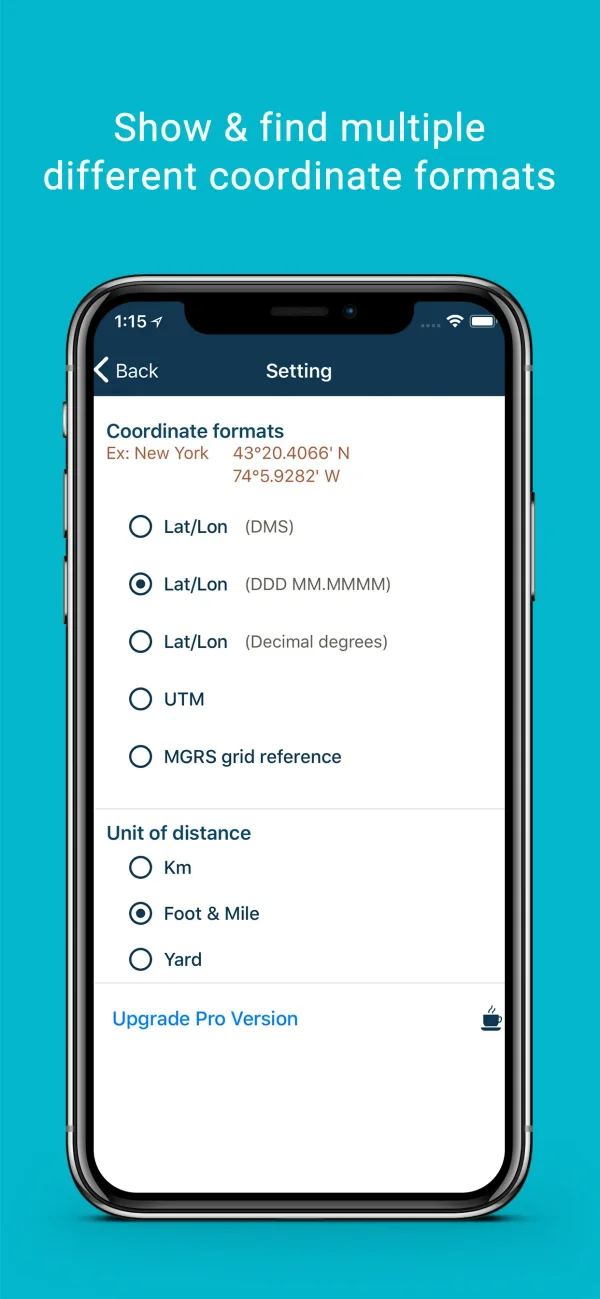
Support finding and showing position via 5 types:
1. Decimal degrees (DD)
2. Degrees°minute’ seconds" (DMS)
3. Degrees° minute.decimal’ (DM)
4. The Universal Transverse Mercator (UTM)
5. The Military Grid Reference System (MGRS)
Map Coordinate is application compass and google map work together, is a navigational instrument that shows directions in a frame of reference that is stationary relative to the surface of the Earth. And will help you retrieve the coordinates and/or address of a specific location on the map. The frame of reference defines the four cardinal directions (or points) – north, south, east, and west. Intermediate directions are also defined.
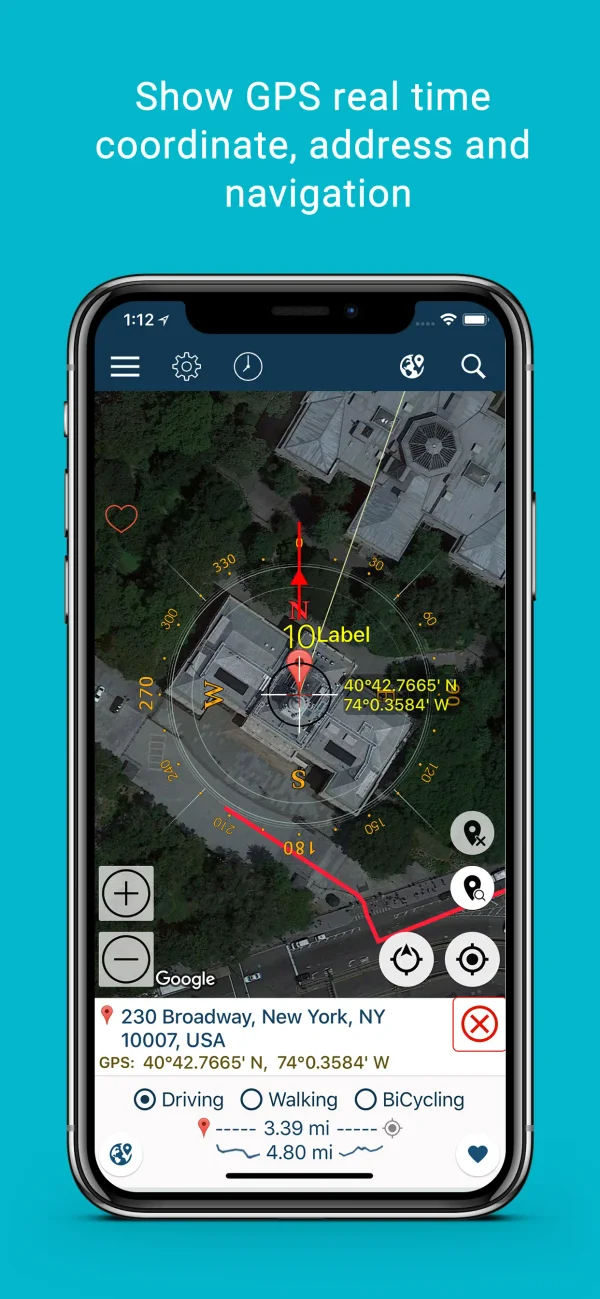
+ You can quick get direction by tap on screen via 3 types: Driving, Walking & BiCycling
+ You can use it in operations at sea, in the forest, desert, direction of flight of the aircraft ...
+ You can quick to search address or find out exactly location by enter Coordinates or enter Latitude & longitude.
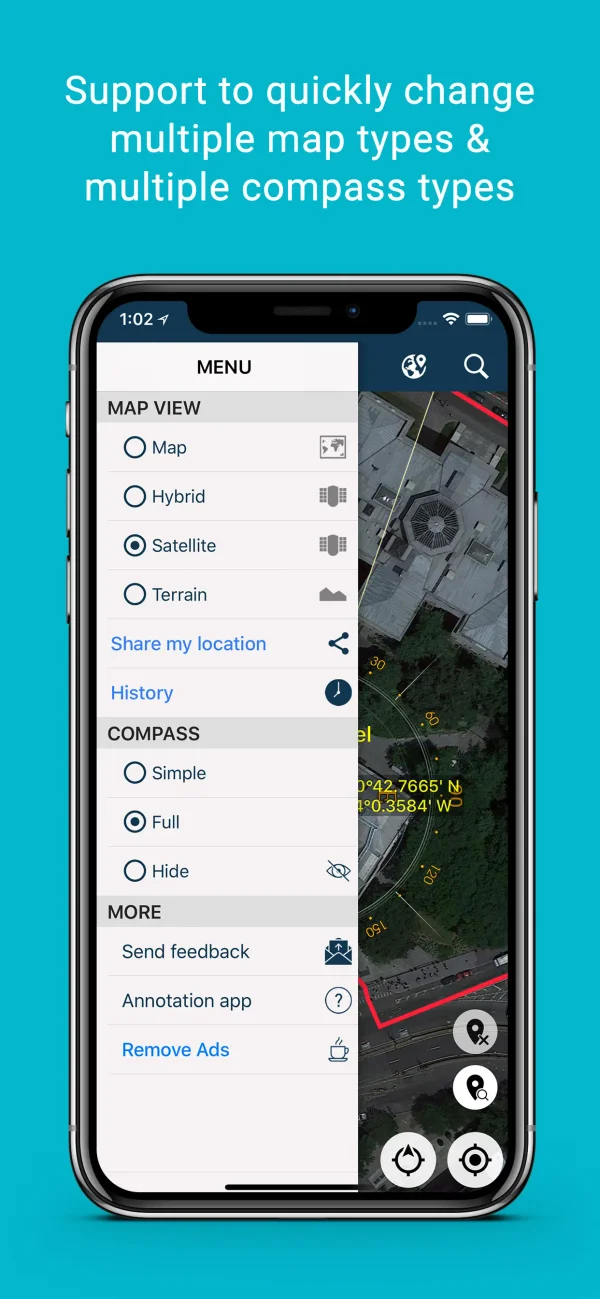
+ You can quick to switch 4 types of maps:
- normal
- satellite
- terrain
- hybrid
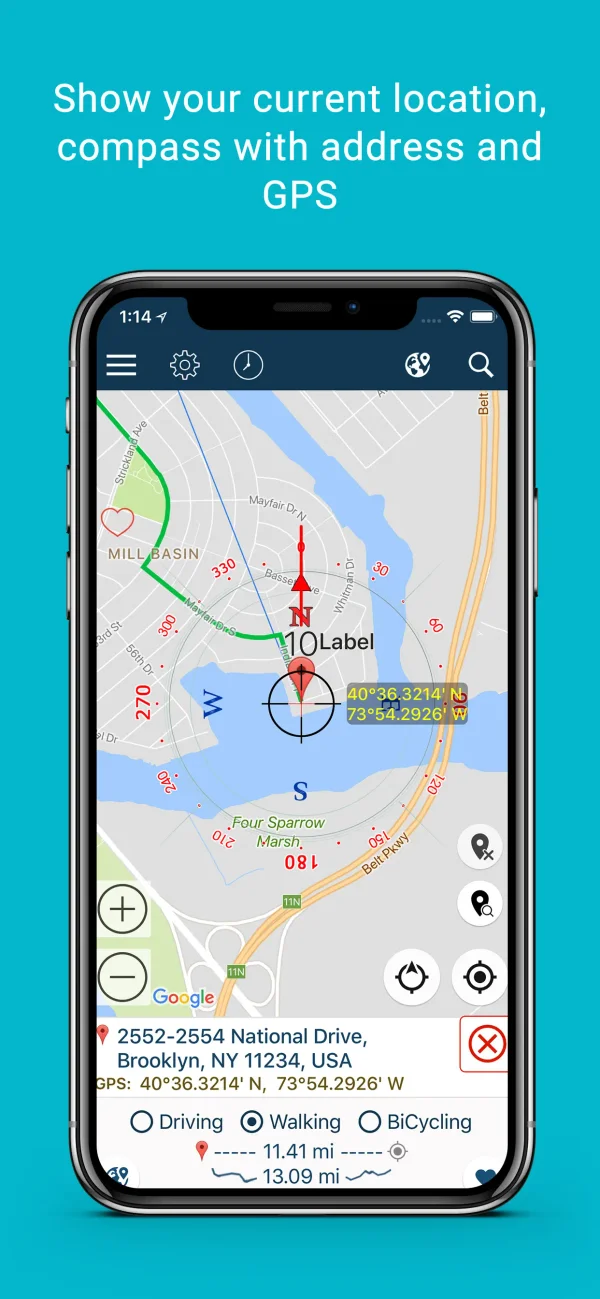
"Map Coordinate" can use GPS to find your location and address you standing. You can connect directly via Google Map by push on button "direction" on the bottom left screen when you activate this feature.
FEATURES
- A tool to find the directions when you fear to lost your directions via direction Google Map
- Support Zoom out by push on Marker or
- Show your position on Google Map background with latitude - longitude
- Shows degrees in “side window”
- Display latitude, longitude and altitude
- GPS Location update
- Select the best network connection automatically (Wifi, 3G, GPS)
- True north/Magnetic north
- 2 compass design/styles and 3 themes to select
- Quick Calibration
- Customizable coordinate format, sensor rate, text size, text color, unit
- Menu shortcut button on main screen
- Keep screen awake
- Rotating bezel
- Support Map Coordinates
- Find easiest and fastest route for your destination.
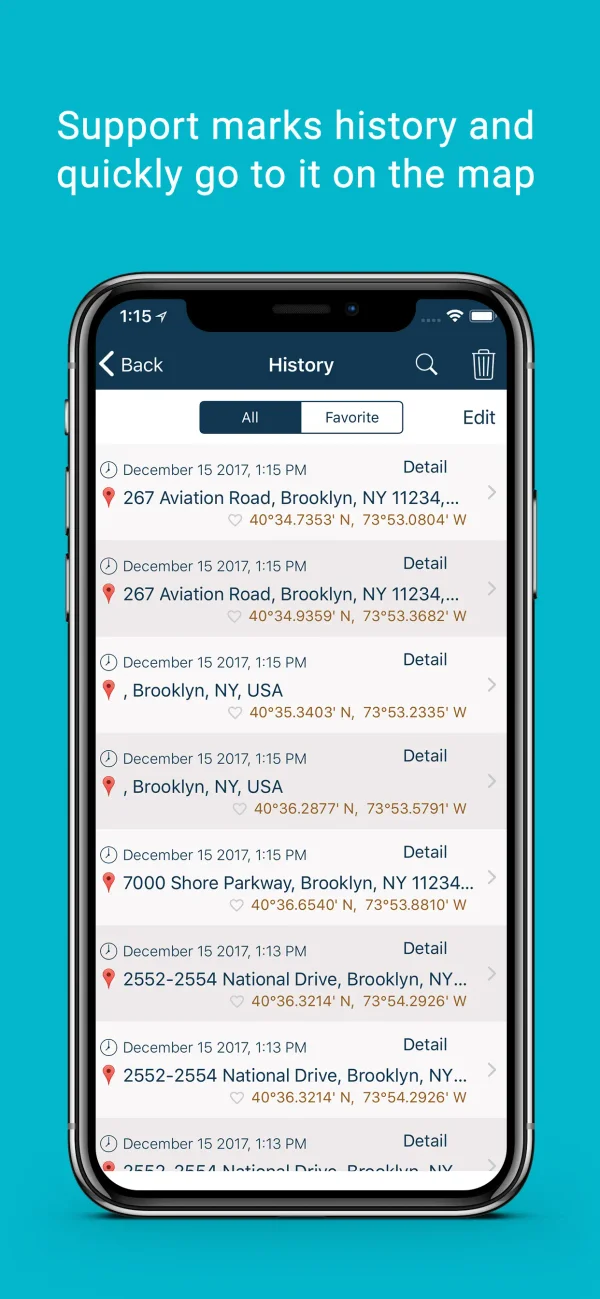
- Easily track all the locations you have visited.
- Find Address of any area in map by search option or touch on map.
- Easily delete your complete location history just by one click.
- Best GPS Route Finder app for your mobile.
- GPS Route Finder is completely.
- The application use some icons and design from website:
# icons8.com
# freepik.com
# clipartbro.com
# Pixeden.com
- The Application use third party open source from website:
# github.com/scalessec/Toast-Swift
# github.com/Alamofire/Alamofire
# github.com/volkerv/GeoCoordinateConverter
# github.com/AssistoLab/DropDown
# github.com/yukiasai/Gecco tutorial
# github.com/jonkykong/SideMenu
# github.com/groue/GRDB.swift
# github.com/CosmicMind/Material
# github.com/hackiftekhar/IQKeyboardManager
# github.com/tobihagemann/THLabel
# github.com/bizz84/SwiftyStoreKit
# pixeden.com/psd-mock-up-templates/psd-iphone-xs-max-mockup
---
Thank you for your using my app !
---
Terms of Use: https://www.apple.com/legal/internet-services/itunes/dev/stdeula/
Privacy Policy: https://policy651661124.wordpress.com/privacy-policy-map-coordinate/
Terms of Service: https://policy651661124.wordpress.com/terms-of-service-map-coordinate/
Có gì mới
Phiên bản 2.1.25 · 18/10/2026
Update UI
Quyền riêng tư của ứng dụng
Những gì Xuan Luong Do khai báo trên App Store về cách ứng dụng này xử lý dữ liệu.
-
Dữ liệu được sử dụng để theo dõi bạn
Có thể được sử dụng để theo dõi bạn trên các ứng dụng và trang web do công ty khác sở hữu.
- Vị trí
- Mã định danh
- Dữ liệu sử dụng
- Chẩn đoán
-
Dữ liệu liên kết với bạn
Có thể được thu thập và liên kết với danh tính của bạn.
- Vị trí
- Mã định danh
- Dữ liệu sử dụng
- Chẩn đoán
Phương thức đảm bảo quyền riêng tư có thể khác nhau, chẳng hạn như tuỳ theo các tính năng bạn sử dụng hoặc độ tuổi của bạn.
Thông tin
- Người bán
- Xuan Luong Do
- Danh mục
- Tiện Ích
- Phiên bản
- 2.1.25
- Cập nhật
- 18/10/2026
- Phát hành
- 25/05/2017
- Kích thước
- 43,6 MB
- Yêu cầu
- iOS 16.0 trở lên
- Độ tuổi
- 12+
- Giá
- Miễn phí
- Mua hàng trong ứng dụng
- Có
- Ngôn ngữ
- Tiếng Anh
- Bản quyền
- © BlueStar
Có thể bạn cũng thích
-
 UTM MGRS MapUTM MGRS Map
-
 Measure Map ProDiện tích, cự ly và địa hình
-
 Đo Đất GPS, Bản Đồ - GMapperbản đồ, đo đất, đo diện tích
-
 Go Map!!Tiện Ích
-
 GPS bản đo diện tích đấtĐo Khoảng Cách & Khu Vực
-
 GPS Status ∞ CoordinatesTiện Ích
-
 Free Map ToolsTiện Ích
-
 GPS Land Measurement & SurveyTiện Ích
-
 Planimeter for map measureTiện Ích
-
 La Bàn Định HướngXác định phương hướng & GPS