Map Coordinate
Smart tool for you
Projetado para iPhone, iPad
Grátis · Compras no app
- Classificação etária12+
- CategoriaUtilidades
- DesenvolvedorXuan Luong Do
- IdiomasInglês
- Tamanho43,6 MB
Leva à página oficial na App Store
O Download.org não hospeda nenhum arquivo de Map Coordinate. O botão abre a página do app na App Store, onde Xuan Luong Do o publica. Página verificada pela última vez em 17/11/2026.
Capturas de tela
Sobre
O desenvolvedor não forneceu este texto no seu idioma.
NOTE:
* Application won't save or send any user information to any where.
* Quick feature: Touch on map to find coordinate & direction
* Location address name in application is provided by Google Service, it's just relatively. But GPS latitude-longitude is detected by your device and it is exactly.
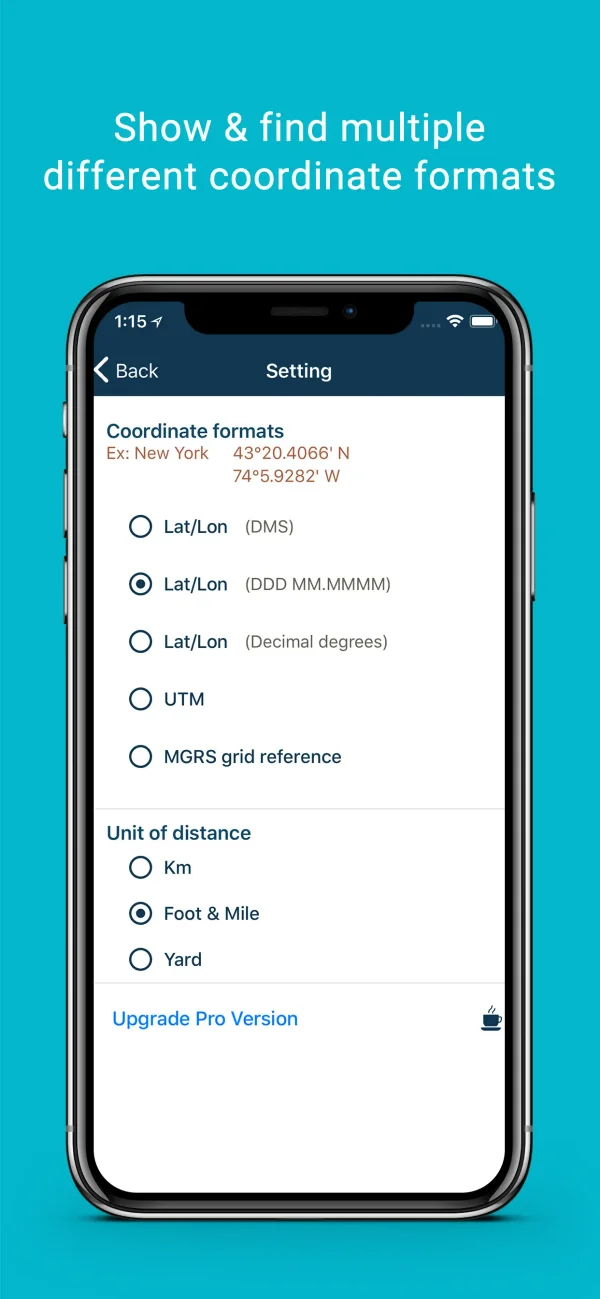
Support finding and showing position via 5 types:
1. Decimal degrees (DD)
2. Degrees°minute’ seconds" (DMS)
3. Degrees° minute.decimal’ (DM)
4. The Universal Transverse Mercator (UTM)
5. The Military Grid Reference System (MGRS)
Map Coordinate is application compass and google map work together, is a navigational instrument that shows directions in a frame of reference that is stationary relative to the surface of the Earth. And will help you retrieve the coordinates and/or address of a specific location on the map. The frame of reference defines the four cardinal directions (or points) – north, south, east, and west. Intermediate directions are also defined.
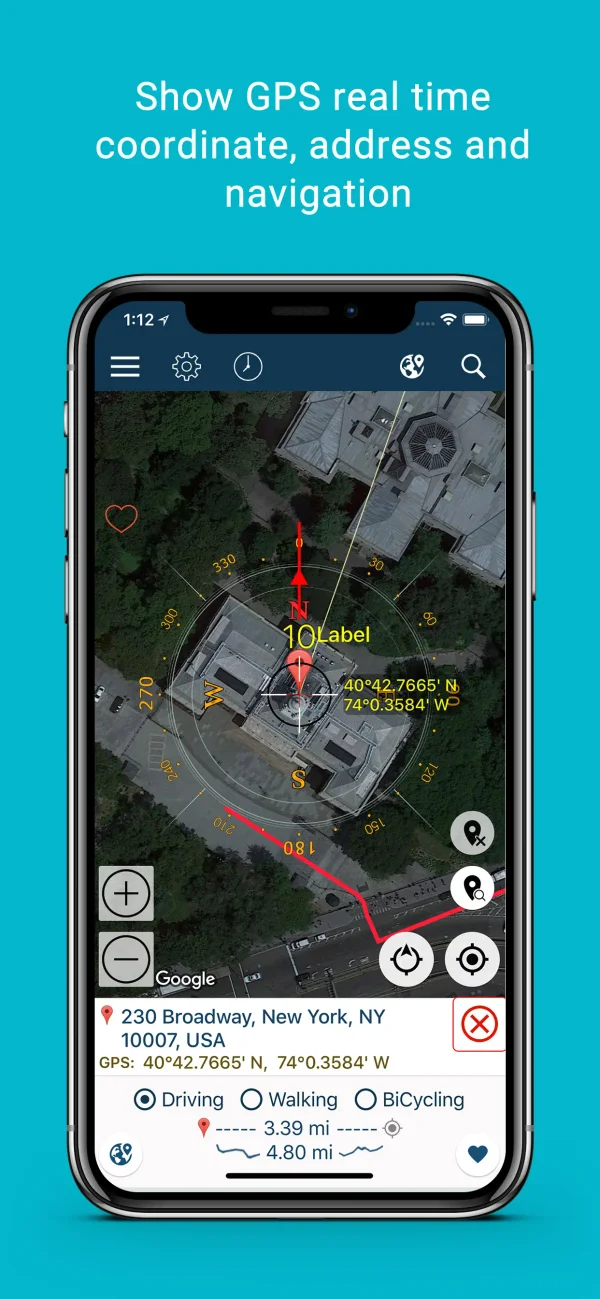
+ You can quick get direction by tap on screen via 3 types: Driving, Walking & BiCycling
+ You can use it in operations at sea, in the forest, desert, direction of flight of the aircraft ...
+ You can quick to search address or find out exactly location by enter Coordinates or enter Latitude & longitude.
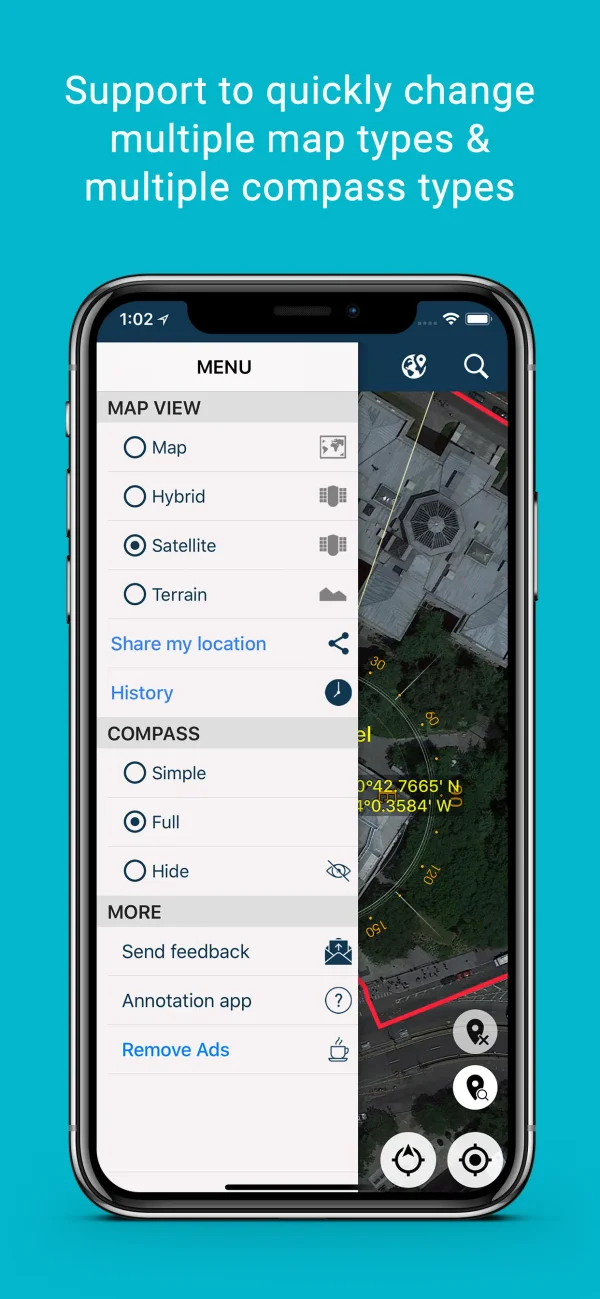
+ You can quick to switch 4 types of maps:
- normal
- satellite
- terrain
- hybrid
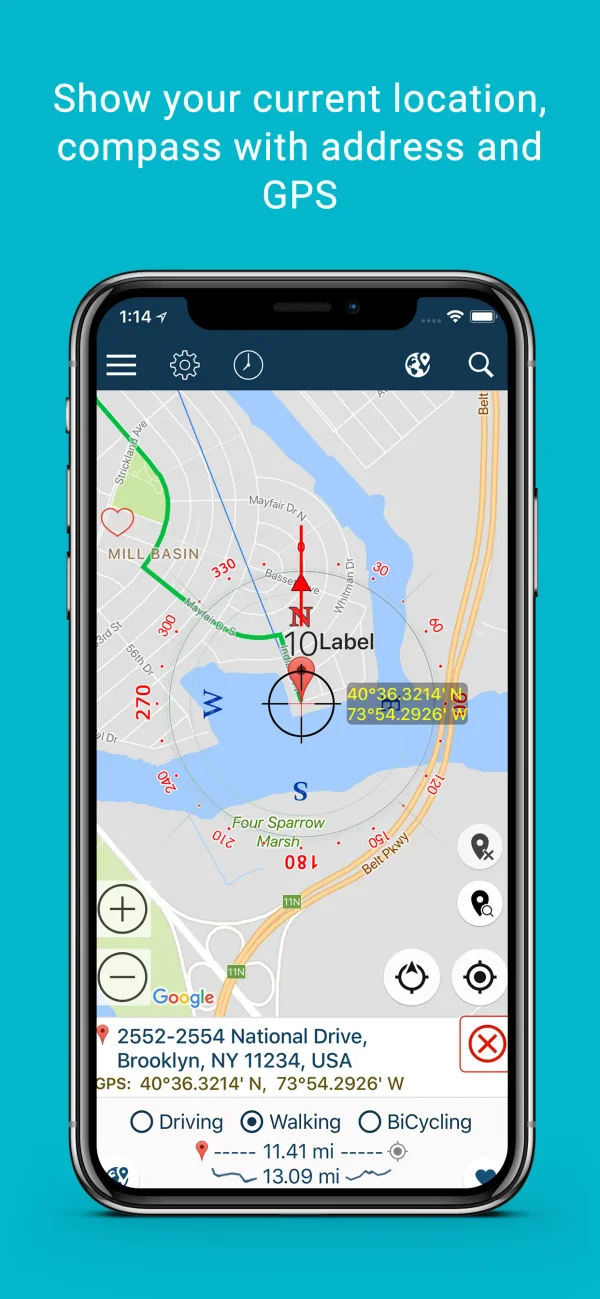
"Map Coordinate" can use GPS to find your location and address you standing. You can connect directly via Google Map by push on button "direction" on the bottom left screen when you activate this feature.
FEATURES
- A tool to find the directions when you fear to lost your directions via direction Google Map
- Support Zoom out by push on Marker or
- Show your position on Google Map background with latitude - longitude
- Shows degrees in “side window”
- Display latitude, longitude and altitude
- GPS Location update
- Select the best network connection automatically (Wifi, 3G, GPS)
- True north/Magnetic north
- 2 compass design/styles and 3 themes to select
- Quick Calibration
- Customizable coordinate format, sensor rate, text size, text color, unit
- Menu shortcut button on main screen
- Keep screen awake
- Rotating bezel
- Support Map Coordinates
- Find easiest and fastest route for your destination.
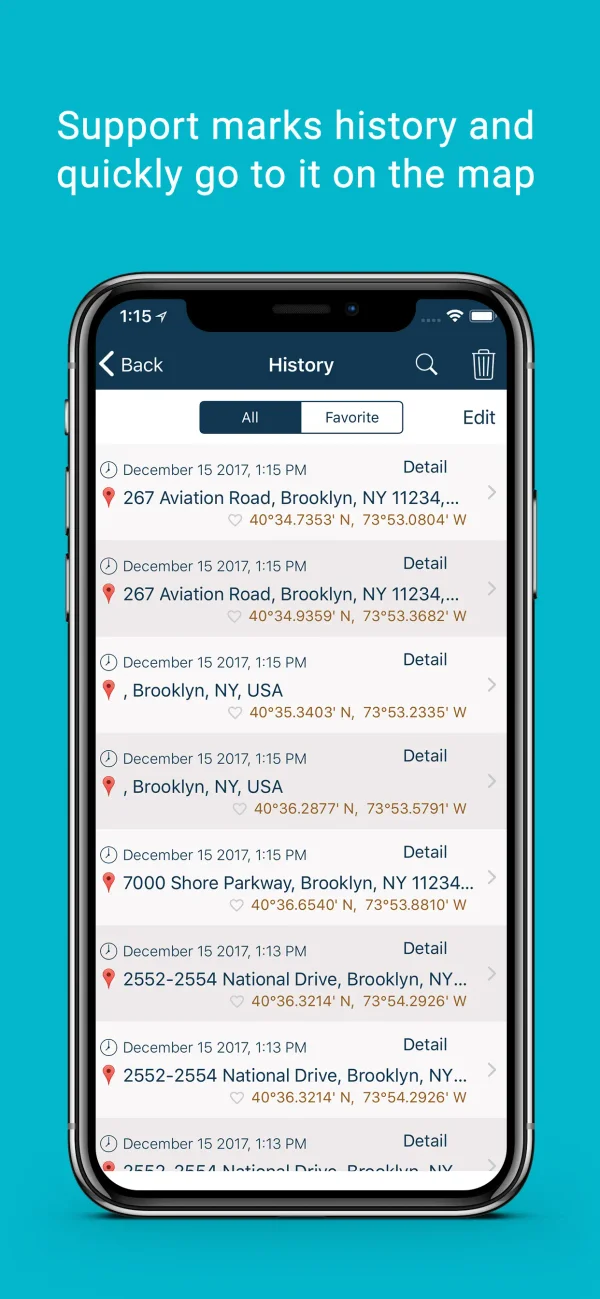
- Easily track all the locations you have visited.
- Find Address of any area in map by search option or touch on map.
- Easily delete your complete location history just by one click.
- Best GPS Route Finder app for your mobile.
- GPS Route Finder is completely.
- The application use some icons and design from website:
# icons8.com
# freepik.com
# clipartbro.com
# Pixeden.com
- The Application use third party open source from website:
# github.com/scalessec/Toast-Swift
# github.com/Alamofire/Alamofire
# github.com/volkerv/GeoCoordinateConverter
# github.com/AssistoLab/DropDown
# github.com/yukiasai/Gecco tutorial
# github.com/jonkykong/SideMenu
# github.com/groue/GRDB.swift
# github.com/CosmicMind/Material
# github.com/hackiftekhar/IQKeyboardManager
# github.com/tobihagemann/THLabel
# github.com/bizz84/SwiftyStoreKit
# pixeden.com/psd-mock-up-templates/psd-iphone-xs-max-mockup
---
Thank you for your using my app !
---
Terms of Use: https://www.apple.com/legal/internet-services/itunes/dev/stdeula/
Privacy Policy: https://policy651661124.wordpress.com/privacy-policy-map-coordinate/
Terms of Service: https://policy651661124.wordpress.com/terms-of-service-map-coordinate/
Novidades
Versão 2.1.25 · 18/10/2026
Update UI
Privacidade do app
O que Xuan Luong Do declara na App Store sobre como este app lida com os dados.
-
Dados usados para rastrear você
Podem ser usados para rastrear você em apps e sites de outras empresas.
- Localização
- Identificadores
- Dados de uso
- Diagnóstico
-
Dados vinculados a você
Podem ser coletados e vinculados à sua identidade.
- Localização
- Identificadores
- Dados de uso
- Diagnóstico
As práticas de privacidade podem variar, por exemplo, com base nos recursos que você usa ou na sua idade.
Informações
- Vendedor
- Xuan Luong Do
- Categoria
- Utilidades
- Versão
- 2.1.25
- Atualizado
- 18/10/2026
- Lançamento
- 25/05/2017
- Tamanho
- 43,6 MB
- Requer
- iOS 16.0 ou posterior
- Classificação etária
- 12+
- Preço
- Grátis
- Compras no app
- Sim
- Idiomas
- Inglês
- Copyright
- © BlueStar
Você também pode gostar
-
 UTM MGRS MapUTM MGRS Map
-
 Measure Map ProÁrea, distância e topografia
-
 Medir Terrenos GPS - GMapperExplore mapas com GPS medidor
-
 Go Map!!Utilidades
-
 GPS fields area measureMedir área e distancia no mapa
-
 GPS Status ∞ CoordenadasBússola, Altímetro, Velocidade
-
 Free Map ToolsUtilidades
-
 GPS Medição de TerrenoCalculadora de Área e Lavoura
-
 Planimeter for map measureUtilidades
-
 Bússola DirecionalBússola leste oeste sul norte