- Batasan usia4+
- KategoriMusik
- PengembangJeny Goentoro
- BahasaInggris
- Ukuran39,7 MB
Tertaut ke halaman resmi App Store
Download.org tidak menyimpan file MP3 Trimmer apa pun. Tombol ini membuka halaman aplikasi di App Store, tempat Jeny Goentoro menerbitkannya. Halaman terakhir diperiksa pada 14/11/2026.
Tangkapan layar
Tentang
Pengembang belum menyediakan teks ini dalam bahasa Anda.
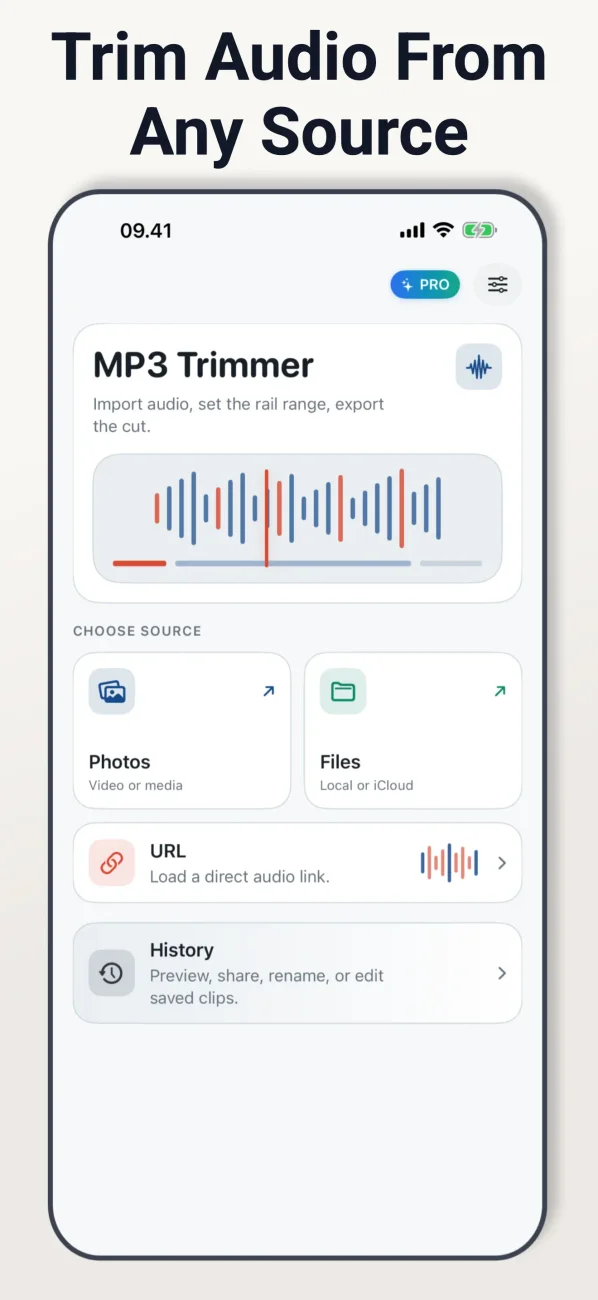
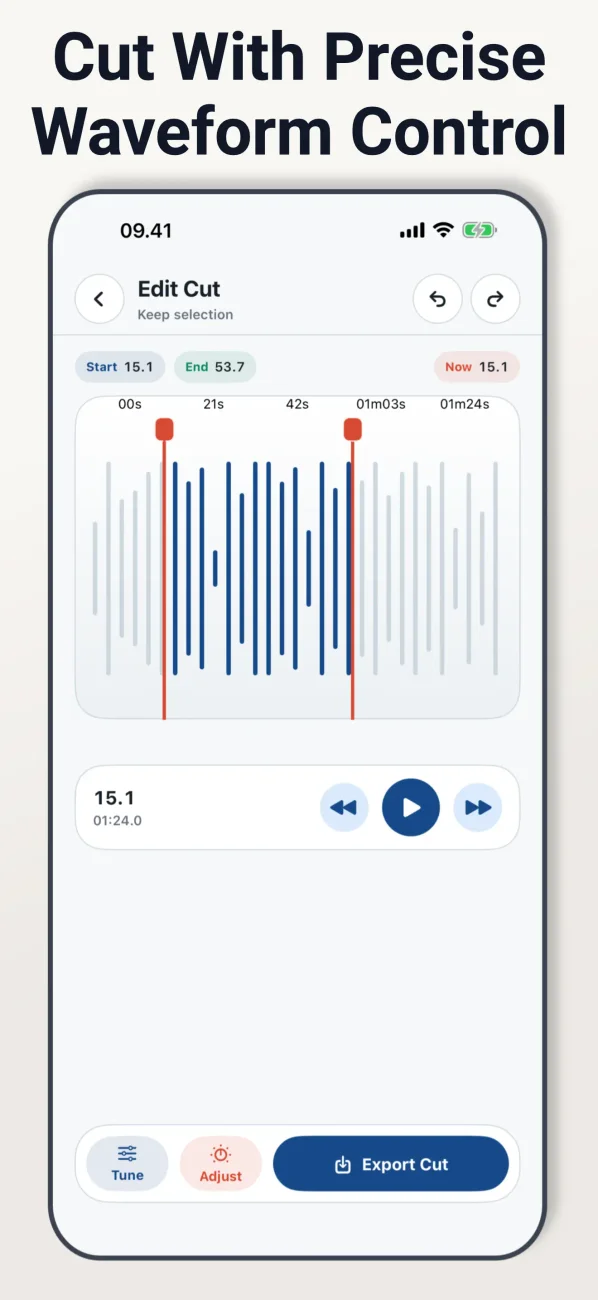
MP3 Trimmer helps you cut audio into the exact section you want to keep. Import a clip from Photos, Files, or a direct URL, then use the waveform editor to choose the start and end points before saving the result.
The app is built for practical audio edits: shortening a recording, cutting a song section, preparing a sound bite, cleaning up a voice note, or keeping only the useful part of a longer file. You can preview the selected range, switch between regular cut and middle cut, and make small adjustments with zoom, playback controls, and undo or redo.
Edit Audio With Control
- Import audio from Photos, Files, or URL
- Trim with draggable waveform handles
- Use regular cut or middle cut mode
- Zoom into the waveform for finer timing
- Preview playback before exporting
- Undo or redo trim changes while editing
Adjust the Output
- Change volume before saving
- Adjust tempo when needed
- Add fade in and fade out
- Choose output quality options
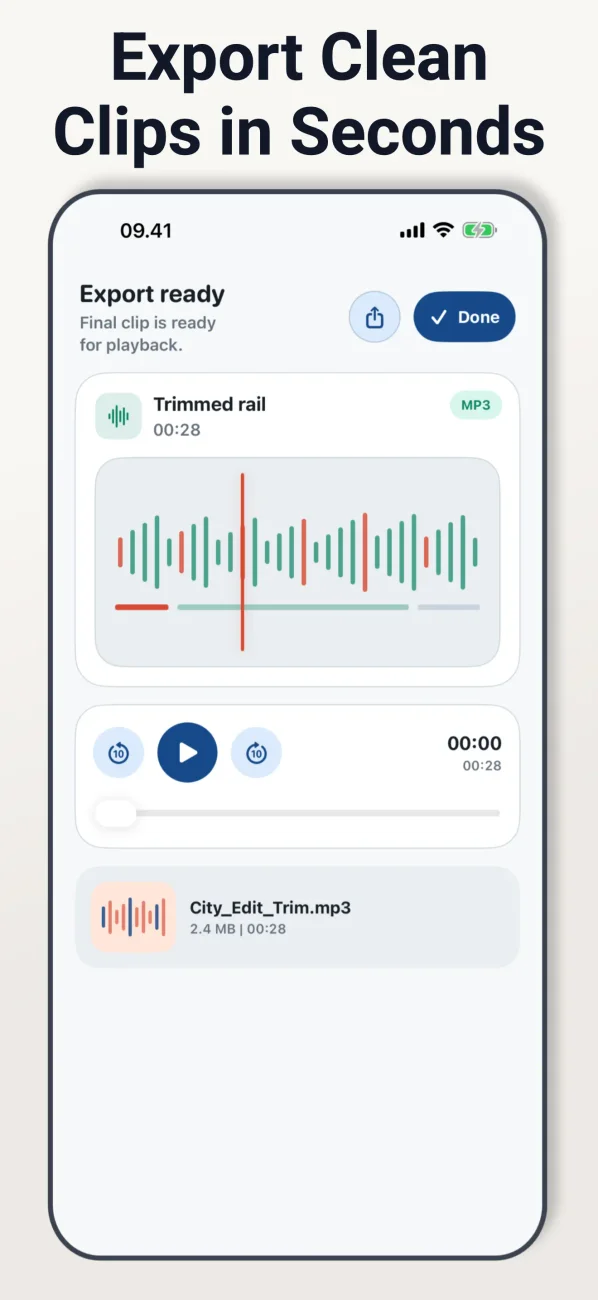
- Save the finished audio file
- Share the result from the export screen
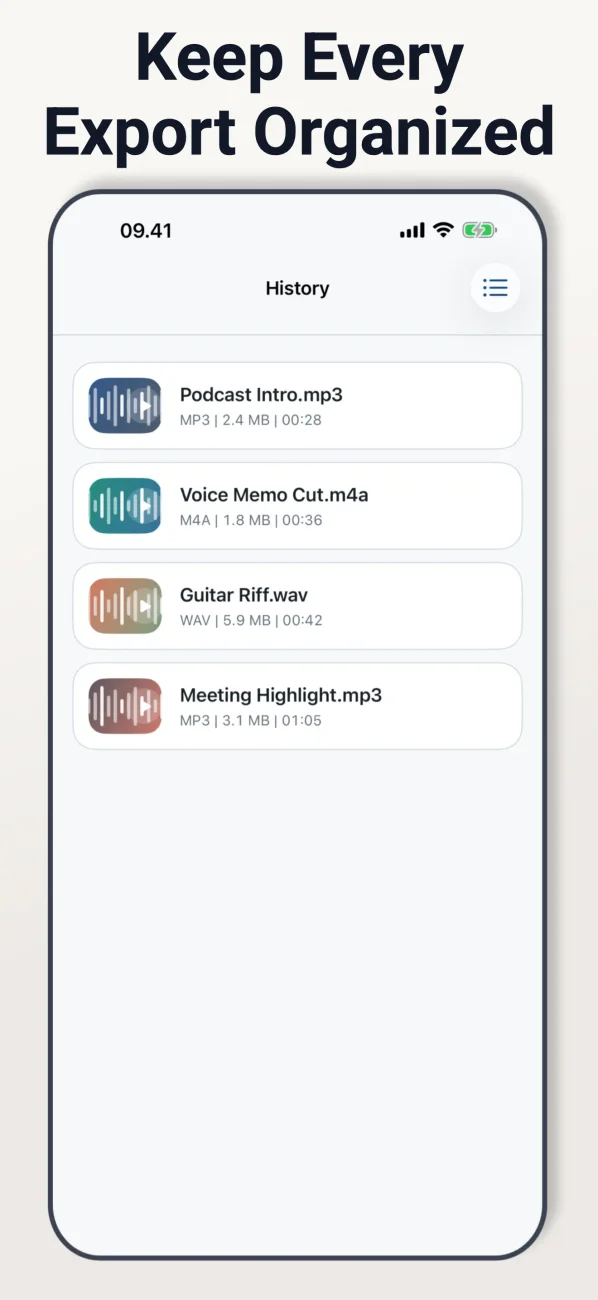
Keep Your Clips Organized
- View saved audio in History
- Preview previous exports
- Rename saved clips
- Share or delete saved files
- Reopen a saved clip for another edit
MP3 Trimmer works well for audio notes, music snippets, ringtone-style clips, podcast cuts, study recordings, voice memos, and quick social media sound edits. Most editing happens on your device after you choose the source file. URL import requires network access to download the audio.
MP3 Trimmer is free to use. Optional Pro access removes ads, unlocks unlimited trims, and enables all output options.
Terms of Use: https://alderpathstudio.github.io/MP3-Trimmer/term-of-use.html
Privacy Policy: https://alderpathstudio.github.io/MP3-Trimmer/privacy-policy.html
Privasi aplikasi
Yang dinyatakan Jeny Goentoro di App Store tentang cara aplikasi ini menangani data.
-
Data yang digunakan untuk melacak Anda
Dapat digunakan untuk melacak Anda di aplikasi dan situs web milik perusahaan lain.
- Pembelian
- Pengenal
- Data penggunaan
- Diagnostik
-
Data yang tidak ditautkan dengan Anda
Dapat dikumpulkan, tetapi tidak ditautkan dengan identitas Anda.
- Pembelian
- Pengenal
- Data penggunaan
- Diagnostik
Praktik privasi dapat bervariasi, misalnya berdasarkan fitur yang Anda gunakan atau usia Anda.
Informasi
- Penjual
- Jeny Goentoro
- Kategori
- Musik
- Versi
- 1.0
- Diperbarui
- 24/6/2026
- Dirilis
- 25/6/2026
- Ukuran
- 39,7 MB
- Memerlukan
- iOS 16.0 atau yang lebih baru
- Batasan usia
- 4+
- Harga
- Gratis
- Pembelian dalam aplikasi
- Ya
- Bahasa
- Inggris
- Hak cipta
- © 2026 Alderpath Studio