- Age rating4+
- CategoryMusic
- DeveloperJeny Goentoro
- LanguagesEnglish
- Size39.7 MB
Links to the official App Store page
Download.org hosts no file of MP3 Trimmer. The button opens its official App Store page, published by Jeny Goentoro. Listing last checked on Nov 14, 2026.
Screenshots
About
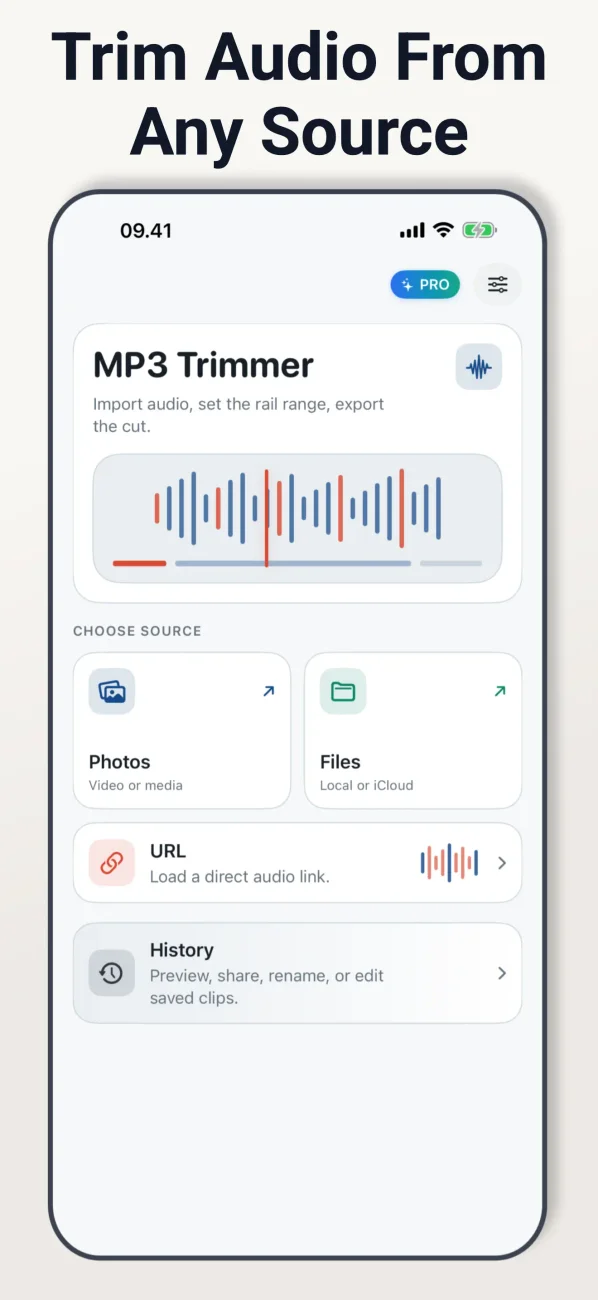
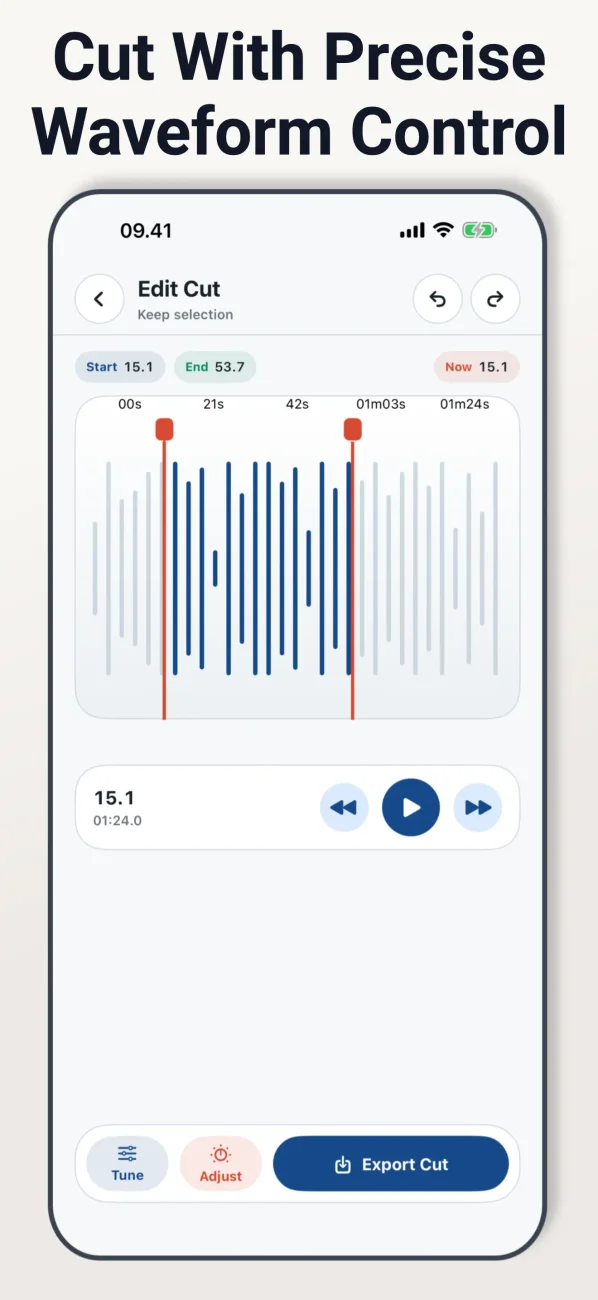
MP3 Trimmer helps you cut audio into the exact section you want to keep. Import a clip from Photos, Files, or a direct URL, then use the waveform editor to choose the start and end points before saving the result.
The app is built for practical audio edits: shortening a recording, cutting a song section, preparing a sound bite, cleaning up a voice note, or keeping only the useful part of a longer file. You can preview the selected range, switch between regular cut and middle cut, and make small adjustments with zoom, playback controls, and undo or redo.
Edit Audio With Control
- Import audio from Photos, Files, or URL
- Trim with draggable waveform handles
- Use regular cut or middle cut mode
- Zoom into the waveform for finer timing
- Preview playback before exporting
- Undo or redo trim changes while editing
Adjust the Output
- Change volume before saving
- Adjust tempo when needed
- Add fade in and fade out
- Choose output quality options
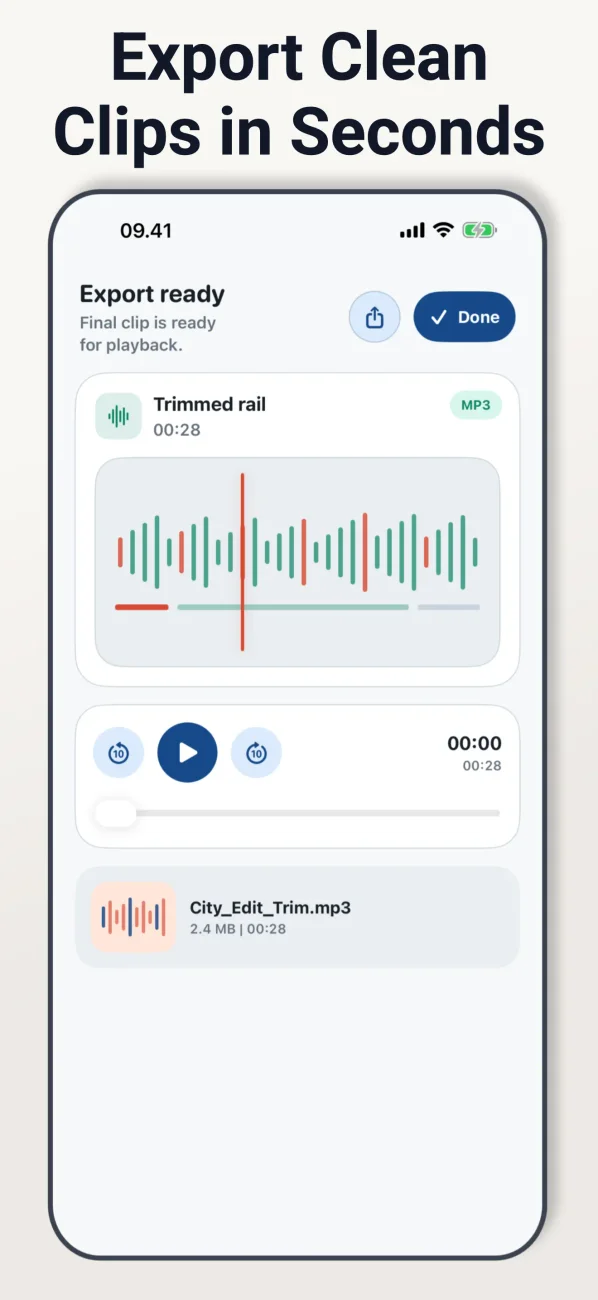
- Save the finished audio file
- Share the result from the export screen
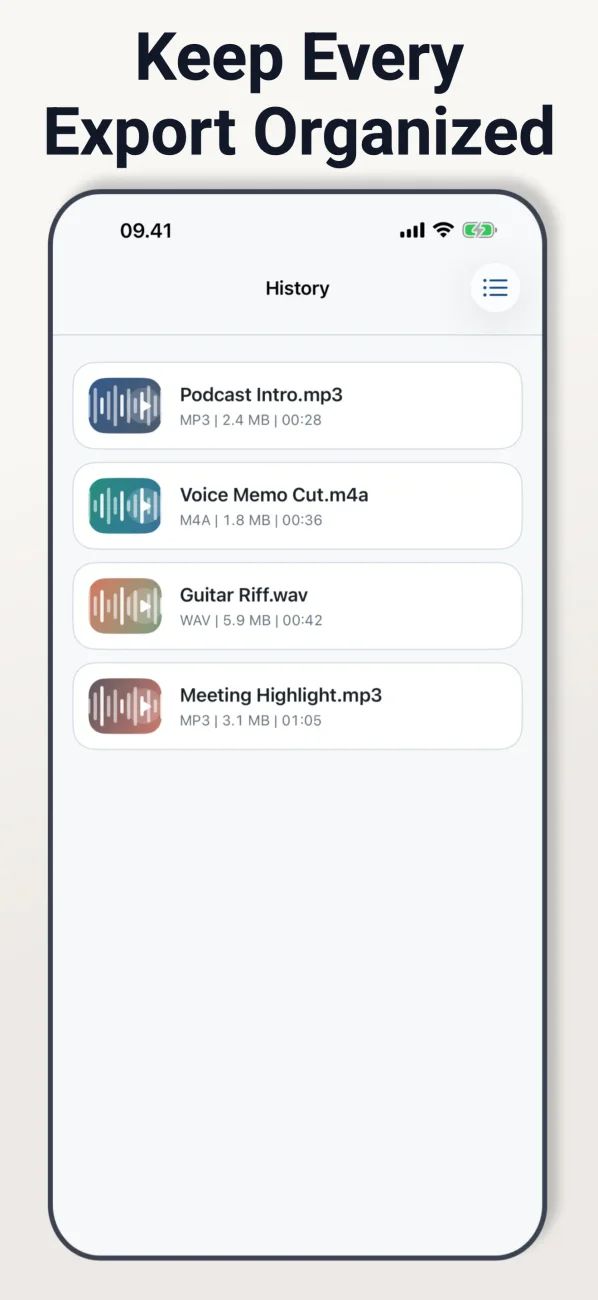
Keep Your Clips Organized
- View saved audio in History
- Preview previous exports
- Rename saved clips
- Share or delete saved files
- Reopen a saved clip for another edit
MP3 Trimmer works well for audio notes, music snippets, ringtone-style clips, podcast cuts, study recordings, voice memos, and quick social media sound edits. Most editing happens on your device after you choose the source file. URL import requires network access to download the audio.
MP3 Trimmer is free to use. Optional Pro access removes ads, unlocks unlimited trims, and enables all output options.
Terms of Use: https://alderpathstudio.github.io/MP3-Trimmer/term-of-use.html
Privacy Policy: https://alderpathstudio.github.io/MP3-Trimmer/privacy-policy.html
App privacy
What Jeny Goentoro declares on the App Store about how this app handles data.
-
Data used to track you
May be used to track you across apps and websites owned by other companies.
- Purchases
- Identifiers
- Usage data
- Diagnostics
-
Data not linked to you
May be collected but is not linked to your identity.
- Purchases
- Identifiers
- Usage data
- Diagnostics
Privacy practices may vary, for example with the features you use or your age.
Information
- Seller
- Jeny Goentoro
- Category
- Music
- Version
- 1.0
- Updated
- Jun 24, 2026
- Released
- Jun 25, 2026
- Size
- 39.7 MB
- Requires
- iOS 16.0 or later
- Age rating
- 4+
- Price
- Free
- In-app purchases
- Yes
- Languages
- English
- Copyright
- © 2026 Alderpath Studio
You might also like
-
 Riconoscimento TonalitàMusic
-
 OtoCanvasMusic
-
 Vocal Remover - Music SplitterSeparate vocal & instrumental
-
 Audio Converter - AxyonitConvert to MP3, MP4, M4A, AAC
-
 Music Cutter ™Music
-
 Cube SynthMusic
-
 Session: Vocal Remover & LoopSlow down, change key, sing
-
 NoteTamerMusic
-
 Share Music - Universal LinksSend Songs Across Any Platform
-
 Audio Cutter : MP3 SplitterAudio Splitter & Audio Joiner