
- Batasan usia4+
- KategoriProduktivitas
- Pengembanglu qi hao
- BahasaTionghoa Tradisional+ 3 lainnya
- Ukuran50,8 MB
Tertaut ke halaman resmi App Store
Download.org tidak menyimpan file One Touch Work Log apa pun. Tombol ini membuka halaman aplikasi di App Store, tempat lu qi hao menerbitkannya. Halaman terakhir diperiksa pada 12/11/2026.
Tangkapan layar



Tentang
Pengembang belum menyediakan teks ini dalam bahasa Anda.
Know where your workday went, one tap at a time.
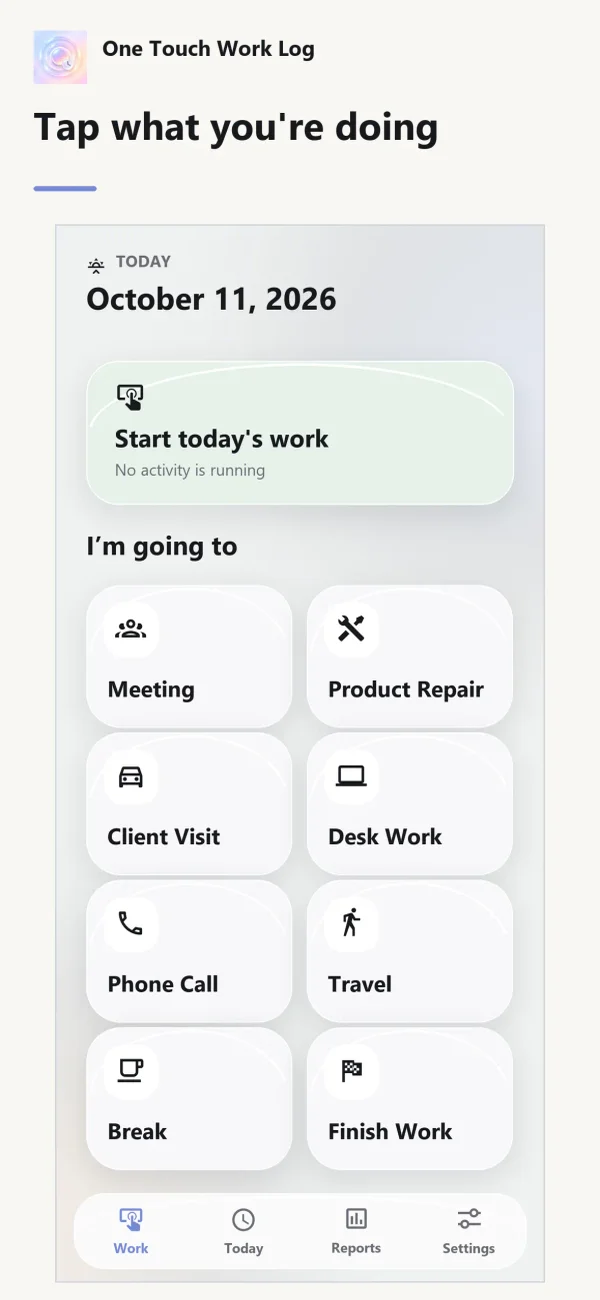
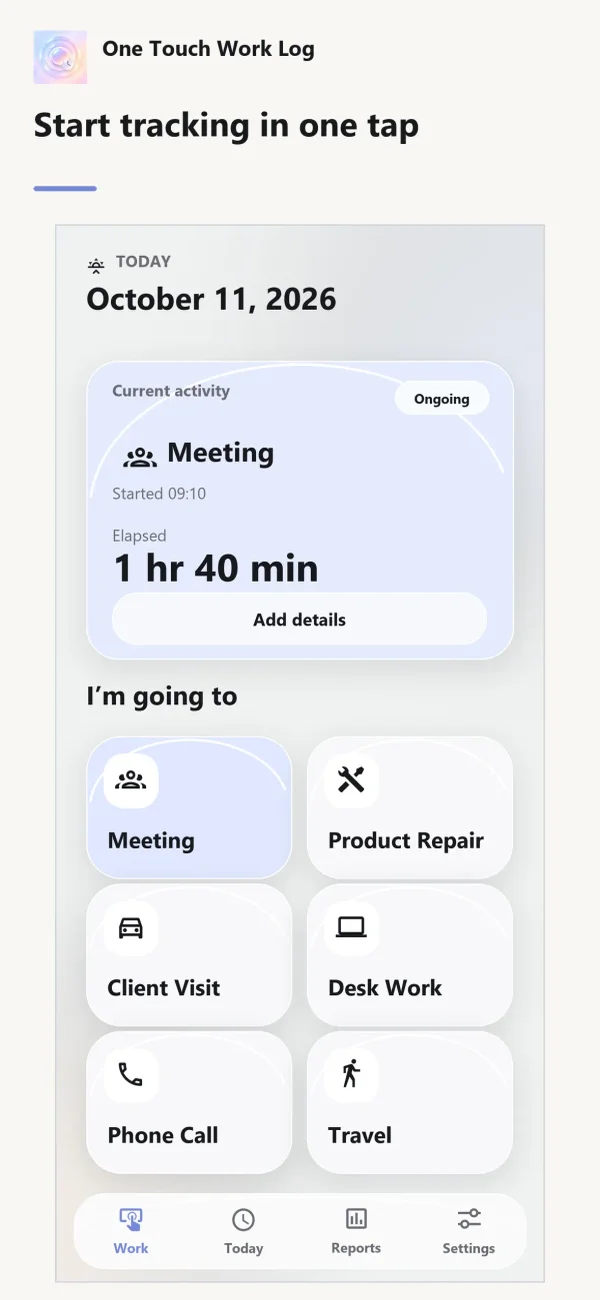
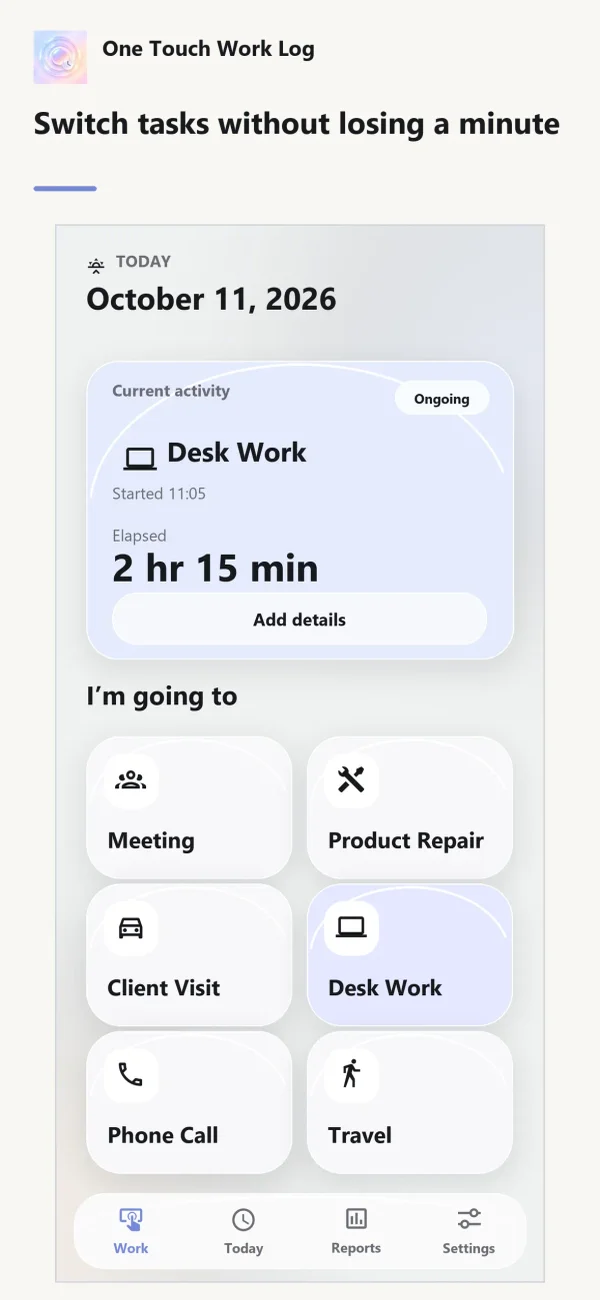
One Touch Work Log is a simple work-time tracker. Tap the activity you're doing to start recording. When you switch to the next activity, the previous entry ends automatically, building a clear timeline of your day.
SWITCH ACTIVITIES WITH ONE TAP
Choose from your work activities to start logging a meeting, client visit, desk work, phone call, travel, or whatever your day involves.
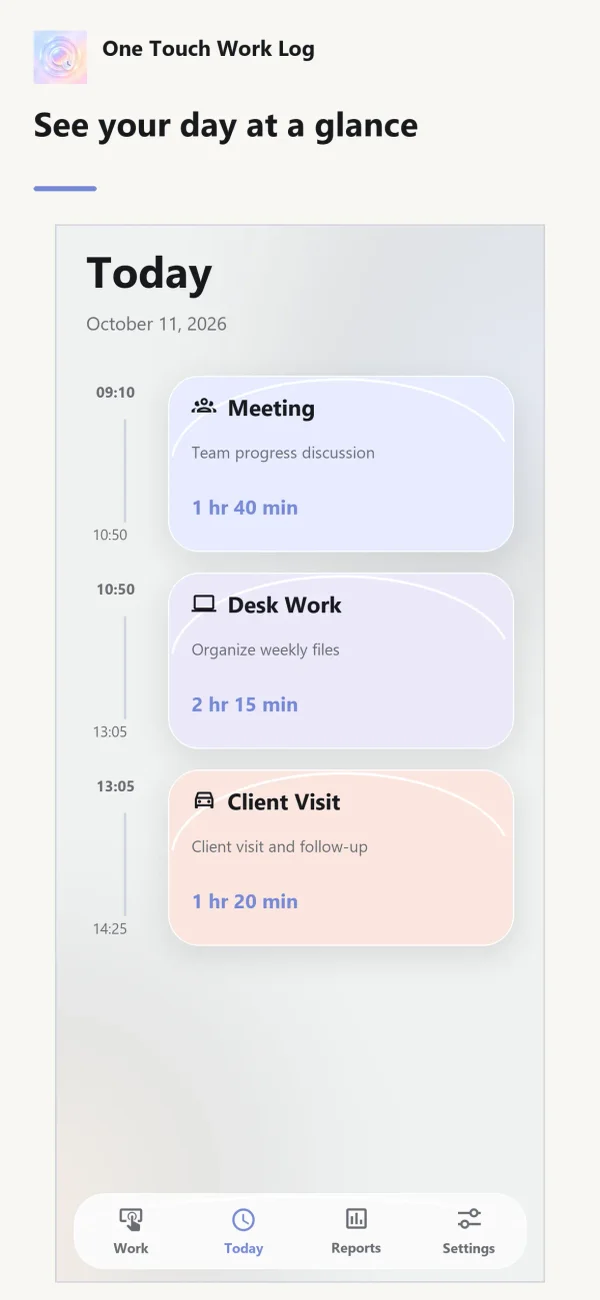
SEE YOUR DAY AS A TIMELINE
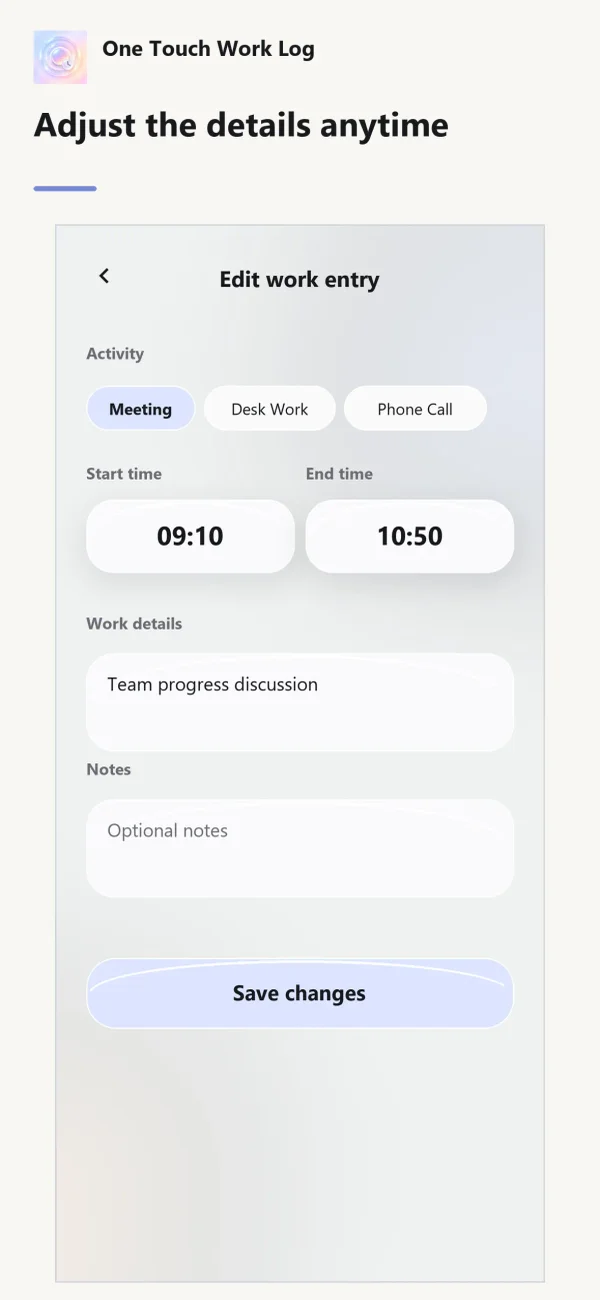
Review each entry's start and end times, details, and notes. Edit an activity, its times, or its content whenever you need to correct a record.
GET A DAILY REPORT
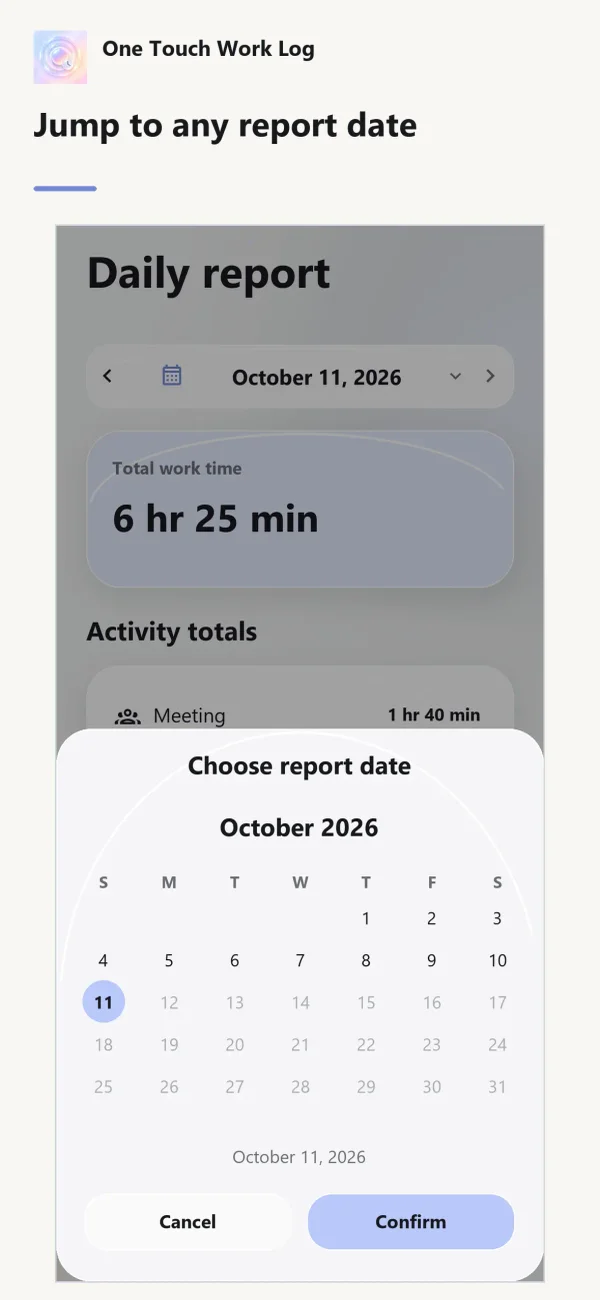
Pick a date from the calendar to see total work time, time by activity, and the full timeline. No manual totaling required.
SHARE YOUR WORK LOG
Copy a daily report as text, email it, or use the system share menu. When you choose to, you can also add completed work entries to Calendar.
MAKE IT YOUR WORKFLOW
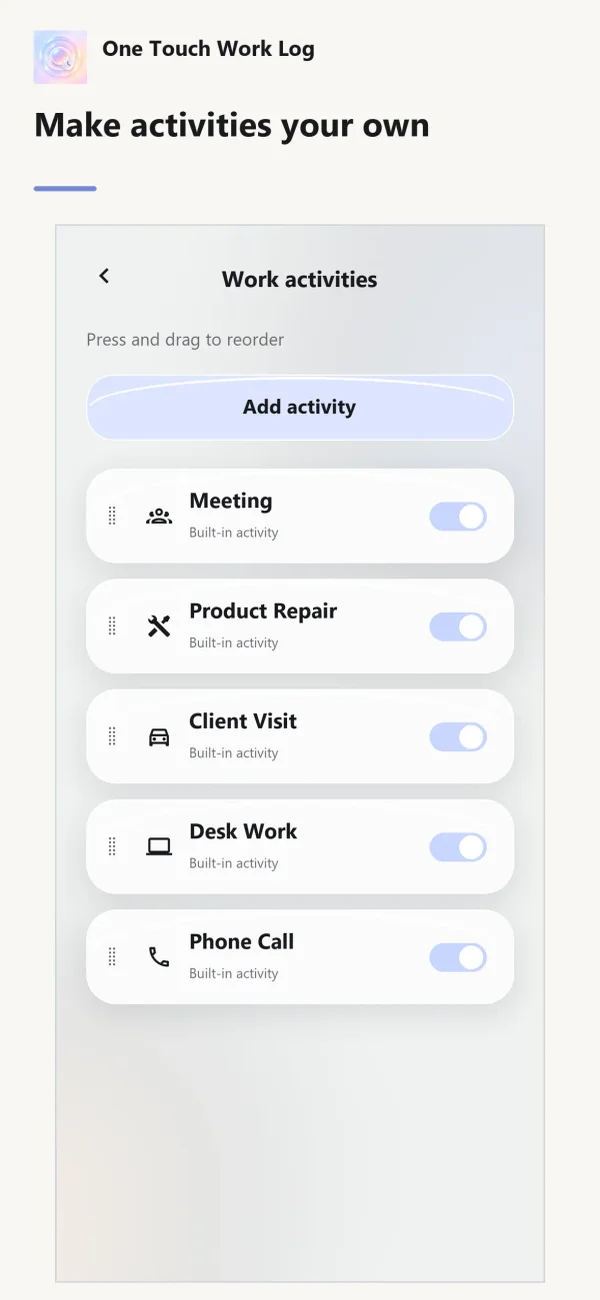
Add, edit, reorder, or hide activities. Choose light, dark, or system appearance and use the app in English, Traditional Chinese, Simplified Chinese, or Japanese.
Core work entries are stored on your device, and no account is required. The app may display ads. See the privacy policy for information about ad-related data processing and your choices.
Yang baru
Versi 1.2 · 13/10/2026
Version 1.2 improves startup stability and the bottom layout, keeping content, ads, and navigation clearly separated. You can choose a report date directly from a calendar, and the interface updates when you change the app language.
Privasi aplikasi
Yang dinyatakan lu qi hao di App Store tentang cara aplikasi ini menangani data.
-
Data yang ditautkan dengan Anda
Dapat dikumpulkan dan ditautkan dengan identitas Anda.
- Pengenal
- Diagnostik
-
Data yang tidak ditautkan dengan Anda
Dapat dikumpulkan, tetapi tidak ditautkan dengan identitas Anda.
- Lokasi
- Data penggunaan
Praktik privasi dapat bervariasi, misalnya berdasarkan fitur yang Anda gunakan atau usia Anda.
Informasi
- Penjual
- lu qi hao
- Kategori
- Produktivitas
- Versi
- 1.2
- Diperbarui
- 13/10/2026
- Dirilis
- 22/9/2026
- Ukuran
- 50,8 MB
- Memerlukan
- iOS 16.4 atau yang lebih baru
- Batasan usia
- 4+
- Harga
- Gratis
- Bahasa
- Tionghoa Tradisional, Jepang, Tionghoa Sederhana, Inggris
- Hak cipta
- Copyright©[AlexLu2026]
Mungkin Anda juga suka
-
 HorseShowPrepProduktivitas
-
 Weldweft: Welding LogProduktivitas
-
 indxCloudProduktivitas
-
 Absen Otomatis - AutoTimecardAbsensi & rekap jam kerja
-
 PinIslandProduktivitas
-
 Sleevy - Pengelola bookmarkSimpan tautan. Baca nanti.
-
 Detect & SolveProduktivitas
-
 easy timer-the simplest timerProduktivitas
-
 Pencatat Jam Kerja: HourlyTimesheet, Shift & Log Harian
-
 PinNotes: Map MakerProduktivitas