PDF Tools: Merge Split Edit
Convert,Watermark&Page Manager
Dirancang untuk iPhone, iPad
Gratis · Pembelian dalam aplikasi
- Batasan usia4+
- KategoriProduktivitas
- Pengembang云峰 林
- BahasaInggris+ 11 lainnya
- Ukuran5,3 MB
Tertaut ke halaman resmi App Store
Download.org tidak menyimpan file PDF Tools: Merge Split Edit apa pun. Tombol ini membuka halaman aplikasi di App Store, tempat 云峰 林 menerbitkannya. Halaman terakhir diperiksa pada 12/11/2026.
Tangkapan layar
Tentang
Pengembang belum menyediakan teks ini dalam bahasa Anda.
PDF Assistant is a powerful all-in-one PDF processing tool that provides professional PDF handling solutions.
【KEY FEATURES】
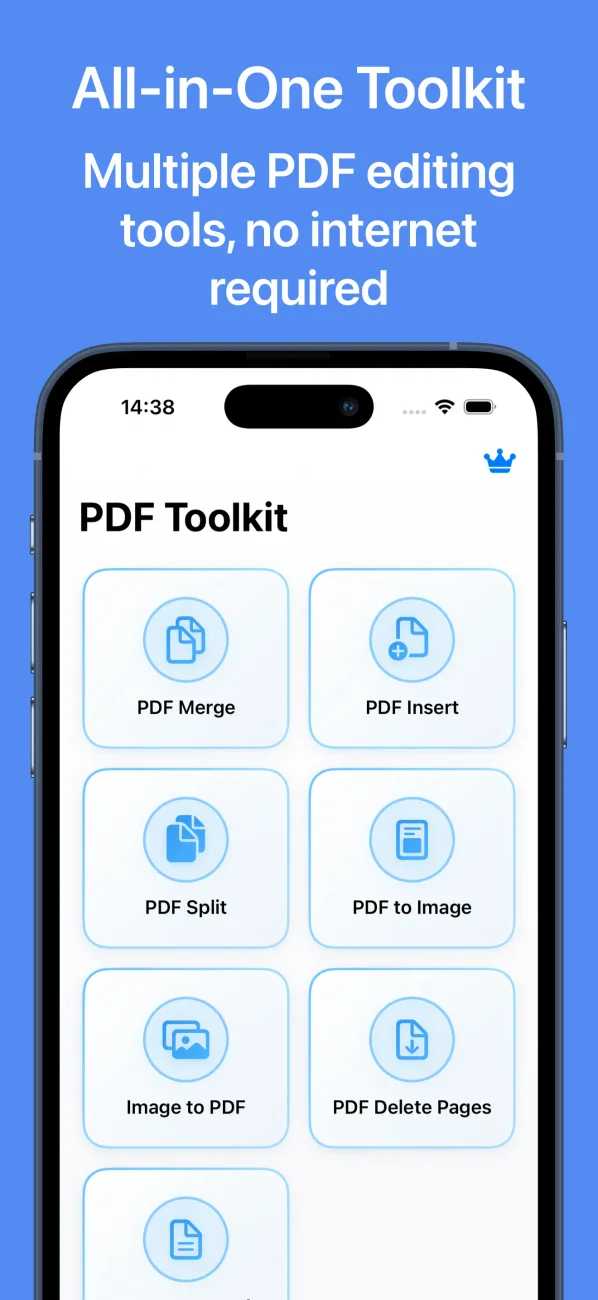
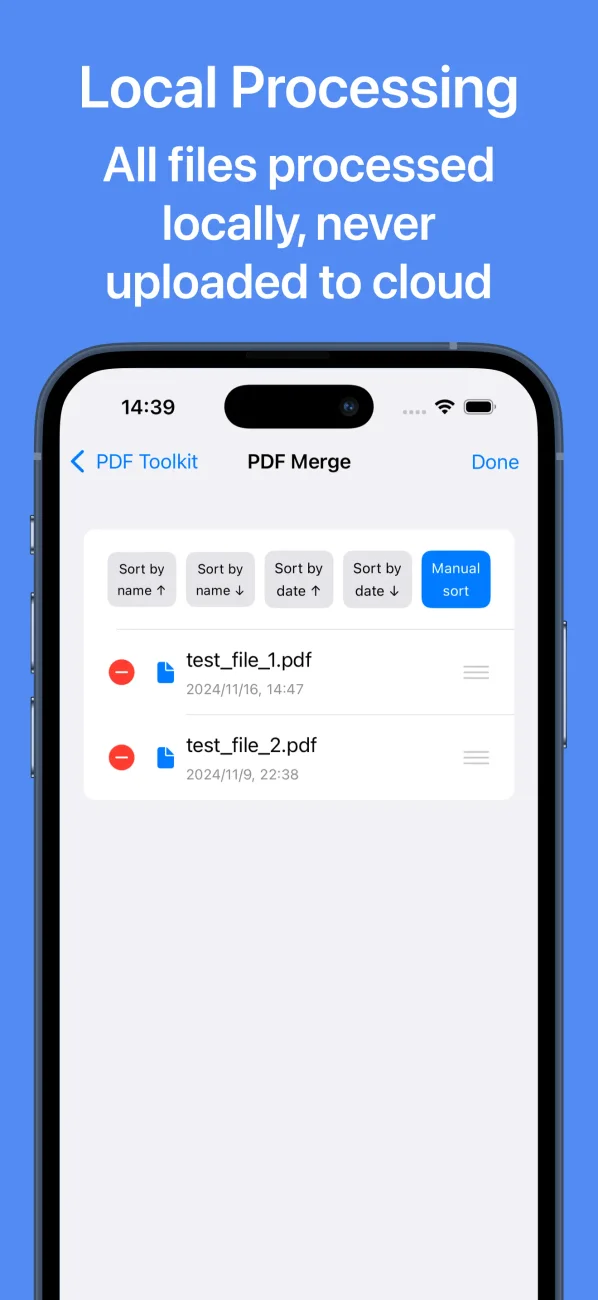
• PDF Merge: Quickly combine multiple PDFs into one
• PDF Split: Divide PDF documents into separate files
• PDF Insert: Add new pages to existing PDFs
• PDF to Image: Convert PDF pages to high-quality images
• Image to PDF: Batch convert images to PDF format
• PDF Page Delete: Easily remove specific pages
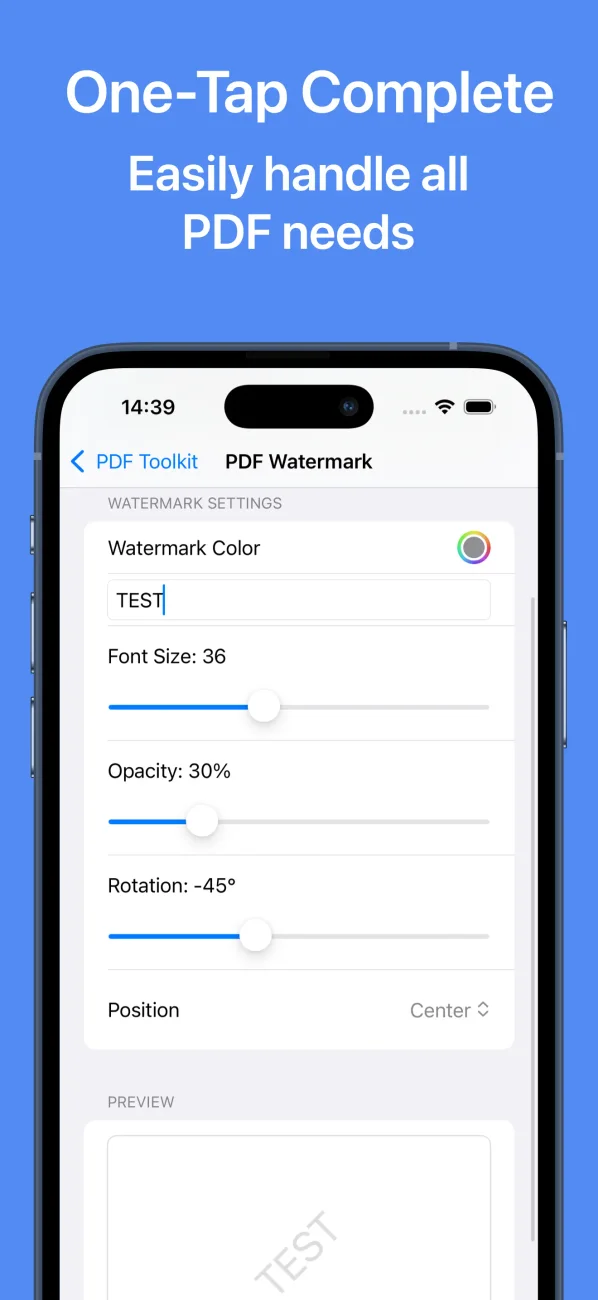
• PDF Watermark: Add custom text or image watermarks
【WHY CHOOSE US】
• User-Friendly: Clean interface with intuitive controls
• Comprehensive: All essential PDF tools in one app
• Fast Processing: Advanced algorithms for quick results
• Local Processing: All operations performed locally for security
• No Registration: Start using immediately after download
【PERFECT FOR】
• Work & Study: Organize learning materials and work documents
• File Management: Arrange and organize PDF files
• Document Editing: Adjust PDF page order
• Content Extraction: Extract images from PDFs
• Format Conversion: Create PDFs from multiple images
【Subscription Terms】
■ Subscription Plans
• Lifetime (one-time purchase)
■ Member Benefits
• Access to all premium features
• Unlimited use of all functions
• Priority access to new features
■ Subscription Rules
• Payment will be charged to iTunes Account at confirmation of purchase
• Subscription automatically renews unless auto-renew is turned off at least 24 hours before the end of the current period
• Account will be charged for renewal within 24 hours prior to the end of the current period
• Any unused portion of a free trial period will be forfeited when purchasing a subscription
■ How to Cancel
1. Open device Settings
2. Tap your Apple ID at the top
3. Tap "Subscriptions"
4. Find "PDF Assistant" and manage subscription
■ Legal
• Terms of Service: http://simp.ly/p/5FYqZX
• Privacy Policy: http://simp.ly/p/OYXLkD
Let PDF Assistant be your PDF expert, making document handling effortless and efficient!
Yang baru
Versi 1.2 · 8/9/2025
1. Optimize UI display
Privasi aplikasi
Yang dinyatakan 云峰 林 di App Store tentang cara aplikasi ini menangani data.
-
Data yang digunakan untuk melacak Anda
Dapat digunakan untuk melacak Anda di aplikasi dan situs web milik perusahaan lain.
- Pengenal
- Data penggunaan
-
Data yang tidak ditautkan dengan Anda
Dapat dikumpulkan, tetapi tidak ditautkan dengan identitas Anda.
- Pengenal
- Data penggunaan
Praktik privasi dapat bervariasi, misalnya berdasarkan fitur yang Anda gunakan atau usia Anda.
Informasi
- Penjual
- 云峰 林
- Kategori
- Produktivitas
- Versi
- 1.2
- Diperbarui
- 8/9/2025
- Dirilis
- 18/11/2024
- Ukuran
- 5,3 MB
- Memerlukan
- iOS 16.0 atau yang lebih baru
- Batasan usia
- 4+
- Harga
- Gratis
- Pembelian dalam aplikasi
- Ya
- Bahasa
- Inggris, Prancis, Jerman, Italia, Jepang, Korea, Portugis, Rusia, Tionghoa Sederhana, Spanyol, Thai, Tionghoa Tradisional
- Hak cipta
- © Yunfeng Lin
Mungkin Anda juga suka
-
 Penggabungan PDF -Pisahkan PDFGabungkan File PDF di detik
-
 Combine & Merge PDF ConverterProduktivitas
-
 Kompres PDF-Kompresor PDFPerkecil PDF & Tetap Jernih
-
 Gabungkan PDF - Satukan PDFMerge,Combine,Split,Scan PDF
-
 PDF Export: Editor & ConverterProduktivitas
-
 PDF Combiner - Gabung & PisahKonversi Foto ke PDF, Pemindai
-
 PDF Converter: PNG/JPG To PDFHTML,Convert SVG,Word,GIF,DOC
-
 Konverter PDF - PDF PembacaMengubah PDF ke Word Dokumen
-
 PDFMaker: JPG to PDF converterProduktivitas
-
 Convert DOC/DOCX to PDFProduktivitas