PDF Tools: Merge Split Edit
Convert,Watermark&Page Manager
Được thiết kế cho iPhone, iPad
Miễn phí · Mua hàng trong ứng dụng
- Độ tuổi4+
- Danh mụcHiệu Suất
- Nhà phát triển云峰 林
- Ngôn ngữTiếng Anh+ 11 ngôn ngữ khác
- Kích thước5,3 MB
Liên kết đến trang App Store chính thức
Download.org không lưu trữ tệp nào của PDF Tools: Merge Split Edit. Nút này mở trang ứng dụng trên App Store, nơi 云峰 林 phát hành ứng dụng. Trang được kiểm tra lần cuối: 12/11/2026.
Ảnh chụp màn hình
Giới thiệu
Nhà phát triển chưa cung cấp nội dung này bằng ngôn ngữ của bạn.
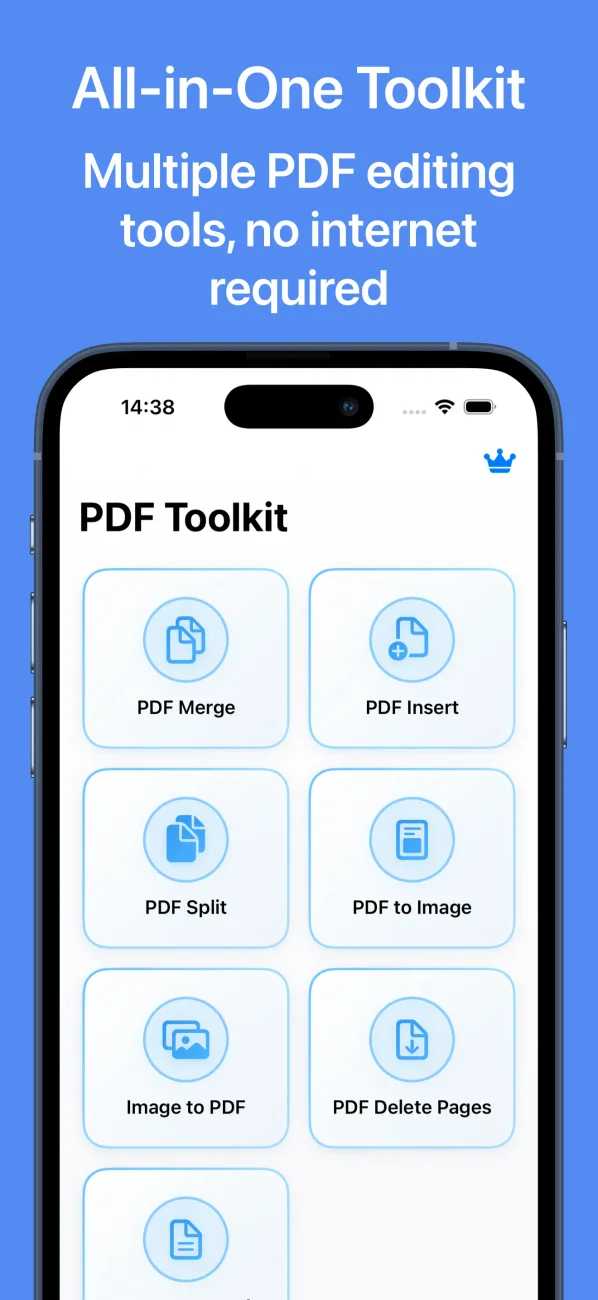
PDF Assistant is a powerful all-in-one PDF processing tool that provides professional PDF handling solutions.
【KEY FEATURES】
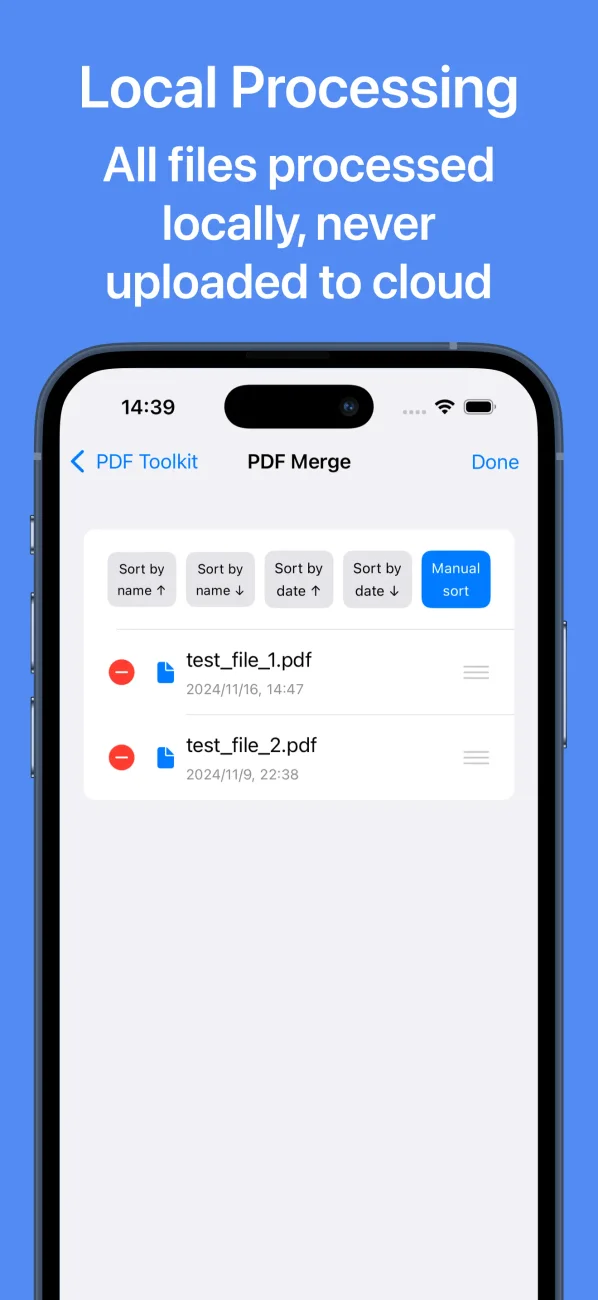
• PDF Merge: Quickly combine multiple PDFs into one
• PDF Split: Divide PDF documents into separate files
• PDF Insert: Add new pages to existing PDFs
• PDF to Image: Convert PDF pages to high-quality images
• Image to PDF: Batch convert images to PDF format
• PDF Page Delete: Easily remove specific pages
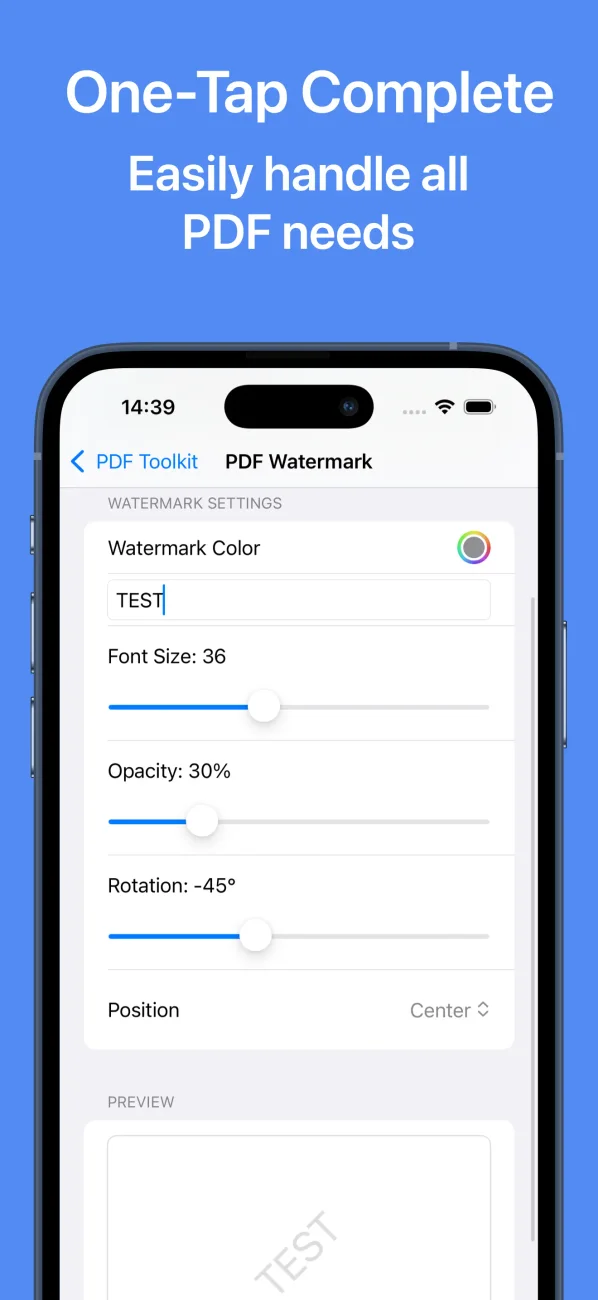
• PDF Watermark: Add custom text or image watermarks
【WHY CHOOSE US】
• User-Friendly: Clean interface with intuitive controls
• Comprehensive: All essential PDF tools in one app
• Fast Processing: Advanced algorithms for quick results
• Local Processing: All operations performed locally for security
• No Registration: Start using immediately after download
【PERFECT FOR】
• Work & Study: Organize learning materials and work documents
• File Management: Arrange and organize PDF files
• Document Editing: Adjust PDF page order
• Content Extraction: Extract images from PDFs
• Format Conversion: Create PDFs from multiple images
【Subscription Terms】
■ Subscription Plans
• Lifetime (one-time purchase)
■ Member Benefits
• Access to all premium features
• Unlimited use of all functions
• Priority access to new features
■ Subscription Rules
• Payment will be charged to iTunes Account at confirmation of purchase
• Subscription automatically renews unless auto-renew is turned off at least 24 hours before the end of the current period
• Account will be charged for renewal within 24 hours prior to the end of the current period
• Any unused portion of a free trial period will be forfeited when purchasing a subscription
■ How to Cancel
1. Open device Settings
2. Tap your Apple ID at the top
3. Tap "Subscriptions"
4. Find "PDF Assistant" and manage subscription
■ Legal
• Terms of Service: http://simp.ly/p/5FYqZX
• Privacy Policy: http://simp.ly/p/OYXLkD
Let PDF Assistant be your PDF expert, making document handling effortless and efficient!
Có gì mới
Phiên bản 1.2 · 08/09/2025
1. Optimize UI display
Quyền riêng tư của ứng dụng
Những gì 云峰 林 khai báo trên App Store về cách ứng dụng này xử lý dữ liệu.
-
Dữ liệu được sử dụng để theo dõi bạn
Có thể được sử dụng để theo dõi bạn trên các ứng dụng và trang web do công ty khác sở hữu.
- Mã định danh
- Dữ liệu sử dụng
-
Dữ liệu không liên kết với bạn
Có thể được thu thập nhưng không liên kết với danh tính của bạn.
- Mã định danh
- Dữ liệu sử dụng
Phương thức đảm bảo quyền riêng tư có thể khác nhau, chẳng hạn như tuỳ theo các tính năng bạn sử dụng hoặc độ tuổi của bạn.
Thông tin
- Người bán
- 云峰 林
- Danh mục
- Hiệu Suất
- Phiên bản
- 1.2
- Cập nhật
- 08/09/2025
- Phát hành
- 18/11/2024
- Kích thước
- 5,3 MB
- Yêu cầu
- iOS 16.0 trở lên
- Độ tuổi
- 4+
- Giá
- Miễn phí
- Mua hàng trong ứng dụng
- Có
- Ngôn ngữ
- Tiếng Anh, Tiếng Pháp, Tiếng Đức, Tiếng Ý, Tiếng Nhật, Tiếng Hàn, Tiếng Bồ Đào Nha, Tiếng Nga, Tiếng Trung Giản thể, Tiếng Tây Ban Nha, Tiếng Thái, Tiếng Trung Phồn thể
- Bản quyền
- © Yunfeng Lin
Có thể bạn cũng thích
-
 Hợp nhất PDF - Chia nhỏ PDFGhép PDF trong vài giây
-
 Combine & Merge PDF ConverterHiệu Suất
-
 Trình nén PDF - Nén PDFGiảm kích thước PDF chất lượng
-
 Merge PDF - Combine PDFHiệu Suất
-
 PDF Export: Editor & ConverterHiệu Suất
-
 PDF Combiner - Ghép & Tách PDFChuyển Ảnh sang PDF, Máy quét
-
 PDF To Word - JPG ConverterPDF Sang GIF,Image,ảnh Convert
-
 chuyển pdf sang word, doc xlsxtất cả chuyển file, người đọc
-
 PDFMaker: JPG to PDF converterHiệu Suất
-
 Convert DOC/DOCX to PDFHiệu Suất