Screen Annotator
Draw & Annotate Anywhere.
Dirancang untuk iPad, Mac
Gratis · Pembelian dalam aplikasi
- Batasan usia4+
- KategoriProduktivitas
- PengembangPrasanna Kumar Tumula
- Ukuran4,1 MB
Tertaut ke halaman resmi App Store
Download.org tidak menyimpan file Screen Annotator apa pun. Tombol ini membuka halaman aplikasi di App Store, tempat Prasanna Kumar Tumula menerbitkannya. Halaman terakhir diperiksa pada 16/11/2026.
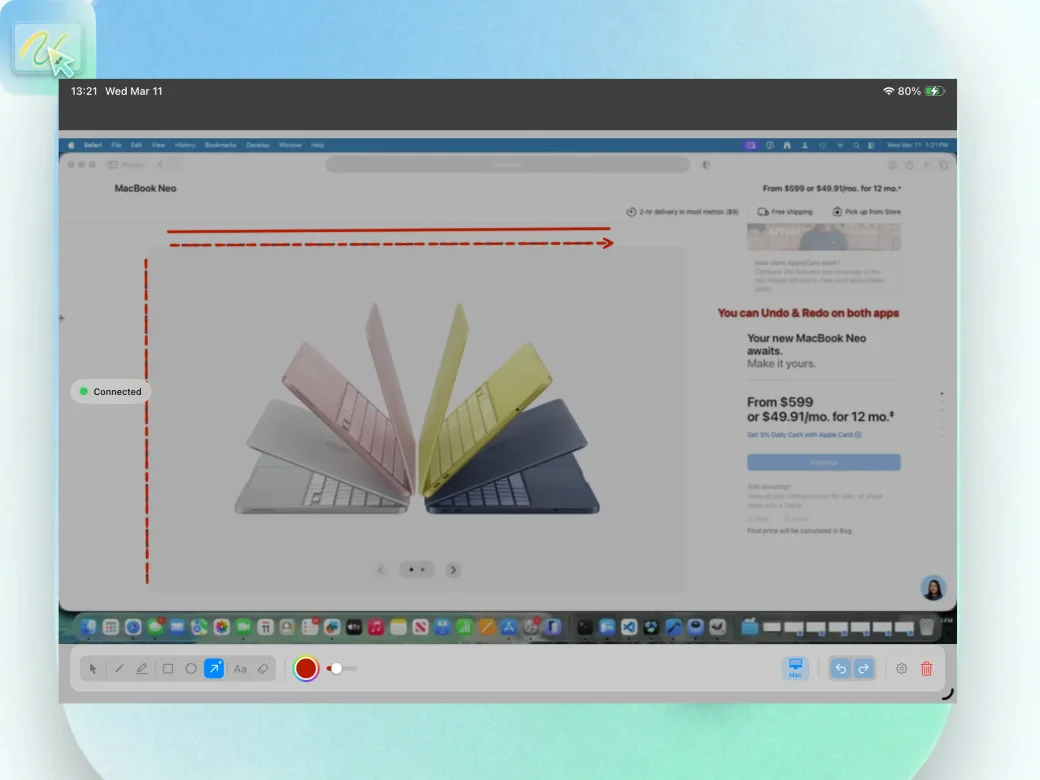
Tangkapan layar
Tentang
Pengembang belum menyediakan teks ini dalam bahasa Anda.
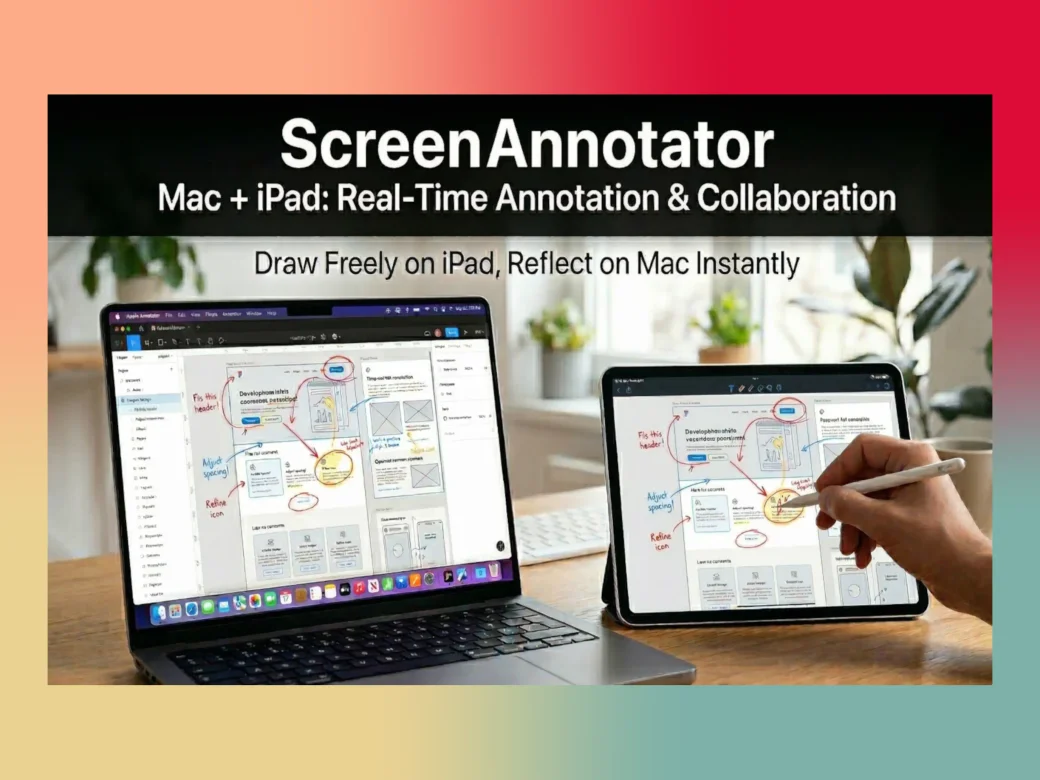
Transform your iPad into the ultimate presentation remote and wireless drawing interface for your Mac.
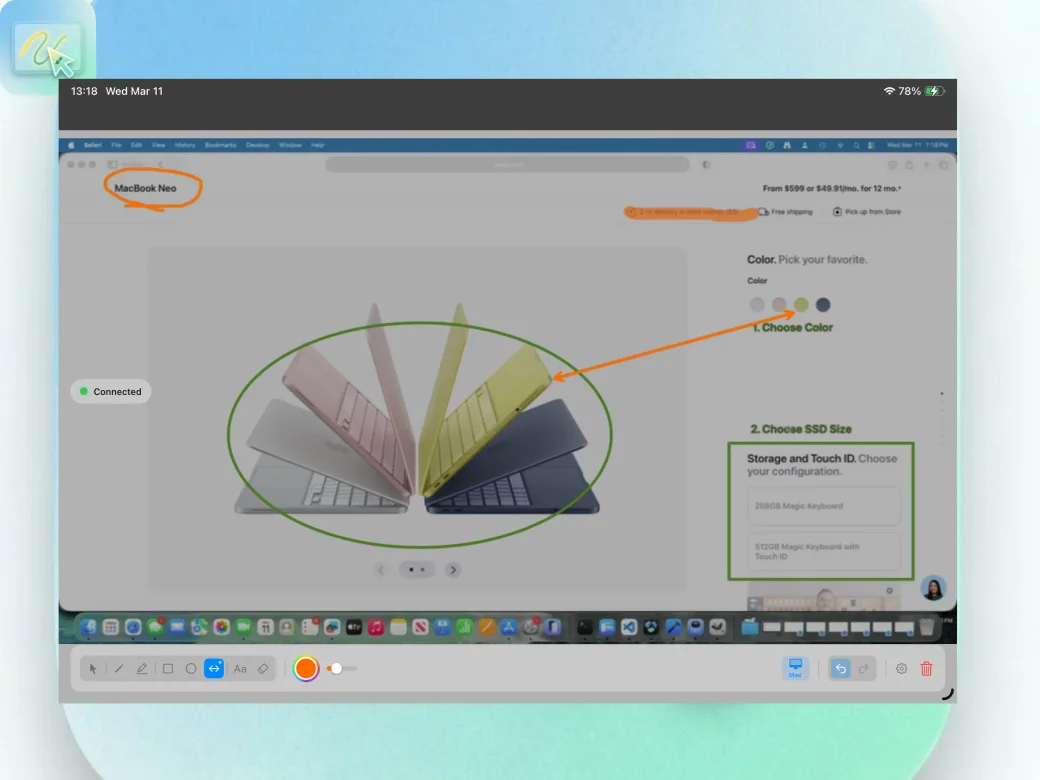
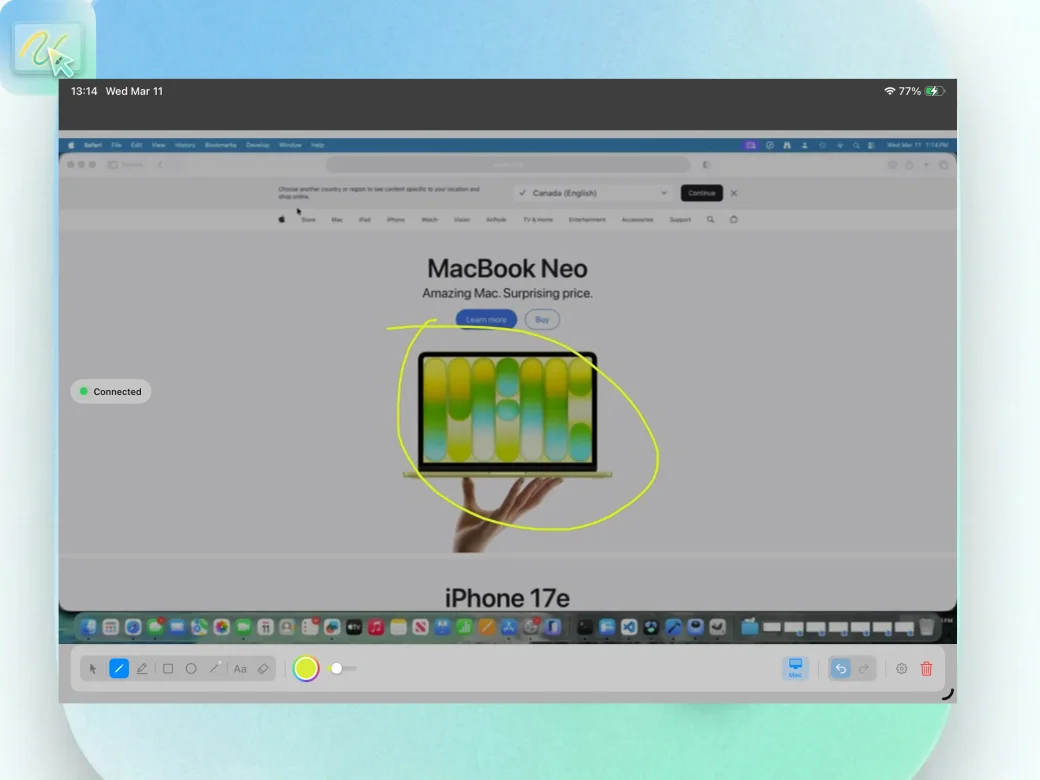
ScreenAnnotator for iPad is the powerful companion app to the popular ScreenAnnotator macOS utility. Stop trying to draw clumsy circles with your mouse during presentations. Instead, beam your Mac’s screen directly to your iPad and use your Apple Pencil to draw, highlight, and annotate with pixel-perfect precision—all in real-time, with zero lag.
Whether you are a teacher explaining complex concepts, a designer reviewing UI, or a professional leading a remote meeting, ScreenAnnotator makes your screen your canvas.
KEY FEATURES:
• Zero-Lag Wireless Sync: Experience ultra-low latency screen sharing. What happens on your Mac happens instantly on your iPad over your local Wi-Fi.
• Apple Pencil Precision: Enjoy natural, fluid drawing with full support for Apple Pencil pressure and tilt sensitivity.
• Laser Pointer Mode: Direct your audience's attention without leaving permanent marks on your screen.
• Pro Toolset: Access a suite of presentation tools including a pen, customizable highlighter, shapes, text, and an eraser.
• Custom Palettes: Set your default colors and adjust opacity to match your brand or presentation style.
NATURAL TO USE
• Draw with Apple Pencil or your finger, with no perceptible delay
• Perfect squares, circles, and straight lines — rest a second finger, or just pause, and the shape settles true
• Pen, highlighter, shapes, arrows, and text, always within reach
• A two-finger tap to undo, three fingers to redo
PRIVATE BY DESIGN
Your Mac's screen stays on your local network and is only shared while you're connected. No accounts, no tracking, and nothing kept in the cloud.
HOW IT WORKS:
Open ScreenAnnotator on your Mac.
Open ScreenAnnotator on your iPad.
Tap "Connect" and your Mac's screen instantly appears on your iPad, ready for your Apple Pencil.
UNIVERSAL PURCHASE:
ScreenAnnotator offers a free tier to test the waters on your Mac. To unlock the iPad companion app and premium features, upgrade to ScreenAnnotator Pro. Your Pro upgrade is a Universal Purchase, meaning a single subscription or lifetime purchase unlocks everything on both your Mac and iPad!
REQUIREMENTS:
This app is a companion tool and requires the free "ScreenAnnotator" app installed on a Mac (running macOS 13.0 or later) connected to the same local network.
Elevate your presentations and download ScreenAnnotator today!
Yang baru
Versi 1.1 · 11/7/2026
Crystal clear Mac Screen mirroring, 2 new tools - Laser pointer and disappearing ink. Two video modes to accommodate busy network.
Privasi aplikasi
Yang dinyatakan Prasanna Kumar Tumula di App Store tentang cara aplikasi ini menangani data.
-
Data tidak dikumpulkan
Pengembang tidak mengumpulkan data apa pun dari aplikasi ini.
Praktik privasi dapat bervariasi, misalnya berdasarkan fitur yang Anda gunakan atau usia Anda.
Informasi
- Penjual
- Prasanna Kumar Tumula
- Kategori
- Produktivitas
- Versi
- 1.1
- Diperbarui
- 11/7/2026
- Dirilis
- 20/1/2026
- Ukuran
- 4,1 MB
- Memerlukan
- iOS 17.6 atau yang lebih baru
- Batasan usia
- 4+
- Harga
- Gratis
- Pembelian dalam aplikasi
- Ya
- Hak cipta
- © 2025 Prasanna T
Mungkin Anda juga suka
-
 Web Overlay Canvas for SafariProduktivitas
-
 Annotate: Markup TangkapanBlur, Panah, Potong, Gambar
-
 Screen InkAlat Anotasi Layar Langsung
-
 Gambar di VideoMarkup pada video
-
 Notator | Annotate DocumentsProduktivitas
-
 Overlay Pen – Draw on VideoProduktivitas
-
 PadmoteProduktivitas
-
 Pane CanvasProduktivitas
-
 visualOS: Infinite CanvasProduktivitas
-
 Pip Up:Tampilan Tetap/MelayangOverlay Foto/Web/Catatan Atas