- 対象年齢4+
- カテゴリ仕事効率化
- 開発元Prasanna Kumar Tumula
- サイズ4.1 MB
App Storeの公式ページにリンクしています
Download.orgはScreen Annotatorのファイルを一切ホストしていません。ボタンを押すと、Prasanna Kumar Tumulaが公開しているApp Storeのアプリページが開きます。ページの最終確認:2026/11/16。
スクリーンショット
概要
開発元はこのテキストをお使いの言語で提供していません。
Transform your iPad into the ultimate presentation remote and wireless drawing interface for your Mac.
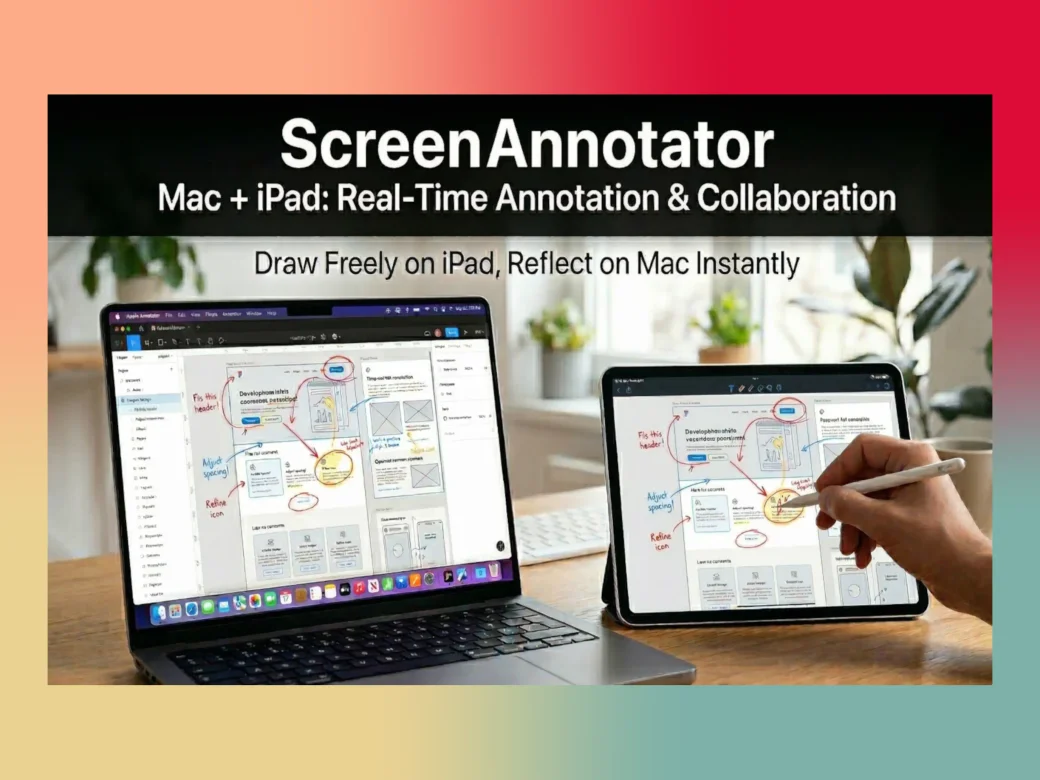
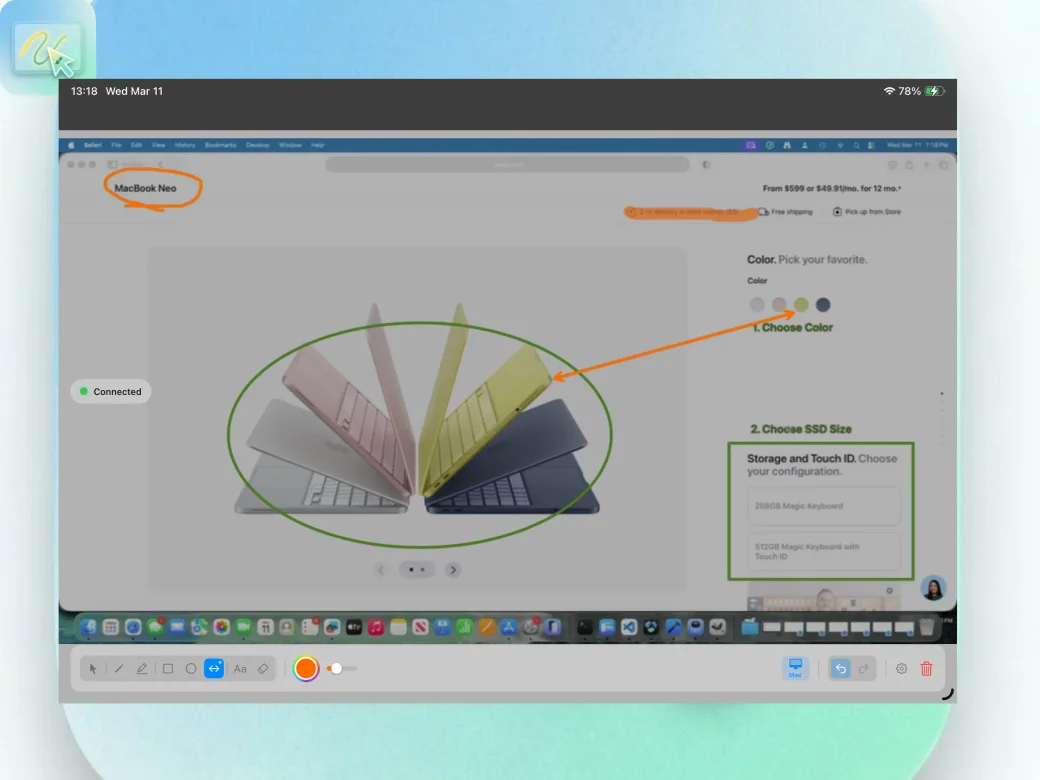
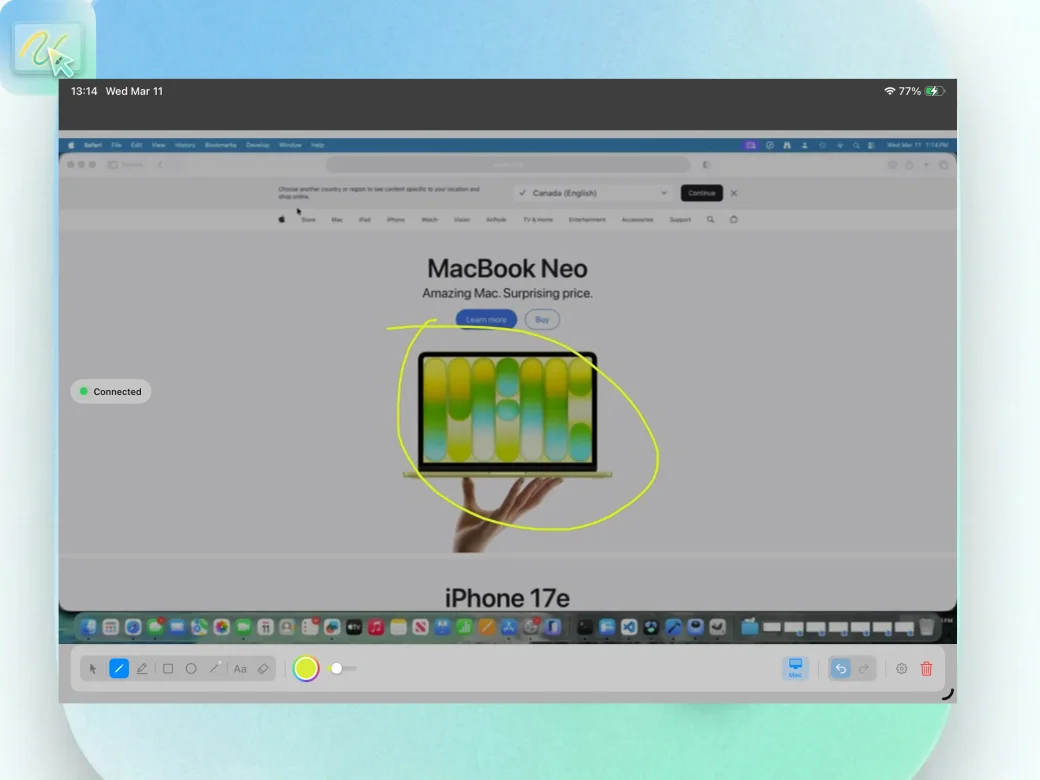
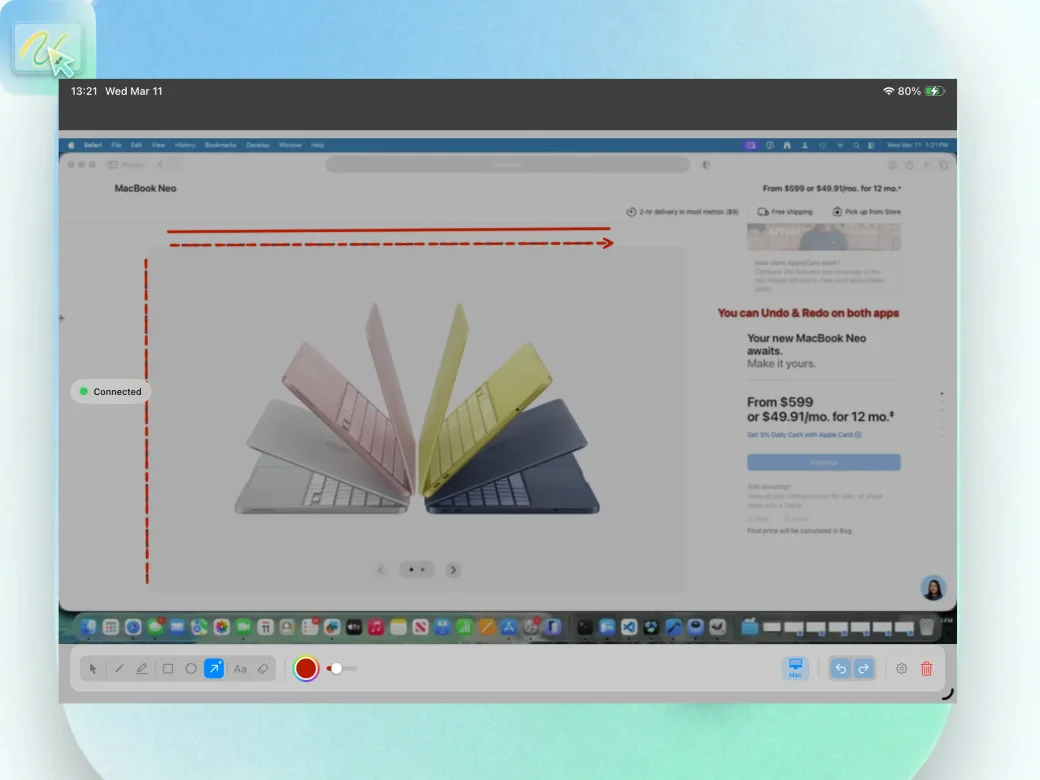
ScreenAnnotator for iPad is the powerful companion app to the popular ScreenAnnotator macOS utility. Stop trying to draw clumsy circles with your mouse during presentations. Instead, beam your Mac’s screen directly to your iPad and use your Apple Pencil to draw, highlight, and annotate with pixel-perfect precision—all in real-time, with zero lag.
Whether you are a teacher explaining complex concepts, a designer reviewing UI, or a professional leading a remote meeting, ScreenAnnotator makes your screen your canvas.
KEY FEATURES:
• Zero-Lag Wireless Sync: Experience ultra-low latency screen sharing. What happens on your Mac happens instantly on your iPad over your local Wi-Fi.
• Apple Pencil Precision: Enjoy natural, fluid drawing with full support for Apple Pencil pressure and tilt sensitivity.
• Laser Pointer Mode: Direct your audience's attention without leaving permanent marks on your screen.
• Pro Toolset: Access a suite of presentation tools including a pen, customizable highlighter, shapes, text, and an eraser.
• Custom Palettes: Set your default colors and adjust opacity to match your brand or presentation style.
NATURAL TO USE
• Draw with Apple Pencil or your finger, with no perceptible delay
• Perfect squares, circles, and straight lines — rest a second finger, or just pause, and the shape settles true
• Pen, highlighter, shapes, arrows, and text, always within reach
• A two-finger tap to undo, three fingers to redo
PRIVATE BY DESIGN
Your Mac's screen stays on your local network and is only shared while you're connected. No accounts, no tracking, and nothing kept in the cloud.
HOW IT WORKS:
Open ScreenAnnotator on your Mac.
Open ScreenAnnotator on your iPad.
Tap "Connect" and your Mac's screen instantly appears on your iPad, ready for your Apple Pencil.
UNIVERSAL PURCHASE:
ScreenAnnotator offers a free tier to test the waters on your Mac. To unlock the iPad companion app and premium features, upgrade to ScreenAnnotator Pro. Your Pro upgrade is a Universal Purchase, meaning a single subscription or lifetime purchase unlocks everything on both your Mac and iPad!
REQUIREMENTS:
This app is a companion tool and requires the free "ScreenAnnotator" app installed on a Mac (running macOS 13.0 or later) connected to the same local network.
Elevate your presentations and download ScreenAnnotator today!
新機能
バージョン 1.1 · 2026/7/11
Crystal clear Mac Screen mirroring, 2 new tools - Laser pointer and disappearing ink. Two video modes to accommodate busy network.
アプリのプライバシー
このアプリのデータの取り扱いについて、Prasanna Kumar TumulaがApp Storeで申告している内容です。
-
データの収集なし
開発元はこのアプリからデータを収集しません。
プライバシーの取り扱いは、ご利用の機能やお客様の年齢などに応じて異なる場合があります。
情報
- 販売元
- Prasanna Kumar Tumula
- カテゴリ
- 仕事効率化
- バージョン
- 1.1
- 更新日
- 2026/7/11
- リリース
- 2026/1/20
- サイズ
- 4.1 MB
- 必要条件
- iOS 17.6以降
- 対象年齢
- 4+
- 価格
- 無料
- アプリ内課金
- あり
- 著作権
- © 2025 Prasanna T
こちらもおすすめ
-
 Web Overlay Canvas for Safari仕事効率化
-
 Annotate: スクショ注釈ぼかし・矢印・切り抜き・描画
-
 Screen Inkどんな画面にもライブ注釈
-
 動画にお絵描き動画にマークアップ
-
 Notator | 手書きノート& PDFアノテーションノート作成、PDFアノテーション& PDFエクスポート
-
 Overlay Pen – 動画に手書きEcamm・OBS・Zoomにライブで手書き
-
 Padmote仕事効率化
-
 Pane Canvas仕事効率化
-
 visualOS: Infinite Canvasオフラインキャンバス。本物のファイル。
-
 Pip Up: 永続/浮遊ウィンドウビュー 常に最前面に表示写真/ウェブ/ノートを上に表示,ノートを前面に表示/参照