Screen Annotator
Draw & Annotate Anywhere.
Entwickelt für iPad, Mac
Kostenlos · In-App-Käufe
- Altersfreigabe4+
- KategorieProduktivität
- EntwicklerPrasanna Kumar Tumula
- Größe4,1 MB
Verlinkt auf die offizielle App Store-Seite
Download.org hostet keine Datei von Screen Annotator. Die Schaltfläche öffnet die App-Seite bei App Store, wo Prasanna Kumar Tumula die App veröffentlicht. Eintrag zuletzt geprüft am 16.11.2026.
Screenshots
Info
Der Entwickler hat diesen Text nicht in Ihrer Sprache bereitgestellt.
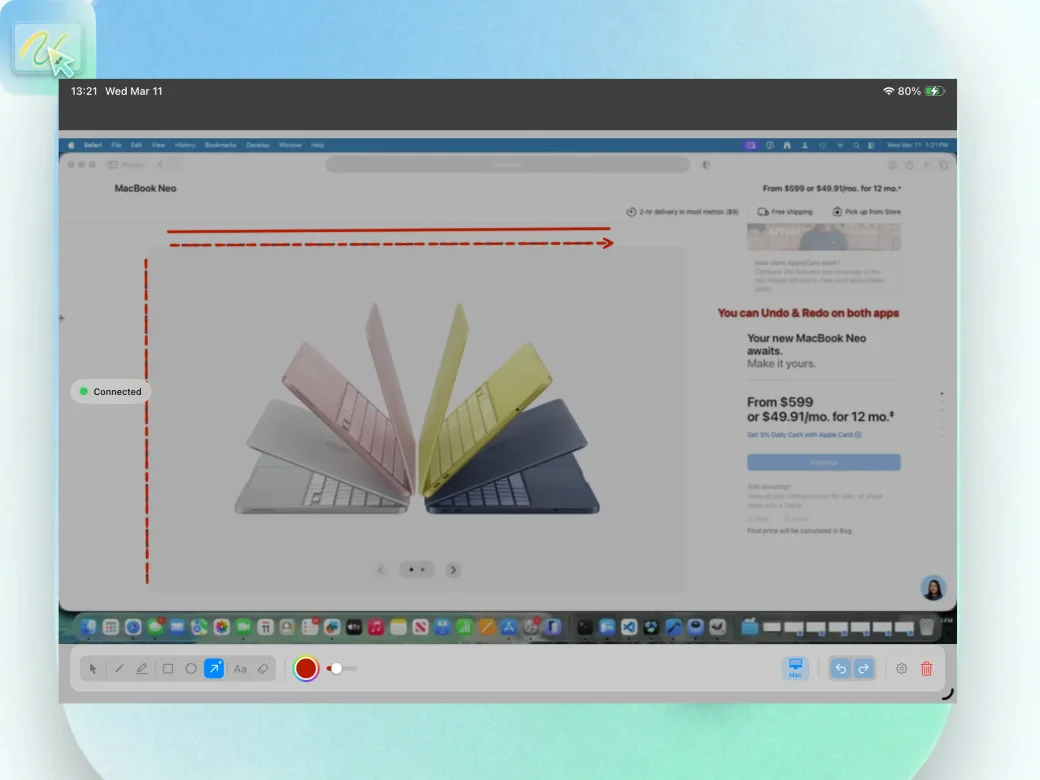
Transform your iPad into the ultimate presentation remote and wireless drawing interface for your Mac.
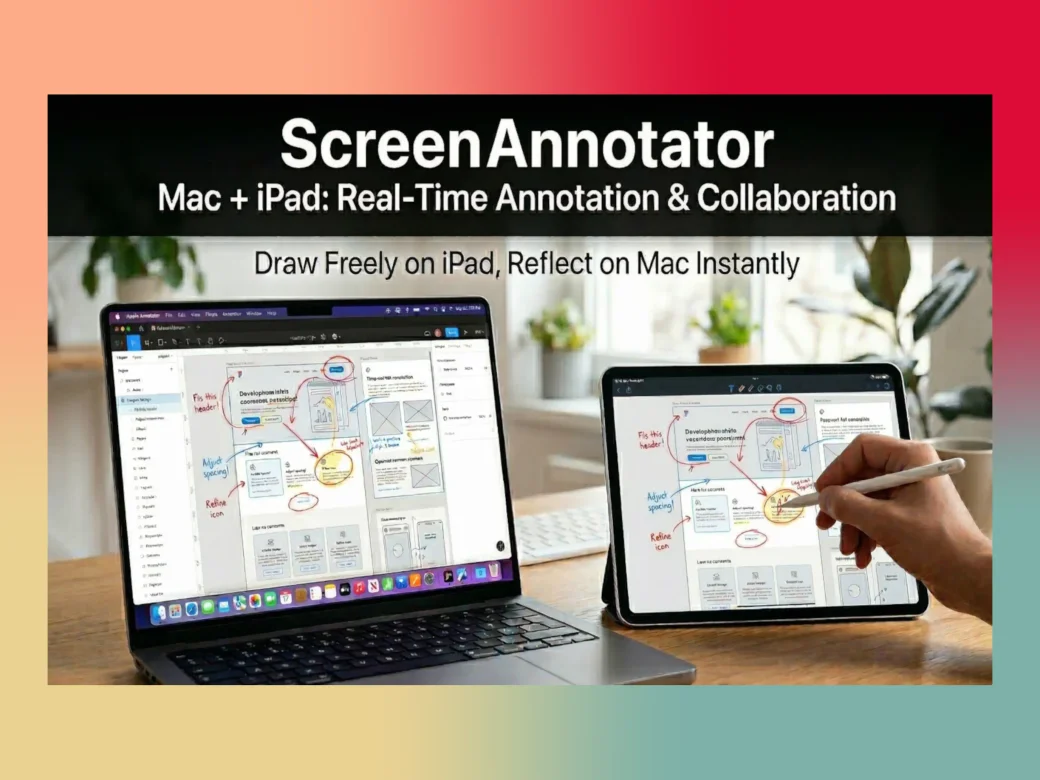
ScreenAnnotator for iPad is the powerful companion app to the popular ScreenAnnotator macOS utility. Stop trying to draw clumsy circles with your mouse during presentations. Instead, beam your Mac’s screen directly to your iPad and use your Apple Pencil to draw, highlight, and annotate with pixel-perfect precision—all in real-time, with zero lag.
Whether you are a teacher explaining complex concepts, a designer reviewing UI, or a professional leading a remote meeting, ScreenAnnotator makes your screen your canvas.
KEY FEATURES:
• Zero-Lag Wireless Sync: Experience ultra-low latency screen sharing. What happens on your Mac happens instantly on your iPad over your local Wi-Fi.
• Apple Pencil Precision: Enjoy natural, fluid drawing with full support for Apple Pencil pressure and tilt sensitivity.
• Laser Pointer Mode: Direct your audience's attention without leaving permanent marks on your screen.
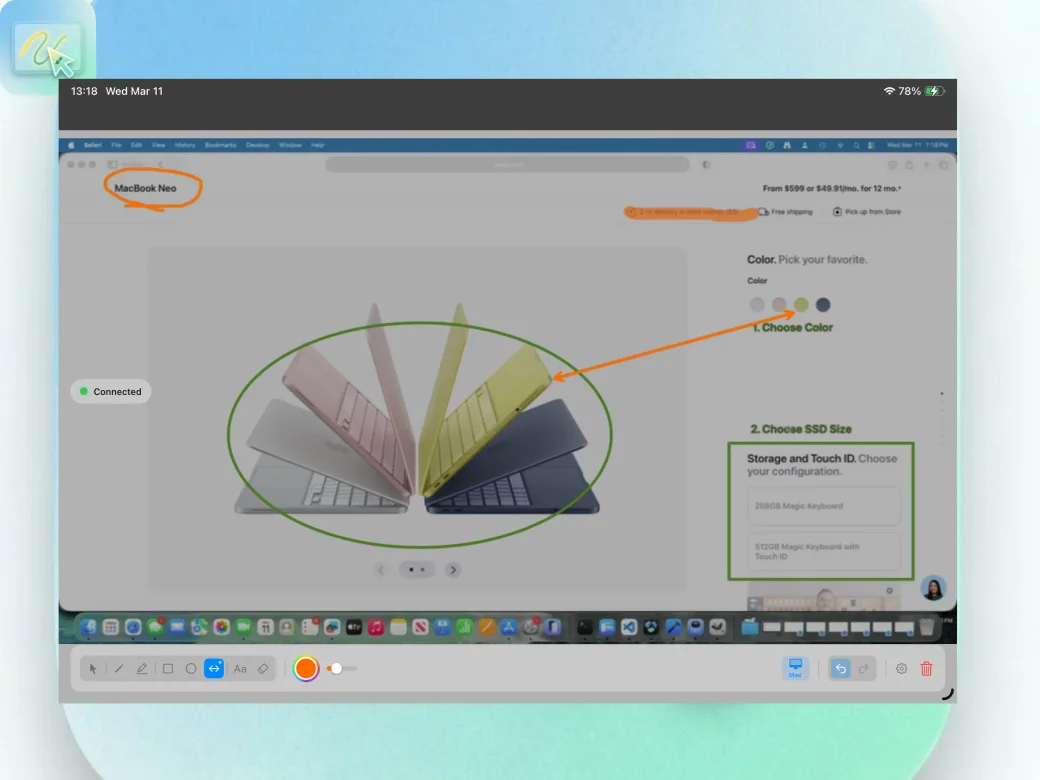
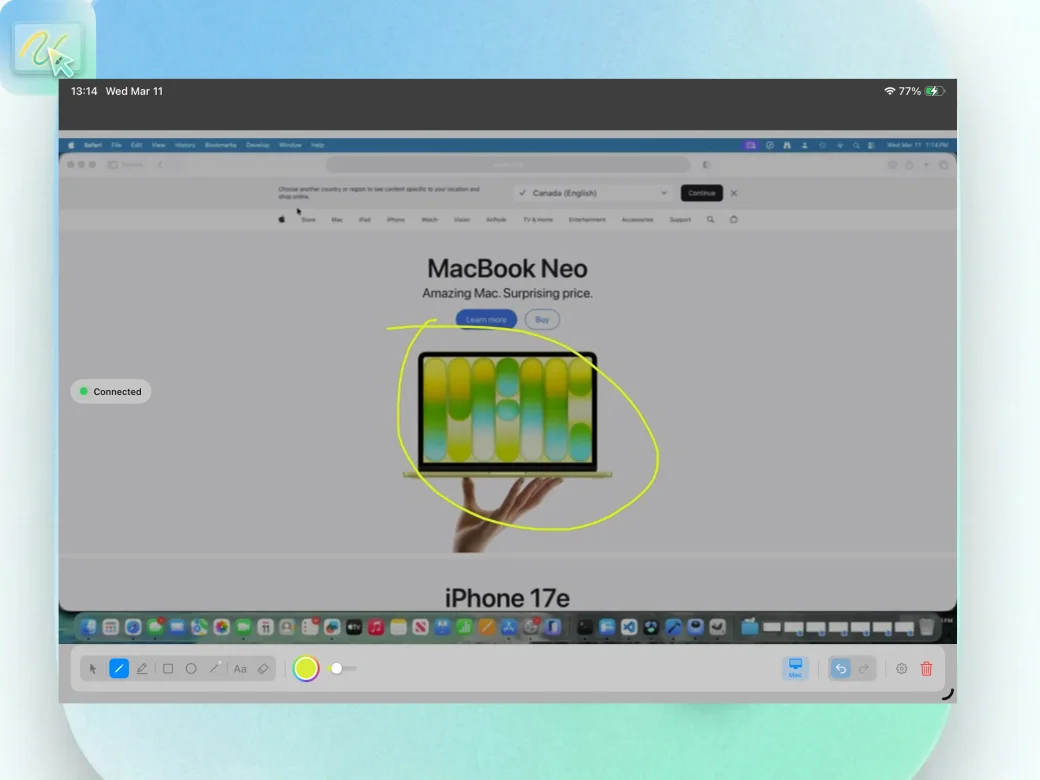
• Pro Toolset: Access a suite of presentation tools including a pen, customizable highlighter, shapes, text, and an eraser.
• Custom Palettes: Set your default colors and adjust opacity to match your brand or presentation style.
NATURAL TO USE
• Draw with Apple Pencil or your finger, with no perceptible delay
• Perfect squares, circles, and straight lines — rest a second finger, or just pause, and the shape settles true
• Pen, highlighter, shapes, arrows, and text, always within reach
• A two-finger tap to undo, three fingers to redo
PRIVATE BY DESIGN
Your Mac's screen stays on your local network and is only shared while you're connected. No accounts, no tracking, and nothing kept in the cloud.
HOW IT WORKS:
Open ScreenAnnotator on your Mac.
Open ScreenAnnotator on your iPad.
Tap "Connect" and your Mac's screen instantly appears on your iPad, ready for your Apple Pencil.
UNIVERSAL PURCHASE:
ScreenAnnotator offers a free tier to test the waters on your Mac. To unlock the iPad companion app and premium features, upgrade to ScreenAnnotator Pro. Your Pro upgrade is a Universal Purchase, meaning a single subscription or lifetime purchase unlocks everything on both your Mac and iPad!
REQUIREMENTS:
This app is a companion tool and requires the free "ScreenAnnotator" app installed on a Mac (running macOS 13.0 or later) connected to the same local network.
Elevate your presentations and download ScreenAnnotator today!
Neue Funktionen
Version 1.1 · 11.07.2026
Crystal clear Mac Screen mirroring, 2 new tools - Laser pointer and disappearing ink. Two video modes to accommodate busy network.
App-Datenschutz
Was Prasanna Kumar Tumula im App Store zum Umgang dieser App mit Daten angibt.
-
Keine Daten erfasst
Der Entwickler erfasst keine Daten von dieser App.
Die Datenschutzpraktiken können variieren, zum Beispiel je nach den von Ihnen verwendeten Funktionen oder Ihrem Alter.
Informationen
- Anbieter
- Prasanna Kumar Tumula
- Kategorie
- Produktivität
- Version
- 1.1
- Aktualisiert
- 11.07.2026
- Veröffentlicht
- 20.01.2026
- Größe
- 4,1 MB
- Erfordert
- iOS 17.6 oder neuer
- Altersfreigabe
- 4+
- Preis
- Kostenlos
- In-App-Käufe
- Ja
- Copyright
- © 2025 Prasanna T
Das könnte Ihnen auch gefallen
-
 Web Overlay Canvas for SafariProduktivität
-
 Annotate: Screenshot EditorVerpixeln, Pfeile, Zeichnen
-
 Screen InkLive-Anmerkungen am Bildschirm
-
 Auf Video ZeichnenMarkierung auf Video
-
 Notator | Annotate DocumentsProduktivität
-
 Overlay Pen – Auf Video malenStift für Ecamm, OBS & Zoom
-
 PadmoteProduktivität
-
 Pane CanvasProduktivität
-
 visualOS: Infinite CanvasOffline canvas. Real files.
-
 Pip Up: Persist/ Floating NoteOverlay Foto/Web Oben