
Screen Annotator
Draw & Annotate Anywhere.
Được thiết kế cho iPad, Mac
Miễn phí · Mua hàng trong ứng dụng
- Độ tuổi4+
- Danh mụcHiệu Suất
- Nhà phát triểnPrasanna Kumar Tumula
- Kích thước4,1 MB
Liên kết đến trang App Store chính thức
Download.org không lưu trữ tệp nào của Screen Annotator. Nút này mở trang ứng dụng trên App Store, nơi Prasanna Kumar Tumula phát hành ứng dụng. Trang được kiểm tra lần cuối: 16/11/2026.
Ảnh chụp màn hình
Giới thiệu
Nhà phát triển chưa cung cấp nội dung này bằng ngôn ngữ của bạn.
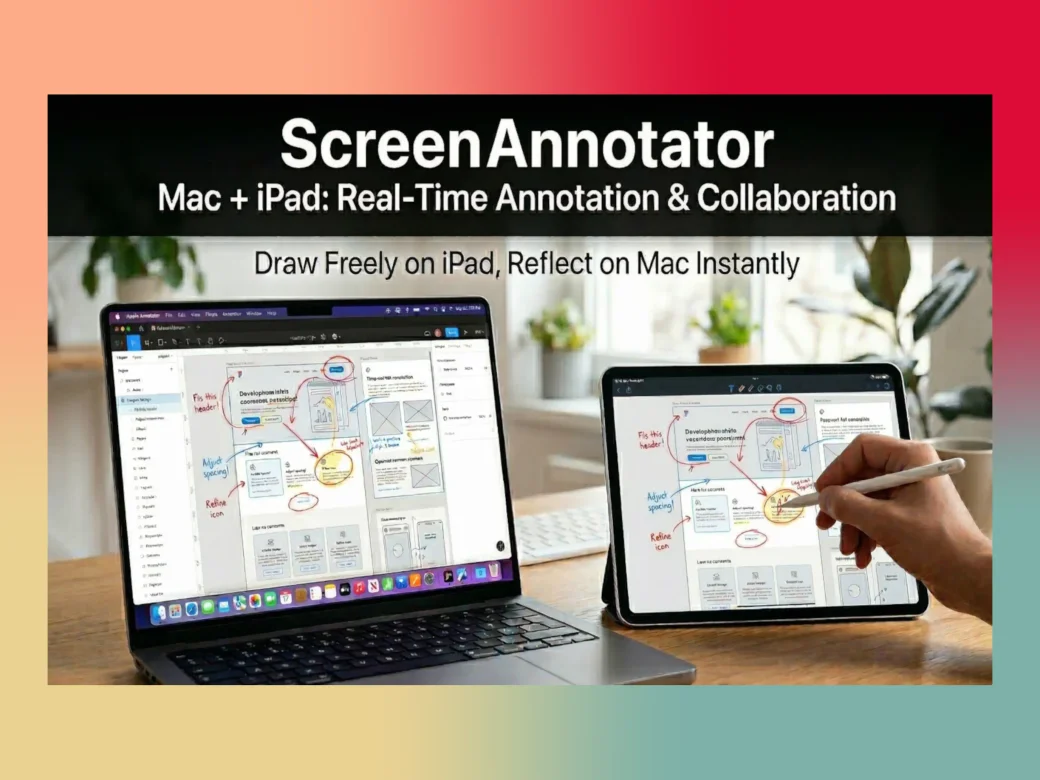
Transform your iPad into the ultimate presentation remote and wireless drawing interface for your Mac.
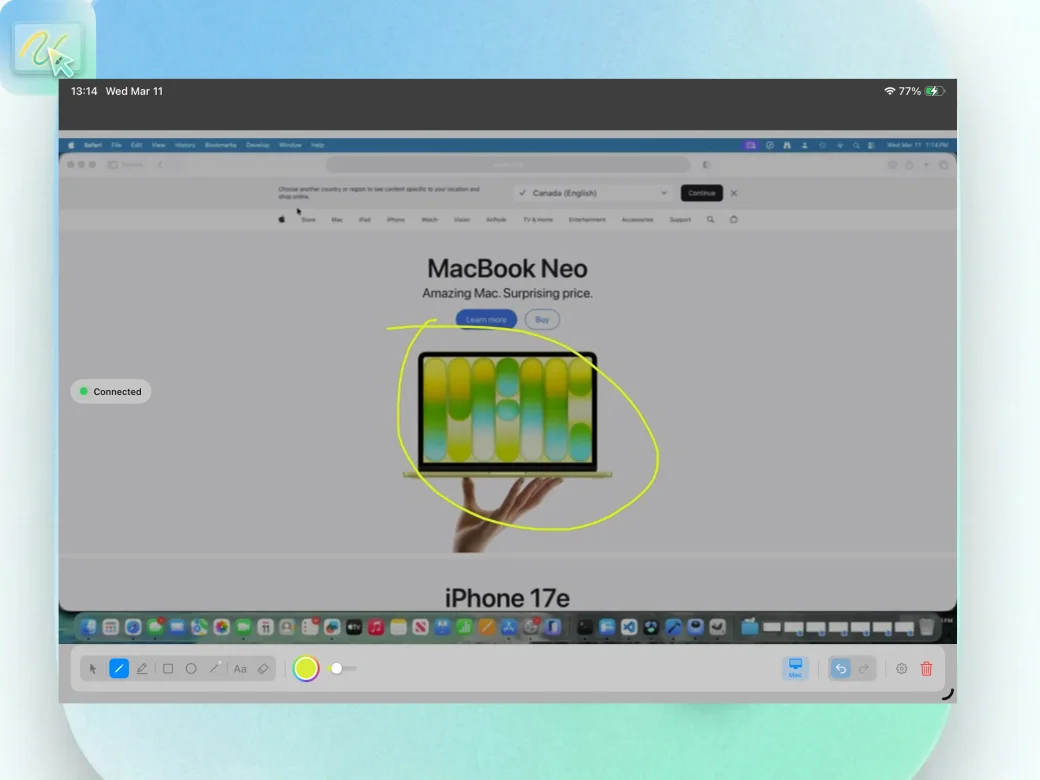
ScreenAnnotator for iPad is the powerful companion app to the popular ScreenAnnotator macOS utility. Stop trying to draw clumsy circles with your mouse during presentations. Instead, beam your Mac’s screen directly to your iPad and use your Apple Pencil to draw, highlight, and annotate with pixel-perfect precision—all in real-time, with zero lag.
Whether you are a teacher explaining complex concepts, a designer reviewing UI, or a professional leading a remote meeting, ScreenAnnotator makes your screen your canvas.
KEY FEATURES:
• Zero-Lag Wireless Sync: Experience ultra-low latency screen sharing. What happens on your Mac happens instantly on your iPad over your local Wi-Fi.
• Apple Pencil Precision: Enjoy natural, fluid drawing with full support for Apple Pencil pressure and tilt sensitivity.
• Laser Pointer Mode: Direct your audience's attention without leaving permanent marks on your screen.
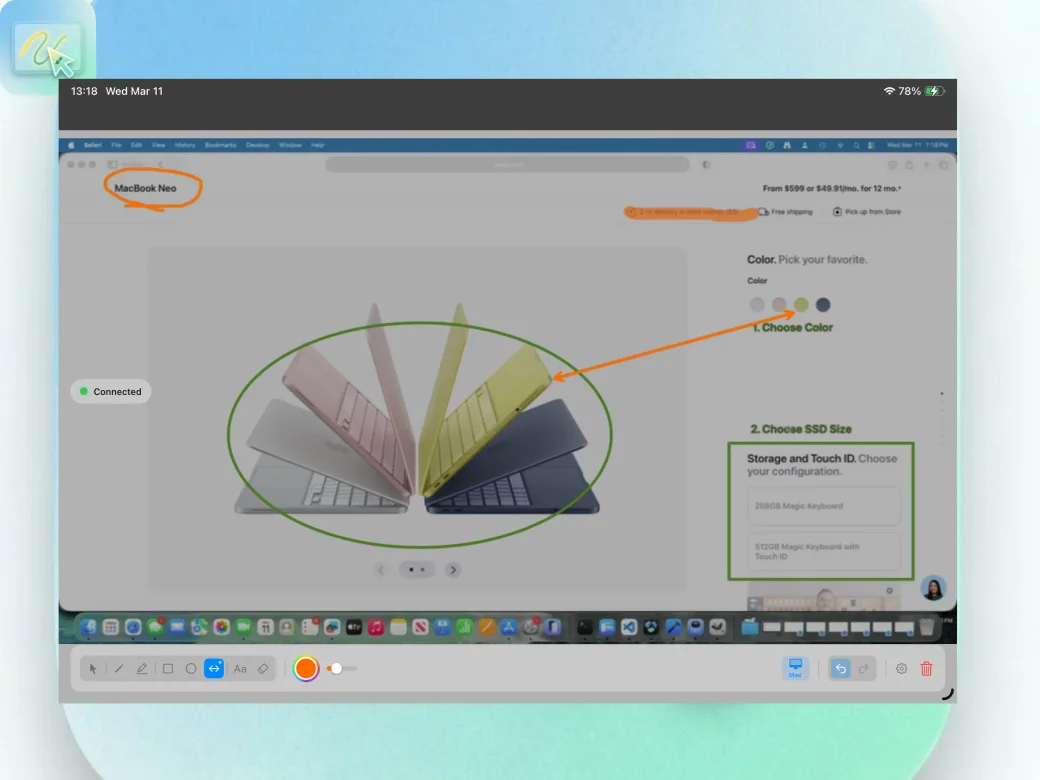
• Pro Toolset: Access a suite of presentation tools including a pen, customizable highlighter, shapes, text, and an eraser.
• Custom Palettes: Set your default colors and adjust opacity to match your brand or presentation style.
NATURAL TO USE
• Draw with Apple Pencil or your finger, with no perceptible delay
• Perfect squares, circles, and straight lines — rest a second finger, or just pause, and the shape settles true
• Pen, highlighter, shapes, arrows, and text, always within reach
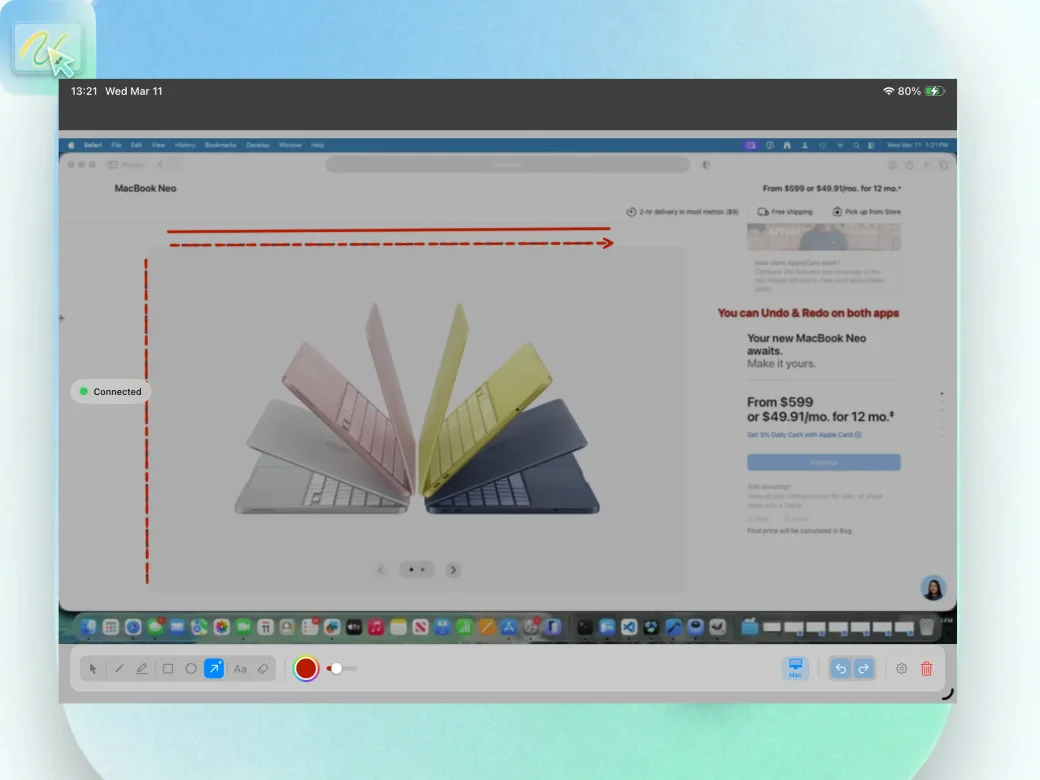
• A two-finger tap to undo, three fingers to redo
PRIVATE BY DESIGN
Your Mac's screen stays on your local network and is only shared while you're connected. No accounts, no tracking, and nothing kept in the cloud.
HOW IT WORKS:
Open ScreenAnnotator on your Mac.
Open ScreenAnnotator on your iPad.
Tap "Connect" and your Mac's screen instantly appears on your iPad, ready for your Apple Pencil.
UNIVERSAL PURCHASE:
ScreenAnnotator offers a free tier to test the waters on your Mac. To unlock the iPad companion app and premium features, upgrade to ScreenAnnotator Pro. Your Pro upgrade is a Universal Purchase, meaning a single subscription or lifetime purchase unlocks everything on both your Mac and iPad!
REQUIREMENTS:
This app is a companion tool and requires the free "ScreenAnnotator" app installed on a Mac (running macOS 13.0 or later) connected to the same local network.
Elevate your presentations and download ScreenAnnotator today!
Có gì mới
Phiên bản 1.1 · 11/07/2026
Crystal clear Mac Screen mirroring, 2 new tools - Laser pointer and disappearing ink. Two video modes to accommodate busy network.
Quyền riêng tư của ứng dụng
Những gì Prasanna Kumar Tumula khai báo trên App Store về cách ứng dụng này xử lý dữ liệu.
-
Dữ liệu không được thu thập
Nhà phát triển không thu thập bất kỳ dữ liệu nào từ ứng dụng này.
Phương thức đảm bảo quyền riêng tư có thể khác nhau, chẳng hạn như tuỳ theo các tính năng bạn sử dụng hoặc độ tuổi của bạn.
Thông tin
- Người bán
- Prasanna Kumar Tumula
- Danh mục
- Hiệu Suất
- Phiên bản
- 1.1
- Cập nhật
- 11/07/2026
- Phát hành
- 20/01/2026
- Kích thước
- 4,1 MB
- Yêu cầu
- iOS 17.6 trở lên
- Độ tuổi
- 4+
- Giá
- Miễn phí
- Mua hàng trong ứng dụng
- Có
- Bản quyền
- © 2025 Prasanna T
Có thể bạn cũng thích
-
 Web Overlay Canvas for SafariHiệu Suất
-
 Annotate: Đánh dấu ảnhLàm mờ, mũi tên, cắt, vẽ
-
 Screen InkGhi Chú Màn Hình Trực Tiếp
-
 Vẽ trên VideoĐánh dấu trên video
-
 Notator | Annotate DocumentsHiệu Suất
-
 Overlay Pen – Draw on VideoHiệu Suất
-
 PadmoteHiệu Suất
-
 Pane CanvasHiệu Suất
-
 visualOS: Infinite CanvasHiệu Suất
-
 Dán Ảnh/Web/Ghi Chú Lên TrênDán Ảnh/Web/Ghi Chú Trên Cùng