
Sidekick Display
Extend your screen
Dirancang untuk iPhone
Gratis · Pembelian dalam aplikasi
- Batasan usia4+
- KategoriProduktivitas
- PengembangNils Albertsen
- BahasaInggris+ 32 lainnya
- Ukuran2,2 MB
Tertaut ke halaman resmi App Store
Download.org tidak menyimpan file Sidekick Display apa pun. Tombol ini membuka halaman aplikasi di App Store, tempat Nils Albertsen menerbitkannya. Halaman terakhir diperiksa pada 24/11/2026.
Tangkapan layar
Tentang
Pengembang belum menyediakan teks ini dalam bahasa Anda.
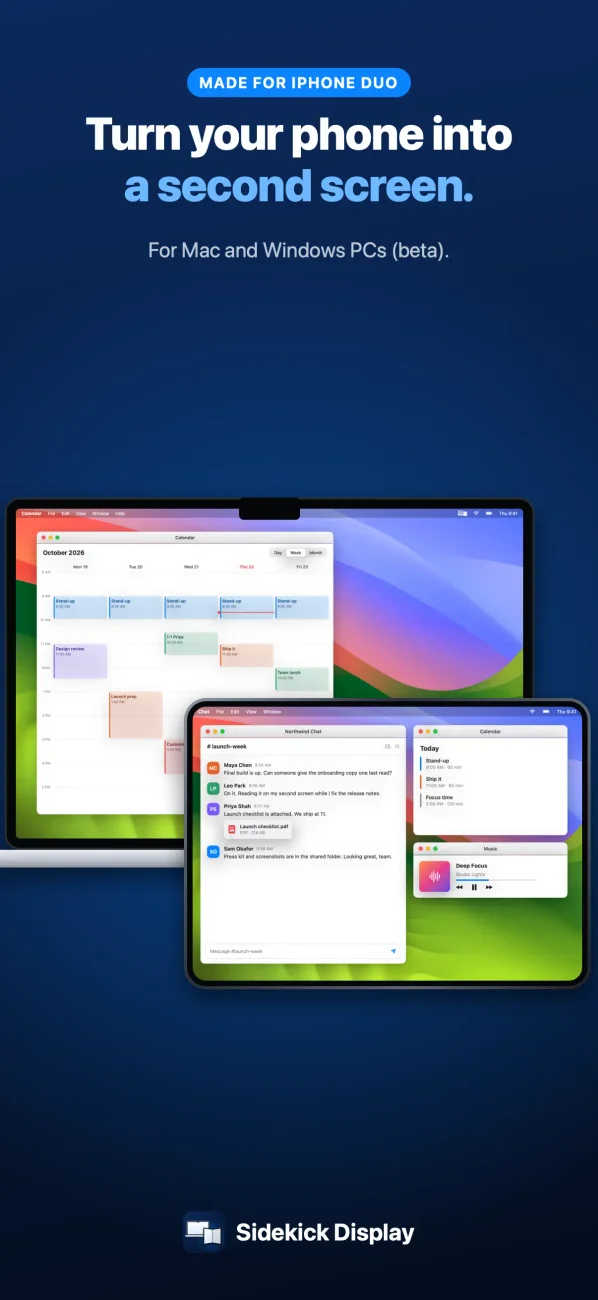
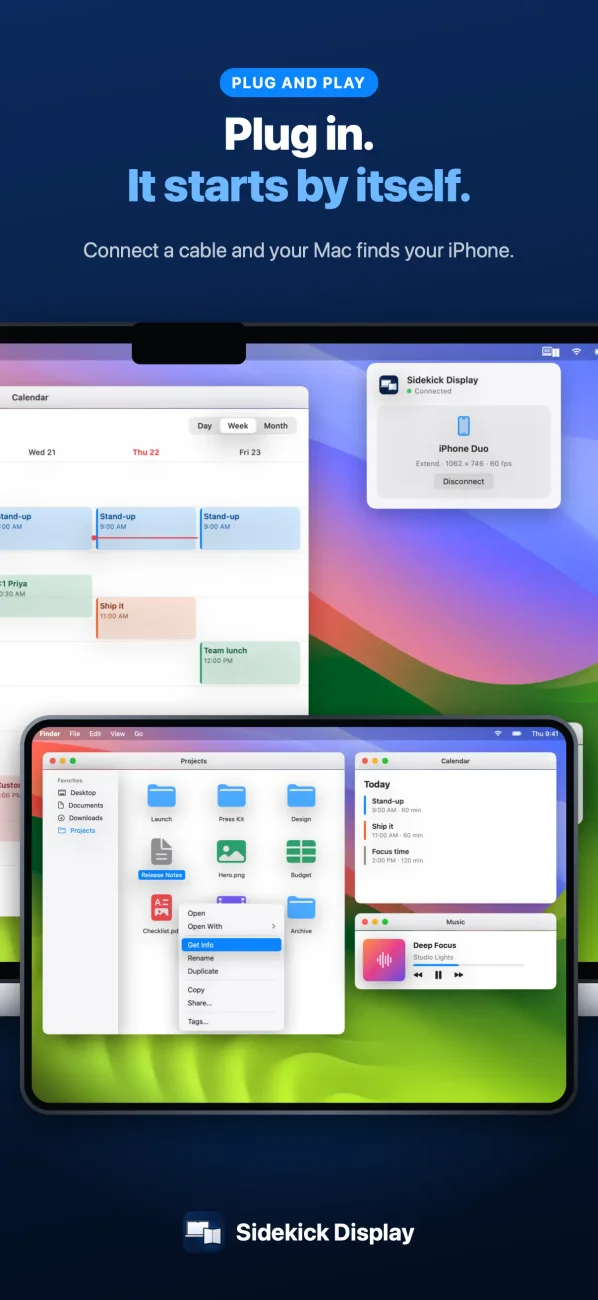
Do more on the go: turn your iPhone into a second screen for your Mac. Plug in a cable, and your iPhone becomes an extra display you can drag windows onto, or a mirror of your Mac. Perfect at a café, on a train or anywhere one laptop screen isn't enough.
WORKS GREAT ON IPHONE DUO
Open your iPhone Duo and the Mac display grows to fill the big inner screen. Fold it closed and it switches to the cover screen. Your Mac rearranges itself automatically, no settings to touch.
TOUCH CONTROL
Your iPhone is a touchscreen for your Mac:
• Tap to click, double-tap to double-click
• Drag to move windows and select text
• Two-finger drag to scroll
• Two-finger tap or touch and hold to right-click
Your Mac's mouse and trackpad still work too: just move the pointer off the edge of your screen.
EXTEND OR MIRROR
Extend gives you more space: keep your chat, music or a reference doc on your iPhone while you work. Mirror shows exactly what's on your Mac.
FAST AND SHARP
Wired over USB for low latency, with hardware video encoding on your Mac and hardware decoding on your iPhone.
SIDEKICK DISPLAY PRO
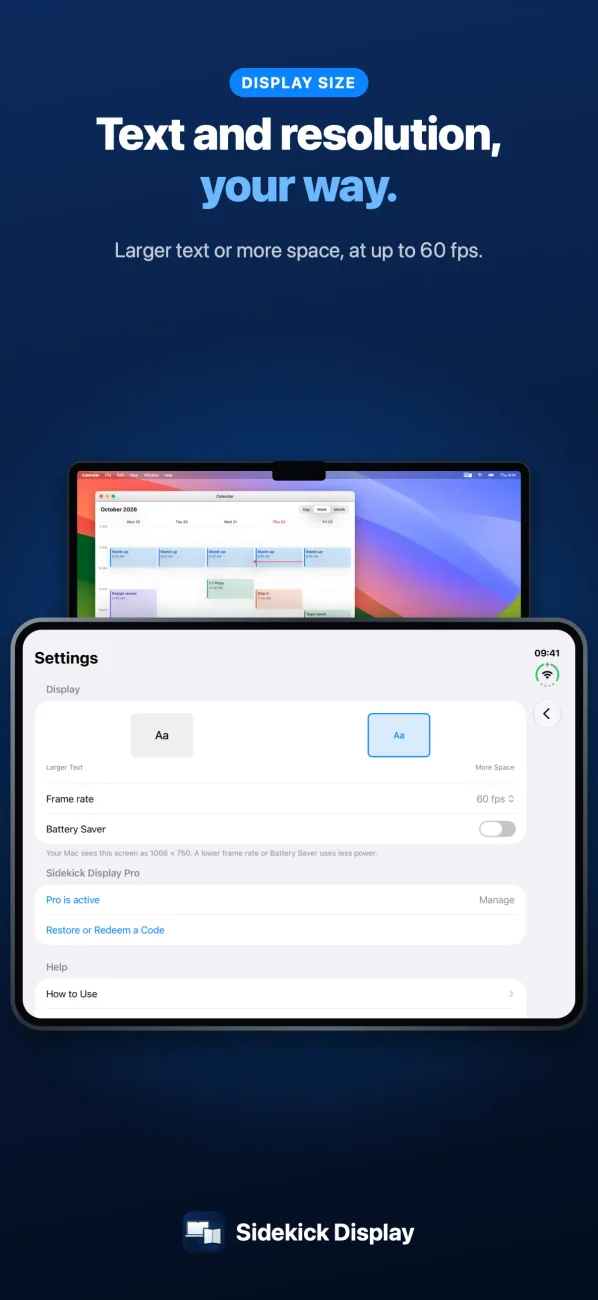
• 60 fps for smooth scrolling and video
• More Space: a smaller text size that fits more of your Mac
• Unlimited time (free: 20 minutes a day)
• Wi-Fi connection
The free plan runs at 30 fps for up to 20 minutes a day.
You'll need Sidekick Display for Mac, free from headwindlab.com/sidekick-display (macOS 14 or later).
Subscriptions renew automatically unless cancelled at least 24 hours before the end of the current period. Manage them in Settings › Apple Account › Subscriptions.
Terms of Use: https://www.apple.com/legal/internet-services/itunes/dev/stdeula/
Privacy Policy: https://headwindlab.com/sidekick-display/privacy/
Yang baru
Versi 1.3 · 16/11/2026
Rotating your iPhone after coming back to the app now gives the display the right shape again, instead of a cropped portrait view.
Privasi aplikasi
Yang dinyatakan Nils Albertsen di App Store tentang cara aplikasi ini menangani data.
-
Data tidak dikumpulkan
Pengembang tidak mengumpulkan data apa pun dari aplikasi ini.
Praktik privasi dapat bervariasi, misalnya berdasarkan fitur yang Anda gunakan atau usia Anda.
Informasi
- Penjual
- Nils Albertsen
- Kategori
- Produktivitas
- Versi
- 1.3
- Diperbarui
- 16/11/2026
- Dirilis
- 8/11/2026
- Ukuran
- 2,2 MB
- Memerlukan
- iOS 17.0 atau yang lebih baru
- Batasan usia
- 4+
- Harga
- Gratis
- Pembelian dalam aplikasi
- Ya
- Bahasa
- Inggris, Arab, Katalan, Kroat (Kroasia), Cheska (Republik Cheska), Dansk (Denmark), Belanda, Suomi (Finlandia), Prancis, Jerman, Yunani, Ibrani + 21 lainnya
- Hak cipta
- © 2026 Nils Albertsen
Mungkin Anda juga suka
-
 Researchly: AI Deep ResearchProduktivitas
-
 KetikProduktivitas
-
 Fridgeboard - Family CalendarProduktivitas
-
 BLISS Note: catatan PDF agendaTulisan tangan, jurnal, jadwal
-
 Calenytic: Timeboxing CalendarProduktivitas
-
 Iris: Muse for Apple WatchProduktivitas
-
 EDITROOMProduktivitas
-
 BeMyDisplayProduktivitas
-
 CentralSquare MobileProduktivitas
-
 Looktech AI GlassesProduktivitas