
Sidekick Display
Extend your screen
Được thiết kế cho iPhone
Miễn phí · Mua hàng trong ứng dụng
- Độ tuổi4+
- Danh mụcHiệu Suất
- Nhà phát triểnNils Albertsen
- Ngôn ngữTiếng Anh+ 32 ngôn ngữ khác
- Kích thước2,2 MB
Liên kết đến trang App Store chính thức
Download.org không lưu trữ tệp nào của Sidekick Display. Nút này mở trang ứng dụng trên App Store, nơi Nils Albertsen phát hành ứng dụng. Trang được kiểm tra lần cuối: 24/11/2026.
Ảnh chụp màn hình
Giới thiệu
Nhà phát triển chưa cung cấp nội dung này bằng ngôn ngữ của bạn.
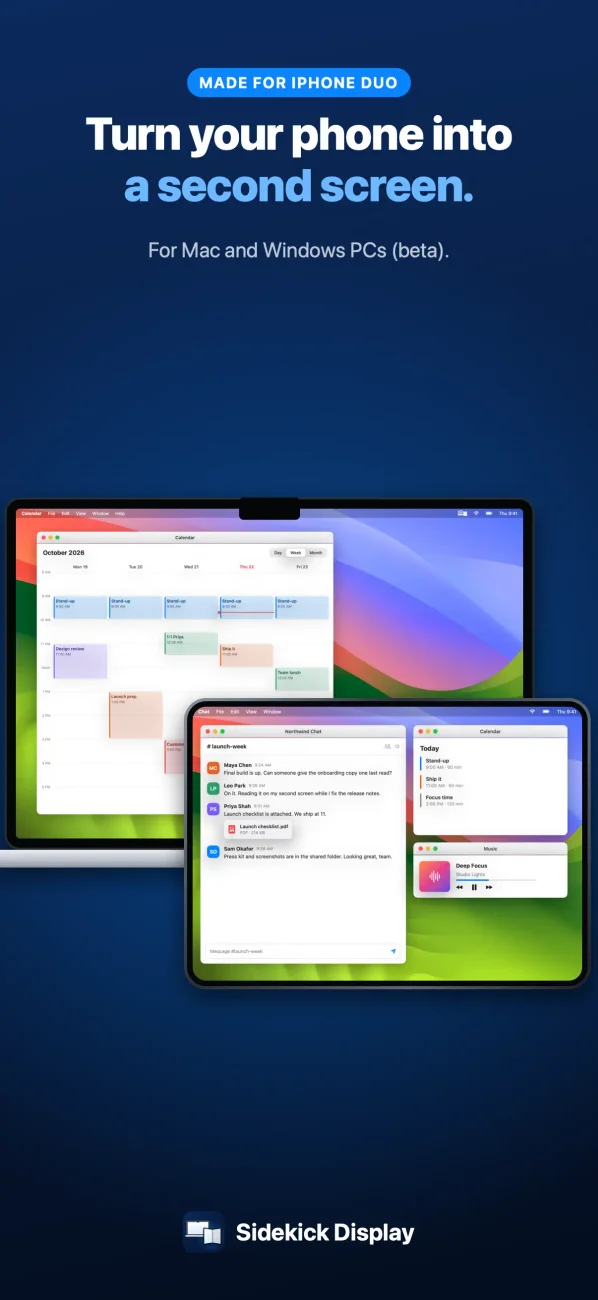
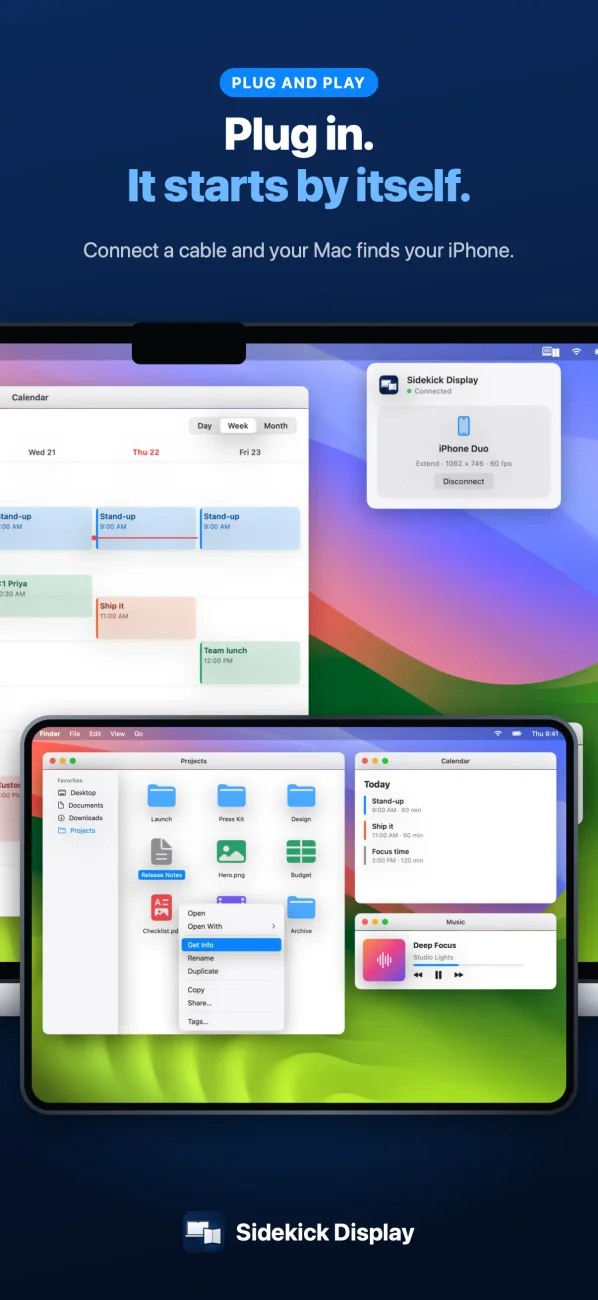
Do more on the go: turn your iPhone into a second screen for your Mac. Plug in a cable, and your iPhone becomes an extra display you can drag windows onto, or a mirror of your Mac. Perfect at a café, on a train or anywhere one laptop screen isn't enough.
WORKS GREAT ON IPHONE DUO
Open your iPhone Duo and the Mac display grows to fill the big inner screen. Fold it closed and it switches to the cover screen. Your Mac rearranges itself automatically, no settings to touch.
TOUCH CONTROL
Your iPhone is a touchscreen for your Mac:
• Tap to click, double-tap to double-click
• Drag to move windows and select text
• Two-finger drag to scroll
• Two-finger tap or touch and hold to right-click
Your Mac's mouse and trackpad still work too: just move the pointer off the edge of your screen.
EXTEND OR MIRROR
Extend gives you more space: keep your chat, music or a reference doc on your iPhone while you work. Mirror shows exactly what's on your Mac.
FAST AND SHARP
Wired over USB for low latency, with hardware video encoding on your Mac and hardware decoding on your iPhone.
SIDEKICK DISPLAY PRO
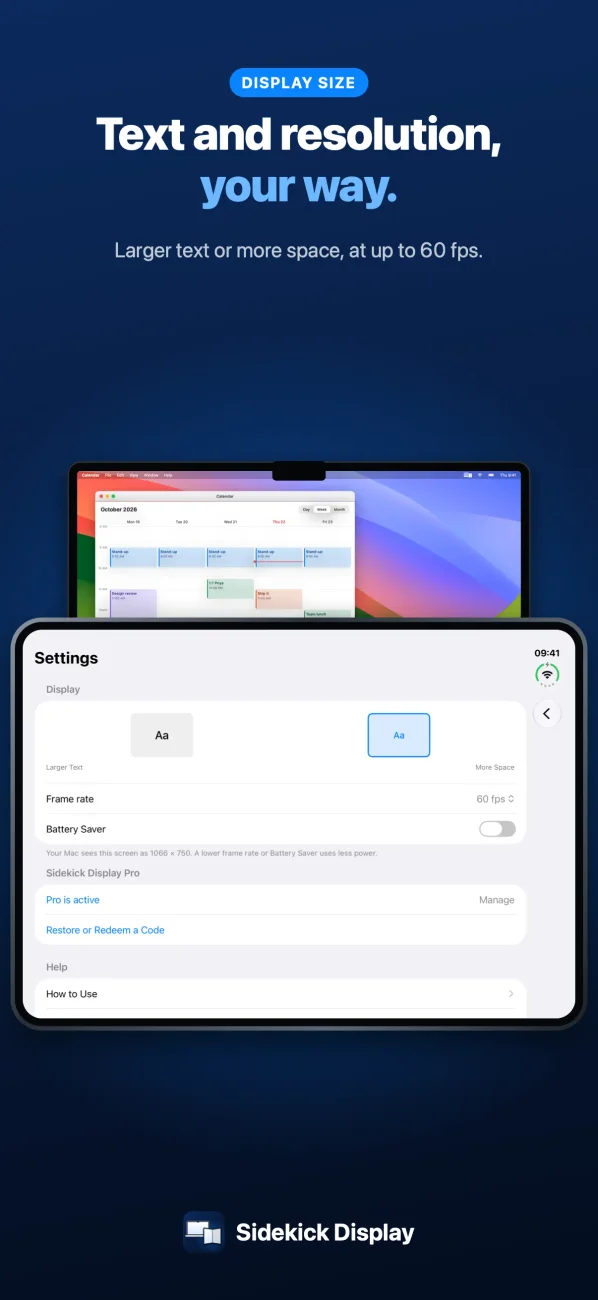
• 60 fps for smooth scrolling and video
• More Space: a smaller text size that fits more of your Mac
• Unlimited time (free: 20 minutes a day)
• Wi-Fi connection
The free plan runs at 30 fps for up to 20 minutes a day.
You'll need Sidekick Display for Mac, free from headwindlab.com/sidekick-display (macOS 14 or later).
Subscriptions renew automatically unless cancelled at least 24 hours before the end of the current period. Manage them in Settings › Apple Account › Subscriptions.
Terms of Use: https://www.apple.com/legal/internet-services/itunes/dev/stdeula/
Privacy Policy: https://headwindlab.com/sidekick-display/privacy/
Có gì mới
Phiên bản 1.3 · 16/11/2026
Rotating your iPhone after coming back to the app now gives the display the right shape again, instead of a cropped portrait view.
Quyền riêng tư của ứng dụng
Những gì Nils Albertsen khai báo trên App Store về cách ứng dụng này xử lý dữ liệu.
-
Dữ liệu không được thu thập
Nhà phát triển không thu thập bất kỳ dữ liệu nào từ ứng dụng này.
Phương thức đảm bảo quyền riêng tư có thể khác nhau, chẳng hạn như tuỳ theo các tính năng bạn sử dụng hoặc độ tuổi của bạn.
Thông tin
- Người bán
- Nils Albertsen
- Danh mục
- Hiệu Suất
- Phiên bản
- 1.3
- Cập nhật
- 16/11/2026
- Phát hành
- 08/11/2026
- Kích thước
- 2,2 MB
- Yêu cầu
- iOS 17.0 trở lên
- Độ tuổi
- 4+
- Giá
- Miễn phí
- Mua hàng trong ứng dụng
- Có
- Ngôn ngữ
- Tiếng Anh, Tiếng Ả Rập, Tiếng Catalan, Tiếng Croatia, Tiếng Séc, Tiếng Đan Mạch, Tiếng Hà Lan, Tiếng Phần Lan, Tiếng Pháp, Tiếng Đức, Tiếng Hy Lạp, Tiếng Do Thái + 21 ngôn ngữ khác
- Bản quyền
- © 2026 Nils Albertsen
Có thể bạn cũng thích
-
 Researchly: AI Deep ResearchHiệu Suất
-
 KetikHiệu Suất
-
 Fridgeboard - Family CalendarHiệu Suất
-
 BLISS Note: ghi chú PDF sổ tayViết tay, nhật ký, kế hoạch
-
 Calenytic: Timeboxing CalendarHiệu Suất
-
 Iris: Muse for Apple WatchHiệu Suất
-
 EDITROOMHiệu Suất
-
 BeMyDisplayHiệu Suất
-
 CentralSquare MobileHiệu Suất
-
 Looktech AI GlassesHiệu Suất