Sidekick Display
Extend your screen
iPhone için tasarlandı
Ücretsiz · Uygulama içi satın alma
- Yaş sınırı4+
- KategoriÜretkenlik
- GeliştiriciNils Albertsen
- Dillerİngilizce+ 32 dil daha
- Boyut2,2 MB
Resmi App Store sayfasına bağlanır
Download.org, Sidekick Display için hiçbir dosya barındırmaz. Düğme, uygulamanın App Store üzerindeki sayfasını açar; uygulamayı orada Nils Albertsen yayınlar. Sayfanın son kontrolü: 24.11.2026.
Ekran görüntüleri
Hakkında
Geliştirici bu metni dilinizde sunmamış.
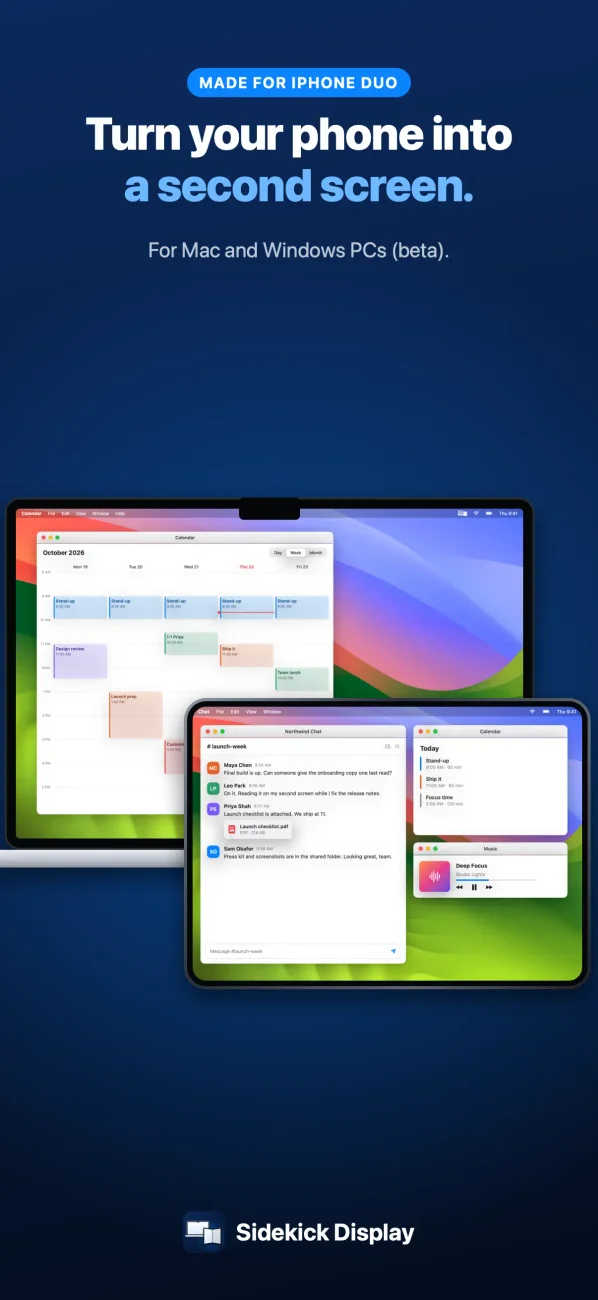
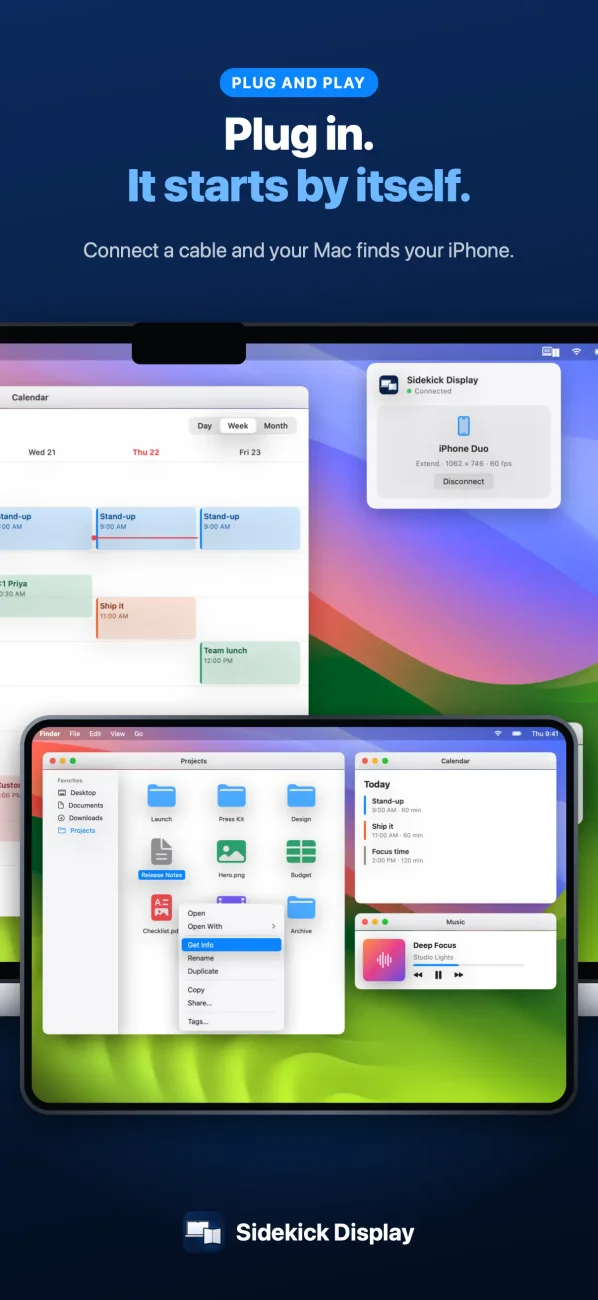
Do more on the go: turn your iPhone into a second screen for your Mac. Plug in a cable, and your iPhone becomes an extra display you can drag windows onto, or a mirror of your Mac. Perfect at a café, on a train or anywhere one laptop screen isn't enough.
WORKS GREAT ON IPHONE DUO
Open your iPhone Duo and the Mac display grows to fill the big inner screen. Fold it closed and it switches to the cover screen. Your Mac rearranges itself automatically, no settings to touch.
TOUCH CONTROL
Your iPhone is a touchscreen for your Mac:
• Tap to click, double-tap to double-click
• Drag to move windows and select text
• Two-finger drag to scroll
• Two-finger tap or touch and hold to right-click
Your Mac's mouse and trackpad still work too: just move the pointer off the edge of your screen.
EXTEND OR MIRROR
Extend gives you more space: keep your chat, music or a reference doc on your iPhone while you work. Mirror shows exactly what's on your Mac.
FAST AND SHARP
Wired over USB for low latency, with hardware video encoding on your Mac and hardware decoding on your iPhone.
SIDEKICK DISPLAY PRO
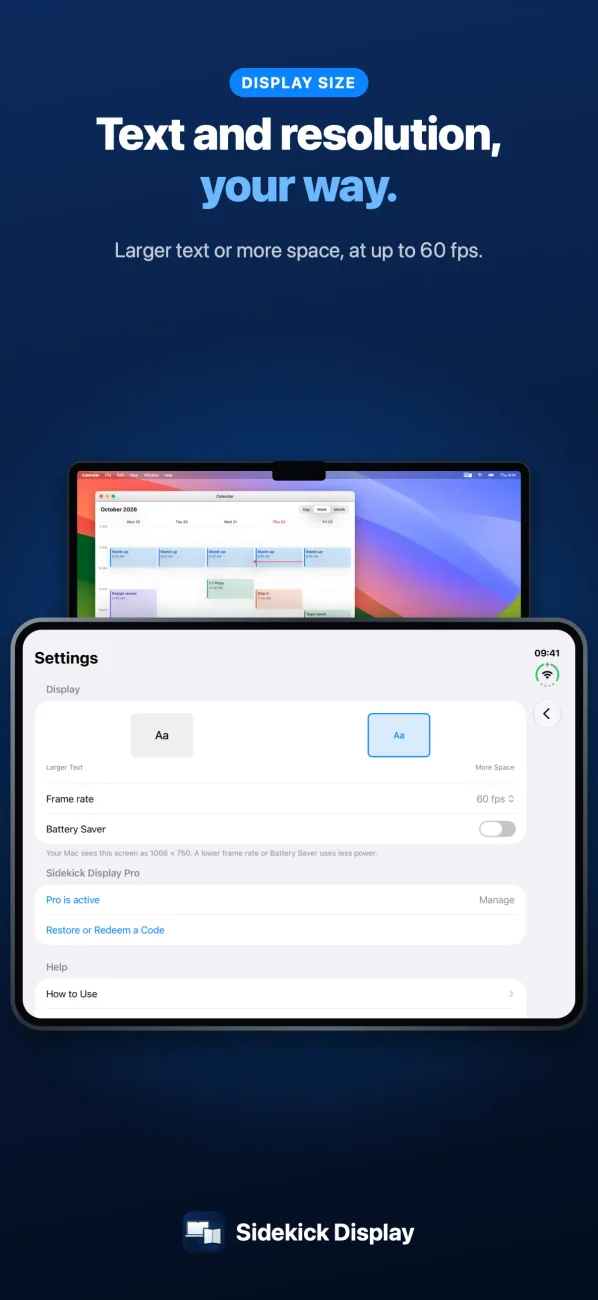
• 60 fps for smooth scrolling and video
• More Space: a smaller text size that fits more of your Mac
• Unlimited time (free: 20 minutes a day)
• Wi-Fi connection
The free plan runs at 30 fps for up to 20 minutes a day.
You'll need Sidekick Display for Mac, free from headwindlab.com/sidekick-display (macOS 14 or later).
Subscriptions renew automatically unless cancelled at least 24 hours before the end of the current period. Manage them in Settings › Apple Account › Subscriptions.
Terms of Use: https://www.apple.com/legal/internet-services/itunes/dev/stdeula/
Privacy Policy: https://headwindlab.com/sidekick-display/privacy/
Yenilikler
Sürüm 1.3 · 16.11.2026
Rotating your iPhone after coming back to the app now gives the display the right shape again, instead of a cropped portrait view.
Uygulama gizliliği
Bu uygulamanın verileri nasıl işlediği hakkında Nils Albertsen tarafından App Store üzerinde yapılan beyan.
-
Veri toplanmıyor
Geliştirici bu uygulamadan hiçbir veri toplamıyor.
Gizlilik uygulamaları, örneğin kullandığınız özelliklere veya yaşınıza göre değişiklik gösterebilir.
Bilgiler
- Satıcı
- Nils Albertsen
- Kategori
- Üretkenlik
- Sürüm
- 1.3
- Güncellendi
- 16.11.2026
- Yayın tarihi
- 08.11.2026
- Boyut
- 2,2 MB
- Gereksinim
- iOS 17.0 veya sonrası
- Yaş sınırı
- 4+
- Fiyat
- Ücretsiz
- Uygulama içi satın alma
- Evet
- Diller
- İngilizce, Arapça, Katalanca, Hırvatça, Çekçe, Danca, Hollandaca, Fince, Fransızca, Almanca, Yunanca, İbranice + 21 dil daha
- Telif hakkı
- © 2026 Nils Albertsen
Bunları da beğenebilirsiniz
-
 Researchly: AI Deep ResearchÜretkenlik
-
 KetikÜretkenlik
-
 Fridgeboard - Family CalendarÜretkenlik
-
 BLISS Note: not defteri PDFEl yazısı, ajanda, ders notu
-
 Calenytic: Timeboxing CalendarÜretkenlik
-
 Iris: Muse for Apple WatchÜretkenlik
-
 EDITROOMÜretkenlik
-
 BeMyDisplayÜretkenlik
-
 CentralSquare MobileÜretkenlik
-
 Looktech AI GlassesÜretkenlik