VidTimer - Video Timer
Add Timer/Stopwatch to Video
Dirancang untuk iPhone, iPad, iPod touch
Gratis · Pembelian dalam aplikasi
- Batasan usia4+
- KategoriOlahraga
- PengembangShanghai Qingge Technology Co., Ltd.
- BahasaInggris+ 8 lainnya
- Ukuran1,7 MB
Tertaut ke halaman resmi App Store
Download.org tidak menyimpan file VidTimer - Video Timer apa pun. Tombol ini membuka halaman aplikasi di App Store, tempat Shanghai Qingge Technology Co., Ltd. menerbitkannya. Halaman terakhir diperiksa pada 17/11/2026.
Tangkapan layar



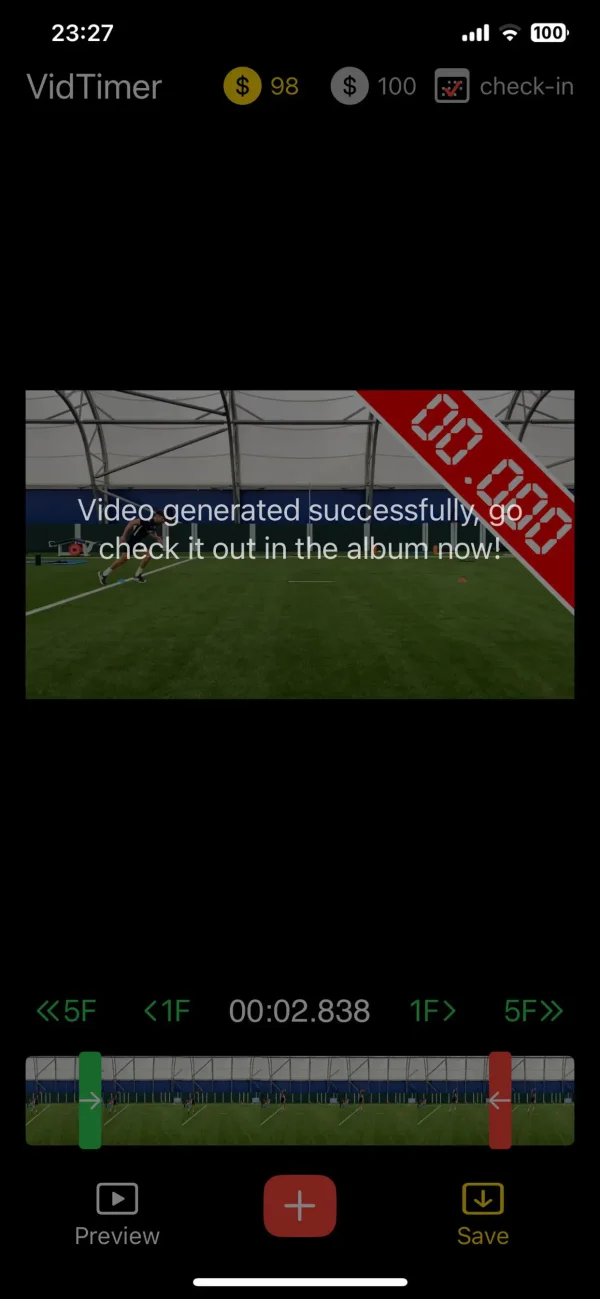
Tentang
Pengembang belum menyediakan teks ini dalam bahasa Anda.
V1.1.7 New Features:
Add center reference line
V1.1.4 New Features:
Supports members to modify the timer title(watermark)
V1.1.3 New Features:
1. Added support for professional members to remove the timer watermark and screen recording watermark.
2. Significantly improved the clarity of video preview images.
VidTimer's Key Features:
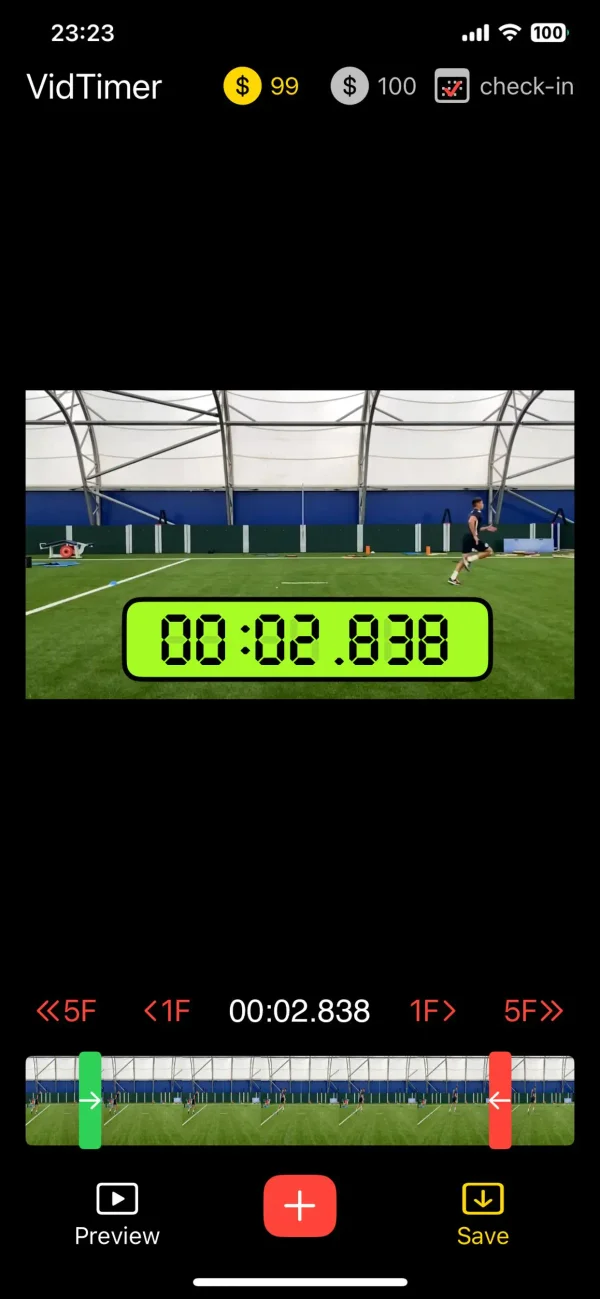
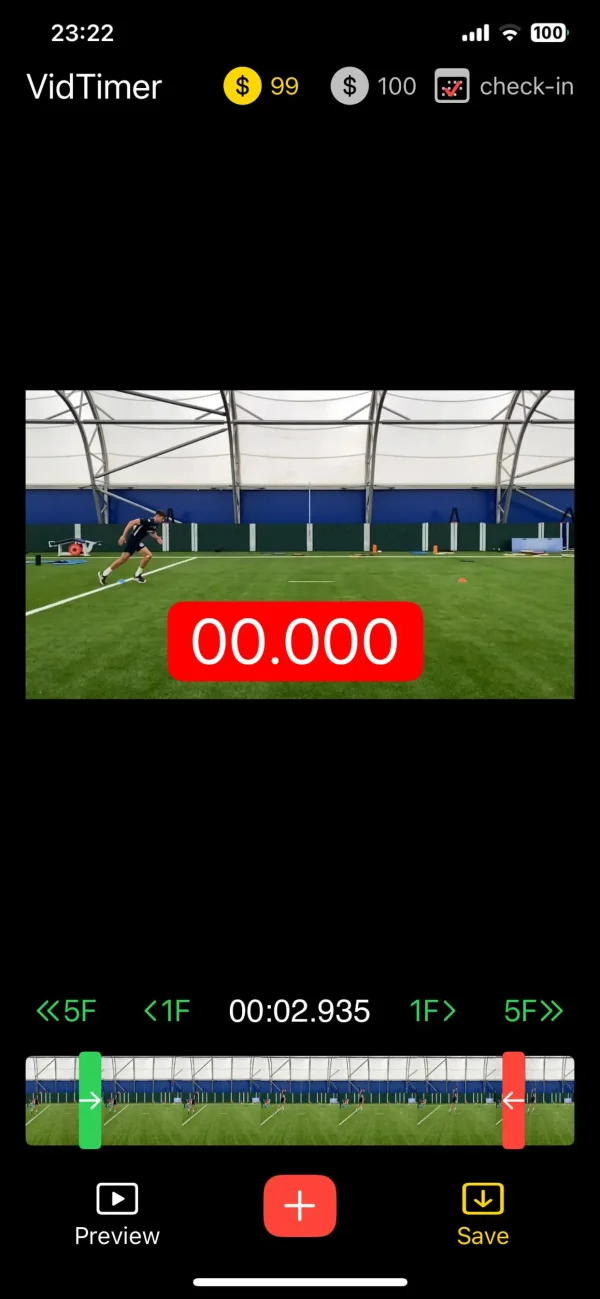
1.Drag the timer on the main interface to freely adjust its position in the video frame.
2.Easily set the timer's start point by dragging the green slider on the main interface.
3.Effortlessly set the timer's end point by dragging the red slider on the main interface.
4.Click the "Forward 1 Frame"/"Back 1 Frame" buttons on the main interface to advance or retreat by one frame, respectively.
5.Click the "Forward 5 Frames"/"Back 5 Frames" buttons on the main interface to advance or retreat by five frames, respectively.
6.Click the preview button in the bottom left corner of the main interface to preview the video with the timer added.
7.Double-clicking the video frame without zooming can show or hide the timer, making it easier to view the video content.
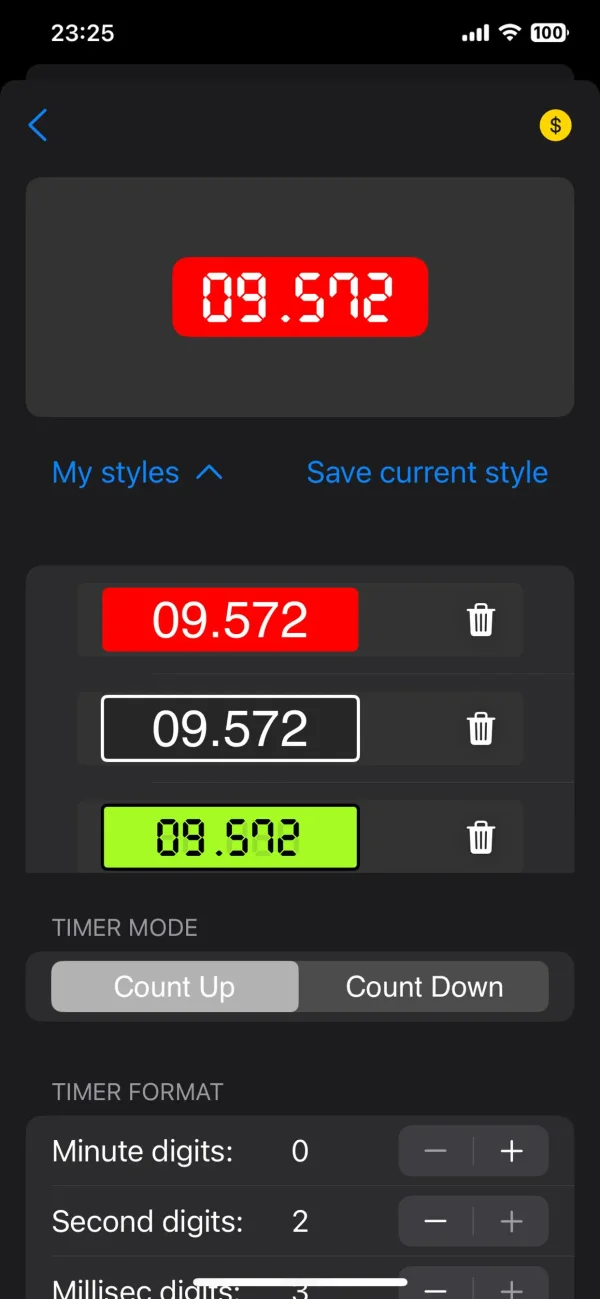
8.The timer's display supports two styles: the default font and a digital tube font.
9.Users can save or delete timer styles according to personal preference.
10.The timer's font size, color, and transparency can be customized.
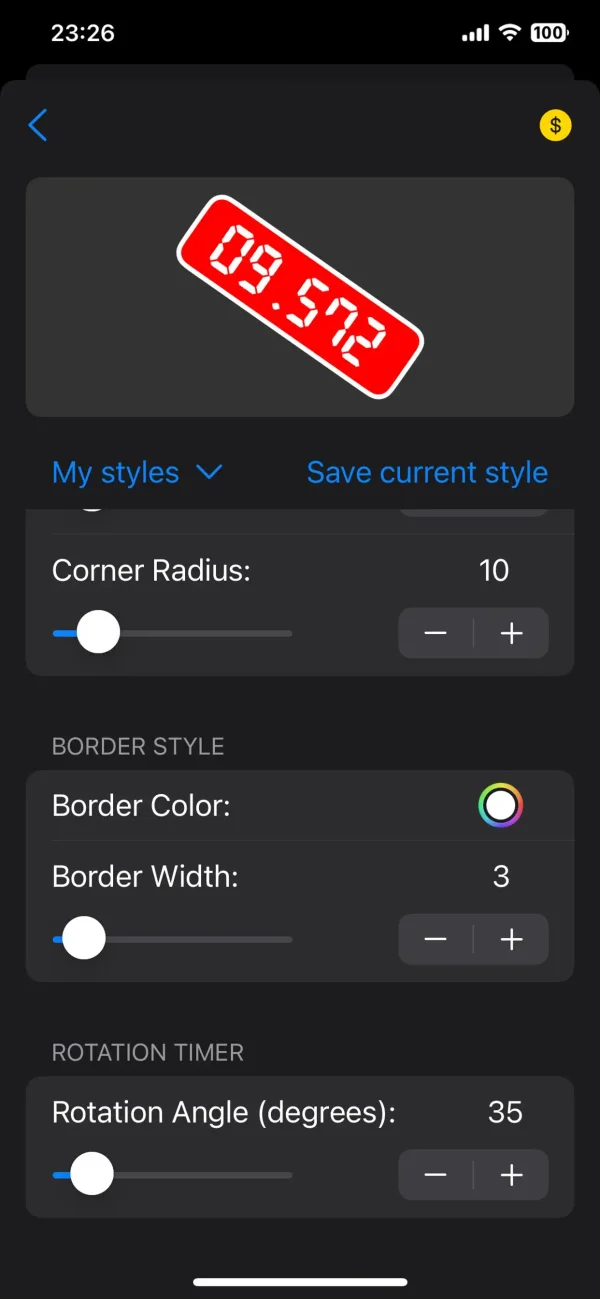
11.The background size, color, transparency, and corner radius can be adjusted as desired.
12.The border width, color, and transparency can also be modified according to needs.
13.Supports both countdown and count-up modes.
14.Allows setting the display digits for minutes, seconds, and milliseconds.
15.Enables precise timing results based on the current start and end points.
16.Offers a custom setting for the timer's rotation angle.
17.Supports pinching to zoom and dragging operations on the video frame for precise positioning of the start and end points.
18.Supports double-clicking to restore the zoomed video frame to its original size.
We continuously update our app to deliver the best experience and more features.
By using this app, you agree to the Apple Standard End User License Agreement, available at: https://www.apple.com/legal/internet-services/itunes/dev/stdeula/
Yang baru
Versi 1.1.7 · 20/7/2025
Add center reference line
Privasi aplikasi
Yang dinyatakan Shanghai Qingge Technology Co., Ltd. di App Store tentang cara aplikasi ini menangani data.
-
Data tidak dikumpulkan
Pengembang tidak mengumpulkan data apa pun dari aplikasi ini.
Praktik privasi dapat bervariasi, misalnya berdasarkan fitur yang Anda gunakan atau usia Anda.
Informasi
- Penjual
- Shanghai Qingge Technology Co., Ltd.
- Kategori
- Olahraga
- Versi
- 1.1.7
- Diperbarui
- 20/7/2025
- Dirilis
- 21/2/2024
- Ukuran
- 1,7 MB
- Memerlukan
- iOS 15.0 atau yang lebih baru
- Batasan usia
- 4+
- Harga
- Gratis
- Pembelian dalam aplikasi
- Ya
- Bahasa
- Inggris, Prancis, Jerman, Jepang, Korea, Portugis, Rusia, Tionghoa Sederhana, Spanyol
- Hak cipta
- © Shanghai Qingge Technology Co., Ltd.