VidTimer - Video Timer
Add Timer/Stopwatch to Video
Được thiết kế cho iPhone, iPad, iPod touch
Miễn phí · Mua hàng trong ứng dụng
- Độ tuổi4+
- Danh mụcThể Thao
- Nhà phát triểnShanghai Qingge Technology Co., Ltd.
- Ngôn ngữTiếng Anh+ 8 ngôn ngữ khác
- Kích thước1,7 MB
Liên kết đến trang App Store chính thức
Download.org không lưu trữ tệp nào của VidTimer - Video Timer. Nút này mở trang ứng dụng trên App Store, nơi Shanghai Qingge Technology Co., Ltd. phát hành ứng dụng. Trang được kiểm tra lần cuối: 17/11/2026.
Ảnh chụp màn hình



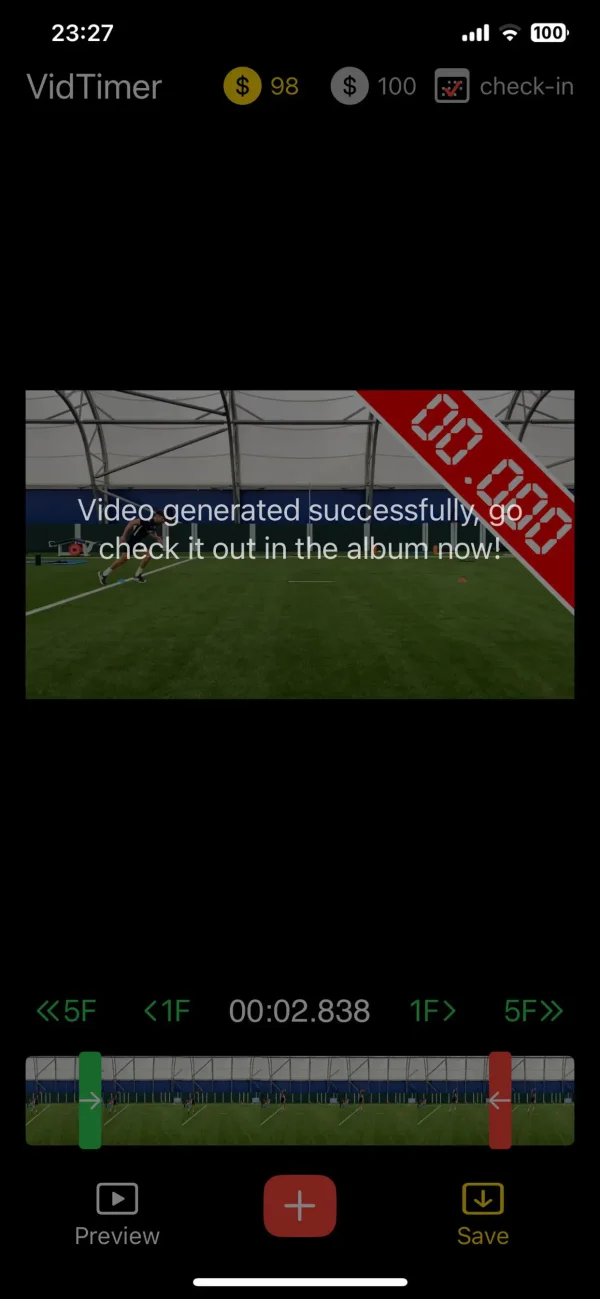
Giới thiệu
Nhà phát triển chưa cung cấp nội dung này bằng ngôn ngữ của bạn.
V1.1.7 New Features:
Add center reference line
V1.1.4 New Features:
Supports members to modify the timer title(watermark)
V1.1.3 New Features:
1. Added support for professional members to remove the timer watermark and screen recording watermark.
2. Significantly improved the clarity of video preview images.
VidTimer's Key Features:
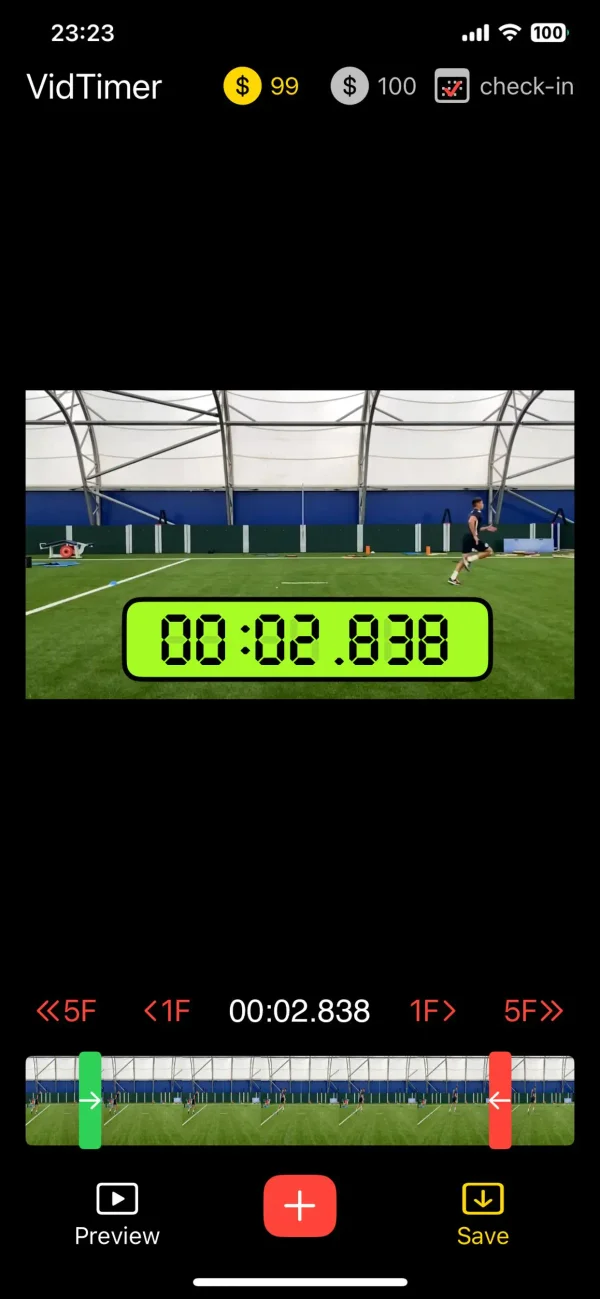
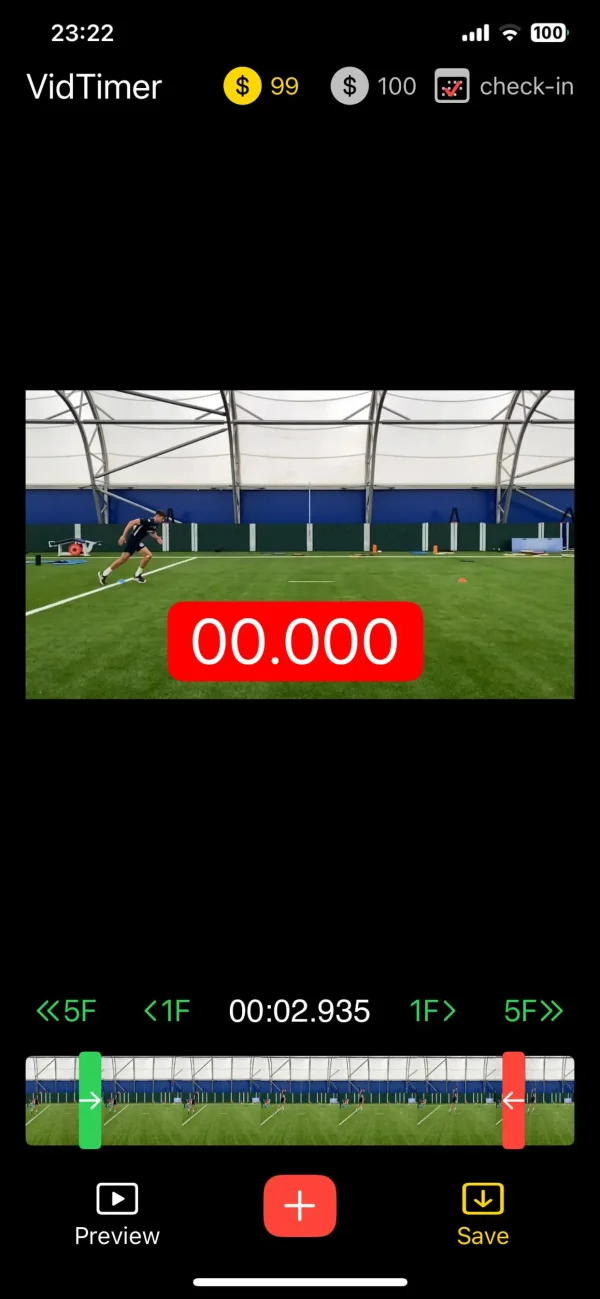
1.Drag the timer on the main interface to freely adjust its position in the video frame.
2.Easily set the timer's start point by dragging the green slider on the main interface.
3.Effortlessly set the timer's end point by dragging the red slider on the main interface.
4.Click the "Forward 1 Frame"/"Back 1 Frame" buttons on the main interface to advance or retreat by one frame, respectively.
5.Click the "Forward 5 Frames"/"Back 5 Frames" buttons on the main interface to advance or retreat by five frames, respectively.
6.Click the preview button in the bottom left corner of the main interface to preview the video with the timer added.
7.Double-clicking the video frame without zooming can show or hide the timer, making it easier to view the video content.
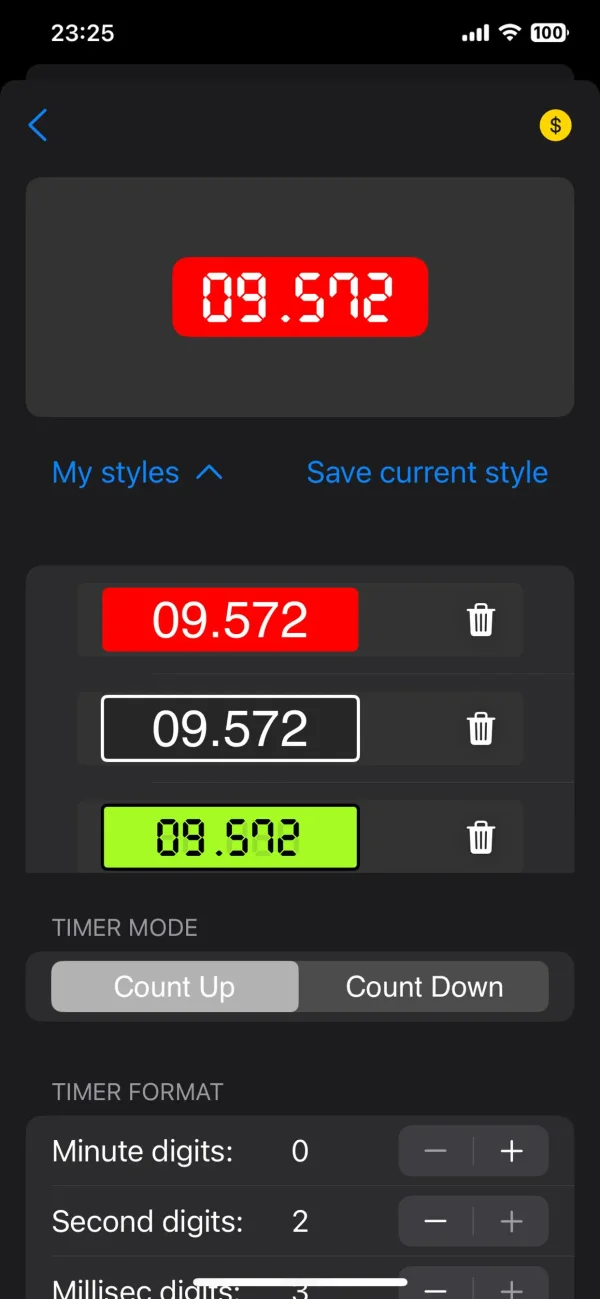
8.The timer's display supports two styles: the default font and a digital tube font.
9.Users can save or delete timer styles according to personal preference.
10.The timer's font size, color, and transparency can be customized.
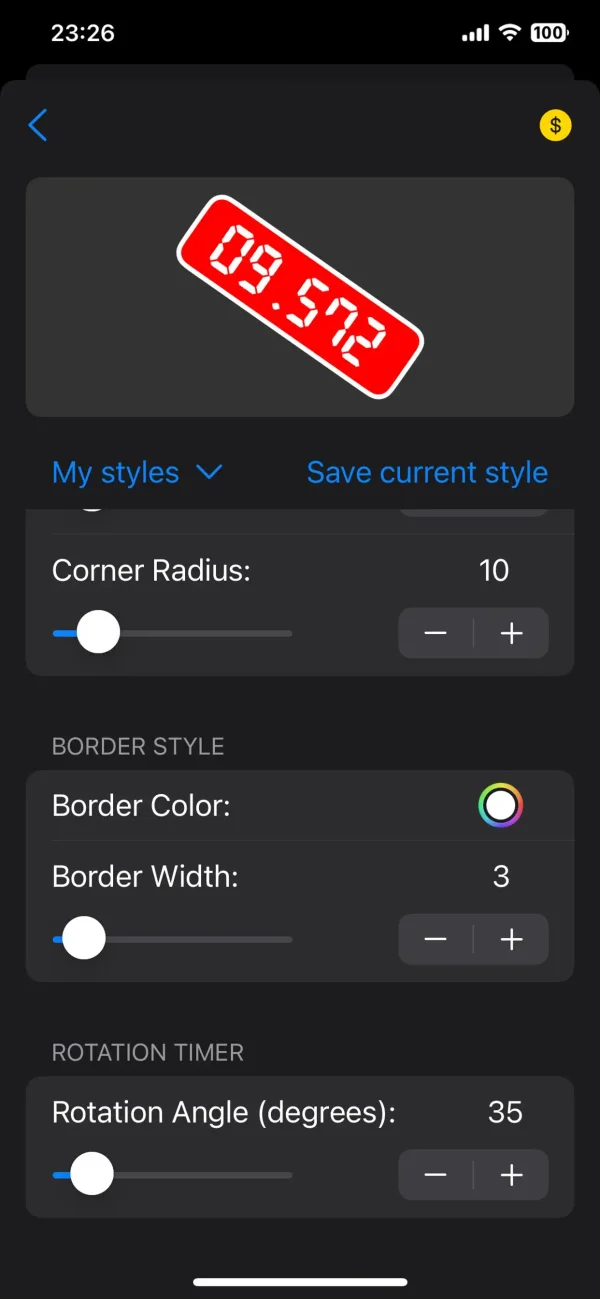
11.The background size, color, transparency, and corner radius can be adjusted as desired.
12.The border width, color, and transparency can also be modified according to needs.
13.Supports both countdown and count-up modes.
14.Allows setting the display digits for minutes, seconds, and milliseconds.
15.Enables precise timing results based on the current start and end points.
16.Offers a custom setting for the timer's rotation angle.
17.Supports pinching to zoom and dragging operations on the video frame for precise positioning of the start and end points.
18.Supports double-clicking to restore the zoomed video frame to its original size.
We continuously update our app to deliver the best experience and more features.
By using this app, you agree to the Apple Standard End User License Agreement, available at: https://www.apple.com/legal/internet-services/itunes/dev/stdeula/
Có gì mới
Phiên bản 1.1.7 · 20/07/2025
Add center reference line
Quyền riêng tư của ứng dụng
Những gì Shanghai Qingge Technology Co., Ltd. khai báo trên App Store về cách ứng dụng này xử lý dữ liệu.
-
Dữ liệu không được thu thập
Nhà phát triển không thu thập bất kỳ dữ liệu nào từ ứng dụng này.
Phương thức đảm bảo quyền riêng tư có thể khác nhau, chẳng hạn như tuỳ theo các tính năng bạn sử dụng hoặc độ tuổi của bạn.
Thông tin
- Người bán
- Shanghai Qingge Technology Co., Ltd.
- Danh mục
- Thể Thao
- Phiên bản
- 1.1.7
- Cập nhật
- 20/07/2025
- Phát hành
- 21/02/2024
- Kích thước
- 1,7 MB
- Yêu cầu
- iOS 15.0 trở lên
- Độ tuổi
- 4+
- Giá
- Miễn phí
- Mua hàng trong ứng dụng
- Có
- Ngôn ngữ
- Tiếng Anh, Tiếng Pháp, Tiếng Đức, Tiếng Nhật, Tiếng Hàn, Tiếng Bồ Đào Nha, Tiếng Nga, Tiếng Trung Giản thể, Tiếng Tây Ban Nha
- Bản quyền
- © Shanghai Qingge Technology Co., Ltd.