VidTimer - Video Timer
Add Timer/Stopwatch to Video
iPhone, iPad, iPod touch için tasarlandı
Ücretsiz · Uygulama içi satın alma
- Yaş sınırı4+
- KategoriSpor
- GeliştiriciShanghai Qingge Technology Co., Ltd.
- Dillerİngilizce+ 8 dil daha
- Boyut1,7 MB
Resmi App Store sayfasına bağlanır
Download.org, VidTimer - Video Timer için hiçbir dosya barındırmaz. Düğme, uygulamanın App Store üzerindeki sayfasını açar; uygulamayı orada Shanghai Qingge Technology Co., Ltd. yayınlar. Sayfanın son kontrolü: 17.11.2026.
Ekran görüntüleri



Hakkında
Geliştirici bu metni dilinizde sunmamış.
V1.1.7 New Features:
Add center reference line
V1.1.4 New Features:
Supports members to modify the timer title(watermark)
V1.1.3 New Features:
1. Added support for professional members to remove the timer watermark and screen recording watermark.
2. Significantly improved the clarity of video preview images.
VidTimer's Key Features:
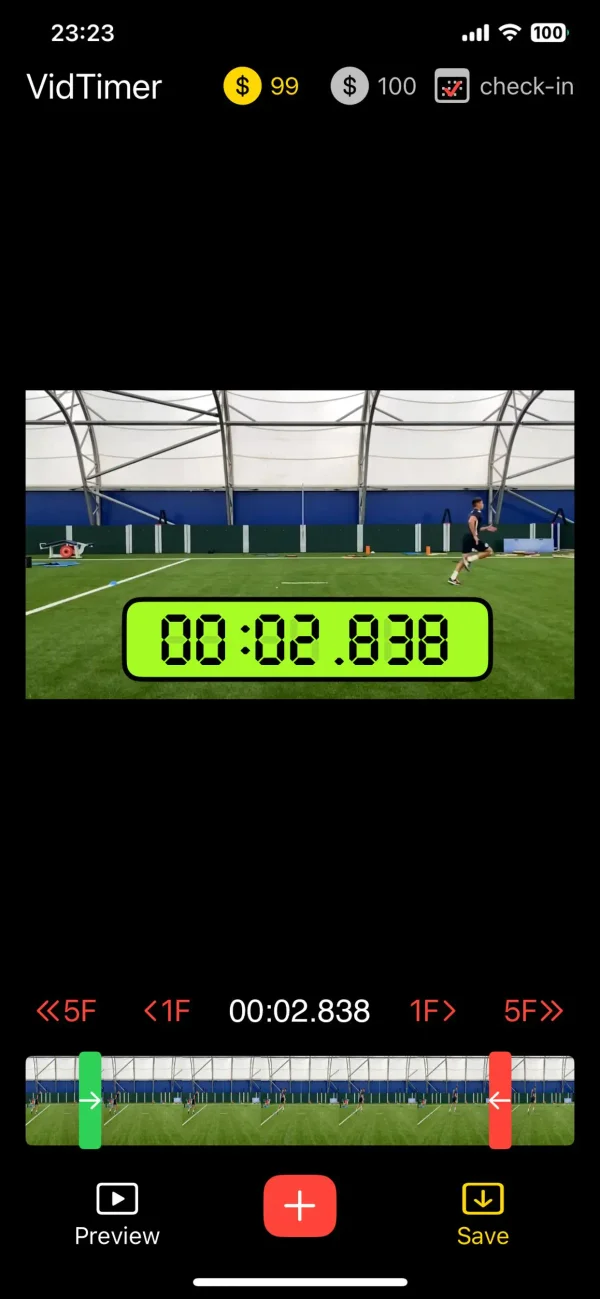
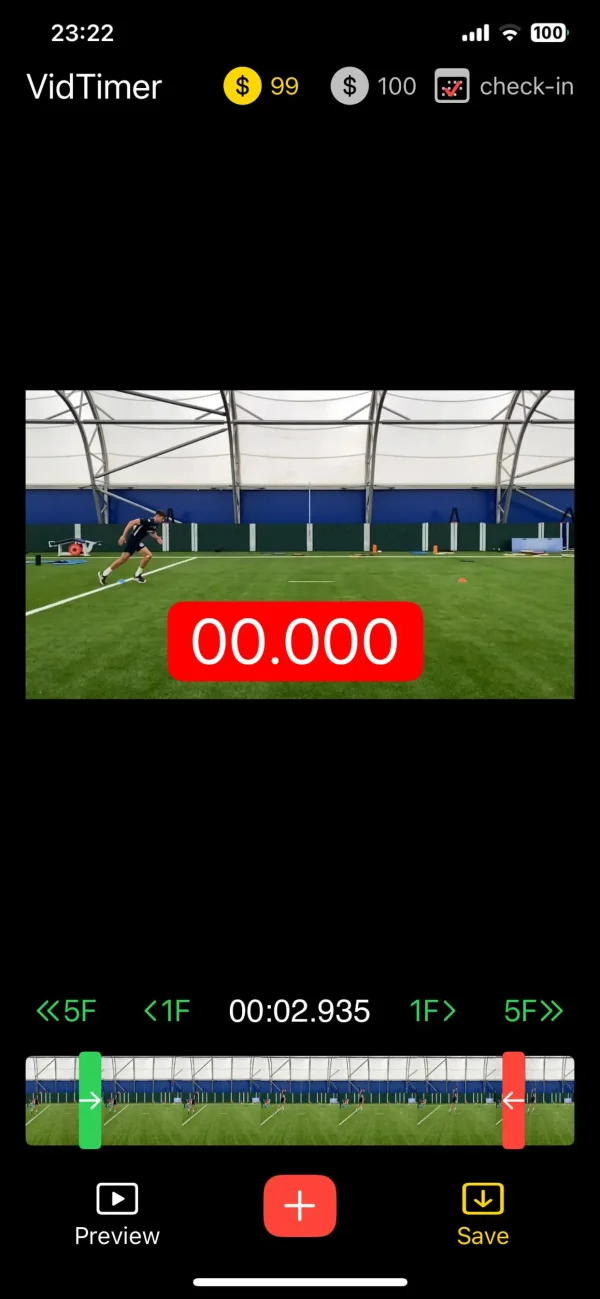
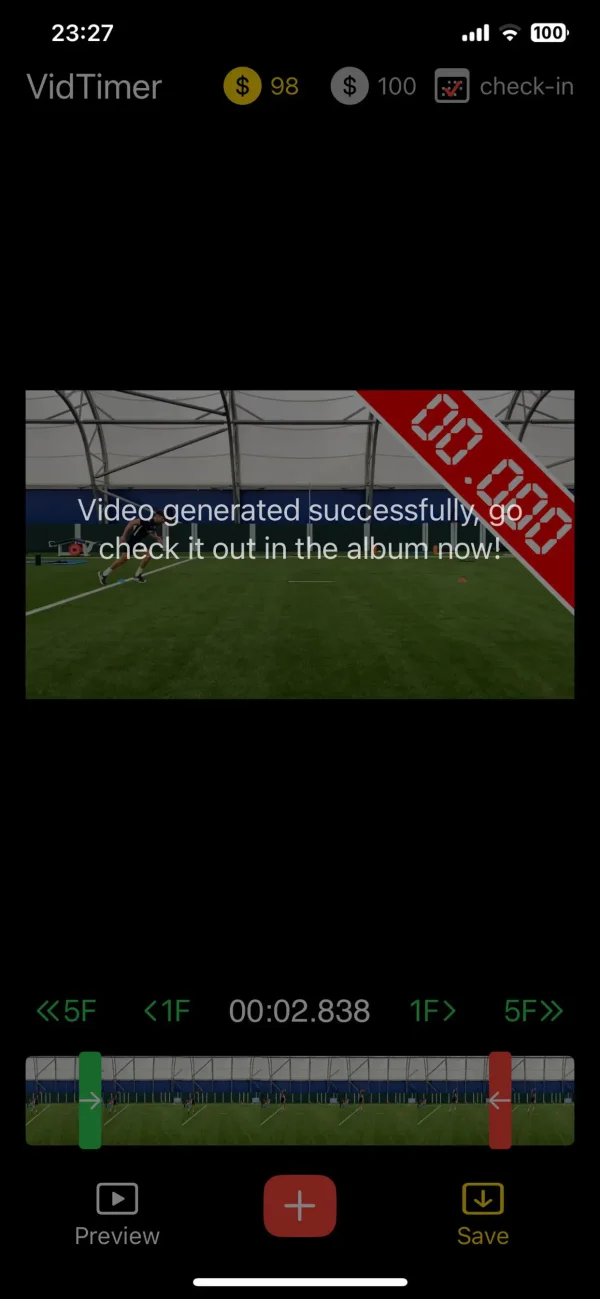
1.Drag the timer on the main interface to freely adjust its position in the video frame.
2.Easily set the timer's start point by dragging the green slider on the main interface.
3.Effortlessly set the timer's end point by dragging the red slider on the main interface.
4.Click the "Forward 1 Frame"/"Back 1 Frame" buttons on the main interface to advance or retreat by one frame, respectively.
5.Click the "Forward 5 Frames"/"Back 5 Frames" buttons on the main interface to advance or retreat by five frames, respectively.
6.Click the preview button in the bottom left corner of the main interface to preview the video with the timer added.
7.Double-clicking the video frame without zooming can show or hide the timer, making it easier to view the video content.
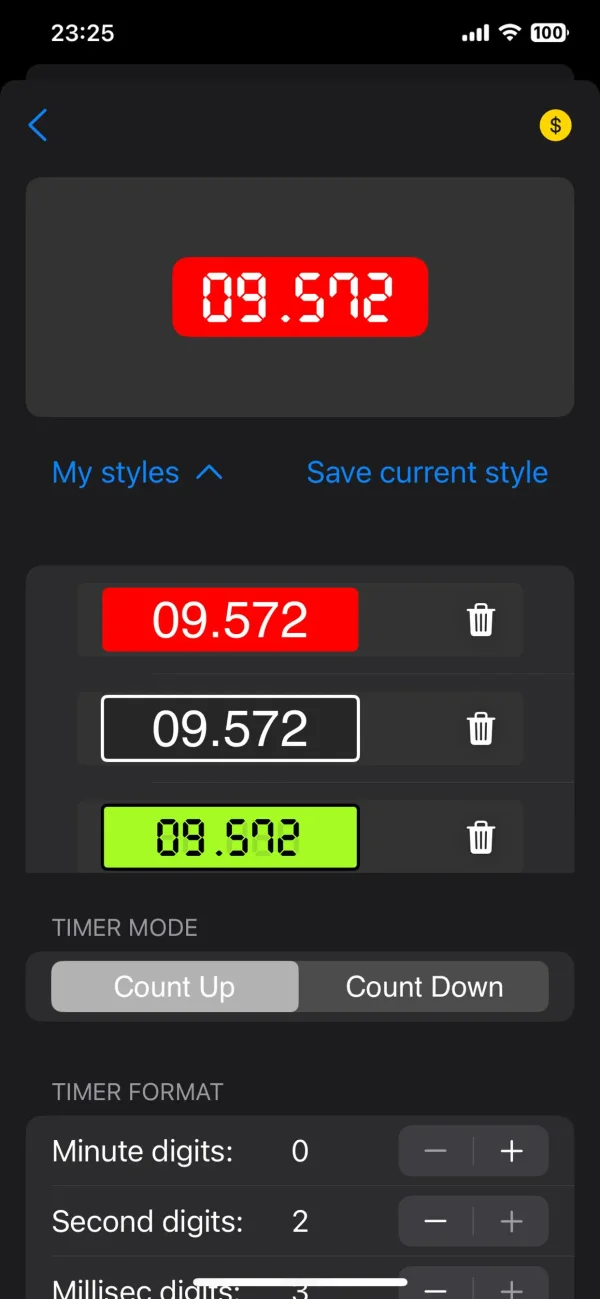
8.The timer's display supports two styles: the default font and a digital tube font.
9.Users can save or delete timer styles according to personal preference.
10.The timer's font size, color, and transparency can be customized.
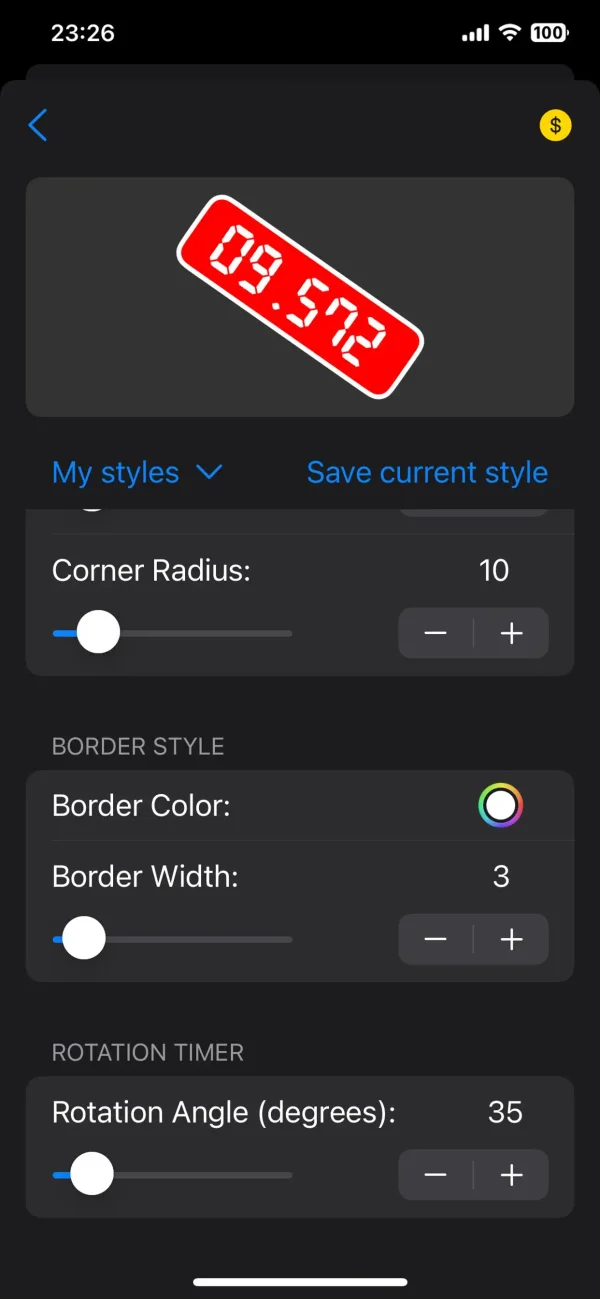
11.The background size, color, transparency, and corner radius can be adjusted as desired.
12.The border width, color, and transparency can also be modified according to needs.
13.Supports both countdown and count-up modes.
14.Allows setting the display digits for minutes, seconds, and milliseconds.
15.Enables precise timing results based on the current start and end points.
16.Offers a custom setting for the timer's rotation angle.
17.Supports pinching to zoom and dragging operations on the video frame for precise positioning of the start and end points.
18.Supports double-clicking to restore the zoomed video frame to its original size.
We continuously update our app to deliver the best experience and more features.
By using this app, you agree to the Apple Standard End User License Agreement, available at: https://www.apple.com/legal/internet-services/itunes/dev/stdeula/
Yenilikler
Sürüm 1.1.7 · 20.07.2025
Add center reference line
Uygulama gizliliği
Bu uygulamanın verileri nasıl işlediği hakkında Shanghai Qingge Technology Co., Ltd. tarafından App Store üzerinde yapılan beyan.
-
Veri toplanmıyor
Geliştirici bu uygulamadan hiçbir veri toplamıyor.
Gizlilik uygulamaları, örneğin kullandığınız özelliklere veya yaşınıza göre değişiklik gösterebilir.
Bilgiler
- Satıcı
- Shanghai Qingge Technology Co., Ltd.
- Kategori
- Spor
- Sürüm
- 1.1.7
- Güncellendi
- 20.07.2025
- Yayın tarihi
- 21.02.2024
- Boyut
- 1,7 MB
- Gereksinim
- iOS 15.0 veya sonrası
- Yaş sınırı
- 4+
- Fiyat
- Ücretsiz
- Uygulama içi satın alma
- Evet
- Diller
- İngilizce, Fransızca, Almanca, Japonca, Korece, Portekizce, Rusça, Basitleştirilmiş Çince, İspanyolca
- Telif hakkı
- © Shanghai Qingge Technology Co., Ltd.