
VidTimer - Video Timer
Add Timer/Stopwatch to Video
Designed for iPhone, iPad, iPod touch
Free · In-app purchases
- Age rating4+
- CategorySports
- DeveloperShanghai Qingge Technology Co., Ltd.
- LanguagesEnglish+ 8 more
- Size1.7 MB
Links to the official App Store page
Download.org hosts no file of VidTimer - Video Timer. The button opens its official App Store page, published by Shanghai Qingge Technology Co., Ltd. Listing last checked on Nov 17, 2026.
Screenshots



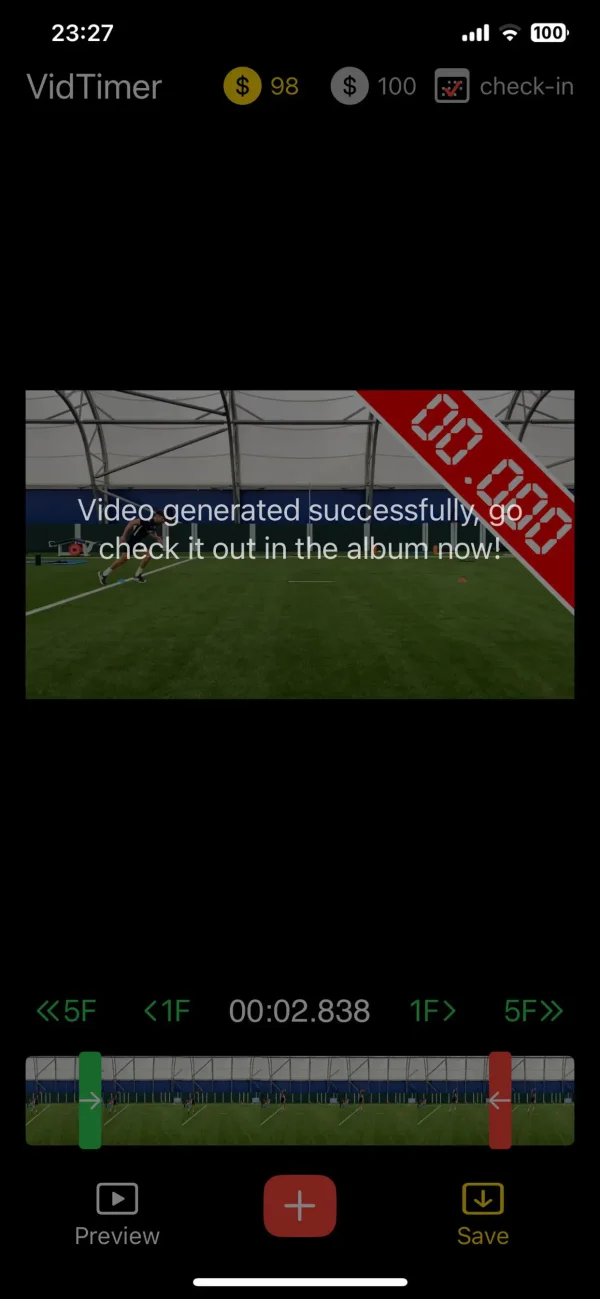
About
V1.1.7 New Features:
Add center reference line
V1.1.4 New Features:
Supports members to modify the timer title(watermark)
V1.1.3 New Features:
1. Added support for professional members to remove the timer watermark and screen recording watermark.
2. Significantly improved the clarity of video preview images.
VidTimer's Key Features:
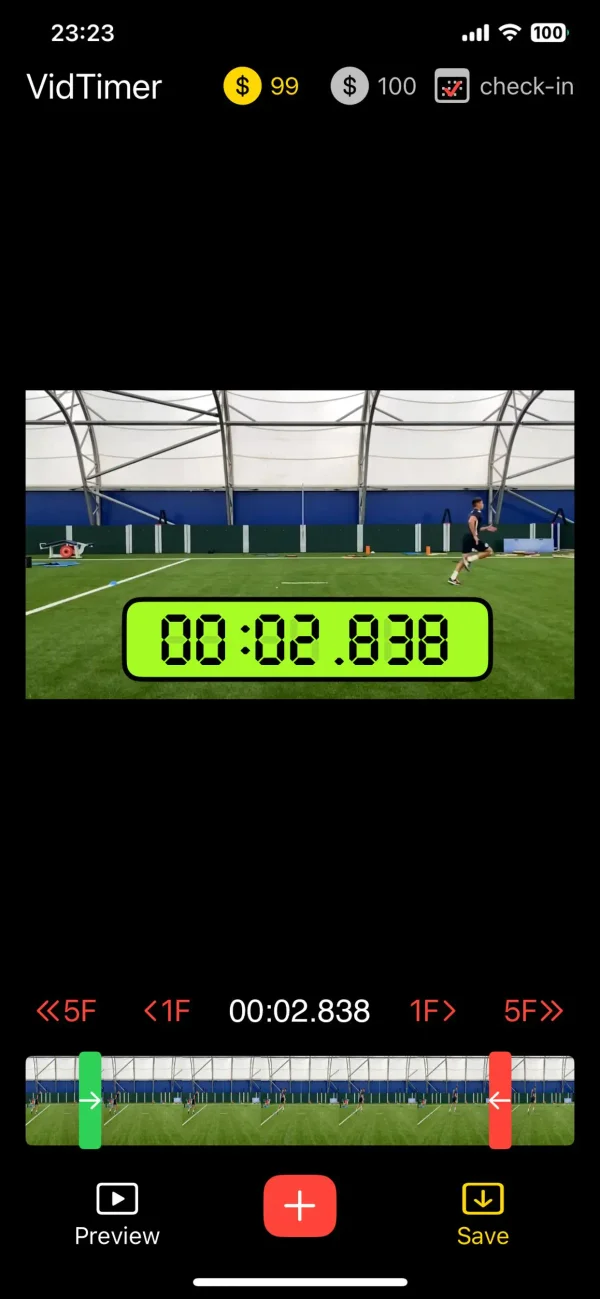
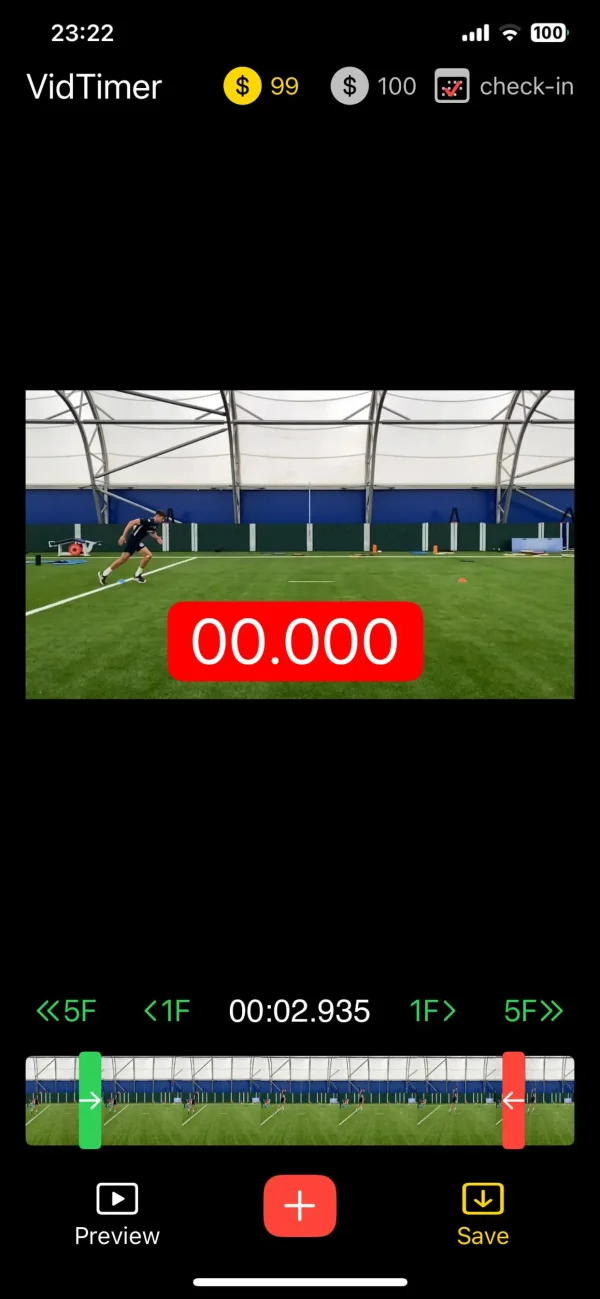
1.Drag the timer on the main interface to freely adjust its position in the video frame.
2.Easily set the timer's start point by dragging the green slider on the main interface.
3.Effortlessly set the timer's end point by dragging the red slider on the main interface.
4.Click the "Forward 1 Frame"/"Back 1 Frame" buttons on the main interface to advance or retreat by one frame, respectively.
5.Click the "Forward 5 Frames"/"Back 5 Frames" buttons on the main interface to advance or retreat by five frames, respectively.
6.Click the preview button in the bottom left corner of the main interface to preview the video with the timer added.
7.Double-clicking the video frame without zooming can show or hide the timer, making it easier to view the video content.
8.The timer's display supports two styles: the default font and a digital tube font.
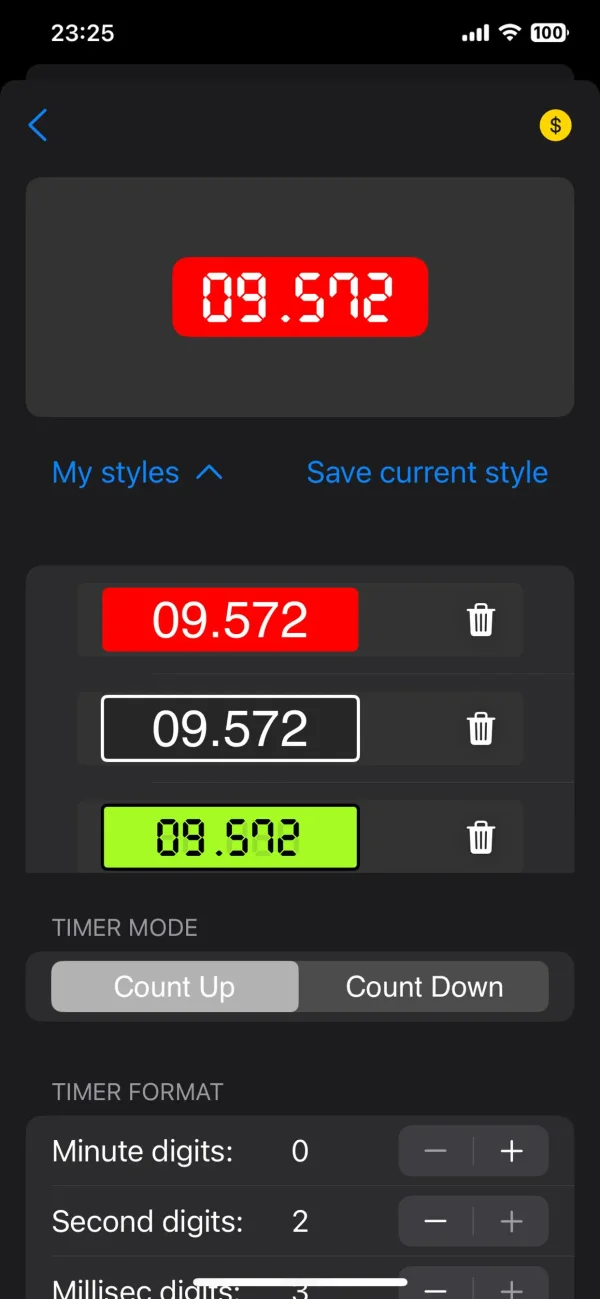
9.Users can save or delete timer styles according to personal preference.
10.The timer's font size, color, and transparency can be customized.
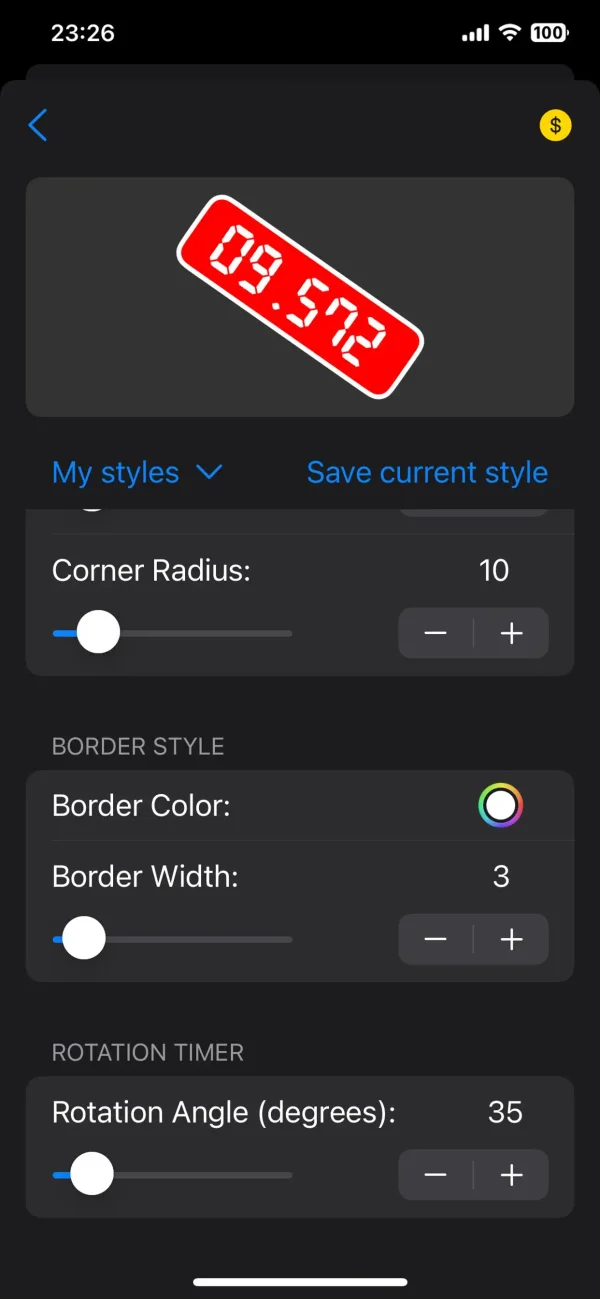
11.The background size, color, transparency, and corner radius can be adjusted as desired.
12.The border width, color, and transparency can also be modified according to needs.
13.Supports both countdown and count-up modes.
14.Allows setting the display digits for minutes, seconds, and milliseconds.
15.Enables precise timing results based on the current start and end points.
16.Offers a custom setting for the timer's rotation angle.
17.Supports pinching to zoom and dragging operations on the video frame for precise positioning of the start and end points.
18.Supports double-clicking to restore the zoomed video frame to its original size.
We continuously update our app to deliver the best experience and more features.
By using this app, you agree to the Apple Standard End User License Agreement, available at: https://www.apple.com/legal/internet-services/itunes/dev/stdeula/
What’s new
Version 1.1.7 · Jul 20, 2025
Add center reference line
App privacy
What Shanghai Qingge Technology Co., Ltd. declares on the App Store about how this app handles data.
-
Data not collected
The developer does not collect any data from this app.
Privacy practices may vary, for example with the features you use or your age.
Information
- Seller
- Shanghai Qingge Technology Co., Ltd.
- Category
- Sports
- Version
- 1.1.7
- Updated
- Jul 20, 2025
- Released
- Feb 21, 2024
- Size
- 1.7 MB
- Requires
- iOS 15.0 or later
- Age rating
- 4+
- Price
- Free
- In-app purchases
- Yes
- Languages
- English, French, German, Japanese, Korean, Portuguese, Russian, Simplified Chinese, Spanish
- Copyright
- © Shanghai Qingge Technology Co., Ltd.
You might also like
-
 Perfect Stopwatch40 Yard Dash Shuttle & Combine
-
 Video Stopwatch ProPrecision Lap & Split Timing
-
 Photo finish appStopwatch with photo-finish
-
 POPTime: Catcher Pop TimePitch Speed Radar from Video
-
 Sprint Timer - On Your MarkStarter & Stopwatch for Track
-
 Photo Finish: Automatic TimingSprint Timer
-
 JAWKUSports
-
 MyFreelapSports
-
 Coach Video AnalysisGolf Swing Analyzer & Slow Mo
-
 Caught StealingSports