
- Age rating4+
- CategoryPhoto & Video
- DeveloperFranco Sponga
- LanguagesEnglish
- Size14.4 MB
Links to the official App Store page
Download.org hosts no file of AirLens. The button opens its official App Store page, published by Franco Sponga. Listing last checked on Nov 14, 2026.
Screenshots
About
AirLens – Turn Your iPhone into a Wireless Camera
Stream live video from your iPhone or iPad to another iOS device or a web browser on the same local network. AirLens makes it easy to set up a live camera view without cables, extra hardware, or an account.
KEY FEATURES
• Live Video and Optional Audio
Share your camera feed with WebRTC streaming. Turn the microphone on when you need sound, or keep it off for video-only viewing.
• Watch on Another Device or in a Browser
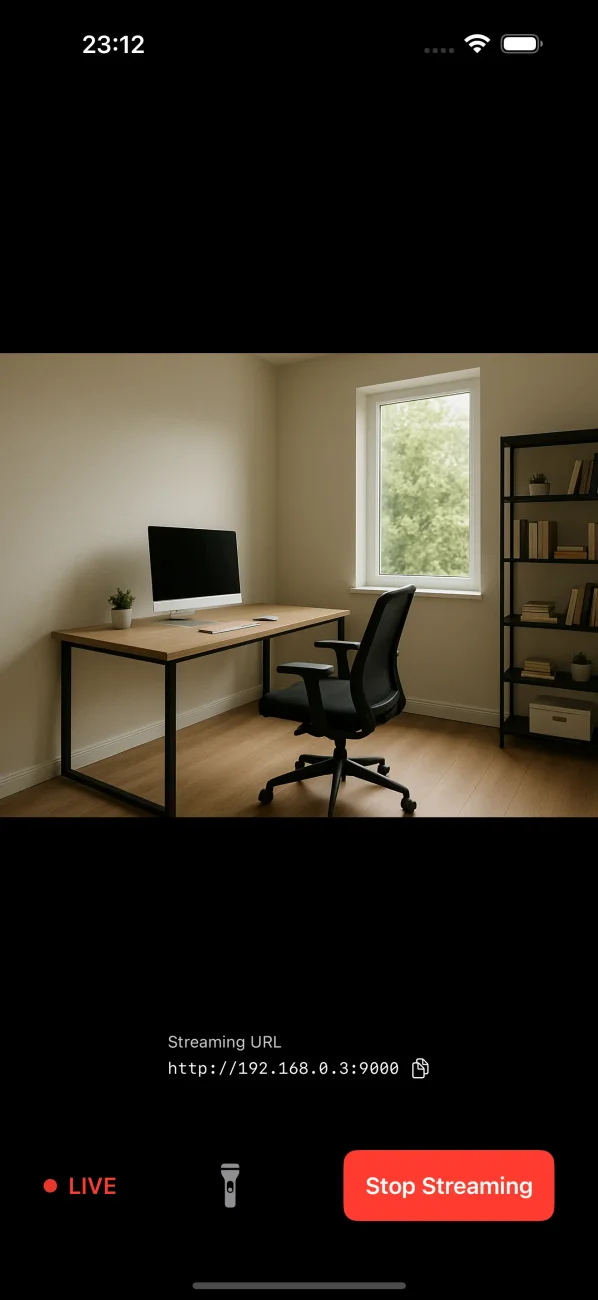
Open AirLens on a second iPhone or iPad to discover available streams, or enter the camera’s displayed URL in a browser on the same network.
• Adjustable Video Quality
Choose between 480p, 720p, and 1080p to suit your needs and network conditions.
• Simple Camera Controls
Pinch to zoom, tap to focus, and use the torch when you need more light on supported devices.
• Flexible Camera Placement
Position your iPhone or iPad for the view you need, with no cables connecting it to the viewing device.
• No Account Required
Start streaming without signing up. Video and audio are transmitted live and are not recorded or stored by AirLens.
HOW IT WORKS
1. Connect both devices to the same local Wi-Fi network.
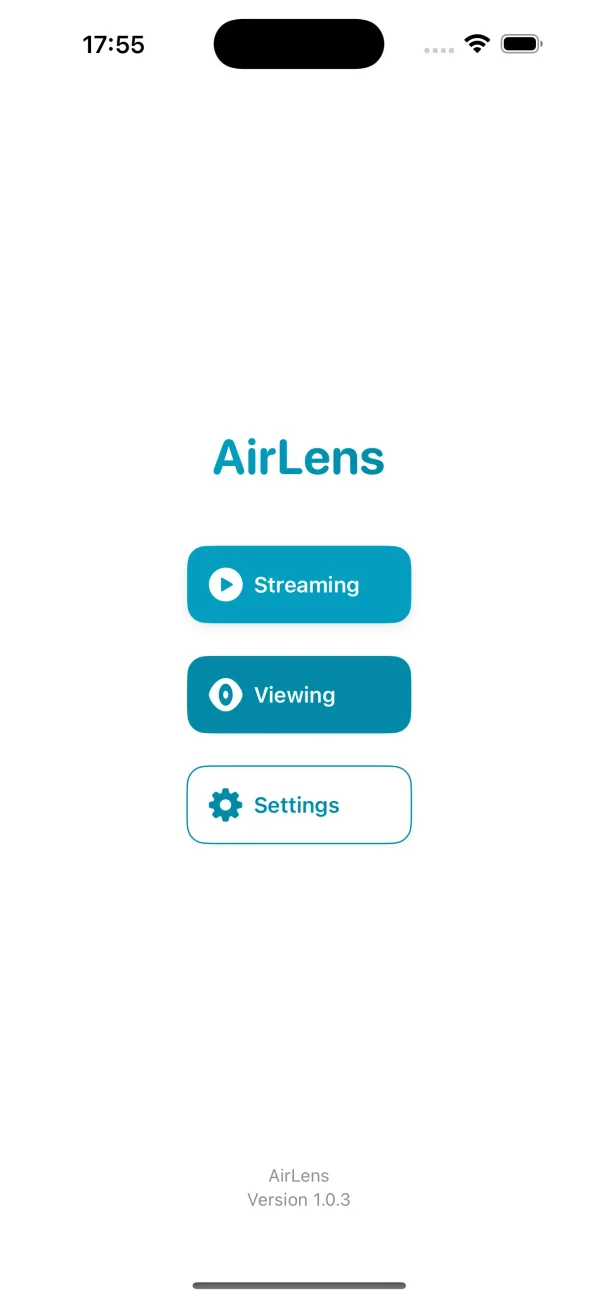
2. Open AirLens on the camera device and tap Streaming.
3. On the viewing device, tap Viewing in AirLens or open the displayed URL in a browser.
PLEASE NOTE
Keep AirLens open in the foreground on the camera device while streaming. Camera access is required; microphone access is optional. Allow local network access for device discovery and connection.
For app-to-app viewing, use the latest version of AirLens on both devices. Video quality and performance depend on your devices and network.
What’s new
Version 1.12 · Sep 23, 2026
WHAT’S NEW
• New WebRTC streaming for lower-latency live video.
• Optional live audio with microphone controls.
• Choose between 480p, 720p, and 1080p video quality.
• Simplified settings and improved connection handling.
• Fixes for camera startup and streaming cleanup.
Please update AirLens on both devices. This version is not compatible with streams from previous HLS versions.
App privacy
What Franco Sponga declares on the App Store about how this app handles data.
-
Data not collected
The developer does not collect any data from this app.
Privacy practices may vary, for example with the features you use or your age.
Information
- Seller
- Franco Sponga
- Category
- Photo & Video
- Version
- 1.12
- Updated
- Sep 23, 2026
- Released
- Jun 14, 2025
- Size
- 14.4 MB
- Requires
- iOS 15.6 or later
- Age rating
- 4+
- Price
- Free
- Languages
- English
- Copyright
- © 2025 Franco Sponga
You might also like
-
 SimpleIPCameraPhoto & Video
-
 MirrorLive – Camera MonitorWireless video assist & remote
-
 StreamCamera4K camera monitor & recorder
-
 PearCamStream Camera Video Over Wi-Fi
-
 CamScreen: Photo MonitorRear Camera Selfie&Pose Helper
-
 IdleEye: Home Security CameraOld Phone Cam · Watch Anywhere
-
 LM-MonitorNDI® & SRT video monitor
-
 SayCheese: Watch Camera RemotePhoto Shutter for Garmin Watch
-
 Sentry Motion Detector CameraNight Vision Security Monitor
-
 PeerCam Live MonitorTwo devices. One live camera.