
Barcode Inventory: StockLite
Stock Count & Variance Audit
Designed for iPhone, iPad
Free · In-app purchases
- Age rating4+
- CategoryBusiness
- DeveloperPomeranian Studio
- LanguagesEnglish+ 6 more
- Size6.2 MB
Links to the official App Store page
Download.org hosts no file of Barcode Inventory: StockLite. The button opens its official App Store page, published by Pomeranian Studio. Listing last checked on Nov 25, 2026.
Screenshots

About
Count stock by barcode and see expected-versus-actual variance instantly.
StockLite is a focused inventory tracker and stock counter for small retailers, resellers, and stockrooms. Scan items in or out, run a stocktake, and find mismatches without an account or server. Your inventory stays on your device.
SCAN, COUNT, SPOT THE GAP
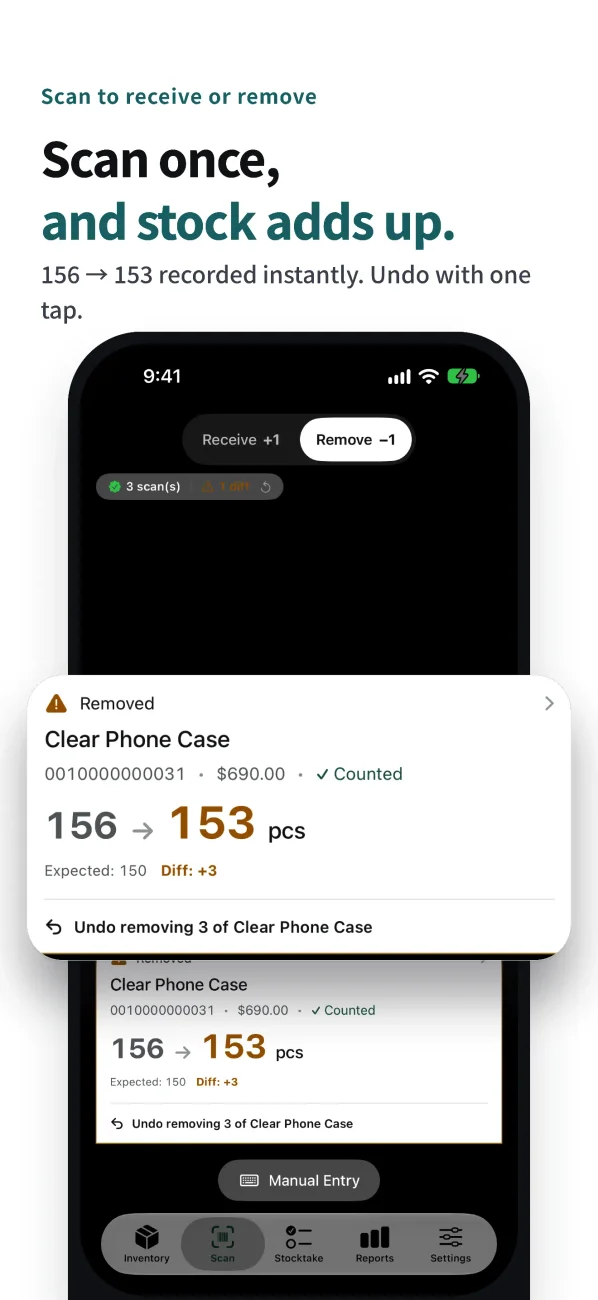
• Choose receiving or removal before you scan.
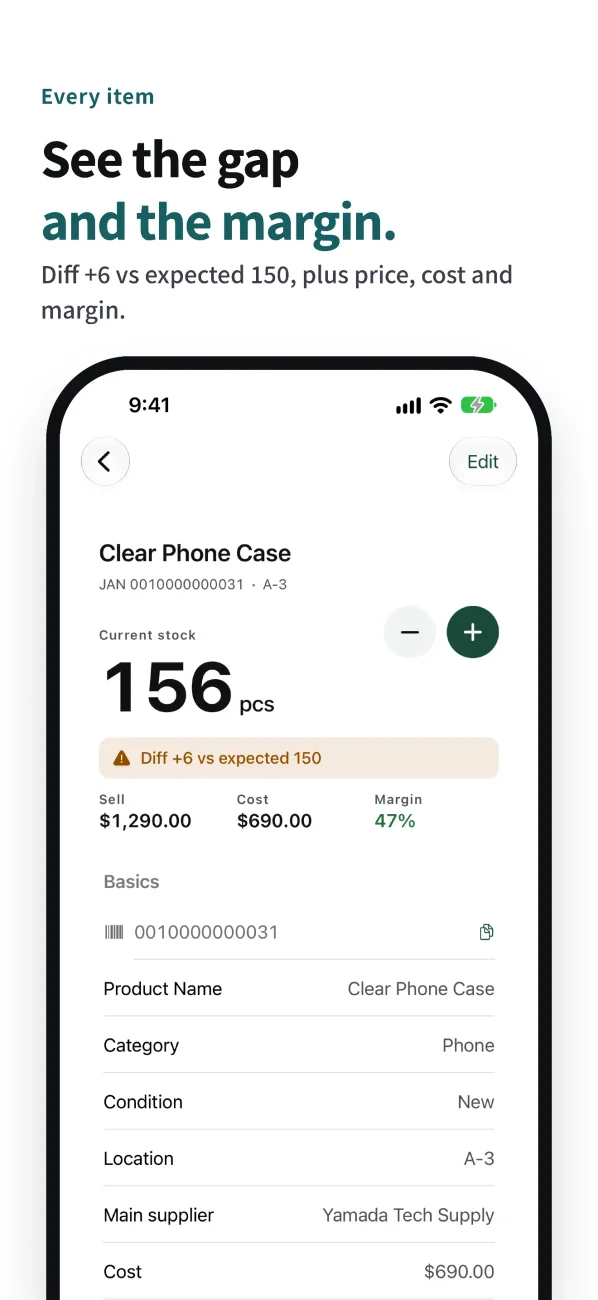
• See expected quantity, actual quantity, and variance together.
• Undo the latest scanner change for four seconds.
• Use the torch on supported devices; enable sound and haptics separately.
• Scan a barcode to find an item in your list.
FIND THE RIGHT ITEM FAST
• Sort by recent scan, custom order, name, barcode, quantity, or reorder priority.
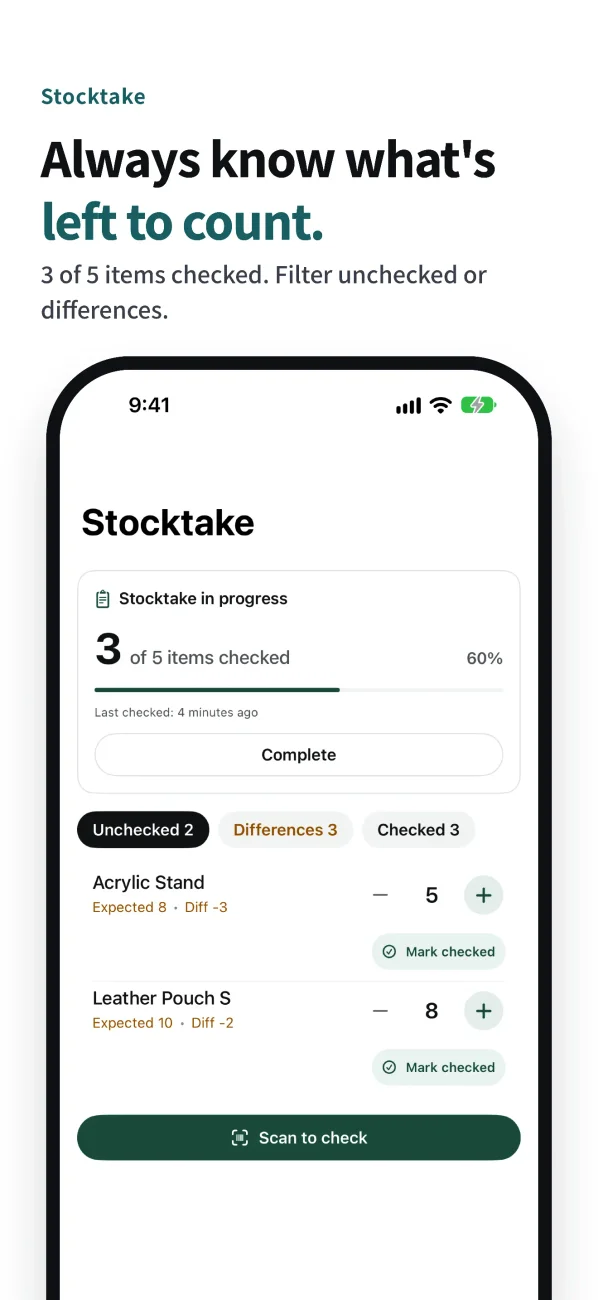
• Filter by shelf location, variance, or unchecked items during a stocktake.
• Add items without barcodes using a SKU.
• Track condition, purchase cost, sell price, shelf location, and notes.
STOCKTAKE & CSV
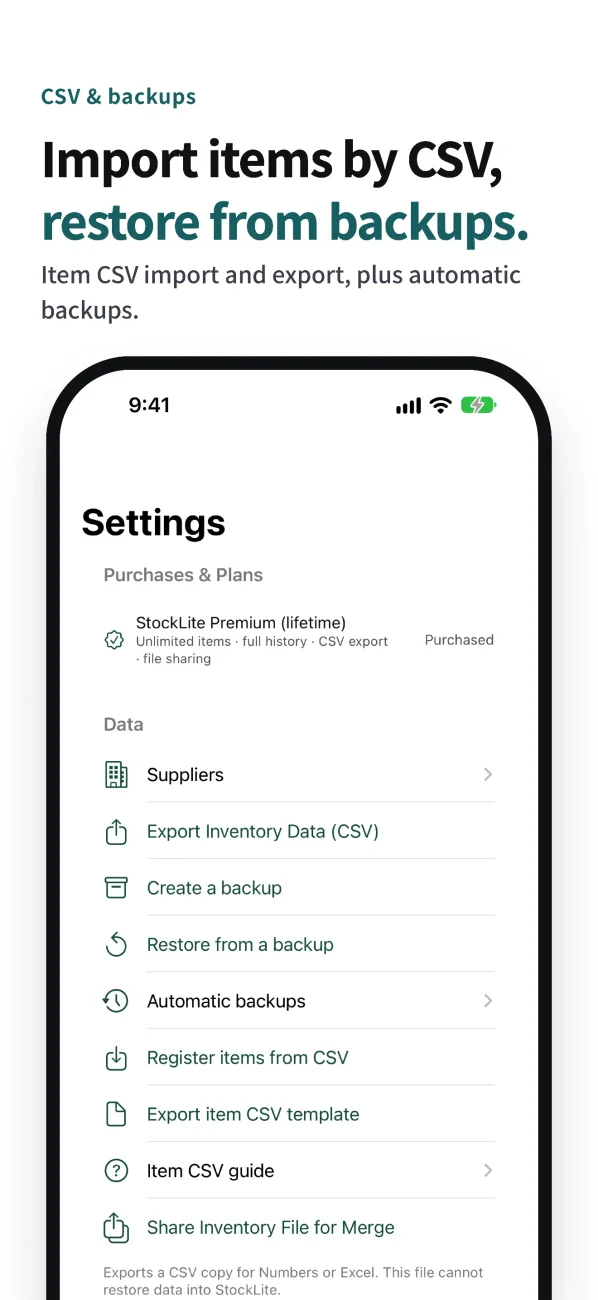
• Add or update many items at once from a CSV file, including category, supplier, shelf location, cost, and sell price. Existing quantities are never changed.
• Import an expected-stock CSV before counting.
• Check unchecked, checked, and mismatched items as you go.
• Export your full inventory or stocktake results as CSV for spreadsheet review.
• Try one CSV export on the free plan.
BACKUP & RESTORE
• Export your inventory to a backup file and restore it later.
• Backs up automatically once a day while you use the app, keeping the latest seven on your device.
WIDGETS & SHORTCUTS
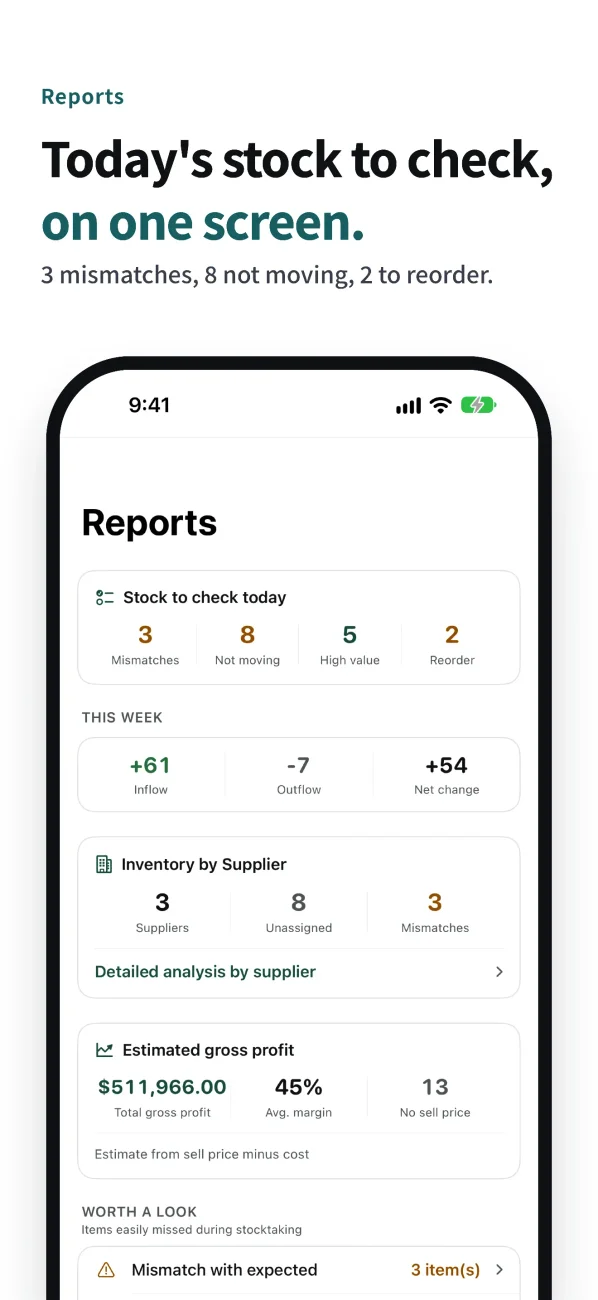
• See mismatch and reorder counts in Home Screen widgets.
• The Lock Screen widget shows the mismatch count and opens the scanner.
• Open the receiving scan, removal scan, or stocktake screen from Shortcuts.
• Open the receiving scan from Control Center (iOS 18 or later).
SUPPLIERS & INSIGHTS
• Assign a main supplier and search by supplier name.
• Review product count, stock quantity, value, and variance by supplier.
• See the estimated margin from sell price and cost. The total gross profit amount is part of Premium.
• Set reorder points and receive a local reminder up to once a day.
NEARBY-DEVICE SHARING
Send a StockLite file by AirDrop and merge it on another nearby device. This is a manual, file-based transfer.
PRIVATE BY DESIGN
No account. No ads. No data collected. No server required.
STOCKLITE PREMIUM — ONE-TIME PURCHASE
Remove the 30-item limit and unlock unlimited items, full CSV export, nearby-device file merge, analytics, and complete stock history. No subscription.
CSV exports are spreadsheet-ready data copies. To restore the app, use a backup file.
What’s new
Version 1.1.0 · Oct 19, 2026
A new look. The inventory list and stocktake screens have been redesigned for easier reading, and the app has a new icon.
• Backup and restore: export your inventory to a file and restore it later. Automatic backups are included.
• Item CSV import: add or update many items at once from a CSV file.
• Widgets and Shortcuts: check your stock from the Home Screen and start scanning from a shortcut.
• Barcode search: scan a barcode to find an item in your list.
• Better layout at large text sizes and in Dark Mode.
App privacy
What Pomeranian Studio declares on the App Store about how this app handles data.
-
Data not collected
The developer does not collect any data from this app.
Privacy practices may vary, for example with the features you use or your age.
Information
- Seller
- Pomeranian Studio
- Category
- Business
- Version
- 1.1.0
- Updated
- Oct 19, 2026
- Released
- Mar 18, 2026
- Size
- 6.2 MB
- Requires
- iOS 17.0 or later
- Age rating
- 4+
- Price
- Free
- In-app purchases
- Yes
- Languages
- English, Japanese, Korean, Portuguese, Spanish, Traditional Chinese, Turkish
- Copyright
- © 2026 Pomeranian Studio
You might also like
-
 Inventory Scanner Stock CountCSV exports for small business
-
 Inventory Count - ScanoidInventory Barcode Scanner
-
 Fácil Contagem de EstoqueProductivity
-
 Mobile Inventory: Scan & TrackCount & manage stock with team
-
 SG Contagem de EstoqueProductivity
-
 Prosto: Inventory & SalesPOS, stock & invoices
-
 Inventory with barcodeStock Management System
-
 Inventory Control with ScannerInventory Tracker, Barcode, QR
-
 Minha Contagem de EstoqueProductivity
-
 Stock Manager OnlineProductivity