Basic Countdown Timer
Count down to what matters
Designed for iPhone, iPad
Free · In-app purchases
- Age rating4+
- CategoryProductivity
- DeveloperThomas Donohue
- LanguagesEnglish+ 1 more
- Size6.1 MB
Links to the official App Store page
Download.org hosts no file of Basic Countdown Timer. The button opens its official App Store page, published by Thomas Donohue. Listing last checked on Nov 17, 2026.
Screenshots


About
Count down to the things that matter in your day — the train you can't miss, the meeting that starts at 3pm, the school bus.
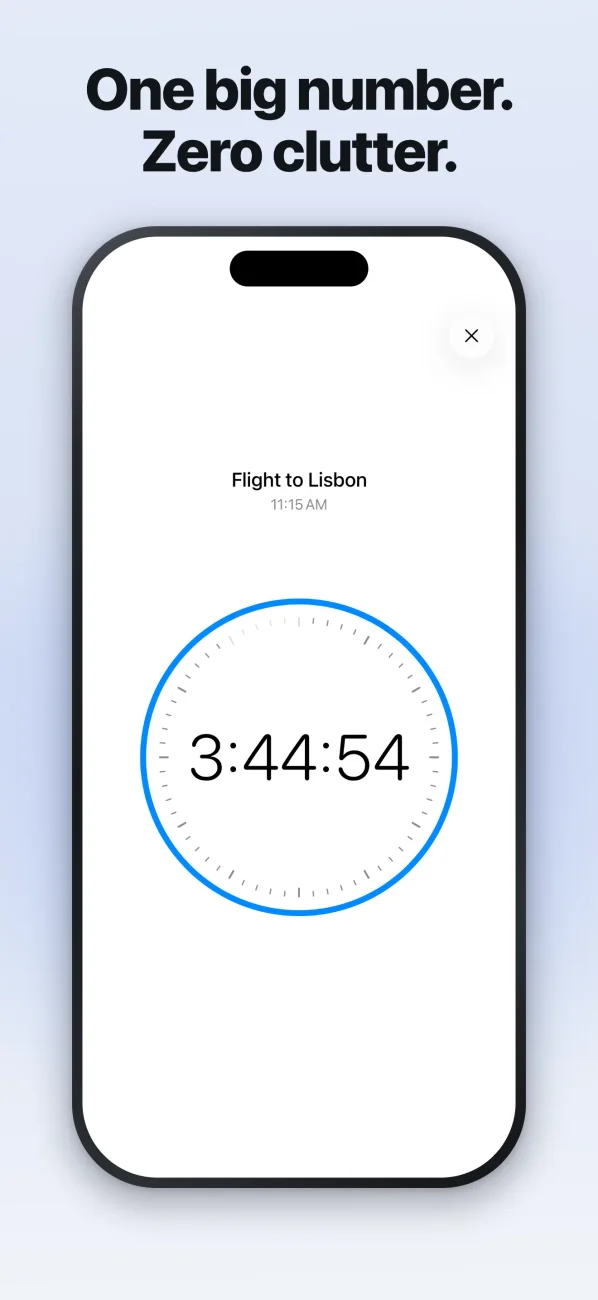
Basic Countdown Timer keeps all your deadlines in one calm list. Each one ticks away on its own card, so you can see at a glance what's coming and how long you've got. Tap one for a full-screen dial that you can leave running on the side, while you get ready.
WHY PEOPLE USE BASIC COUNTDOWN TIMER
· Know how long you've got before an event
Keep track of your time with a simple, easy-to-use interface.
· All your deadlines, one glance
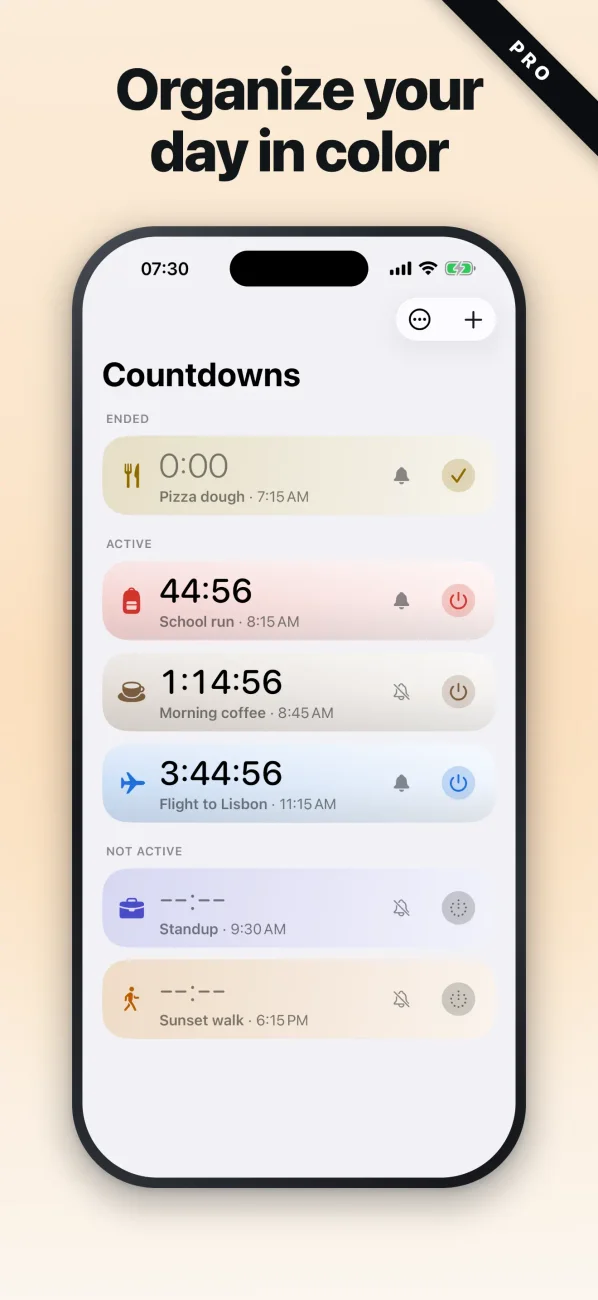
Multiple countdowns run side by side. Active ones are sorted to the top and colour-tagged, so the next thing that matters is always the first thing you see.
· Reuse the same countdown every day
Set it up once, then switch it on with one tap. "Standup at 9:30" or "leave at 4:40". Then come back tomorrow, ready to go — no re-entering anything.
· On your Lock Screen with Live Activities
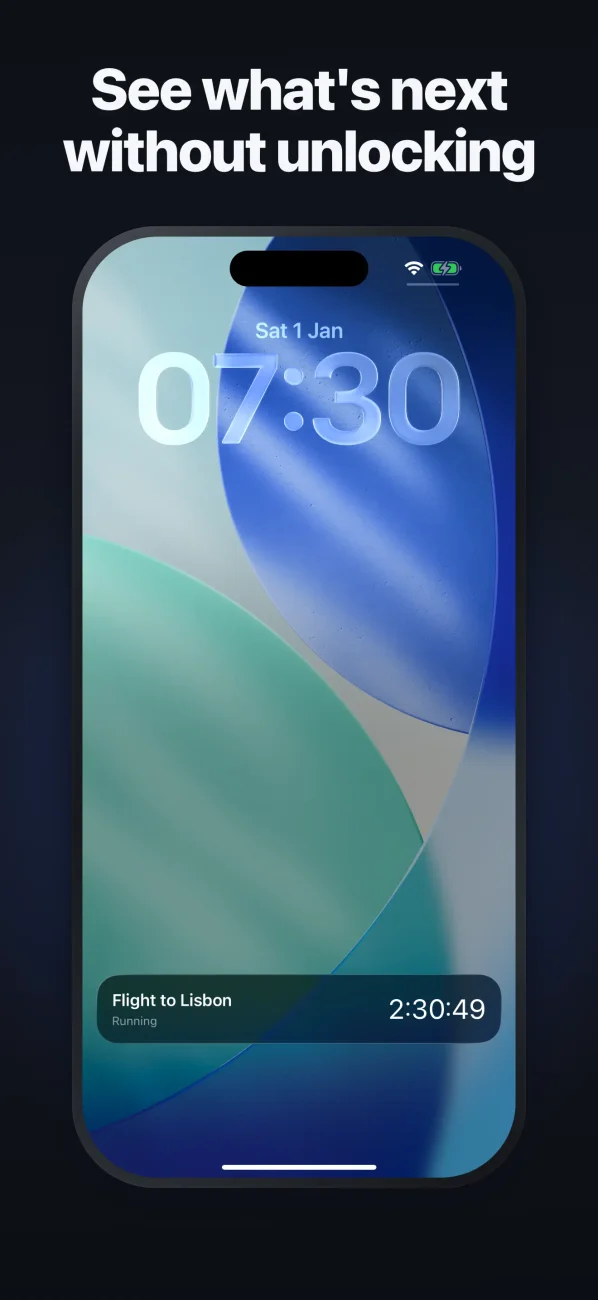
An armed countdown keeps ticking right on your Lock Screen, and a Home Screen control starts your regular countdowns in a tap.
· Synced across iPhone and iPad with iCloud
Set a countdown on one device, and it's waiting on your other device. Sync is automatic and private to your iCloud account, with no sign-up or setup needed.
· Warned before time runs out (Pro)
Ask for a nudge at 5, 10, 15, 30, or 60 minutes before the deadline — separately from the final alert, so a flight reminder and bedtime reminder can behave differently.
· Make each one recognisable (Pro)
Tag countdowns with a colour and a symbol — a red backpack for the school run, a plane for that flight — so you recognise them instantly, by sight or by VoiceOver.
· Full-screen focus mode
Tap a countdown to fill the screen with the dial. No controls, no clutter — just the time you have left.
· A finished alert, not a silent failure
When time is up, the countdown stays on screen with a chime until you acknowledge it. Nothing quietly expires while you're not looking.
Basic Countdown Timer is built to feel at home on iOS: Live Activities, a Lock Screen presence, haptics, Dynamic Type, VoiceOver labels throughout, and the familiar swipe-to-delete. Your countdowns sync over iCloud, privately, to every iPhone and iPad signed in to your Apple ID.
It's free to time three countdowns. Countdown Pro unlocks unlimited countdowns, colour and symbol tags, and early notifications, with one simple purchase, and no subscription.
What’s new
Version 2.0 · Sep 22, 2026
Basic Countdown Timer 2.0 — rebuilt from the ground up:
· Multiple countdowns at once, each with its own colour and symbol tag
· Early warnings: get a nudge 5–60 minutes before time is up
· Full-screen focus mode with a beautiful dial
· Live Activities keep armed countdowns on your Lock Screen
· A Control to start your regular countdowns in one tap
· Countdown Pro: unlimited countdowns with a one-time purchase
App privacy
What Thomas Donohue declares on the App Store about how this app handles data.
-
Data not collected
The developer does not collect any data from this app.
Privacy practices may vary, for example with the features you use or your age.
Information
- Seller
- Thomas Donohue
- Category
- Productivity
- Version
- 2.0
- Updated
- Sep 22, 2026
- Released
- Sep 25, 2024
- Size
- 6.1 MB
- Requires
- iOS 26.0 or later
- Age rating
- 4+
- Price
- Free
- In-app purchases
- Yes
- Languages
- English, Spanish
- Copyright
- © 2024 Tom Donohue
You might also like
-
 FoldFlow: Multi Task TimerVisual timers, to-do & routine
-
 Nestd - Storage OrganizerBox & Storage Organizer
-
 Easy CountdownBeautiful countdown timer
-
 Tuck: ADHD Body DoubleRoutines, timer & tiny steps
-
 Dopamine DashJust Start. Get It Done.
-
 CalChime: Calendar AlarmsLoud Meeting & Event Alarms
-
 FocusFlow: Start & ReturnADHD focus, one small step
-
 click clock: A Visual TimerScreen Always On, Custom Alarm
-
 OCD CountdownCountdown to an exact time
-
 TriflowADHD Task Encouragement